Training real estate agents isn’t just about onboarding. It’s about helping them close deals consistently.
But without the right learning systems in place, even skilled agents struggle to perform.
That’s where a reliable real estate LMS can make a real difference.
Still, choosing the right one isn’t easy.
Did you know that, according to a Consumer Federation of America study, 70% of real estate agents sold 5 or fewer homes in 2024, and nearly half sold just 1 or none at all in 2025?
That’s not just a market issue. It’s a training gap.
That’s why I’ve put together this list of the best real estate LMS tools to help you train smarter and build high-performing teams.
What Is a Real Estate LMS, Anyway?
If your current “training system” is a shared Google Drive folder, a chain of email attachments, and the occasional Zoom call that half the team skips…
From what I’ve seen, a real estate LMS changes that by giving you:
- Course creation: Build modules with video, slides, quizzes, and branching scenarios, or import content you already have
- Learner tracking: See exactly who finished what, how they scored, and where they quietly gave up
- Compliance management: Automate certification tracking and audit trails for fair housing, harassment prevention, and licensing requirements
- Scalability: Onboard 5 agents or 500 with the same system, no rebuilding required
The real difference comes down to relevance. The better platforms I’ve used don’t just give generic tools. They include expert-built, ready-to-use courses covering real estate-specific topics such as contracts, regulations, and client communication, and they integrate with the CRM and HR tools I already rely on.
Best Real Estate Training Software at a Glance
| Best Real Estate LMS | Best For | Capterra Rating | Pricing |
|---|---|---|---|
| ProProfs Training Maker | Easy Employee Training & AI-Powered Course Creation | 4.8/5 | Forever free for up to 10 learners. Paid plans from $1.99 per active learner/month |
| Thrive | Course Creation and Customization | 4.7/5 | Starts at $30,000 |
| Absorb LMS | AI-Powered Capabilities | 4.5/5 | Starts at $14,500/year |
| Docebo | Large Enterprises | 4.4/5 | Starts at $25,000/year |
| TalentLMS | Gamification | 4.7/5 | Starts at $69/month |
| iSpring Learn | Presentations | 4.7/5 | Starts at $2.29/user/month |
| 360Learning | Knowledge Sharing | 4.7/5 | Starts from $8/user/month |
| SAP Litmos | Employee Training | 4.2/5 | $3/user/month (150-500 users) |
| Acorn | Performance Management | 4.7/5 | Starts at $5,000/year |
| Tovuti LMS | Customization | 4.6/5 | Starts at $11,160/50 users/year |
| Northpass | Employee Onboarding | 4.5/5 | Custom pricing |
| 360training | Compliance Training | 4.3/5 | Custom pricing |
12 Top LMS for Real Estate
I have had first-hand experience with most of the tools I recommend. I have also considered the recommendations from my industry peers, client testimonials, and reviews on software comparison sites.
As for me, I am presently using ProProfs Training Maker, which is why I put it at the top.
1. ProProfs Training Maker– Best Real Estate LMS for Employee Training
From what I’ve seen, ProProfs Training Maker removes the two things that stop most training programs before they even begin.
Time. And technical skill.
The AI course builder is where it really starts to click.
Instead of building from scratch, I can type a prompt like: “Create a training program for new real estate agents on handling buyer consultations, compliance basics, and closing conversations.”
Within minutes, it generates a complete course. Not just an outline, but structured lessons, quizzes, and assessments that I can edit and deploy right away. But you don’t have to take my word for it. Type a prompt below and see what comes out.

Let ProProfs AI create your training course
There’s also a library of 500+ expert-built courses covering compliance, communication, leadership, and more. I can use them as-is or let AI tweak them to match my brokerage’s workflows.
What stood out to me is that it doesn’t stop at course creation. The analytics layer uses AI to show where learners are getting stuck, highlight skill gaps, and surface insights I can actually act on, instead of just showing completion rates.
I’ve compared this with tools like Absorb LMS and TalentLMS, and the difference in setup speed and content depth is noticeable. It scales well, whether you’re just getting started or running training across large teams.
Pros:
- AI course generation from a text prompt; no blank-page problem
- 500+ pre-built, fully editable compliance and soft skills courses
- Learning paths to create well-defined learning roadmaps based on agents’ skill levels.
- Interactive quizzes for assessing understanding, retention, and gaps.
- eLearning authoring tools to create courses from scratch or import existing material.
- Single Sign-On to authenticate learners who are already logged into your website.
- The ability to incorporate PDFs, PowerPoint presentations, videos, and images into your courses.
Cons:
- No on-premise or downloadable setup
- An option for light and dark mode would be great for an enhanced UX
Pricing: Free plan for growing teams. Paid plan starts at $1.99 per active learner/month for large teams with a 15-day money-back guarantee. No hidden charges.
Real-World Success Story:
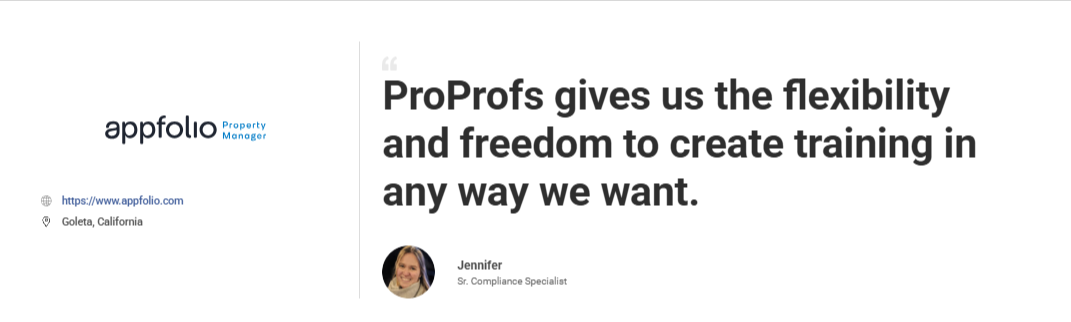
AppFolio, a property management software company serving thousands of real estate businesses, faced a problem most brokerages know well: mandatory compliance training that employees dread and forget the moment it ends.
They needed a program that matched their culture. Something engaging, flexible, and actually effective, not a library of dry modules nobody wants to sit through.
They chose ProProfs. Built their compliance program from scratch. Made it on-brand, approachable, and interactive.
The verdict from Jennifer, Senior Compliance Specialist at AppFolio: “ProProfs gives us the flexibility and freedom to create training in any way we want.”
2. Thrive – Best for Course Creation and Customization
Thrive is a robust Learning Management System (LMS) that I’ve had the pleasure of using extensively in my professional career. The platform offers a user-friendly interface that makes it easy for both administrators and learners to navigate.
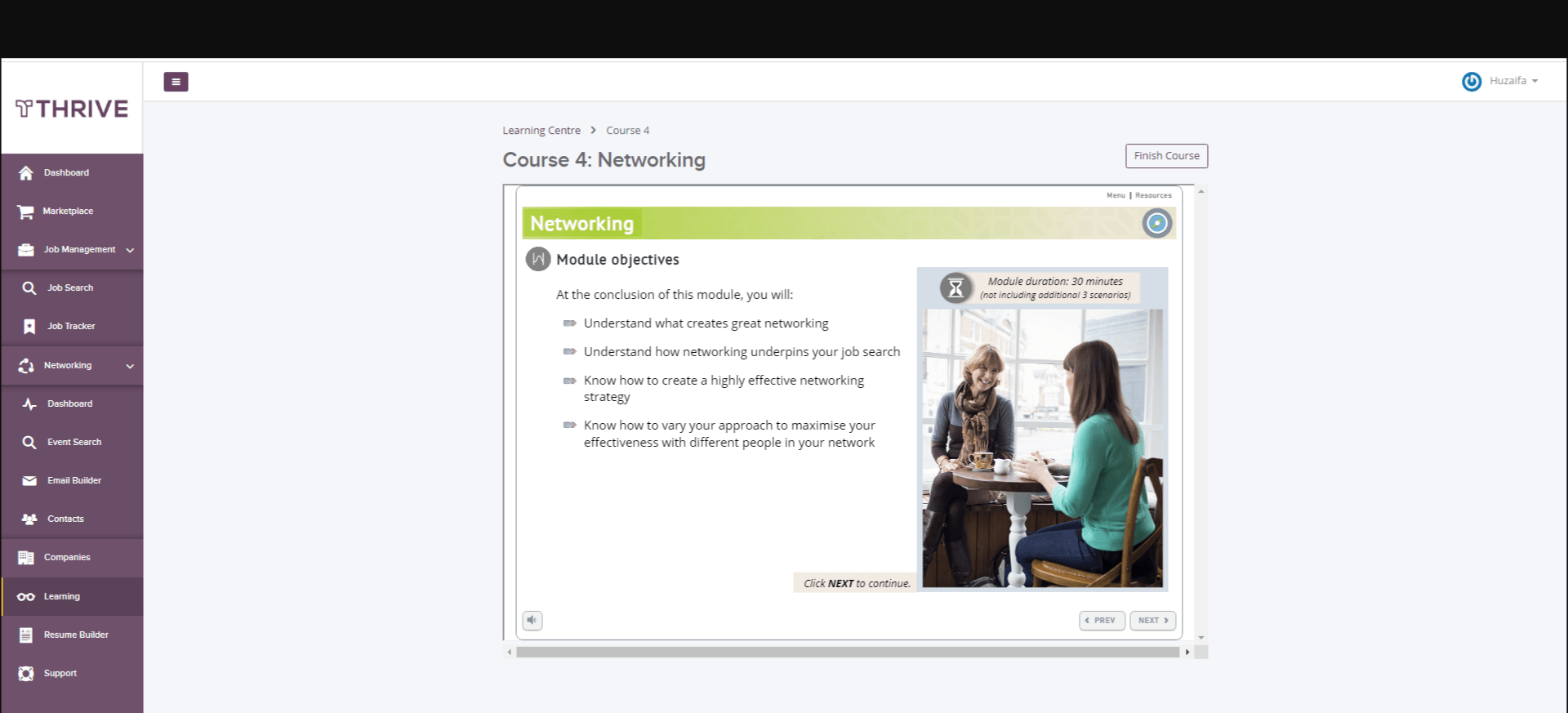
What sets it apart is its robust course creation and customization features. The tool offers a wide range of content formats, from videos to quizzes and interactive simulations.
Thrive offers advanced analytics that have helped me immensely by providing deep insights into learner progress and engagement, allowing our instructors to fine-tune their content and teaching methods. The platform also boasts excellent communication tools, fostering collaboration among learners through forums, live chats, and virtual classrooms.
It’s a reliable choice for any organization serious about enhancing its training and development programs.
Pros:
- A single platform for learning, collaboration, communication, and skills development.
- Tailored content suggestions based on skills, behaviors, and interests.
- A sleek mobile app for convenient on-the-go learning.
- Tools for scheduling and automating learning campaigns and live broadcasts.
- Robust tracking and analytics for compliance requirements.
Cons:
- Higher pricing as compared to other LMS platforms.
- Users have reported longer response times from Thrivlearning’s customer support.
Pricing:
Starts at $30,000.
3. Absorb LMS – Best for AI-Powered Capabilities
This AI-powered LMS amazed me when I first tried my hand at it. The tasks that were earlier taking me a reasonable amount of time were now automated thanks to its predictive AI and natural language recognition. The Trending Ribbon feature even recommended popular courses to my learners.
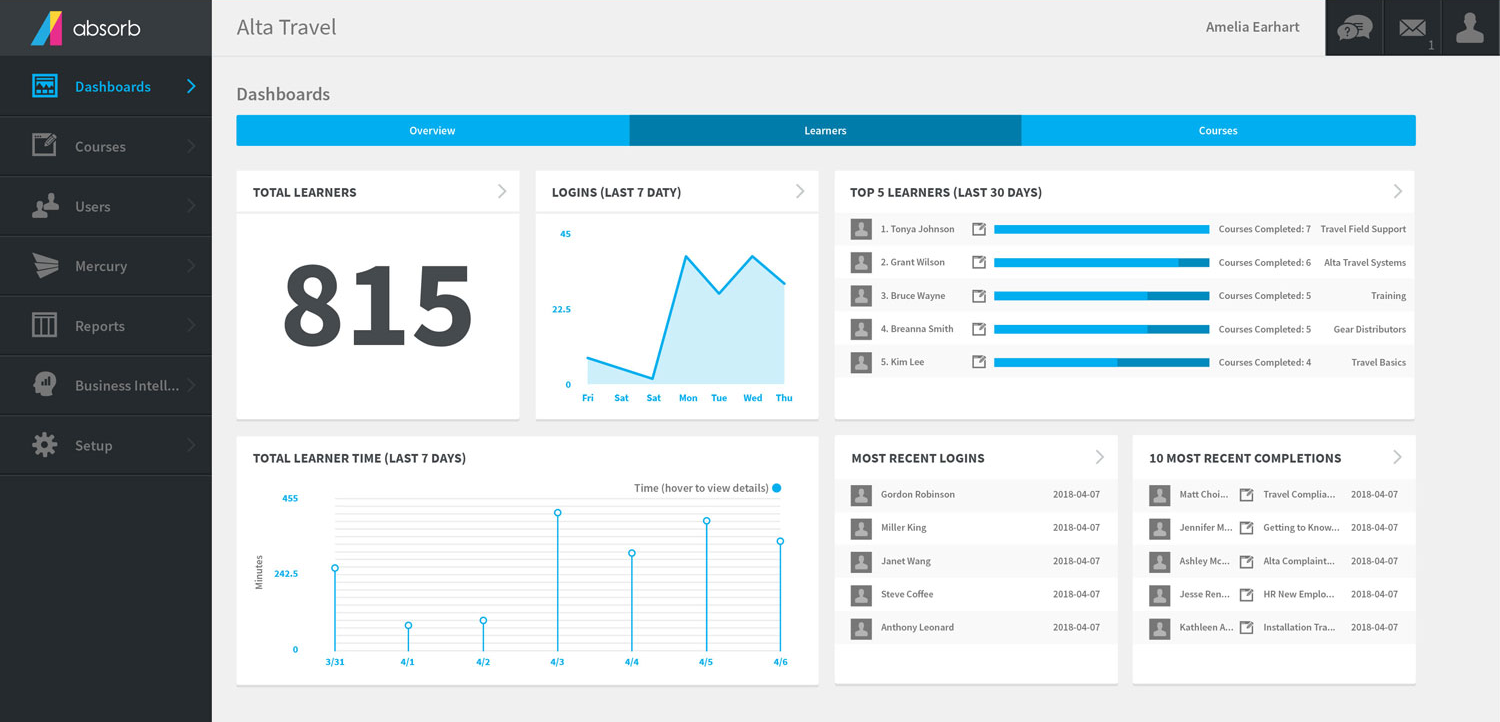
When it comes to accessibility, Absorb LMS’s mobile app ensures learners can access content on the go. This real estate LMS helped me track my students’ performances and those of my courses. The tool also offered social learning capabilities, facilitating collaboration among learners.
If you are looking for a tool to streamline your training and development, this tool can surely come in handy.
Pros:
- Customizable dashboards to meet unique reporting needs.
- Mobile-responsive design for learning on various devices.
- Automated notifications and reminders to keep learners engaged.
- Content library with pre-built courses for quick deployment.
- Multi-language support for global training initiatives.
Cons:
- Higher pricing compared to some other LMS options.
- Limited integration options with certain third-party software.
Pricing:
Starts at $14,500/year.
4. Docebo – Best for Large Enterprises
Docebo is an LMS that I’ve found particularly suited for organizations with a global reach. Its multilingual capabilities and built-in translation tools simplify training delivery to diverse audiences.
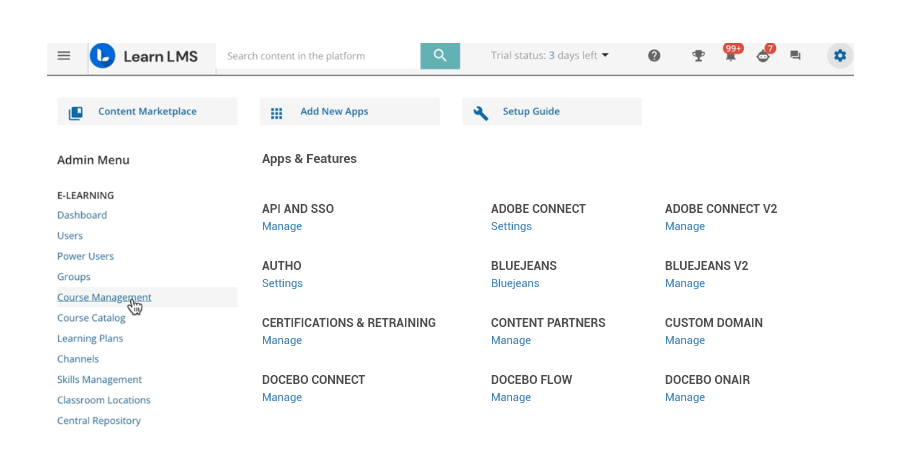
The platform offers various social learning features, fostering collaboration and knowledge sharing among learners. Its AI-powered predictive learning engine suggests content personalized to each learner, enhancing engagement.
Docebo’s reporting and analytics tools provide detailed insights into learner behavior and course effectiveness. The sleek and user-friendly interface contributes to a positive user experience.
Additionally, Docebo offers robust integrations, making it easy to connect with other business tools. Its scalability and focus on learner engagement make it a valuable asset for organizations looking to elevate their training programs.
Pros:
- Social learning features for fostering collaboration and knowledge sharing.
- Compliance and certification management for regulatory training.
- AI-powered chatbots for instant learner support.
- Multi-tenancy support for managing multiple clients or branches.
- Gamification elements to motivate and reward learners.
Cons:
- Limited offline access for mobile learning.
- Limited customization and branding options.
Pricing:
Starts at $25,000/year.
5. TalentLMS – Best for Gamification
TalentLMS is a versatile and straightforward LMS that I’ve found exceptionally user-friendly. It’s an excellent choice for organizations seeking a quick and easy way to deliver online training. The platform offers a streamlined course creation process with drag-and-drop functionality, making it accessible for users with varying technical abilities.
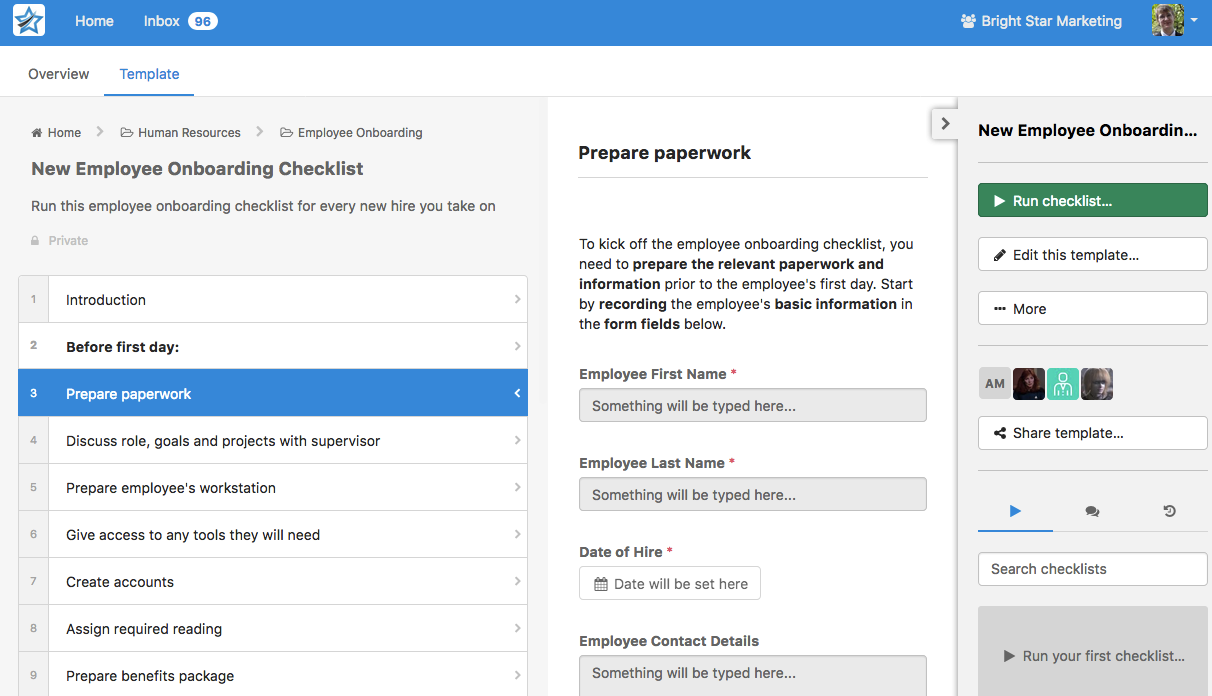
It’s suitable for both small businesses and large enterprises, with the ability to accommodate growing training needs seamlessly. The mobile app ensures learners can access content anytime, anywhere.
What’s the best part? I could add points, badges, and leaderboards to my training programs, which gamified the whole learning experience.
Pros:
- Automated course enrollment and assignment based on roles.
- Custom domain mapping for a branded learning experience.
- Built-in e-commerce functionality for selling courses online.
- Interactive video conferencing for virtual instructor-led training.
- Powerful quiz and assessment engine for evaluating learner knowledge.
Cons:
- Limited support for complex compliance and certification tracking.
- Reporting and analytics capabilities could be more advanced.
Pricing:
Starts from $69/month (billed annually).
6. iSpring Learn – Best for Presentations
iSpring Learn is a user-friendly LMS that strongly emphasizes delivering engaging eLearning experiences. What impressed me most was its integration with PowerPoint, allowing for the easy conversion of presentations into interactive courses.
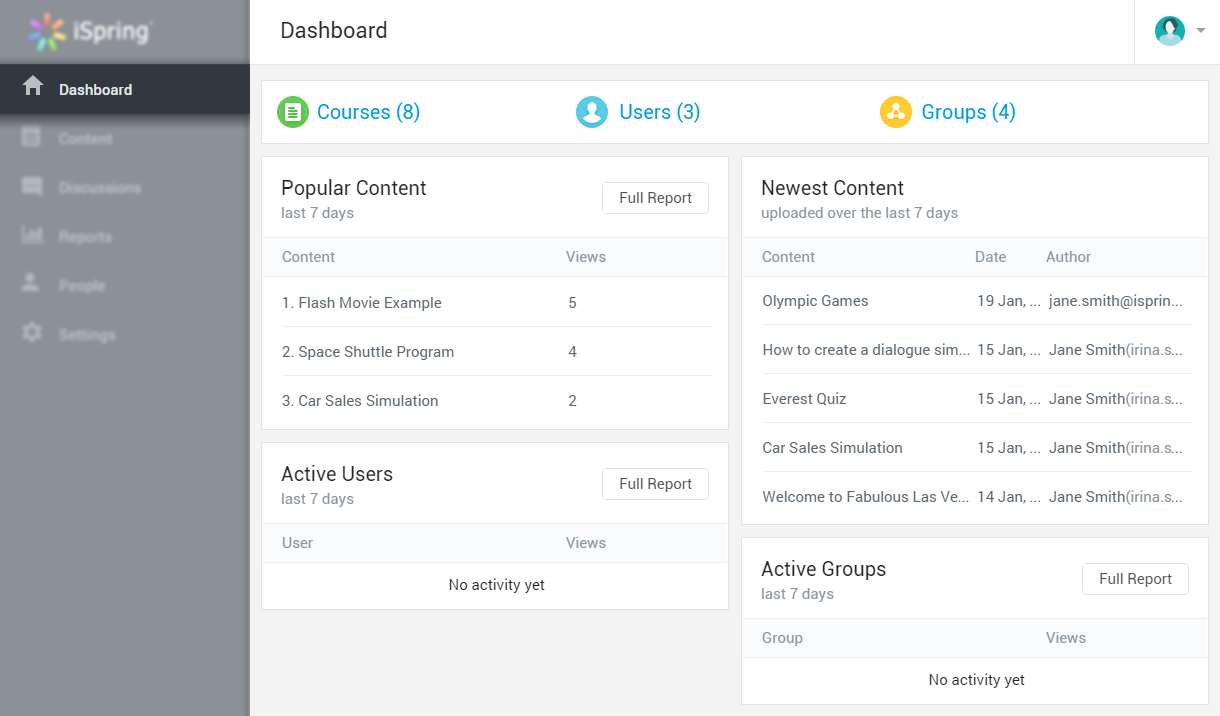
The platform offers a range of assessment tools, including quizzes and surveys, enhancing the learning experience. The tool helped me automate those repetitive manual tasks like re-enrolling employees’ attestations and training.
iSpring Learn’s mobile app ensures learners can access content on various devices, promoting flexibility. Its SCORM compliance facilitates seamless integration with other eLearning content.
For organizations seeking a hassle-free way to create and deliver online courses, iSpring Learn’s simplicity and PowerPoint integration make it a compelling choice.
Pros:
- Content versioning and rollback to manage course revisions.
- White-labeling options for a fully branded learning portal.
- Integration with popular webinar platforms for live training.
- Rich multimedia support, including videos, simulations, and quizzes.
- Automated email notifications and drip campaigns.
Cons:
- Lack of built-in social learning features.
- Some users find the user interface less modern and visually appealing.
Pricing:
Starts at $2.29/user/month.
7. 360 Learning – Best for Knowledge Sharing
360 Learning is an innovative LMS that focuses on collaborative learning and knowledge sharing. My experience with it has shown that it excels in creating a social learning environment where learners can interact, share insights, and collaborate on projects.
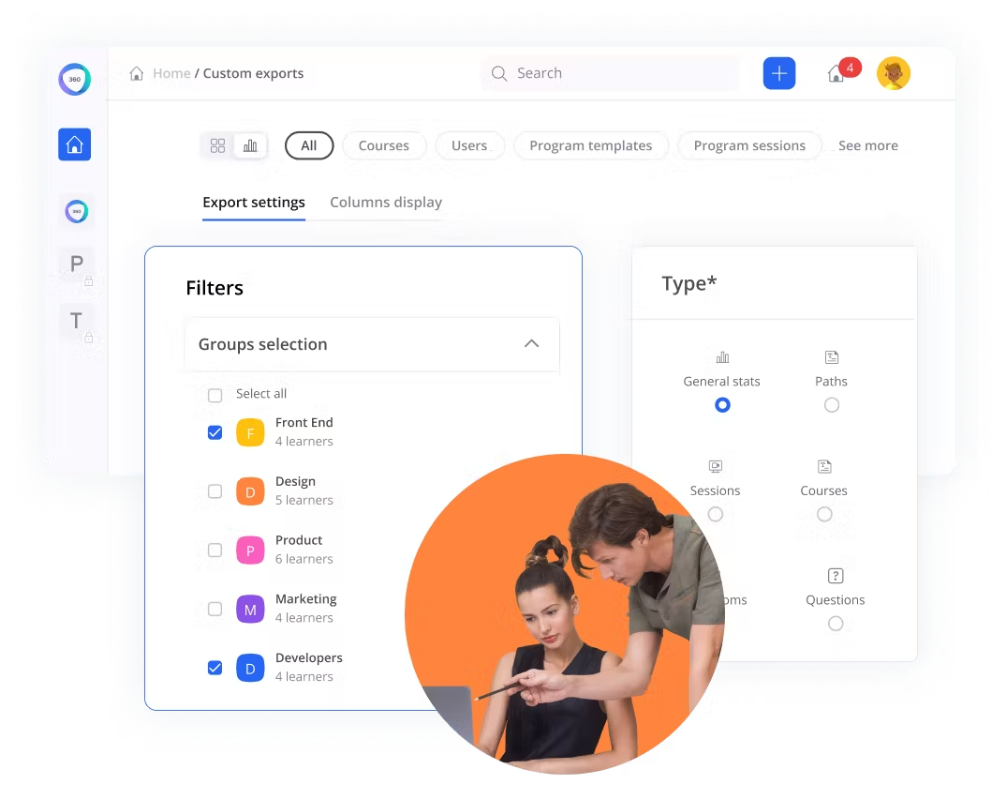
The platform offers robust content creation tools, making it easy to build engaging courses. Its AI-driven recommendations help personalize the learning journey. 360 Learning’s interface is clean and intuitive, contributing to an excellent user experience.
For organizations looking to foster a culture of collaborative learning and knowledge sharing, 360 Learning is a compelling choice.
Pros:
- Peer-to-peer learning features for collaborative skill development.
- Learning paths and skill tracking for career development.
- Customizable workflows for course creation and approval.
- Built-in content authoring and assessment tools.
- Personalized learning recommendations based on user behavior.
Cons:
- Pricing can be on the higher side for smaller organizations.
- Limited built-in e-commerce functionality for selling courses.
Pricing:
Starts from $8/user/month.
8. SAP Litmos – Best for Employee Training
SAP Litmos is known for its ease of use and scalability. As per my experience with this tool, it’s particularly well-suited for employee training and compliance in various industries.
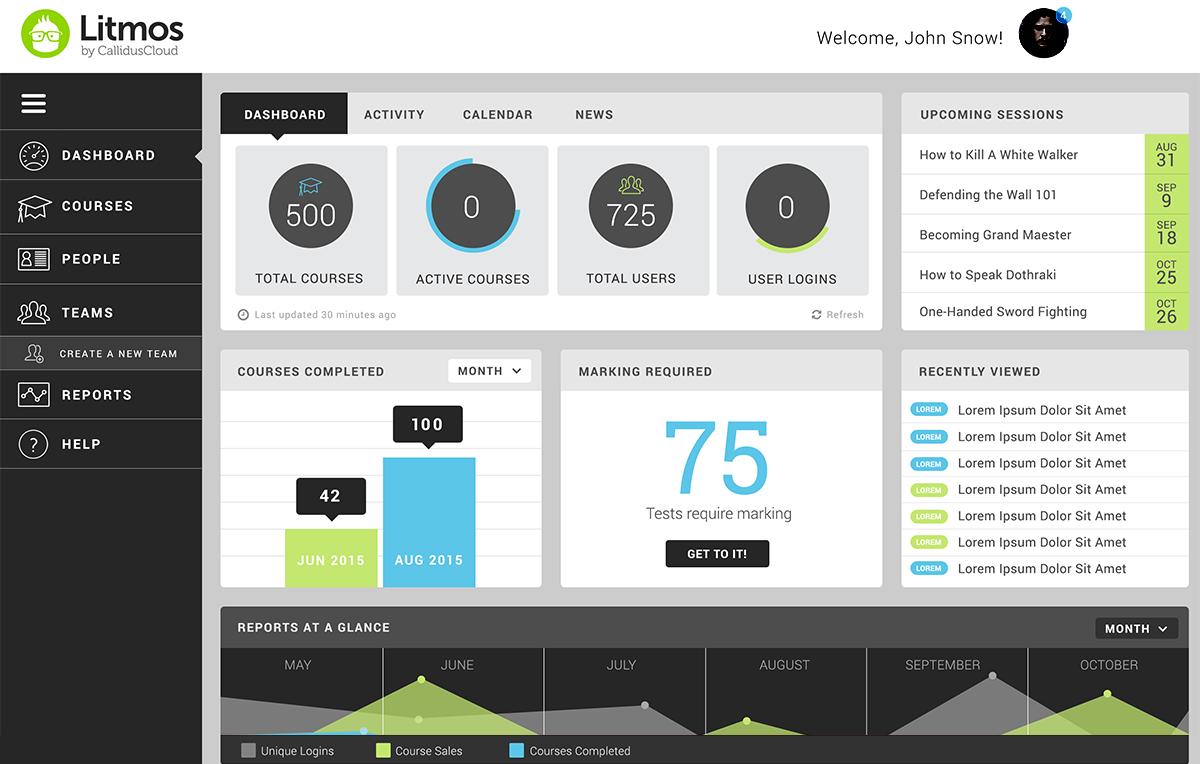
This tool offers a user-friendly, cloud-based, and mobile-responsive learning management system that’s both scalable and highly secure. Its quick deployment and integration options ensure a seamless transition into your existing workflow.
With Litmos, you can effortlessly create, manage, and distribute training content, supporting web-based and instructor-led sessions across the globe. The platform incorporates features like video assessments, gamification, and customizable branding to keep learners motivated and invested in their development.
For organizations seeking a reliable and scalable LMS for employee training, SAP Litmos is a solid choice.
Pros:
- Scalable training for businesses of all sizes, from startups to enterprises.
- Multi-modal content delivery, including video, documents, and quizzes.
- Mobile app with offline access for on-the-go learning.
- Extensive content marketplace for a wide range of topics.
- Integration with CRM and HR systems for data synchronization.
Cons:
- Slow loading times, glitches, and errors.
- No feature to make courses optional for learners.
Pricing:
$3/user/month for 150 to 500 active users.
9. Acorn LMS – Best for Performance Management
Acorn is another LMS that has been a staple in my eLearning toolkit. Its simplicity and efficiency make it an ideal choice for organizations seeking a straightforward yet effective learning management solution.
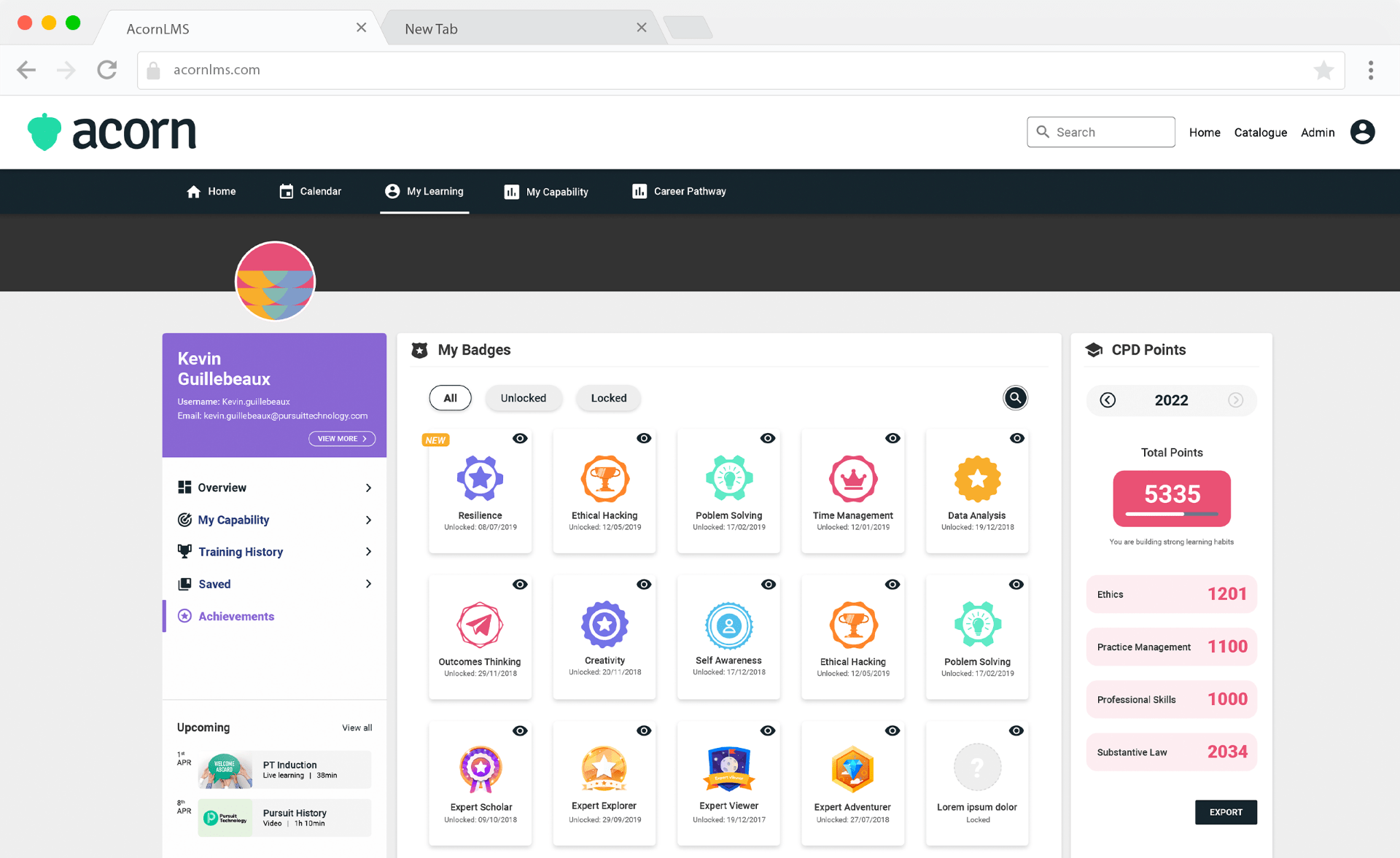
Acorn shines in its ease of use. Navigating the platform is intuitive, and both instructors and learners can quickly adapt to its user-friendly interface. The course creation process is streamlined, allowing for the easy upload of content and multimedia elements.
The software also boasts strong performance management capabilities. Instructors can easily track progress, set up automated reminders, and assess learner performance through its robust reporting features.
This is particularly beneficial for organizations focused on compliance and certification training.
Pros:
- Tailored course suggestions based on learners’ interests and progress.
- Kudos and recognition for each other’s activities, skills, and goals.
- Content creation tools to share announcements and updates.
- Collaboration with peers and mentors through discussion forums and chat.
- Mobile accessibility to access courses anytime, anywhere.
Cons:
- Small businesses might find Acorn overly complex, as it offers many features they may not need, potentially overwhelming users.
- Lack of customization for courses.
Pricing:
Starts at $5,000/year.
10. Tovuti LMS – Best for Customization
Tovuti LMS is an all-in-one learning platform that I’ve found to be highly customizable. It stands out with its ability to create unique and branded learning experiences.
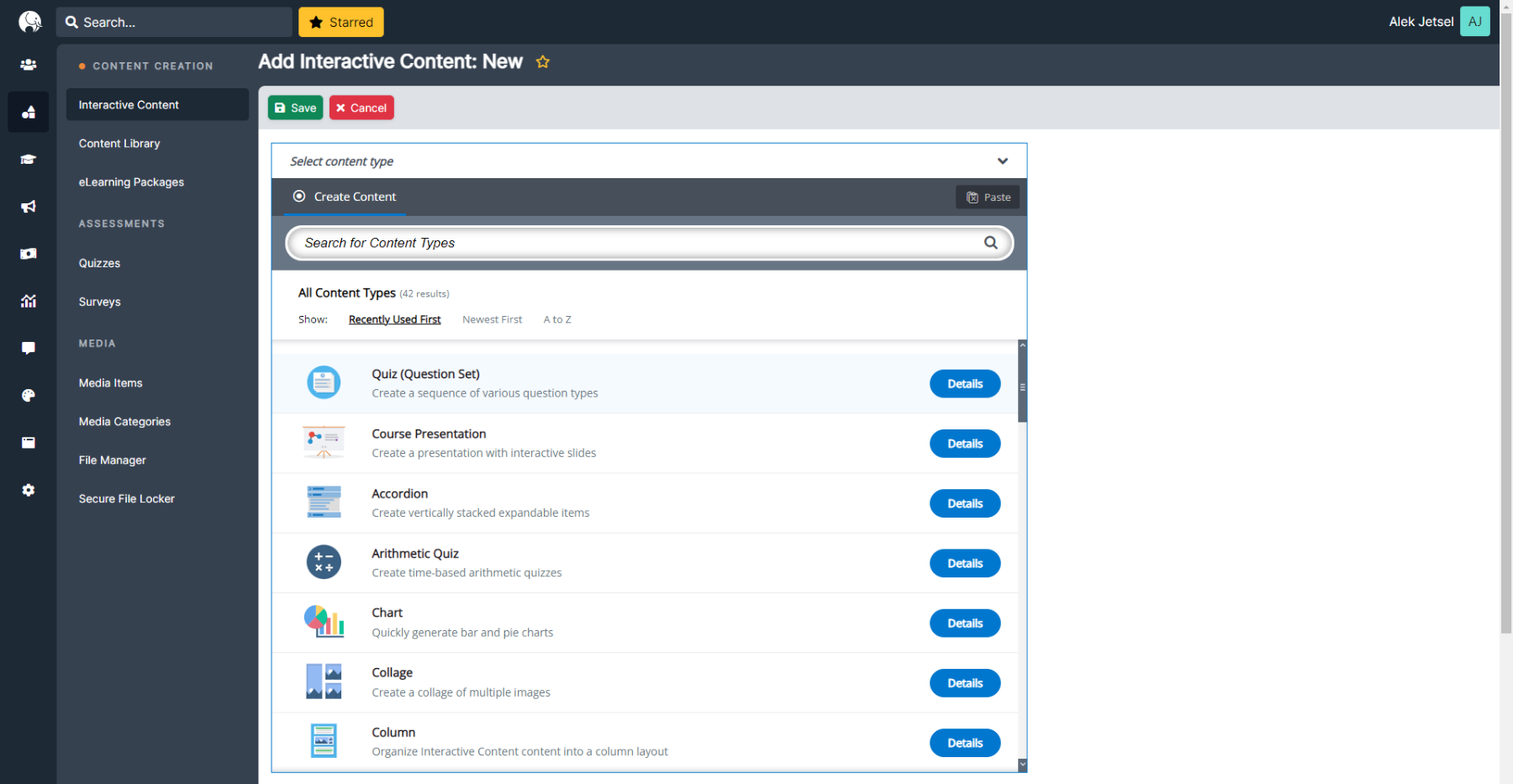
The platform offers a wide range of course authoring tools, including multimedia and gamification options. Its reporting and analytics capabilities provide insights into learner engagement and course effectiveness.
Tovuti’s versatility suits various industries, from corporate training to continuing education. Its integrations with other business systems and content repositories enhance its functionality.
For organizations seeking a highly customizable and branded learning platform, Tovuti LMS is an excellent choice.
Pros:
- Dynamic, interactive learning paths for personalized training journeys.
- Extensive reporting with real-time insights into learner progress.
- Social learning features for collaboration and knowledge sharing.
- Customizable certificates and badges to reward learner achievements.
- API and Zapier integration for connecting with other tools and systems.
Cons:
- Custom reporting options are less flexible compared to advanced LMS platforms.
- The content management system can be overly complex for basic use.
Pricing:
Starts at $11,160/50 users/year.
11. Northpass – Best for Employee Onboarding
Northpass LMS is highly recommended by professionals in my industry as a top choice for enhancing employee onboarding and facilitating customer education. Their firsthand experiences highlight its exceptional effectiveness for businesses seeking to educate both customers and partners.
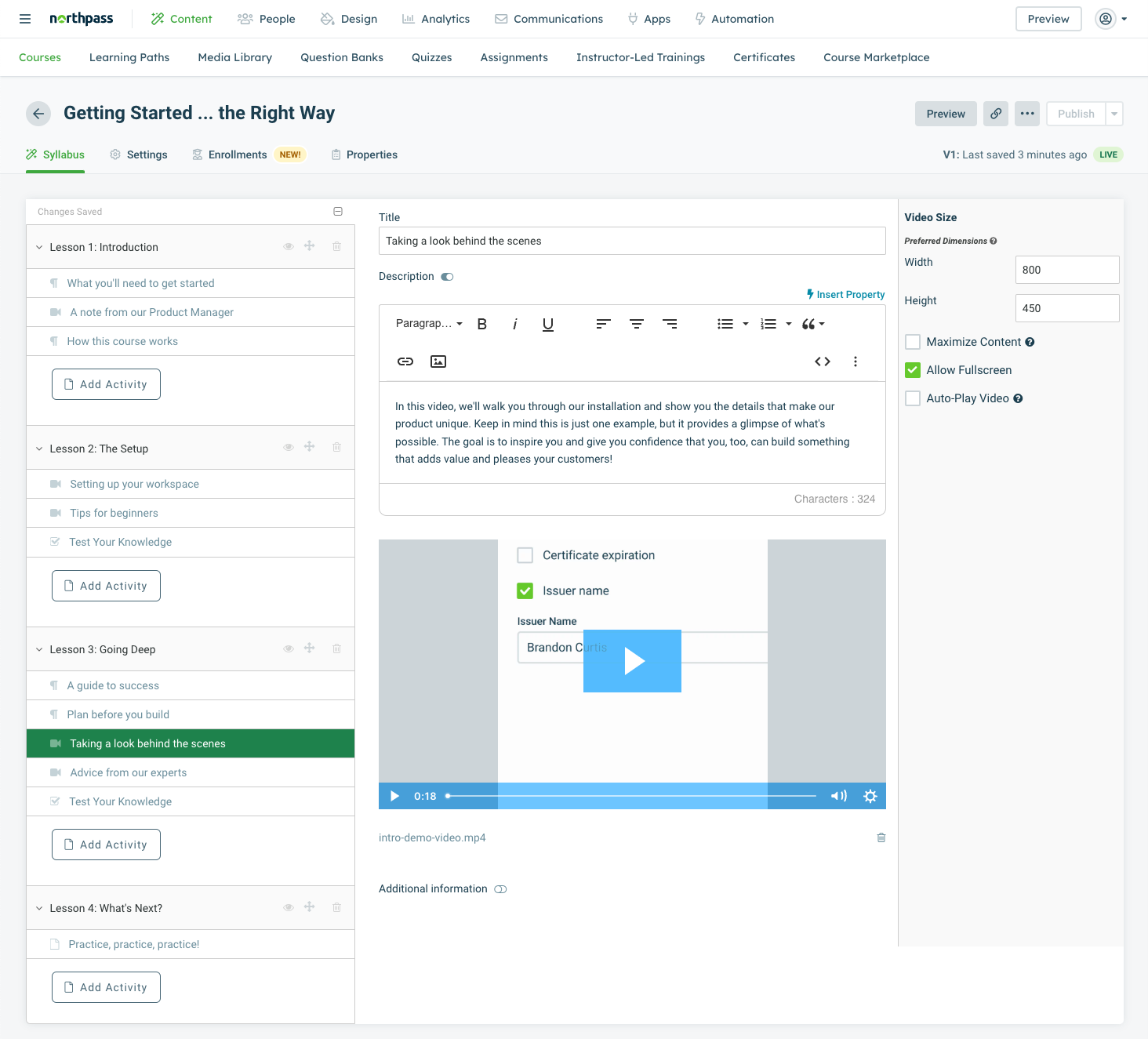
By automating one-on-one training, it frees your customer success teams to focus on nurturing relationships, driving growth, and improving customer retention. Moreover, it’s incredibly cost-effective, allowing you to reduce training expenses while ensuring that your education program remains easily accessible 24/7.
Northpass’s integrations with CRM and marketing tools make it a valuable asset for customer-focused organizations.
Pros:
- Advanced assessment and quiz features for accurate skill evaluation.
- Powerful automation tools for course assignments and notifications.
- Adaptive learning paths to cater to individual learner needs.
- Secure, scalable, and compliant with data privacy regulations.
- Integration with popular marketing and analytics platforms.
Cons:
- Organizations with complex assessment needs may find Northpass’s assessment features lacking.
- Lack of integrations can be a limiting factor.
Pricing:
Custom pricing.
12. 360training – Best for Compliance Training
This LMS is a popular name that specializes in compliance training. Using it, you can train your agents on regulations such as fair housing laws, licensing, and foreclosure.
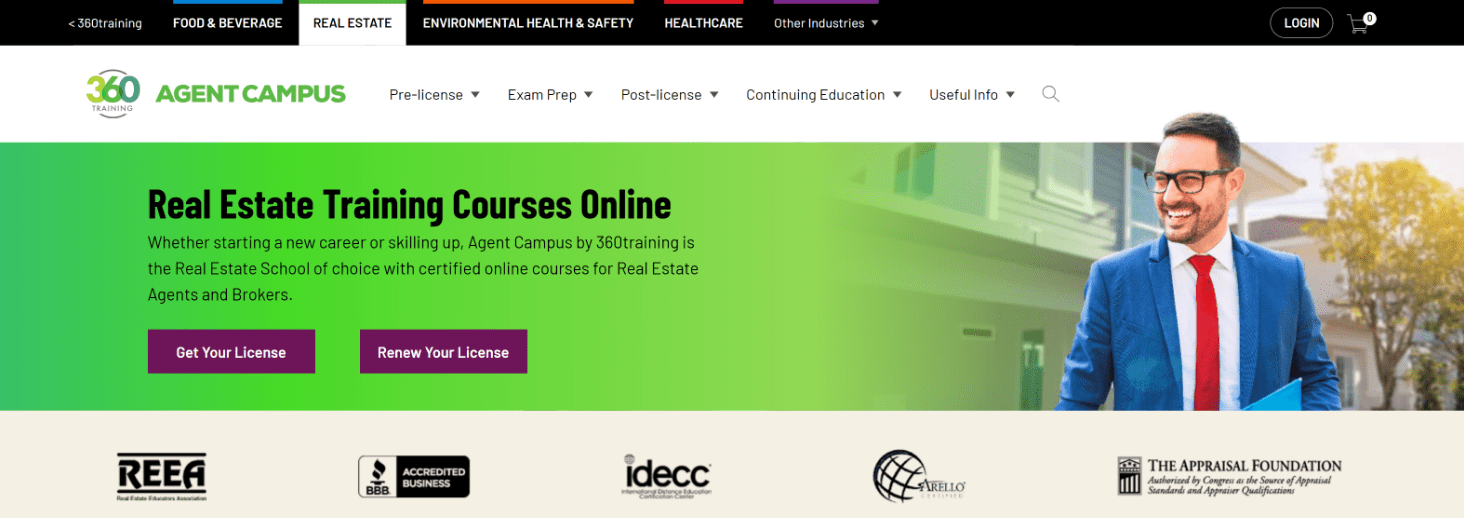
Having personally experienced its benefits, I can confidently attest to its effectiveness in providing top-notch online education for both newbies and seasoned professionals.
360training is best suited for regulated industries where compliance is the most important factor. Its courses are not just certified but also meticulously updated, ensuring you’re always in sync with the latest industry standards.
The platform’s mobile-friendly design ensures learners can access training materials on various devices. For organizations seeking a compliance-focused LMS, 360training is a solid option.
Pros:
- Automated certificate generation upon course completion.
- A comprehensive library of industry-specific training courses.
- Self-paced learning allows users to study at their convenience.
- Interactive multimedia elements for engaging and effective learning.
- Continuous updates to keep content aligned with industry changes.
Cons:
- Users may find 360training’s course catalog limited, especially if they require diverse or specialized content.
- Reporting features are complex and may require a learning curve.
Pricing:
Custom pricing.
How Did I Evaluate These Real Estate Training Software?
Fair question. “I tested some stuff” isn’t exactly a rigorous methodology.
So here’s what I actually looked at, from my own hands-on time with these platforms and from verified Capterra reviews (hence the ratings in the table above).
I also ran ProProfs Training Maker head-to-head against Absorb LMS, TalentLMS, and iSpring Learn during my own evaluation. ProProfs consistently came out ahead on course creation simplicity, pre-built content depth, and pricing for mid-sized teams. That’s not me reading a marketing brochure. That’s why I switched to it.
For every tool on this list, I asked:
- Course creation flexibility: Can you build what agents actually need, without hiring a developer?
- Certification and compliance tracking: Does it create audit trails you can stand behind if a compliance issue comes up?
- Mobile and remote access: Can agents complete training between showings, not just at a desk?
- Reporting depth: Are the analytics genuinely useful, or just pretty dashboards nobody opens?
- Integration fit: Does it connect with the CRM or HRIS your brokerage already uses?
- Pricing honesty: Is the starting price realistic, or does it quietly balloon once you add the features you actually need?
Alright. On with my top 3 picks.
Okay, But Which One Should You Actually Choose?
Twelve tools. I know. That’s a lot.
Let me cut it down for you.
Option A: ProProfs Training Maker
ProProfs Training Maker covers the full range, including AI-powered course creation, compliance tracking, certifications, and multilingual delivery, without requiring technical expertise. The free plan lets you test it before spending a dollar. For most brokerages, this is where I’d start. (And yes, I’m biased. I use it. But I use it because it works, not the other way around.)
Option B: Absorb LMS
Absorb LMS works well for managing structured training programs at scale. It offers strong content management and detailed analytics to track progress and refine learning over time.
Option C: TalentLMS
TalentLMS is a simple, cloud-based option for building and delivering courses quickly. It’s especially useful for training remote teams and keeping them up to date without much setup.
If you’re asking me personally, and you are, because you’re reading this, ProProfs Training Maker is where I’d point you first. I’ve scaled training with it without adding headcount. The multilingual support alone has made a real difference for diverse teams. Start free. See if it fits.
Watch: How to Choose the Best LMS Software
How to Implement a Real Estate Training Program With an LMS (4 Simple Steps)
If you already have an LMS in mind, the next step is to use it effectively. Here’s a simple framework I’ve seen work well for brokerages.
1. Define clear training goals
Start with outcomes, not content. Are you trying to improve deal closures, speed up onboarding, or ensure compliance? Your goals will decide what training looks like.
2. Build a structured onboarding path
New agents shouldn’t figure things out on their own. Create a guided journey that includes essential modules such as sales scripts, CRM use, and local market knowledge.
3. Deliver compliance and ongoing training
Real estate isn’t static. Use your LMS to regularly assign compliance courses, certifications, and skill refreshers to keep agents up to date and confident.
4. Track performance and optimize
This is where most teams fall short. Use LMS analytics to see who’s completing training, where they’re dropping off, and how learning connects to performance. Then refine your programs based on real data.
When done right, your LMS stops being just a training tool and becomes a system that consistently improves agent performance.
One Last Thing Before You Commit
A 30-day pilot with two or three vendors will tell you more than any comparison article ever could. (Including this one. I’m fully aware of the irony.)
Set up the same training module in each platform. Run it with a small group of actual learners. Then focus on three things:
- Setup speed: How long does it take an admin with zero LMS experience to build and publish a course?
- Learner experience: How easy is it to navigate on mobile versus desktop?
- Reporting quality: Does it show what you actually need, or just generate data you’ll export once and never use again?
The platform that wins these three tests is the right one.
Not the one that looks best on a feature comparison table.
Stop Letting Inconsistent Training Cost You Agents
Most new agents I’ve seen enter the field without the systems, skills, or structure they need to survive the first year. That’s not a character flaw. It’s a training gap, and the numbers back it up.
You can’t fix everything with software. But you can fix the inconsistency, the invisibility, and the manual overhead that makes good training impossible to scale. A real estate LMS is how you stop relying on individual managers to be good trainers and start building something that works, whether or not the best coach on your team is in the building that day.
The tools on this list do that job. Just in different ways, for different team sizes and budgets.
Start with a free trial. Build one real module. See what works.
Frequently Asked Questions

What is the best LMS for real estate training?
The best real estate LMS depends on your team size, compliance requirements, and content creation needs. ProProfs Training Maker is the strongest choice for brokerages that need AI-powered course creation, a large pre-built content library, and compliance tracking without requiring technical expertise. Absorb LMS suits organizations wanting AI-driven personalization, and TalentLMS is the stronger choice when gamification is a priority.
What features should a real estate LMS include?
A real estate LMS should include customizable course creation, role-based learning paths, built-in assessments, certification and compliance tracking, mobile access, and CRM or HRIS integrations. Reporting depth matters too. You need visibility into completions, performance gaps, and compliance status without running manual reports every time someone asks.
What are the benefits of using an LMS for real estate agents?
Consistency, visibility, and scalability. Instead of training varying by manager or location, everyone follows the same structured path. You can track completions, catch skill gaps early, and prove compliance without digging through email chains. As your team grows, the system scales without rebuilding anything.
How do I choose the right real estate training software for my brokerage?
Map your actual training requirements first: onboarding, compliance, ongoing skill development, or all three. Then identify your constraints: budget, team size, technical capacity, and the tools you need to integrate with. Run a pilot with two or three platforms using a real training module. The platform your least technical admin can operate confidently is usually the right call.
Can a real estate LMS handle compliance and licensing training?
Yes. Most platforms on this list support certification management, automated renewal reminders, and audit trail generation. ProProfs Training Maker specializes specifically in regulated industry compliance and continuously updates content to reflect current fair housing, licensing, and foreclosure requirements.
How do I know if my agents are actually learning, not just clicking through?
Look for platforms with built-in assessments, pre- and post-tests, and scenario-based evaluations, not just completion tracking. Question randomization, timed questions, and branched scenarios make it harder to click through mindlessly and give you more reliable data on whether knowledge actually transferred.
Let ProProfs AI create your training course

 We'd love your feedback!
What did you like & how can we make it even better?
 Thanks for your feedback!
 Ask Your Question
Have a question? Get expert help to make your decision easier.