

Do you need a powerful LMS for associations or organizations?
As someone who has worked closely with several eLearning tools over the years, I’m here to share my firsthand experiences with you.
I understand you have a lot of employees and members to train so they adhere to your policies and procedures and remain compliant and safe all the time. You need to offer mass education and, for that, you need a solution that simplifies training and makes record-keeping easy.
Considering all this, I have handpicked the top 10 association LMS that can prove transformative for your onboarding and ongoing training.
Here’s a quick overview of the tools I’ve lined up for you:
| Association Learning Management Systems | Best for | Pricing |
|---|---|---|
| ProProfs Training Maker | Easy online employee training & LMS | Forever free for small teams. Paid plan starts at$1.99/learner/month. |
| Moodle LMS | Open source | Free (but there may be costs associated with hosting, customization & support) |
| Absorb LMS | Complex enterprise training needs | Custom quote |
| Docebo | Scalable enterprise learning | Custom quote |
| iSpring Learn | PowerPoint conversion | Starts at $2.29/user/month |
| 360Learning | Collaborative learning | Starts from $8/user/month |
| LearnUpon | AI-powered learning | Custom quote |
| Tovuti LMS | Creating engaging online courses | Custom quote |
| Freestone | Live & on-demand courses | Custom quote |
| Path LMS | Webinars and virtual events | Custom quote |
What Is an Association LMS?
An association LMS is a software application specifically designed to facilitate the creation, delivery, management, and tracking of training and educational content for association members. Such a platform serves as a centralized hub for learning materials, courses, certifications, and continuing education. They foster member engagement and professional development.
Why Do Associations Need an LMS?
Associations need an LMS for more or less the same reasons other entities do: to streamline and automate online training and education. With these tools, associations can also easily train learners at scale.
An LMS offers a centralized hub for managing all aspects of member education, from course creation and delivery to tracking progress and reporting on results. This eliminates the need for manual processes and paperwork, which saves association staff valuable time and resources.
Similarly, with an LMS, associations can deliver training to a geographically dispersed membership base without any hindrances. Learners can access courses on their own time and at their own pace.
In other words, an LMS streamlines course delivery, eases certification management, and empowers members to access ongoing learning opportunities to enhance their professional development conveniently.
Key Features of an Association LMS
Some of the essential features you would find in any standard cloud LMS for associations and organizations are:
- Custom course creation: Build engaging learning experiences that match your association’s unique needs and keep members up-to-date on industry trends.
- Personalized learning paths: Tailor the learning journey for each member, ensuring knowledge retention and skill development at their own pace.
- Mobile accessibility: Empower members to learn on-the-go, anytime, anywhere, on any device. Fit professional development into their busy schedules.
- Task automation: Streamline administrative tasks like enrollment and certification management to free up valuable staff time and focus on member engagement.
- User management: Easily add, remove, and manage member access with complete control. Build a secure learning environment for your association.
- Multiple instructors: Involve multiple admins and instructors for ease of administration. Leverage diverse knowledge and perspectives to deliver a rich and comprehensive learning experience.
- Gamification: Motivate learners and boost engagement with points, badges, and leaderboards. Make learning fun and interactive.
- Integrations: Connect your LMS to existing association solutions like membership databases for a seamless user experience and centralized data management.
- Reporting: Gain valuable insights into learning progress, identify areas for improvement in your course offerings, and track the overall effectiveness of your educational programs.
How to Choose an LMS for Association Learning
First things first, start by identifying your specific training goals and member needs.
Consider factors such as ease of use, scalability, integration capabilities, support services, cost, and the platform’s alignment with your association’s mission and values.
Request demos, evaluate user testimonials, read product reviews, and seek recommendations from other associations to make an informed decision.
Here’s a quick video guide on how to go about it:
List of the Best LMS for Associations (Free & Paid)
In coming up with these tools, I’ve leveraged in-depth research, firsthand experience, recommendations by industry peers, reviews in trusted software comparison sites, and customer testimonials.
1. ProProfs Training Maker – Best for Easy Online Employee Training & LMS
ProProfs Training Maker is an easy and powerful solution for associations and organizations that are focused on delivering effective onboarding, skills, policies, safety, and compliance training.
With its comprehensive features, the platform helps my organization create, manage, share, track, and analyze courses and tests, with AI flagging where members are falling behind, seamlessly
You get access to a massive library of hundreds of premium courses and can easily train your teams on sexual harassment prevention, compliance, and employee skills. You can also import your existing training material or use ProProfs’ AI-powered learning management system to create a course in minutes. Or, simply start from the ground up.
Leverage its multilingual capabilities, including AI-generated voiceovers, to train members worldwide.
What’s even more fascinating about this LMS for associations is that you can add gamification elements to courses to elevate your employees’ overall learning experience.
What you may like:
- Interactive features, such as quizzes, assessments, and multimedia, for an engaging learning experience.
- Powerful customization and branding, with AI handling content edits on request, to create courses just the way you want.
- 24/7 awesome phone and chat support.
What you may not like:
- No downloadable or on-premise version
- No dedicated account manager for the free plan, unlike the paid
Pricing:
Forever FREE plan for small teams. Paid plan starts at $1.99/learner/month for large teams with a 15-day money-back guarantee. No hidden charges.
2. Moodle LMS – Best for Open Source
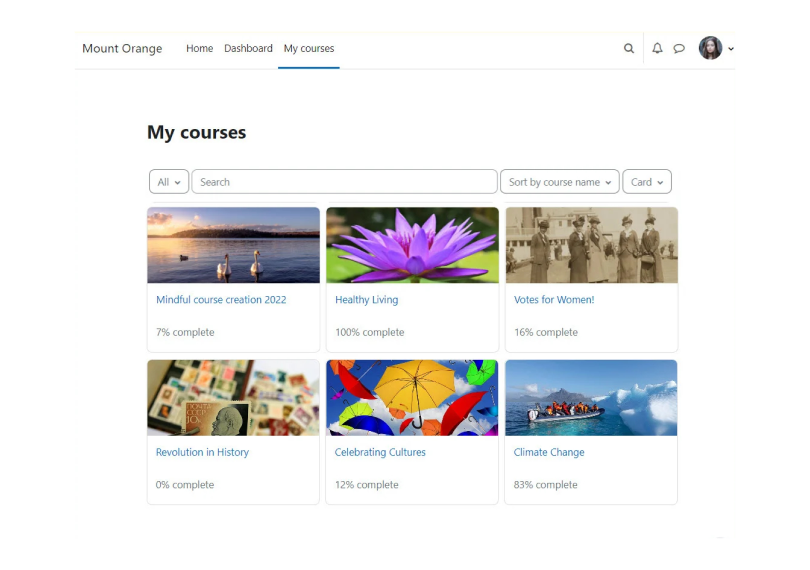
I’ve witnessed Moodle LMS’ capability as an open-source LMS. I love how it gives me total control over my online classroom. It’s free, open-source, and super flexible.
I can easily design courses that fit my teaching style, from lectures and quizzes to forums and collaborative activities. Plus, with a huge community of users and developers, there’s always help and new features to explore. This makes Moodle the most powerful and adaptable LMS out there.
And the best part? Moodle isn’t just about instructors. Learners love the mobile app for on-the-go learning, and the built-in accessibility tools ensure everyone can participate equally. It’s a win-win for both educators and learners.
What you’ll like:
- Extensive customization options to create branded courses
- Integrated forums and real-time chat functionality to facilitate lively discussions
What you may not like:
- For newcomers, the initial setup and configuration might require some learning.
- As a self-hosted platform, regular updates and maintenance can be challenging.
Pricing:
Free (but there may be costs associated with hosting, customization & support)
3. Absorb LMS – Best for Complex Training Needs
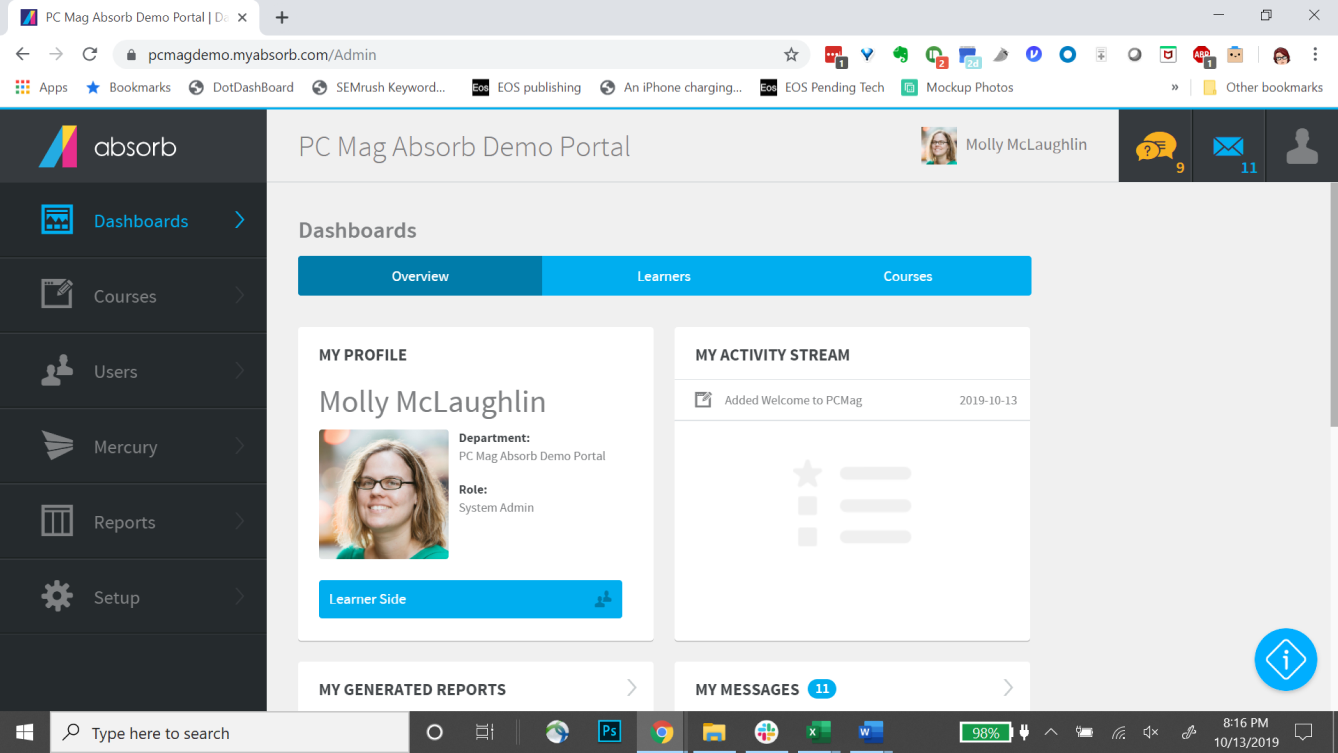
Absorb LMS caters well to intricate training programs through its robust features. It enables users to create diverse content formats, including videos, simulations, and assessments, and ensures a well-rounded learning experience.
Additionally, its built-in AI tailors learning paths for individual users to maximize knowledge retention for complex subjects.
The LMS is well-suited for associations and organizations because it focuses on member engagement. It offers mobile compatibility for on-the-go learning and a user-friendly interface for easy navigation.
The LMS also facilitates social interaction through features like badges and leaderboards, which foster a sense of community among members. With its emphasis on education and engagement, Absorb LMS can be a valuable tool for retaining members and delivering valuable training.
What you may like:
- User-friendly course builder for quick and engaging content creation
- Advanced analytics to monitor learner progress and course effectiveness
What you may not like:
- Requires regular updates and maintenance
- Exploring the tool’s wide range of features requires some time and training
Pricing:
Custom quote
4. Docebo – Best for Scalable Enterprise Learning
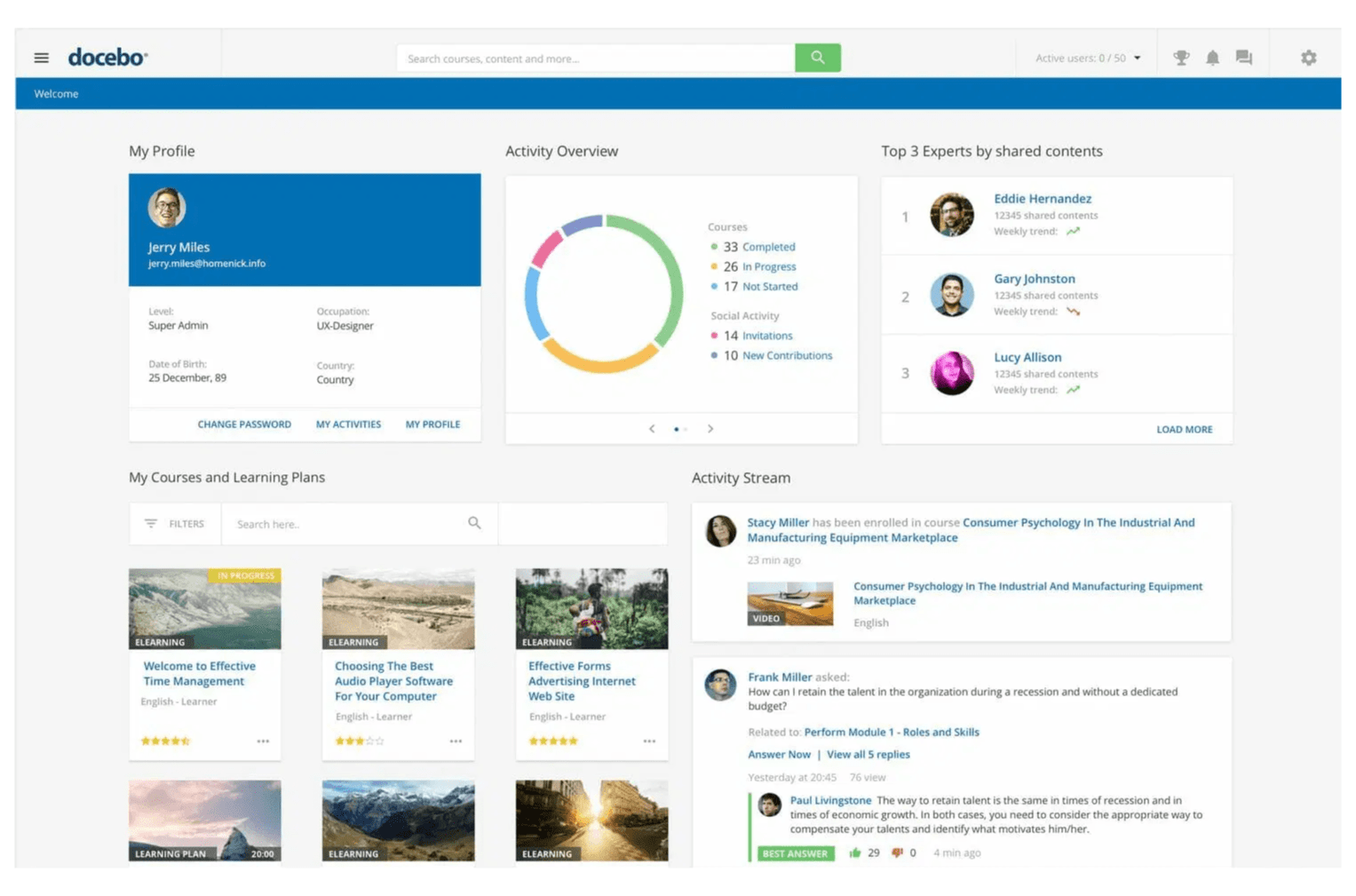
Docebo, a leading player in the realm of online training, is an exceptional choice for associations and organizations seeking scalable and versatile learning solutions.
With its robust set of features, Docebo facilitates the creation of engaging courses, efficient content management, and comprehensive tracking. Similarly, its AI-powered capabilities offer personalized learning paths, making it an ideal solution for large enterprises looking to nurture employee growth and drive performance.
Docebo’s blend of AI-driven personalization and extended enterprise features make it a top LMS for associations with diverse learning needs.
I’ve witnessed how these capabilities deliver tailored training experiences to large teams, thereby ensuring optimal knowledge acquisition, skill development, and performance improvement.
What you may like:
- Flexible, drag-and-drop functionality to get learning programs ready in minutes
- Over 400 no-code integrations for a holistic learning experience
What you may not like:
- Complex setup and configuration
- Customer support can be slow at times
Pricing:
Custom quote
5. iSpring Learn – Best for PowerPoint Conversion
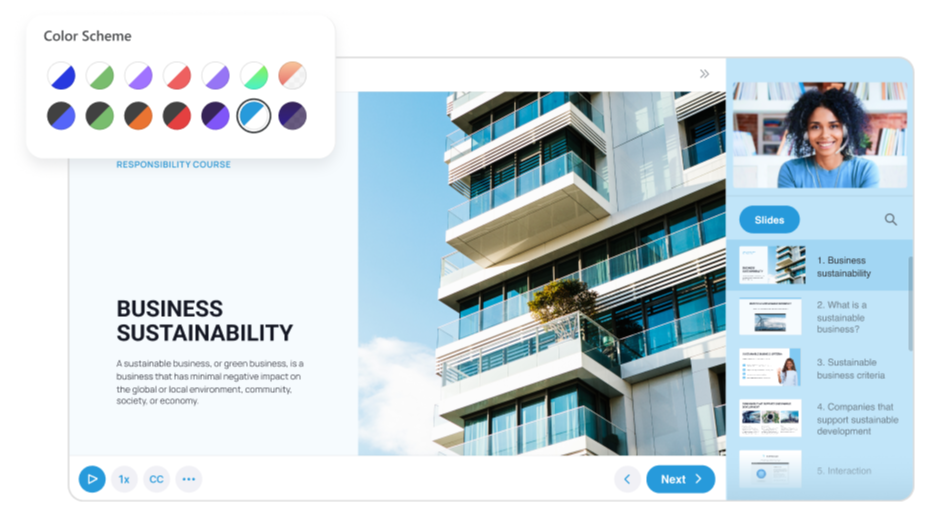
iSpring Learn might not be the entire LMS solution itself, but it works seamlessly alongside its product, iSpring Suite. This makes it a powerful contender for organizations and associations looking to convert their existing PowerPoint presentations into SCORM and HTML5 eLearning courses.
iSpring Suite integrates directly with PowerPoint and this allows users to enrich their slides with quizzes, interactive elements, and narration – all within the familiar PowerPoint interface.
The best thing I found in the software is iSpring Converter Pro 11, which takes the baton once your course is complete. This handy tool meticulously converts your presentation into a web-friendly format with animations, transitions, and complex elements.
This streamlined process translates to significant time and cost savings for associations and organizations. They can leverage their existing training materials and quickly transform them into engaging online courses without needing to learn entirely new software. This empowers them to efficiently deliver consistent, high-quality learning experiences to their members or employees.
What you may like:
- Unlimited storage space to help you upload as much content as you need
- Courses adapt seamlessly to various devices, ensuring a consistent experience for learners on desktops, tablets, and smartphones.
What you may not like:
- It can be complicated and sluggish at times
- Lacks built-in web conferencing features
Pricing:
Starts at $2.29/user/month
6. 360Learning – Best for Collaborative Learning
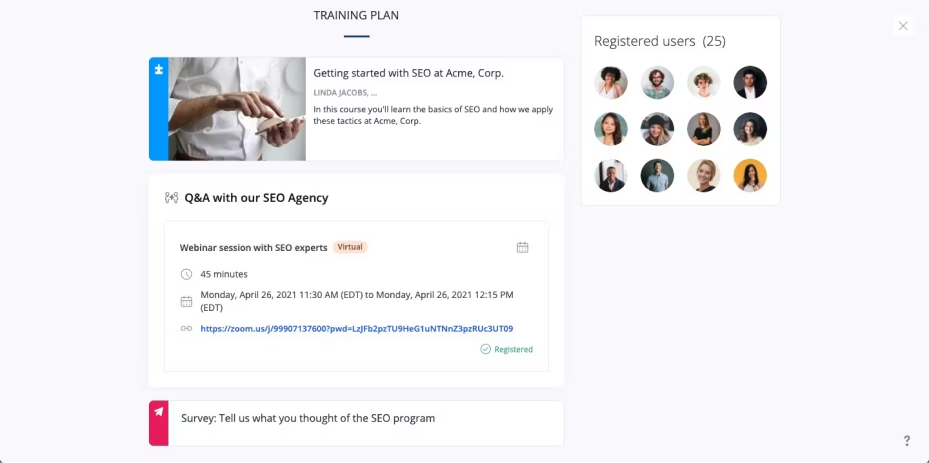
360Learning takes a unique approach by placing collaboration at the heart of learning.
Associations and organizations seeking an LMS that fosters interaction and knowledge sharing among learners will find the platform an exceptional choice.
Its powerful features, such as collaborative content creation, peer feedback, and discussions, transform learning into an engaging experience that encourages active participation and community building.
Single Sign-On, advanced user roles and permissions, and nested groups further ensure that your training programs are safe and in the right hands.
What you may like:
- Enables learners and instructors to collaborate on content creation and fosters a sense of ownership
- Custom integrations to streamline workflows
What you may not like:
- Lacks gamification features
- Reporting lacks depth
Pricing:
Starts from $8/user/month
7. LearnUpon – Best for AI-Powered Learning
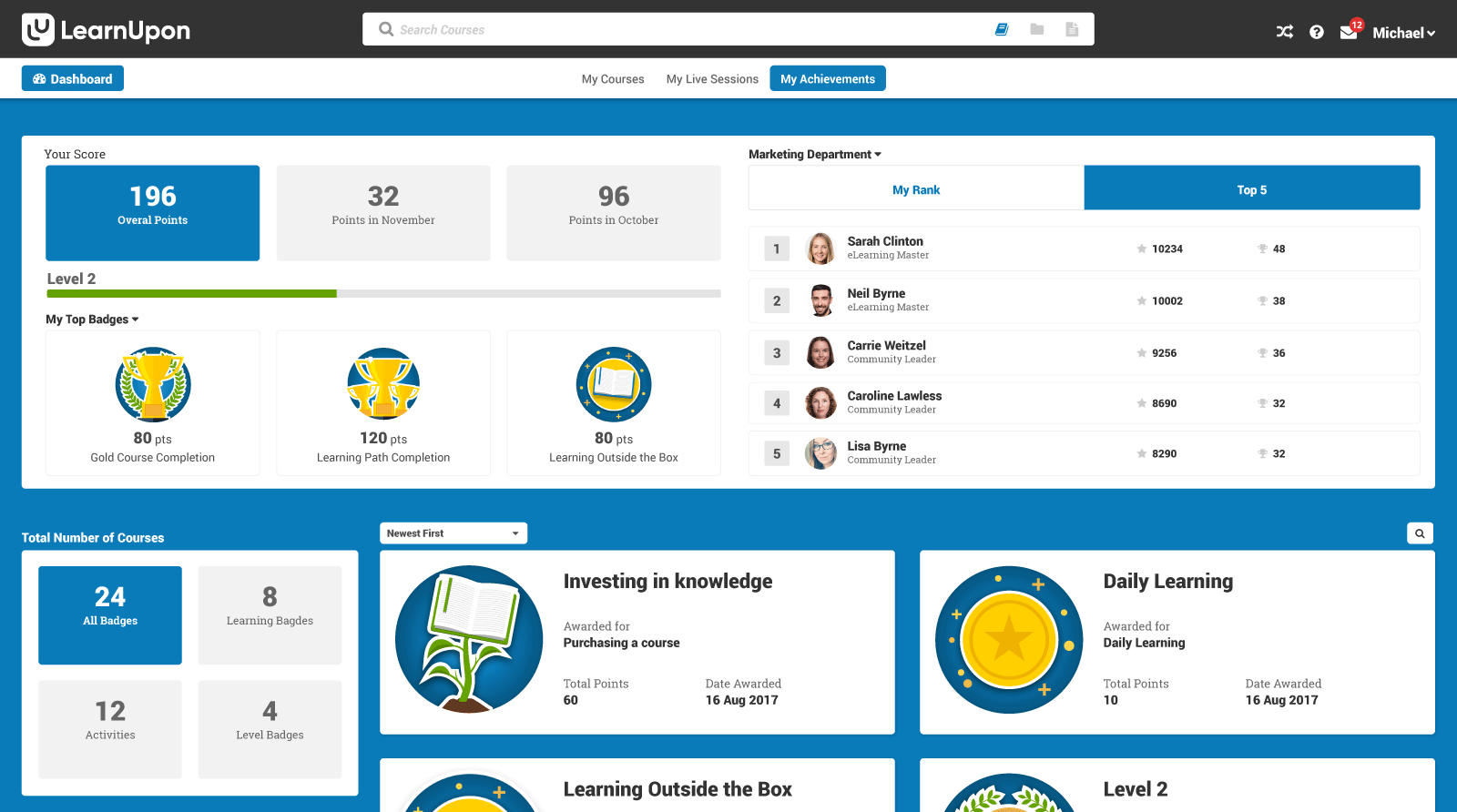
LearnUpon is notable for its focus on artificial intelligence (AI) in learning management. Its AI tools can automate tasks like generating course content, translating languages, and creating assessments. This frees up instructors to focus on more strategic aspects and enables faster course creation.
Additionally, AI-powered chatbots can be virtual coaches for guiding learners and personalizing their experience.
This AI focus particularly benefits associations and organizations. They can create engaging, informative training programs for members or employees. With features like tiered memberships and credit tracking, associations can ensure members get the right content and maintain their certifications.
Overall, LearnUpon helps organizations deliver a streamlined and effective learning experience.
What you may like:
- AI-powered features to eliminate repetitive tasks
- URL white labeling to create unique learning portals
What you may not like:
- Learning paths are a bit cumbersome
- Integrations are complex and require more profound technical expertise
Pricing:
Custom quote
8. Tovuti LMS – Best for Creating Engaging Online Courses
Tovuti was recommended to me by an industry veteran who has been using it for nearly five years.
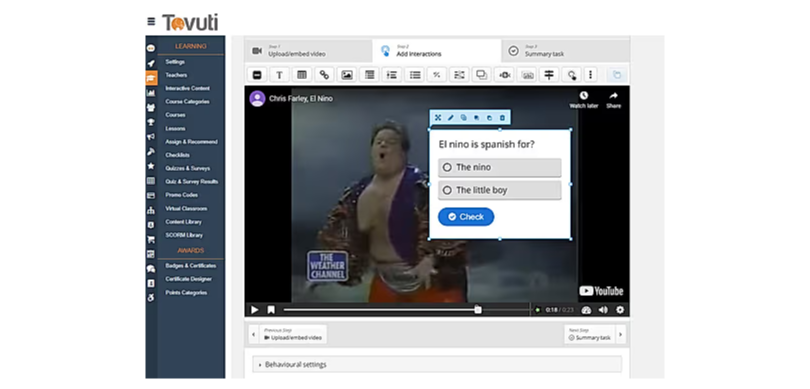
With its emphasis on multimedia-rich content and engagement tools, the LMS transforms traditional training into an immersive journey.
Its drag-and-drop course builder, gamification options, and robust multimedia support make it a compelling choice for organizations aiming to captivate learners and drive meaningful knowledge retention.
Using the software’s beautiful templates, huge content library, and professionally designed themes, my colleague could create courses of compelling quality and design.
Moreover, its enterprise-scale security, powerful reporting, and tracking are other crucial features that help deliver elevated learning experiences for employees.
What you may like:
- Supports multimedia elements, such as videos, quizzes, and interactive assessments
- Gamification options, including badges and leaderboards to encourage friendly competition and motivation among learners.
What you may not like:
- Steep learning curve for beginners
- Lacks customization options
Pricing:
Custom quote
9. Freestone – Best for Live & On-Demand Courses
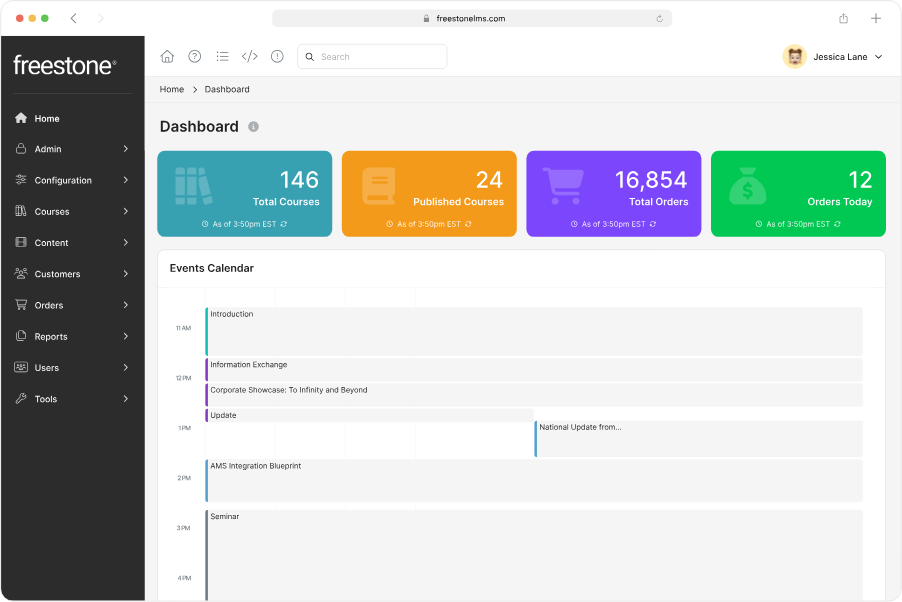
I came across Freestone at the later stage of my online research. It is undisputedly one of the most intuitive platforms for the association industry to deliver live and on-demand courses.
As a part of its comprehensive continuing education program, the LMS helps users advance their educational goals with a flexible learner interface, robust administration features, and interactive tools.
The best thing is that the LMS is a part of Community Brands’ portfolio of products. Community Brands is a leading provider of software solutions for associations, NPOs, and K-12.
Freestone integrates seamlessly with other association management software to deliver a more comprehensive experience for members. This can be especially beneficial for managing memberships, registrations, and course offerings.
With its robust features and industry-specific focus, Freestone LMS positions itself as a strong solution for associations seeking “a proven path to success.”
What you may like:
- You can create course content directly within the platform. This eliminates the need for separate authoring tools.
- The tool is well-suited for associations that offer CE credits. You can track completion, manage requirements, and issue certificates.
What you may not like:
- The admin panel can be overwhelming at first. The abundance of features might require some time getting used to.
- Some users raised the issue of limitations in the depth and flexibility of reports. This could make it challenging to gain deeper insights into learners.
Pricing:
Custom quote
10. Path LMS – Best for Webinars and Virtual Events
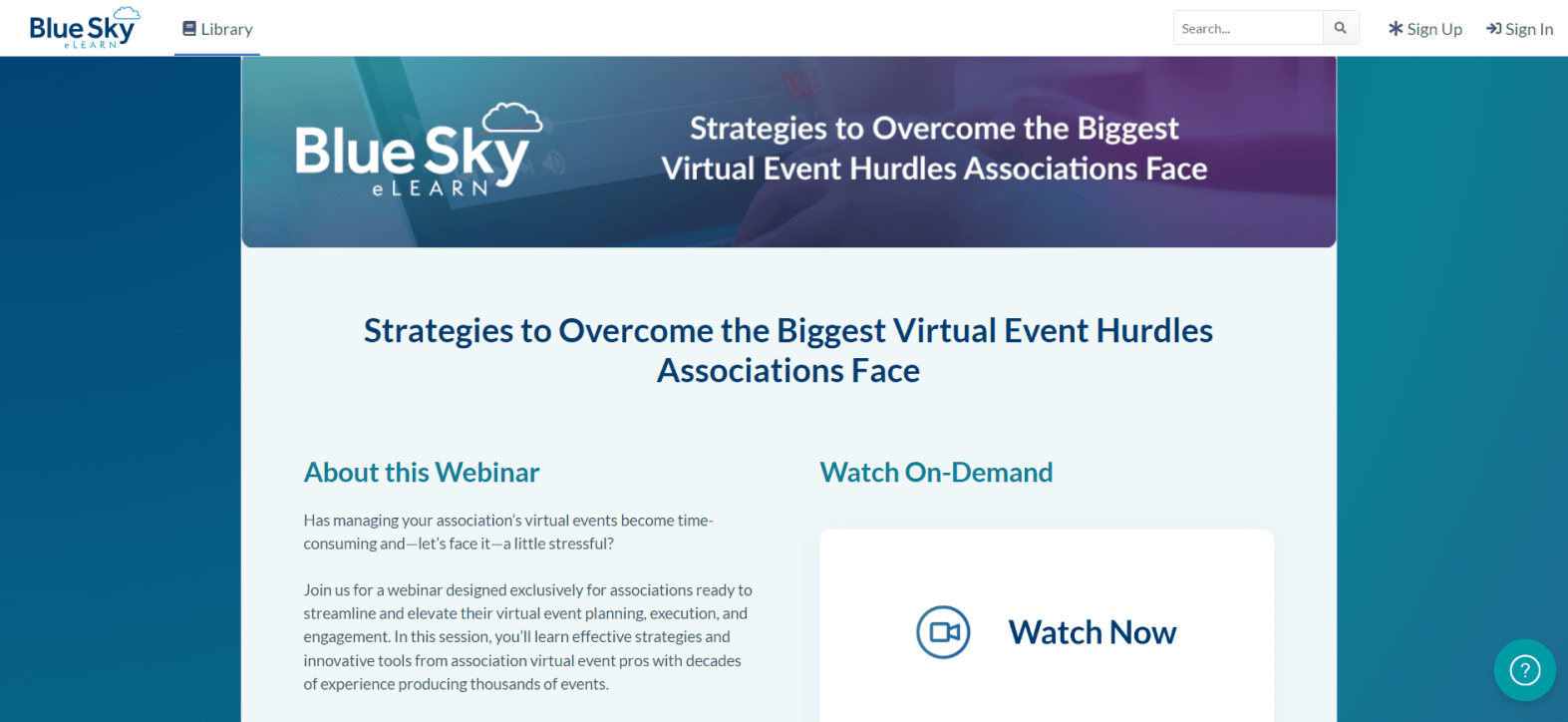
Another valuable LMS for associations and organizations that has received rave reviews from customers is Path LMS by Blue Sky eLearn.
It caters to webinars and virtual events with a two-pronged approach: hosting and managing them. There’s a built-in event player for live streams and webcasts that promote feature-rich, immersive experiences.
In addition, Path LMS integrates with popular virtual event platforms to create seamless webinars and hybrid events. This translates to a one-stop shop for associations to manage everything from registration and reminders to attendee tracking and reports.
Associations benefit from the LMS in several ways. Path LMS streamlines the process of hosting webinars and virtual events, saving them both time and resources. Similarly, engagement features like polls and Q&A sessions ensure a more interactive experience for attendees. This leads to better knowledge retention and a more positive overall impression of your association.
What you may like:
- Path LMS utilizes AI to personalize learning experiences, suggest assessment questions, and even generate content.
- Industry-leading and dedicated support for clients and their learners.
What you may not like:
- While Path LMS is known for user-friendliness, complex course structures or large amounts of content might lead to some administrative hurdles.
- The pricing information is not readily available on the website. This can be a drawback for potential customers who want to compare costs before deciding.
Pricing:
Custom quote
Which Is the Best LMS for Your Association?
If you don’t have the time to go the whole hog, here is a shortened list of the learning management systems for associations that I think you should consider in 2024. Check out the more extensive list further below.
Option A: ProProfs Training Maker
ProProfs Training Maker offers a powerful and easy-to-use LMS to streamline course creation, management, sharing, tracking, and reporting. With free access to a massive course library, it’s easy to train on sexual harassment prevention, compliance, and employee skills. You can also import your existing training material, create a course using AI, or simply from scratch.
Option B: Path LMS
A great fit for associations hosting webinars and virtual events, Path LMS supports easy management of member registration, a secure platform for hosting events with live streaming, and comprehensive reporting and analytics to track event success.
Option C: 360Learning
360Learning is great for building courses that include discussions, shared documents, and group activities. This facilitates peer-to-peer learning and a learning community, which is a must for associations having people with diverse knowledge and experiences. They can share and build on each other’s expertise.
Before we get down to the nitty-gritty of these platforms, let’s gather some foundational information.
Evaluation Criteria
The evaluation of products or tools in this article adheres to a rigorous, objective methodology to ensure comprehensive and unbiased assessments. This process incorporates six key factors:
- User Reviews and Ratings: Direct feedback from users, including ratings and comments from reputable sources, provides a foundational perspective. This input is essential for understanding overall satisfaction and identifying potential areas for improvement.
- Core Features and Functionality: The product’s value is determined by its essential features and overall functionality. Through a thorough examination of these aspects, the practical utility and effectiveness of the tools are carefully evaluated.
- Ease of Use: The user-friendliness of the product or service is assessed, focusing on the design, interface, and navigation. This ensures a positive experience for users of varying levels of expertise.
- Customer Support: The quality of customer support is examined, considering its efficiency and effectiveness in assisting users throughout various stages, including setup, troubleshooting, and operational issues.
- Value for Money: Value for money is evaluated by comparing the quality, performance, and features. The aim is to assist readers in determining whether the product offers a fair return on investment.
- Personal Experience and Expert Opinions: This component of the evaluation criteria incorporates insightful observations from the writer’s personal experience and the opinions of industry experts.
Frequently Asked Questions
What is the cost of implementing an association LMS?
The cost of implementing an association LMS varies. There are free versions availablet that offer basic functionalities suitable for smaller organizations or those with limited needs. Conversely, the paid LMS options typically range from single-digit dollars to thousands of dollars and they are designed for bigger players with large-scale training needs. Consider your budget and needs when choosing an LMS. For more on LMS pricing , read this post: How Much Does an LMS Cost? LMS Pricing Comparison
What resources are needed to implement and manage an LMS for association learning?
To implement and manage an LMS for your association, you need three essential elements. They are technology or the LMS platform itself with features for course creation, delivery, and user management; content that trainers or subject-matter experts should develop using tools for authoring eLearning modules; and finally, people or the staff to administer the LMS, answer learners’ questions, and analyze user data to optimize the learning experience.
How can an association LMS help deliver training and continuing education to my members?
An association LMS streamlines the delivery of training and continuing education by providing a centralized platform for creating, organizing, and distributing learning content. It enables members to access courses and materials at their convenience, track their progress, earn certifications, and engage in interactive learning experiences. This fosters ongoing professional development and enhances the value of association membership.
Does the LMS offer a user-friendly interface for both administrators and members to access training materials easily?
Yes, a standard LMS should provide a user-friendly interface that caters to both administrators and members. Administrators should be able to easily create, organize, and manage content and learners. At the same time, members should enjoy intuitive navigation to access courses, track their progress, and engage with interactive elements seamlessly.
How to integrate the LMS with an association management system (AMS)
To integrate your LMS with an AMS, explore pre-built connectors or API options. Then, plan data flow, configure user access in both systems, and test rigorously for a smooth member experience. This will set the ground for seamless workflows, personalized learning, and enhanced engagement. Explore these popular integrations that a standard cloud LMS supports.

Let ProProfs AI create your training course

 We'd love your feedback!
What did you like & how can we make it even better?
 Thanks for your feedback!
 Ask Your Question
Have a question? Get expert help to make your decision easier.