

Most teams do not leave iSpring Learn because they dislike it.
They leave because something specific stopped working: department-level reports that do not exist, gamification that feels bolted on, or pricing that quietly climbs once the team grows.
If that is where you are, this list is for you.
I have used ProProfs Training Maker and a couple of others on this list directly.
For the rest, I have cross-referenced user reviews on G2 and Capterra, and spoken with L&D managers who have made these switches in the last 12 months.
Why Teams Look for iSpring Learn Alternatives
iSpring Learn earns its reputation in a specific zone: small-to-mid-sized companies, PowerPoint-heavy course creation, and clean admin workflows. For teams inside that zone, it works well.
The cracks show once you push past it. These patterns come up most consistently across reviews and community discussions.
Reporting Does Not Scale: Once teams grow past 200 users, the absence of department-level report breakdowns and flexible catalog ordering becomes a real operational problem, not just an inconvenience.
Gamification Feels Incomplete: Users flag that the gamification options do not deliver on engagement and are too limited to adapt across different learner audiences.
Suite-and-Learn Overlap Creates Friction: Course rules cannot be fully configured inside iSpring Suite, so admins have to repeat setup steps during publishing in iSpring Learn. That redundancy adds up.
Integration Breadth Is Limited: API flexibility and third-party integration depth are consistently called out as gaps, particularly for teams with maturing HR or CRM stacks.
No Built-in Form Signing: Teams that need document acknowledgment workflows are forced onto DocuSign and similar tools, adding friction and cost that should not be there.
10+ Best iSpring Learn Alternatives
Before going tool by tool, here is a side-by-side view of all ten platforms. Use it to quickly eliminate options that do not match your team size, budget, or primary use case, then read the detailed reviews for the ones that do.
| Tool | Best For | Key Strength | Rating | Starting Price |
|---|---|---|---|---|
| ProProfs Training Maker | SMBs needing AI-powered, all-in-one LMS | AI LMS + 500+ ready courses | 4.8/5 (Capterra) | Free; paid from $1.99 per active learner/month |
| ProProfs Quiz Maker | Business, training & education teams needing quizzes without a separate paid add-on | AI quiz generation + AI grading, built in, not a separate paid add-on | 4.5/5 (Capterra) | Free; paid from $19.99/month |
| TalentLMS | Growing teams needing fast setup | Clean UX, AI course creation | 4.6/5 (G2) | From $119/month |
| Docebo | Mid-enterprise with complex training needs | AI-driven learning paths, deep analytics | 4.3/5 (G2) | Custom quote |
| SC Training | Frontline and deskless workforces | Mobile-first microlearning | 4.7/5 (G2) | Free; paid from $5/user/month |
| SkyPrep | Mid-market teams wanting clean UX | Gamification, branded portals, automation | 4.6/5 (G2) | Custom quote |
| Cornerstone LMS | Enterprises linking learning to career growth | Career pathing, skills tracking, compliance | 4.1/5 (G2) | Custom quote |
| Trainual | Small businesses documenting processes | SOPs, onboarding, searchable handbook | 4.7/5 (G2) | Custom quote |
| Bridge LMS | Performance-linked learning | Manager 1:1s and learning paths together | 4.2/5 (G2) | Custom quote |
| Connecteam | Mobile-first teams without desks | Training, scheduling, and comms in one app | 4.6/5 (Capterra) | Free up to 10 users; from $29/month |
| Tovuti | Teams needing engagement-first LMS | 40+ gamification options, AI course generation, branded portals | 4.6/5 (G2) | Custom quote |
The tools below are not ranked by popularity or review score. They are ordered by how directly they address the problems most teams hit when iSpring Learn stops working for them.
Read the ones that match your situation, skip the ones that do not:
1. ProProfs Training Maker: Best Easy-to-Use, All-in-One LMS for Teams That Need to Move Fast
I have used ProProfs Training Maker directly for employee onboarding and compliance rollouts. The speed from setup to live training was the thing that stood out most.
What separates it from most iSpring alternatives is the combination of AI course creation and a 500+ course library covering OSHA, HIPAA, harassment prevention, leadership, and more. Just a text prompt into the ProProfs AI course builder and a workable draft in minutes. Try it yourself:

Let ProProfs AI create your training course
iSpring Suite is a PowerPoint plugin; you’re still writing every slide, recording audio, and publishing manually to an LMS you pay for separately. There’s no AI builder, no ready-to-deploy library, and no built-in delivery or tracking in the authoring tool itself.
ProProfs Training Maker collapses that into one product. Plus, every course is editable, with AI able to rewrite or restructure sections on request.
Here’s a video tutorial for you to create your own course using AI:
The assessment engine covers multiple question types, anti-cheating controls, and auto-generated certificates — no add-on required. iSpring needs a separate QuizMaker tool for the same thing.
Reporting includes real-time completions, skill gap data, and audit trails that withstand compliance review. Pricing starts at $1.99 per active learner per month, with a free plan available. iSpring Suite starts at $770/year per author, with learner hosting priced separately.
Pros:
- AI LMS generates full training programs from a text prompt
- AI-powered reporting surfaces completion gaps and skill trends automatically
- 500+ professionally built, editable compliance and soft-skills courses
- Learning paths with auto-enrollment and deadline reminders
- Quizzes, flashcards, gamification (badges, leaderboards, points), and branched scenarios
- Real-time analytics and compliance-grade audit trails
- 70+ language support for global and remote workforces
- Free plan available; no credit card required to start
- Seamlessly integrates with Salesforce, Justworks, SCORM/xAPI, and SSO
Cons:
- Cloud-only; no on-premise or downloadable deployment
- No dark mode
Pricing: Free plan available. Paid plans start at $1.99 per active learner/month.
Rating: 4.8/5 (Capterra)
2. ProProfs Quiz Maker: Best for Creating Quizzes & Assessments for Business, Training, and Education
I’m including ProProfs Quiz Maker here on its own because for a specific slice of readers, the LMS isn’t actually the problem. It’s iSpring QuizMaker, the separate add-on iSpring makes you buy and configure on top of iSpring Learn just to run a real assessment.
That split is the whole pitch. With iSpring, quiz building lives in one tool, delivery lives in another, and getting a question bank or a branded certificate set up means paying and maintaining both. Quiz Maker folds that into a single product: build the assessment, grade it, certify it, and route the results to wherever you track completions, without a second subscription.
The AI does most of the setup work. I can hand it a topic, a document, or a URL and get a full quiz back: questions, distractors, and explanations included. You can type a simple prompt below and see the quiz made in seconds:
[quiz_create_box]
20+Question types go beyond multiple choice (matching, fill-in-the-blank, essay, drag-and-drop), and open-ended answers can be graded automatically against a custom rubric instead of piling up in a manual review queue. Anti-cheating controls (tab-switch prevention, shuffling, SSO) and custom-branded certificates come standard, no upsell required.
It also does something iSpring’s quiz tool was never built for: because it connects directly to Salesforce, Mailchimp, and HubSpot, teams use it for hiring assessments and lead-generation quizzes, not just internal training.
Pros:
- AI Quiz Generator builds a full quiz from a topic, document, or URL
- 20+ Question types beyond multiple choice: matching, fill-in-the-blank, essay, drag-and-drop, audio/video response
- AI-assisted grading for open-ended answers against a custom rubric
- Built-in anti-cheating controls and custom-branded certificates, no add-on needed
- Integrates directly with Salesforce, Mailchimp, and HubSpot for lead-gen and hiring use cases
- Free plan available; no credit card required to start
Cons:
Runs entirely in the cloud, so there’s no on-premise or downloadable version for teams that need local hosting No dark mode yet for learners who prefer it
Pricing: Free plan available. Paid plans start from $19.99/month.
Rating: 4.5/5 (Capterra)
3. TalentLMS: Best for Growing Teams That Have Outgrown iSpring’s Limits
I ran a TalentLMS pilot alongside another platform, and the thing that won over non-technical admins was how fast they could build a course without touching a help doc. That ease of use is consistent across reviews and is not just marketing.
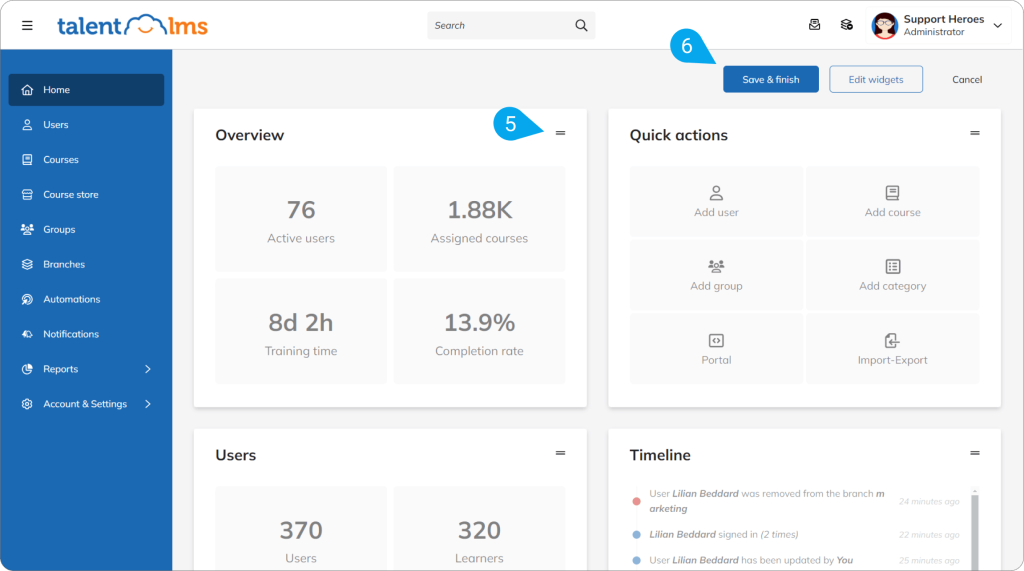
TalentLMS is the most commonly recommended step-up when teams hit iSpring’s growth ceiling.
AI-assisted course creation, cleaner gamification, and more flexible catalog management directly address the pain points that push teams away.
Pros:
- Fast setup with minimal technical overhead
- AI-assisted course creation and template library
- Cleaner gamification with more customization options than iSpring
- SCORM/xAPI support; integrates with Salesforce, BambooHR, and Zapier
Cons:
- Custom reports and advanced features are locked behind higher-tier plans
- Pricing scales quickly for larger teams
Pricing: From $119/month. Enterprise on request.
Rating: 4.6/5 (G2)
4. Docebo: Best for Mid-Enterprise Teams Needing AI-Driven Learning at Scale
An L&D manager at a 600-person SaaS company told me Docebo was the first platform where the analytics gave her answers, not just data. That captures what it is built for: behavioral intelligence, not just completion rates.
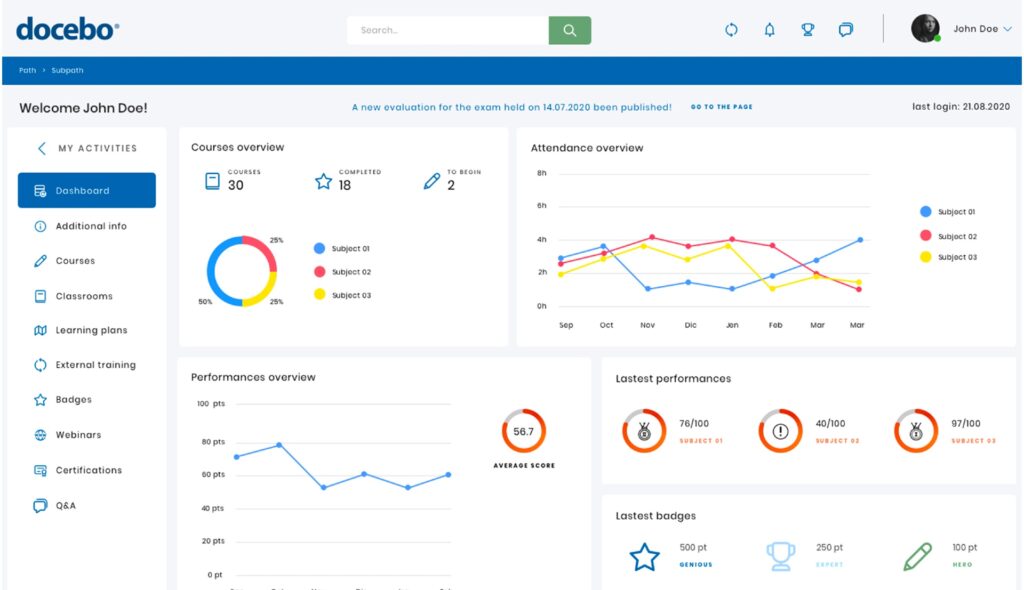
The AI adapts learning paths over time, surfaces content recommendations, and integrates deeply with Salesforce, Workday, and BambooHR.
For teams that have matured past basic course delivery, Docebo is worth the investment if the budget supports it.
Pros:
- AI-driven content recommendations and adaptive learning paths
- Deep behavioral analytics that go well beyond completion tracking
- Strong enterprise integrations and API extensibility
- Scales across employee, partner, and customer training audiences
Cons:
- Entry-level pricing around $40,000/year; not accessible for small teams
- Built-in content creation tools are limited; works better paired with a separate authoring tool
Pricing: Custom quote.
Rating: 4.3/5 (G2)
5. SC Training: Best for Frontline and Deskless Workforces
An operations manager at a logistics company told me their drivers were completing training on phones between routes after switching to SC Training. That is exactly the problem it is designed to solve.
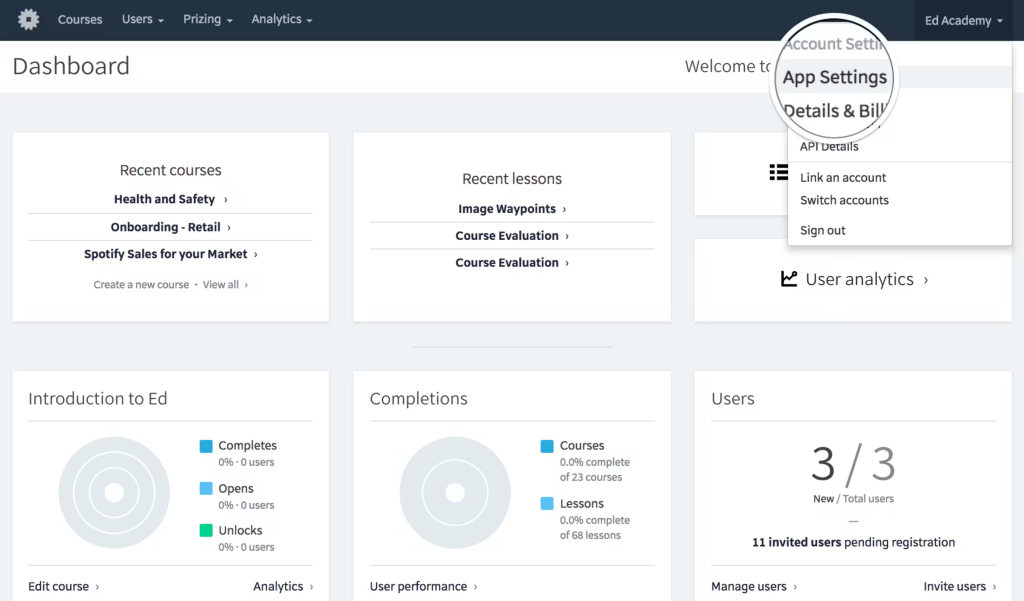
SC Training (formerly SafetyCulture’s training module) is a mobile-first platform built around microlearning for deskless, field-based, and hourly workers.
Bite-sized courses, offline access, and a free tier make it one of the few genuinely accessible options for teams without desk-based learners.
Pros:
- Works offline; purpose-built for mobile and deskless access
- Free plan available; paid from $5/user/month
- Inspection templates, checklists, and training in one platform
- Microlearning format fits frontline work rhythms
Cons:
- Training sits within a broader ops platform, not a standalone LMS
- Per-user pricing scales quickly for larger organizations
Pricing: Free plan available. Paid from $5/user/month. Enterprise on request.
Rating: 4.7/5 (G2)
6. SkyPrep: Best for Mid-Market Teams That Want Clean UX and Branded Portals
I heard about SkyPrep from an HR director at a manufacturing company who had tried four platforms before landing there. Her short summary: it does not surprise you with hidden complexity, and it just works.
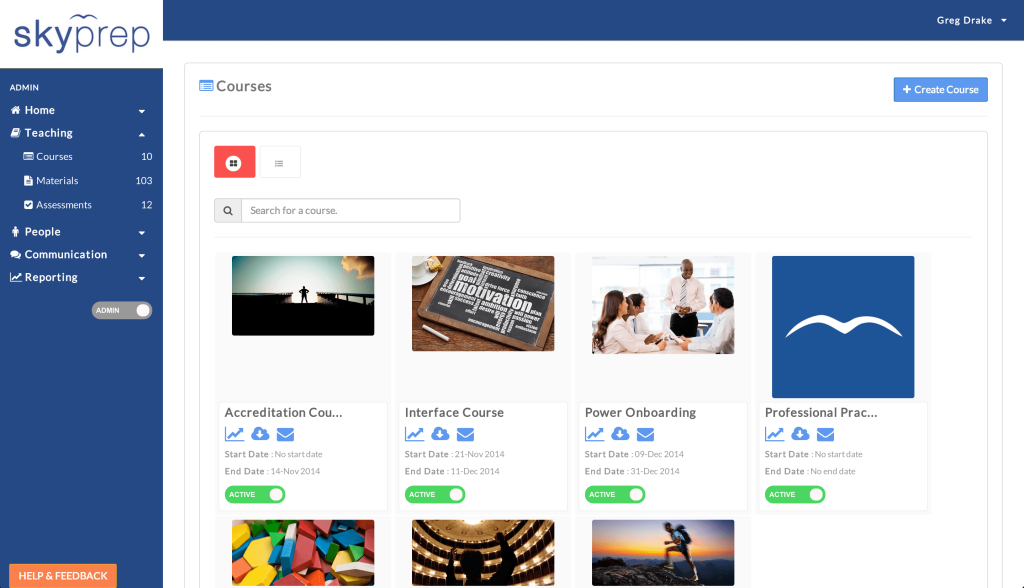
SkyPrep focuses on gamified learning, branded portals, and automated workflows.
It handles multi-tenant setups, making it practical for teams managing multiple audiences or external clients alongside internal employees.
Pros:
- Gamified learning with reward tiers, badges, and leaderboards
- Branded and customizable learner portal
- Automated reminders, enrollments, and reporting workflows
- Multi-tenant support for managing separate audiences
Cons:
- Pricing not publicly listed; requires contacting sales
- Advanced reporting may require higher-tier plans
Pricing: Custom quote. 14-day free trial available.
Rating: 4.6/5 (G2)
7. Cornerstone LMS: Best for Enterprises Tying Learning to Career Development
A talent development lead at a 2,000-person company described Cornerstone as the first LMS where employees could see a clear connection between training and where their career was actually heading. That career pathing functionality is what sets it apart.
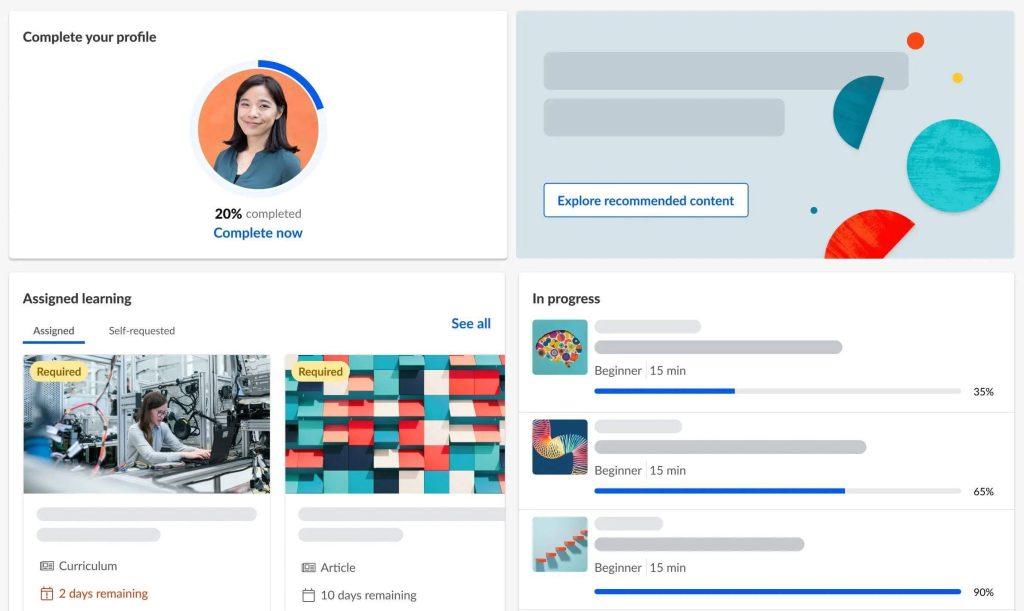
Cornerstone Galaxy combines learning management with performance tracking, skills mapping, and succession planning.
For enterprise HR teams that want training connected to broader talent strategy, it is one of the few platforms built for that job end-to-end.
Pros:
- Career pathing and skills gap identification alongside course delivery
- Compliance management with audit-ready reporting
- Scales for global, multi-department organizations
- Integrates with SAP SuccessFactors, Workday, and Oracle
Cons:
- Complex implementation; typically requires a dedicated LMS admin
- Pricing is enterprise-level and not publicly transparent
Pricing: Custom quote.
Rating: 4.1/5 (G2)
8. Trainual: Best for Small Businesses Documenting Processes Alongside Training
Trainual came up in a conversation with a founder who had been using Notion for SOPs and was tired of it falling apart every time someone new joined. Trainual solved both the documentation and the training delivery problem in one place.
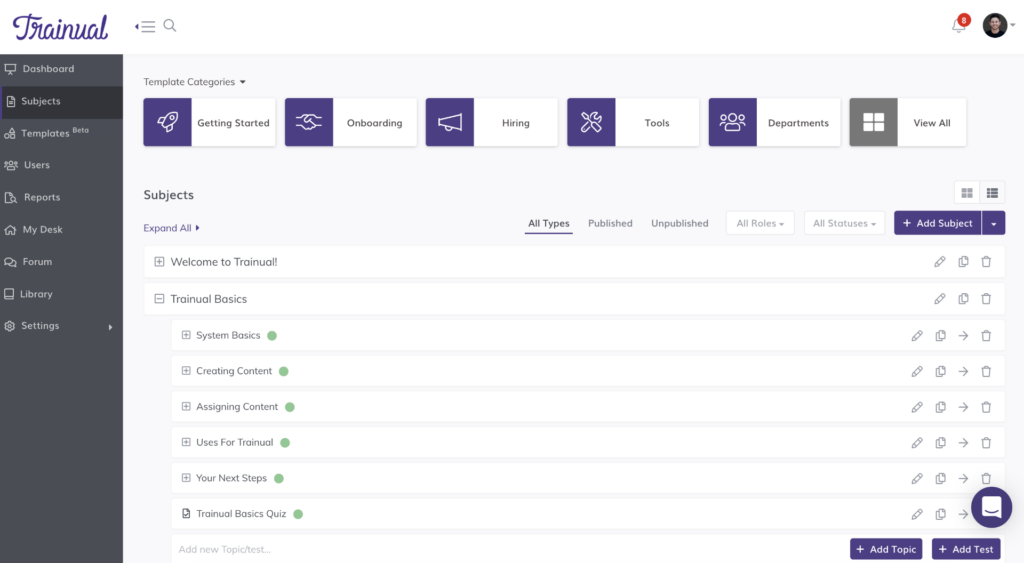
It is not trying to be a full enterprise LMS. It is for small teams that need processes documented, searchable, and trackable, plus a way to verify that new hires actually read them.
The base plan covers up to 50 users, which makes pricing predictable for growing SMBs.
Pros:
- SOPs, onboarding, and training in one searchable platform
- Quizzes and completion tracking for knowledge verification
- Searchable employee handbook feature
- Video, image, and quiz content support
Cons:
- Not suited for complex multi-step eLearning or compliance programs
- Less flexible than a full LMS for large or distributed teams
Pricing: Custom quote. 7-day free trial available.
Rating: 4.7/5 (G2)
9. Bridge LMS: Best for Teams That Want Learning and Performance in the Same Place
A people ops lead told me Bridge was the platform where managers finally stopped treating training as separate from performance conversations. That integration is the core idea: learning paths and 1:1s sit in the same system.
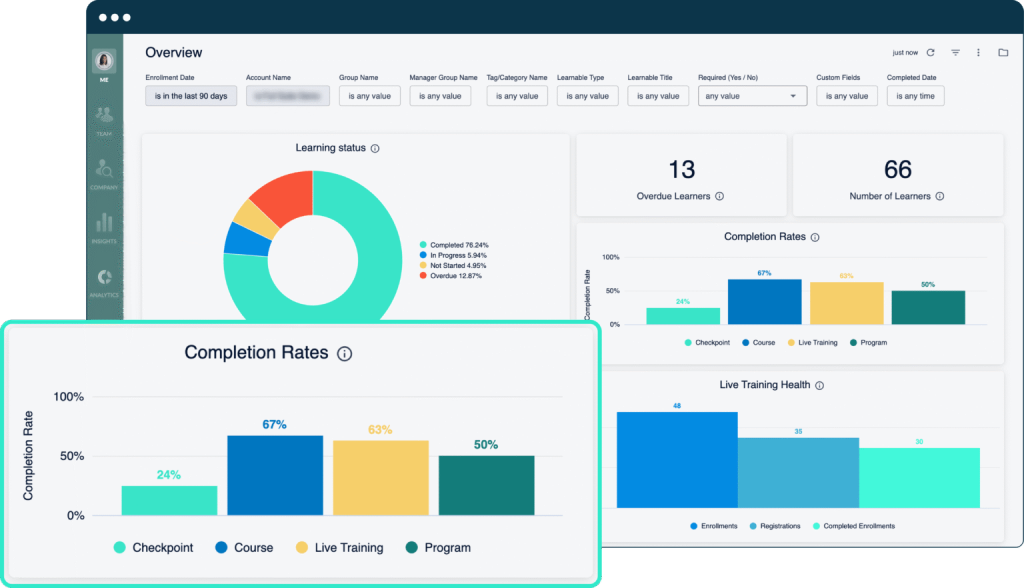
Bridge combines LMS functionality with performance check-ins, goal tracking, and career development tools.
For mid-sized companies switching between a learning platform and a performance management tool, it removes a real operational seam.
Pros:
- Combines learning paths with manager 1:1s and goal tracking
- Used by 1,000+ companies for integrated talent development
- Supports live, virtual, and on-demand training formats
- Engagement measurement alongside course completion data
Cons:
- Less feature-rich on the pure LMS side than dedicated platforms
- Pricing requires contacting sales; not publicly available
Pricing: Custom quote.
Rating: 4.2/5 (G2)
10. Connecteam: Best for Mobile-First Teams That Need Training Bundled With Operations
Connecteam came up consistently when I looked at alternatives for frontline-heavy companies that did not want to pay separately for an LMS, a scheduling tool, and a communication app. It bundles all three.
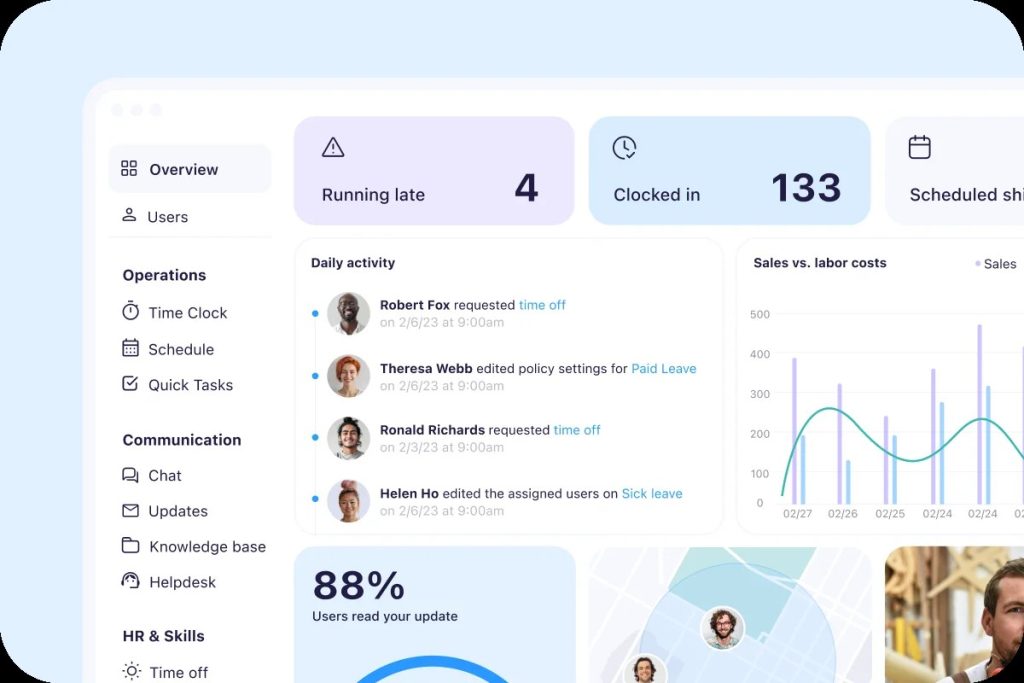
The training module supports quizzes, PDFs, videos, and completion tracking. Scheduling and communication features sit right alongside it.
For retail, hospitality, construction, and field services teams, that consolidation is a practical cost reduction.
Pros:
- Training, scheduling, and team communication in one app
- Free plan for up to 10 users
- Works entirely on mobile; no desktop required
- Time tracking and HR tools included on higher plans
Cons:
- Training features are lighter than a dedicated LMS
- Not suitable for teams needing SCORM, xAPI, or complex compliance workflows
Pricing: Free up to 10 users. Paid from $29/month (first 30 users). Enterprise on request.
Rating: 4.6/5 (Capterra)
11. Tovuti: Best for Teams That Need Deep Gamification and Engagement Tools
Tovuti came up repeatedly in my research across G2, Software Advice, and TrustRadius as the platform iSpring users switch to specifically when gamification is the core gap. Where iSpring’s gamification feels like a checkbox, Tovuti treats it as a primary design principle.
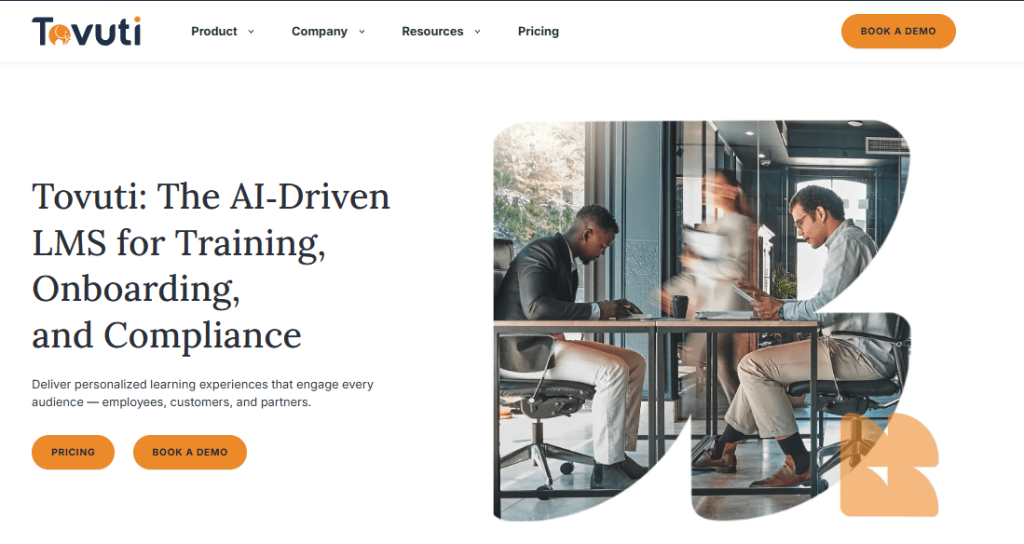
The platform offers 40+ interactive content types, including memory games, interactive videos, and quizzes, alongside AI-powered course generation and fully branded learner portals.
It is built for organizations that want training to feel like a product, not a task, and consistently appears on FrontRunners lists for learner engagement.
Pros:
- 40+ gamification and interactive content options, well above the category average
- AI course generation from existing content
- Fully branded, customizable learner portal
- Detailed reporting and analytics with internal data-driven insights
- SCORM compliant; integrates with existing HR and operations ecosystems
Cons:
- Pricing is not publicly listed; best suited for mid-market and above budgets
- No free plan; requires contacting sales for a quote
Pricing: Custom quote.
Rating: 4.6/5 (G2)
My Top 3 Picks Among These iSpring Learn Alternatives
1. ProProfs Training Maker
For any SMB or mid-market team where the core problem is speed to launch and compliance coverage. The AI course builder and 500+ expert-made course library remove the biggest bottleneck: building everything from scratch. If you do not have a dedicated L&D function and need training running this quarter, this is where I would start.
2. SC Training
For any team with a significant frontline or deskless workforce. Standard desktop-first LMS platforms will consistently underperform for employees on the floor, in the field, or behind the wheel. SC Training was built for exactly this user, and the free plan means you can test fit before committing budget.
3. Cornerstone LMS
For enterprise HR teams that want learning connected to broader talent strategy. If the question is not just “did they complete the course” but “are we building the skills this organization needs for the next three years,” Cornerstone is one of the few platforms that treats those as the same question.
Evaluation Criteria
All LMS platforms on this list were either tested directly, reviewed through conversations with practitioners using it in production, or assessed against consistent criteria across the board.
User Reviews: Qualitative patterns from G2, Capterra, and Gartner Peer Insights, with emphasis on negative reviews. Patterns in complaints tell you more than averages.
Feature Gaps vs. iSpring: Every tool was evaluated specifically against the limitations that most commonly drive teams away: reporting depth, gamification quality, integration breadth, and authoring flexibility.
Ease-of-Use for Non-Technical Admins: A learning management system that requires a technical project manager to run is a different product from one an HR manager can operate independently. That distinction was weighted heavily, especially for SMB picks.
Support Quality: Response time and resolution quality under real conditions, not just help portal star ratings.
Pricing Transparency: Effective price at the scale most teams actually operate, including feature paywalls and minimum user requirements that inflate the real cost.
The Right iSpring Learn Alternative Is the One That Fixes Your Specific Problem
Most teams do not need to replace everything iSpring does. They need to fix one specific thing that is slowing them down right now, whether that is reporting depth, learner engagement, compliance coverage, or just the time it takes to get a course live.
The worst outcome is picking a platform that solves the wrong problem. A tool with better gamification does not help a compliance team that needs audit trails.
A tool with great analytics does not help a field team whose workers do not have laptops.
Name the constraint first, then pick the platform that addresses it directly. If that constraint is speed to launch, compliance tracking, and training that works without a dedicated L&D team behind it,
ProProfs Training Maker is where most teams should start. The free plan means you can test that assumption before committing to anything.
Frequently Asked Questions
Which LMS is better than iSpring Learn for small businesses?
ProProfs Training Maker is the strongest pick for small businesses, with a free plan, AI course creation, and 500+ ready-to-deploy courses that remove the need to build everything from scratch. Trainual is worth considering if SOPs and process documentation matter as much as training delivery. Connecteam fits small teams where most employees are mobile and do not need a full desktop LMS experience.
What is a more affordable alternative to iSpring Learn?
ProProfs Training Maker has a free plan and paid tiers that make it one of the most cost-accessible full LMS options on the market. Connecteam and SC Training both offer free plans. TalentLMS starts at $119/month with a publicly listed pricing model, making it one of the more transparent mid-market options.
How does iSpring Learn compare to TalentLMS and Docebo?
iSpring Learn is strongest for teams with existing PowerPoint libraries and straightforward internal training needs. TalentLMS (4.6/5 on G2) offers more catalog flexibility and cleaner gamification for growing teams, starting at $119/month. Docebo (4.3/5 on G2) is built for enterprises needing AI-driven personalization and deep behavioral analytics, at a significantly higher price. Each targets a meaningfully different scale and use case.
How does iSpring Learn compare to SkyPrep and Trainual?
iSpring Learn and SkyPrep overlap most in the SMB-to-mid-market zone, but SkyPrep edges ahead on branded portal customization, gamification depth, and multi-tenant support for teams managing more than one audience. Trainual is a different category entirely: it is less of a traditional LMS and more of a process documentation and onboarding tool. If your training is primarily SOPs, policies, and onboarding checklists rather than interactive eLearning, Trainual solves a problem iSpring was never designed for.
What LMS should I choose instead of iSpring Learn for compliance training?
ProProfs Training Maker is the most complete compliance alternative, with prebuilt courses on OSHA, HIPAA, harassment prevention, and workplace safety, alongside built-in audit trails and completion certificates. SC Training is the better pick when compliance delivery needs to reach frontline or deskless workers on mobile.
Is there a free alternative to iSpring Learn?
Yes. ProProfs Training Maker has a free plan for small teams. SC Training and Connecteam both offer free plans. Each free plan has restrictions on users, features, or storage, so it is worth running a trial before committing.
What are the main reasons teams suggest top competitors for iSpring Learn?
The most common triggers: limited reporting depth with no department-level breakdowns, weak gamification, friction between iSpring Suite and iSpring Learn during publishing, limited API integrations, and no built-in form signing. Pricing that scales faster than expected once teams grow past 100 users is also frequently cited.
How long does it take to switch from iSpring Learn to another platform?
Most SCORM-compliant platforms, including ProProfs Training Maker, TalentLMS, and Docebo, can import existing iSpring-built SCORM packages. Migration timelines range from a few days for small teams with simple course libraries to several weeks for organizations with large user bases and complex learning paths.
Let ProProfs AI create your training course

 We'd love your feedback!
What did you like & how can we make it even better?
 Thanks for your feedback!
 Ask Your Question
Have a question? Get expert help to make your decision easier.