When I started looking for the best agriculture LMS, I expected green logos and stock photos of people in overalls.
What I didn’t expect was how few platforms actually understood farming training.
Farming has always been one of the hardest industries to train people for. The courses felt too theoretical, and most of the software seemed built for office teams, not people standing in a field with one bar of signal and an Android phone from 2021.
The workforce is seasonal, multilingual, and spread across locations that don’t neatly fit into a conference room.
And when someone gets it wrong, it’s not just a missed deadline. It could mean a contaminated crop, an OSHA violation, or a $400,000 machine operated by someone trained through a single YouTube video.
I’ve spent time digging into what actually works for agriculture training software, and this list is built around that research, not a generic roundup of any LMS with a green color scheme.
This guide is for:
- Farm owners and operations managers training seasonal or year-round field workers
- Agribusiness managers at cooperatives, food processors, or multi-site operations
- Agricultural training institutes building digital curriculum
- Rural educators and county extension agents moving beyond in-person workshops
- Compliance officers managing pesticide certification, animal welfare, and food safety audits
What Is an Agriculture LMS?
The difference between a generic LMS and one that works for agriculture isn’t just branding. It’s whether the platform can handle offline learning when someone’s in a field without signal, whether it supports the languages your H-2A workers actually speak, and whether it can generate the audit trail your compliance officer needs when OSHA comes knocking.
General-purpose LMS platforms can technically do some of this. But “technically possible” and “actually workable for a crew of 40 seasonal workers who don’t have corporate email addresses” are very different things.
The 6 Best Agriculture LMS Platforms
To save you time, I’ve shortlisted the best agriculture LMS platforms worth considering and highlighted where each one stands out.
Here’s a quick comparison table before we dive into the detailed reviews.
| Platform | Best For | Mobile/Offline | Multilingual | Compliance Tracking | Pricing |
| ProProfs Training Maker | Easy AI course creation, compliance at scale | Yes / Yes | 70+ languages | Yes, with audit logs | From $1.99 per active learner/month |
| Ally LMS | Horticulture and cannabis | Yes / Limited | Limited | Basic | Contact for pricing |
| Harvust | Seasonal worker onboarding | Yes / Yes | Limited | Yes, automated | Contact for pricing |
| Master-O | Frontline upskilling | Yes / Limited | Limited | Basic | Contact for pricing |
| iSpring Learn | Video-based safety training | Yes / Limited | Limited | Yes | From $2.29/user/month |
| 360Learning | Peer knowledge capture | Yes / Limited | Limited | Basic | From $8/user/month |
1. ProProfs Training Maker – Best for Easy AI-Powered Training Development and Scalable Employee Training
ProProfs Training Maker is a cloud-based, AI-powered agriculture LMS that I’ve found genuinely helpful for compliance training, seasonal onboarding, and employee development across diverse workforces.
What I liked most was how quickly I could turn an idea into a complete training course. You type a simple prompt, and the AI assembles a complete training program for you. Give it a spin:

Let ProProfs AI create your training course
And if you don’t want to start from scratch, you also get access to 500+ pre-built, editable courses, including topics like workplace safety, compliance, and hazard communication, which map directly to what agricultural operations need to certify.
You can build lessons using videos, presentations, handouts, and interactive questions, which makes the learning experience more dynamic than handing someone a PDF.
For diverse agricultural workforces, the platform supports training in 70+ languages and works cleanly on mobile, which addresses two of the biggest pain points in the industry.
The analytics are another thing I rely on. You can see completions, performance, and exactly where people are getting stuck, in real time. For compliance certification, that audit trail is what protects you if an inspector shows up asking for documentation.
Pros:
- Builds training much faster with AI course creation, which saves serious time for teams without a dedicated L&D person
- Allows you to launch full programs immediately with a large library of expert-made courses, so you’re not building from zero
- Makes it easier to track learners with real-time progress reports and insights you can actually act on
- Makes assessments more reliable with built-in quizzes, flexible question types, and anti-cheating settings that keep certification results accurate
- Gives you the freedom to customize everything, with AI able to rewrite or restructure content on request, to match your brand and create a consistent learning experience for your team
- Supports global and multilingual teams with training available in more than 70 languages, plus AI-generated voiceovers for hands-free learning in the field
- Fits into your existing workflow with HR, CRM, and SSO integrations, plus SCORM support for importing existing content
Cons:
- No downloadable or on-premise setup
- No dark mode for low-light use
Capterra Rating: 4.8/5
Pricing: Free plan available. Paid plans start at $1.99 per active learner/month, with Business at $3.99/active learner/month.
2. Ally LMS – Best for Horticulture and Cannabis Operations
Ally LMS is a cloud-hosted agriculture LMS that I’ve found works well for horticulture, cannabis, and specialty crop operations that need an industry-relevant training library without the overhead of a corporate LMS setup.
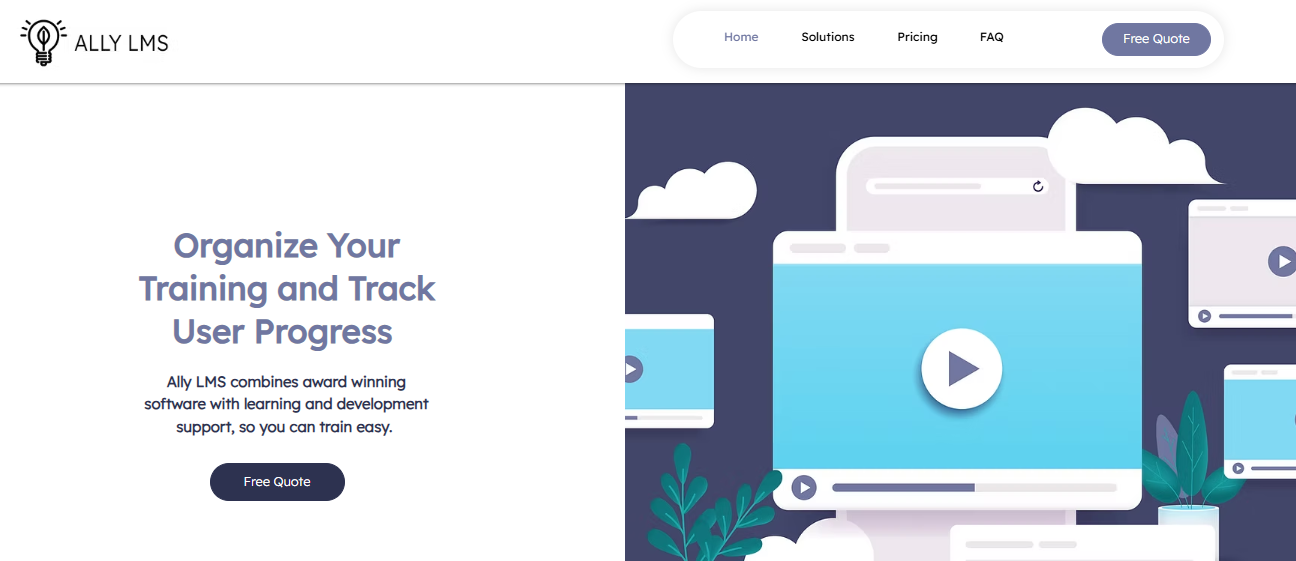
I really liked that the content was built around industry-specific training needs like pesticide use and plant handling. It keeps the interface simple enough that a team lead can manage everything without needing IT support.
You can create and deliver courses using the built-in tools, assign training by role, and track completions across your team. The platform is cloud-hosted, which means there’s no infrastructure to manage on your end, and new users can get up and running without a long onboarding process.
For small to mid-size operations that need something that works without heavy configuration, Ally keeps things clean.
The reporting side covers the basics well. I’ve found it gives you enough visibility into who has completed what to stay on top of compliance requirements, even if the analytics aren’t as deep as some of the broader platforms on this list.
Pros:
- Delivers industry-specific content libraries actually built for horticulture and cannabis, not repurposed corporate training
- Keeps the interface clean and accessible so non-technical team leads can manage training without help
- Runs fully cloud-hosted with no infrastructure requirements or IT overhead
- Allows role-based course assignment so the right people get the right training automatically
- Supports basic compliance tracking with completion records your team can reference during audits
- Works well for small to mid-size operations that need a functional solution without heavy setup
- Provides a solid starting point for teams building their first structured digital training program
Cons:
- Limited enterprise-level integrations compared to broader LMS platforms
- Analytics are less robust for operations that need detailed performance reporting
Capterra Rating: 4.5/5
Pricing: Contact for pricing.
3. Harvust – Best for Seasonal Worker Onboarding and Remote Safety Delivery
Harvust is an agriculture training software that I’ve found to be the most purpose-built option for the specific problem of getting seasonal workers through safety training before they touch equipment.
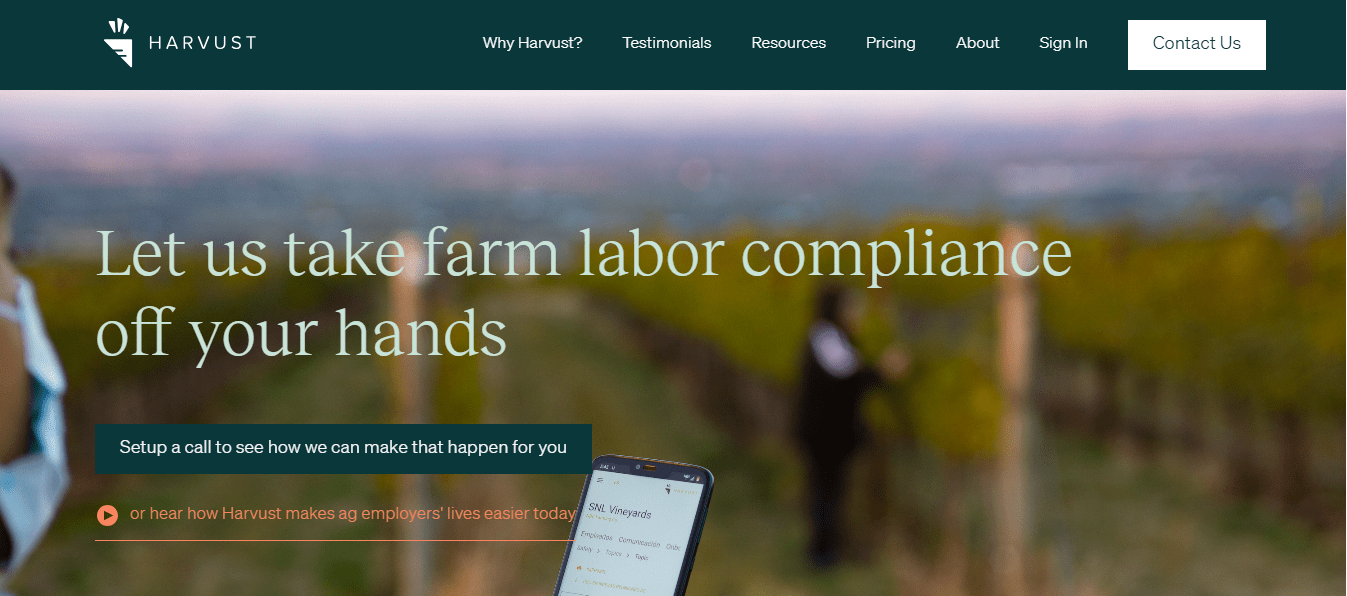
I really liked that the platform worked well for field teams without requiring expensive hardware or IT support. The worker gets a link on their phone, completes the training, and the completion record is automatically logged.
For H-2A operations or any farm with high seasonal turnover, that frictionless process is genuinely different from anything else on this list.
You can use Harvust to deliver safety agreements, ethics acknowledgments, pesticide handling training, and onboarding documentation, all tracked at the individual worker level. It works across device types and doesn’t require a Wi-Fi-dependent setup to function in practice.
For the specific job of making sure every new hire is covered before day one in the field, it does that job well.
The compliance documentation piece is where I find it most valuable. The audit trail is clean, the records are organized by worker and training type, and you can pull exactly what you need if a regulatory question comes up mid-season.
Pros:
- Designed specifically for seasonal agricultural workforces without requiring corporate accounts or IT setup
- Delivers training directly to workers’ phones via a simple link, removing every friction point in the enrollment process
- Automatically logs completion records and generates the compliance documentation you need for audits
- Covers safety agreements, ethics acknowledgments, and pesticide handling in a single delivery workflow
- Works across device types without requiring a specific operating system or app download
- Keeps the compliance audit trail organized by worker and training type for fast retrieval
- Removes the operational overhead of running a formal onboarding program for high-turnover seasonal crews
Cons:
- Primarily built for onboarding and safety; not a full curriculum platform for ongoing development programs
- Limited course creation tools for operations that need to build complex or advanced training content
Capterra Rating: 4.6/5
Pricing: Contact for pricing.
4. Master-O – Best for Frontline Field Team Upskilling
Master-O is an agriculture LMS-adjacent platform that I’ve found works well for operations focused on upskilling frontline field teams through short, task-specific training rather than full-length compliance courses.
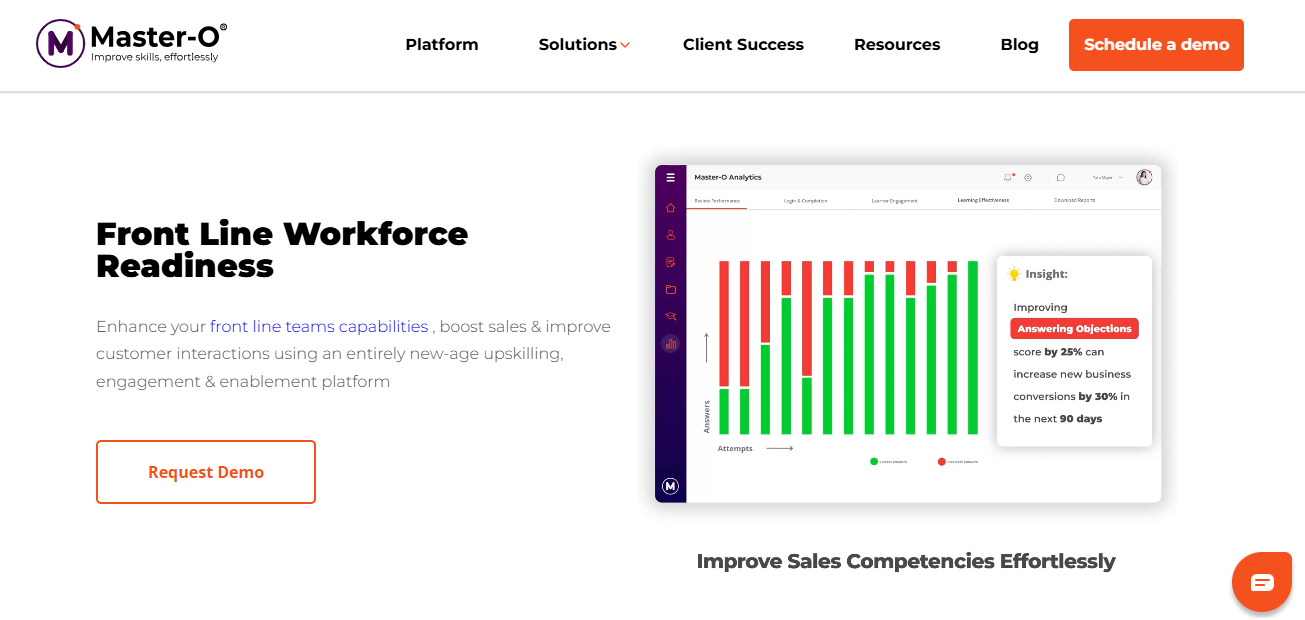
The gamification here felt genuinely engaging, not just added for the sake of it. It’s not a badge you earn for clicking through a module; it’s a competitive structure with leaderboards and team challenges that genuinely changes how workers engage with training content. For a crew that would rather be outside, that matters more than it sounds.
You can deliver microlearning modules covering equipment procedures, safety refreshers, seasonal technique updates, and product knowledge in formats that fit between shifts rather than requiring a scheduled training session.
The content is short, visual, and built for people on their feet, not people at a desk. Assignment and tracking happen at the individual and team level, with analytics that show you where skill gaps are concentrating.
The performance reporting is another thing I rely on. You can see not just who completed what but how individuals and teams are scoring, which makes it easier to identify who needs a follow-up before a problem shows up in the field.
Pros:
- Delivers microlearning in short, task-specific formats that fit field workers’ schedules without requiring scheduled sessions
- Implements gamification substantively, with competitive structures that actually drive completion and engagement
- Supports individual and team-level performance analytics to identify skill gaps before they become field problems
- Allows content assignment by role so each worker receives only the training relevant to their actual job
- Works well for seasonal technique updates, equipment refreshers, and process changes that need fast distribution
- Builds training around how frontline workers actually consume information, short and visual rather than text-heavy
- Scales across teams of different sizes without requiring significant platform management overhead
Cons:
- Not agriculture-specific by design; requires configuration to fit farm-specific use cases and terminology
- Better suited to upskilling and engagement than regulatory compliance certification with formal audit trails
Capterra Rating: 4.3/5
Pricing: Contact for pricing.
5. iSpring Learn – Best for Video-Heavy Equipment and Safety Training
iSpring Learn is an agriculture training software that I’ve found performs well for operations where the primary training need is video-based: equipment walkthroughs, chemical handling demonstrations, field safety procedures, and process training that workers genuinely need to see rather than read.
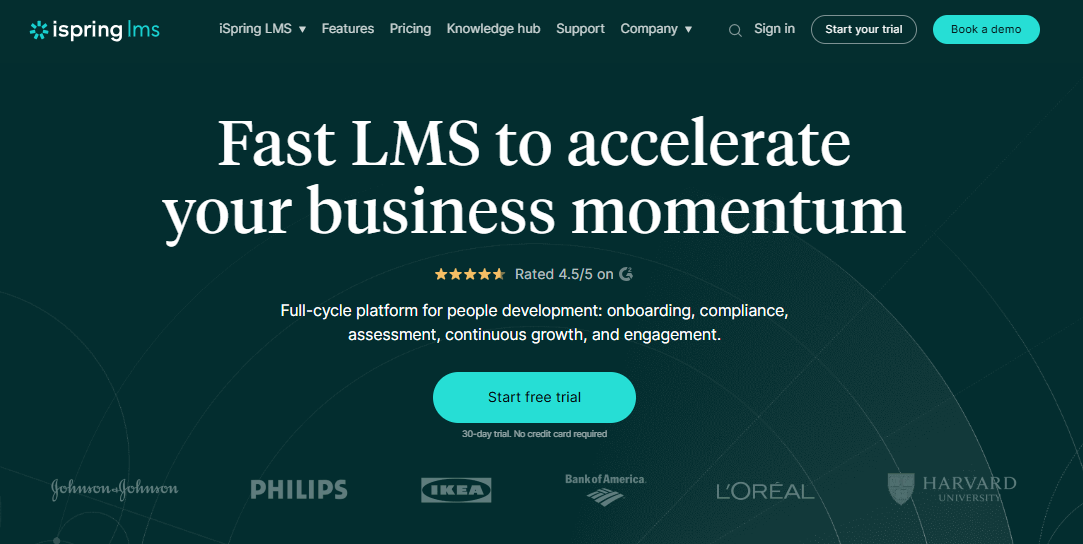
I really liked how easy it was to share and manage video lessons. Playback is reliable on mobile, the interface is clean on smaller screens, and the course builder is simple enough that a farm manager can put together a working video course without any instructional design background.
You can build courses using video, slides, quizzes, and documents, then assign them by role and track completion across your team. The reporting dashboard gives you a clear view of who has finished what, with certification records exportable for compliance purposes.
For operations that want to move away from handing someone a printed safety manual and calling it training, iSpring gives you a workable path to get there without a lot of setup overhead.
Where I’ve found it falls short for agriculture is in multilingual support and offline functionality. Both exist in some form, but neither is as developed as dedicated field-worker tools. If your workforce is predominantly English-speaking and has reasonable connectivity, those gaps won’t matter much in practice.
Pros:
- Delivers video-based training with reliable mobile playback for equipment walkthroughs and safety demonstrations
- Provides a simple course builder that farm managers can use without instructional design experience
- Supports a mix of video, slides, quizzes, and documents in a single course structure
- Tracks completions and generates certification records exportable for compliance purposes
- Assigns training by role so workers receive content relevant to their specific responsibilities
- Runs on mobile with a clean interface that doesn’t require a desktop to use effectively
- Works well for operations moving from printed safety manuals to tracked digital training for the first time
Cons:
- Multilingual support is less robust than dedicated agriculture-focused platforms
- Offline functionality is more limited than field-worker-specific tools
Capterra Rating: 4.6/5
Pricing: Starts at $2.29/user/month (minimum 100 users).
6. 360Learning – Best for Peer-to-Peer Knowledge Capture and Cooperative Training
360Learning is an agriculture LMS built on a collaborative model that I’ve found genuinely useful for operations trying to capture and preserve institutional knowledge before it walks out the door.
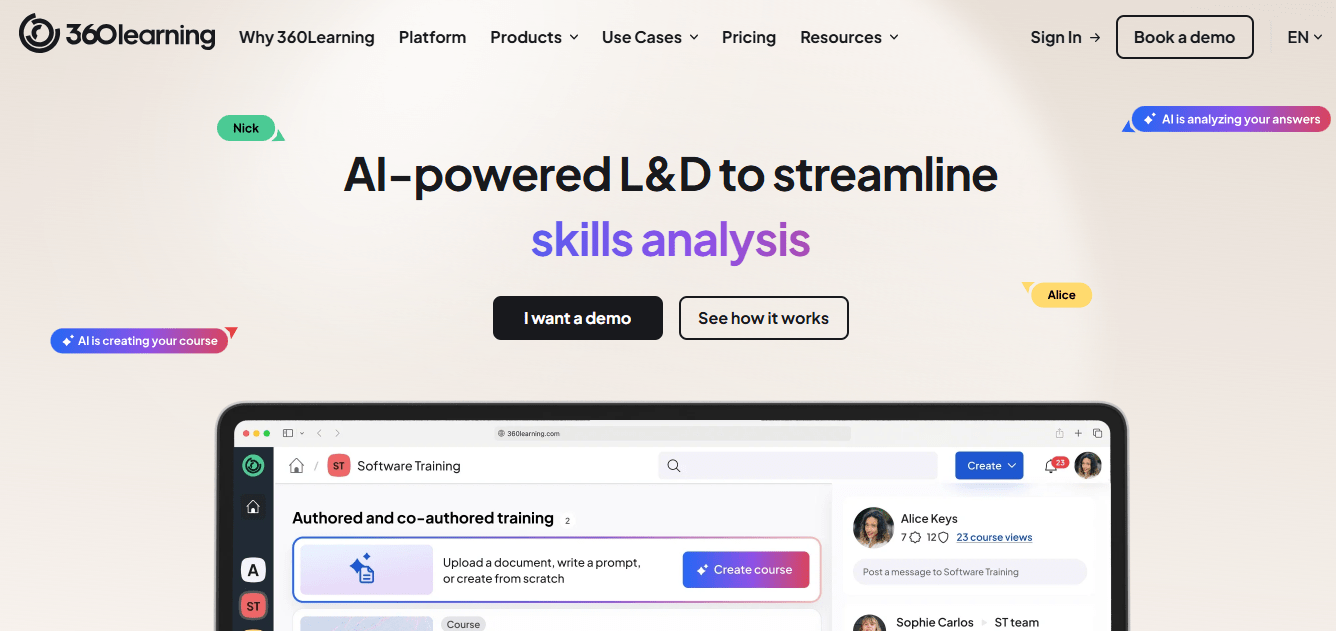
The part I appreciated most was how easy it was to build training content. Instead of relying on a centralized L&D team to create all the content, experienced workers and internal subject matter experts build and share courses directly.
For a multigenerational farm or a cooperative where the most valuable training is living inside an experienced operator’s head, that changes what’s possible.
You can create courses, assign them, discuss them, and iterate on them through the platform’s built-in collaboration tools. Workers can leave feedback inside a course, flag sections that don’t reflect real conditions, and contribute their own knowledge as supplementary content.
For the peer-to-peer learning preference that shows up consistently in farming communities, where a neighbor’s advice outweighs a textbook every time, this platform is built around that exact dynamic.
The engagement features are another thing I find valuable. Discussion threads, reaction tools, and peer recognition inside courses keep the learning from feeling like a top-down mandate, which matters when the people you’re training are experienced workers who’ve been doing this longer than the platform has existed.
Pros:
- Enables collaborative course authoring so experienced workers and internal experts can build training directly
- Preserves institutional knowledge by giving experienced operators a structured way to document and share what they know
- Supports peer discussion, feedback, and iteration inside courses so training stays accurate over time
- Works well for cooperatives and multigenerational operations where knowledge is distributed across many people
- Builds around the peer-learning dynamic that farming communities already rely on naturally
- Includes engagement features like discussion threads and peer recognition that make training feel less like a mandate
- Scales across different farm sizes and structures without requiring a centralized L&D function to manage content
Cons:
- Higher cost than most other options on this list, which matters for smaller operations on tight budgets
- More complex to set up and manage than simpler point-and-click LMS tools
Capterra Rating: 4.6/5
Pricing: Starts at $8/user/month (minimum 15 users).
How I Evaluated These Agriculture LMS Platforms
I’m not going to pretend I ran a controlled experiment across all seven platforms with a crew of 40 seasonal workers. What I did do is research each tool against the specific requirements that farming operations actually face, cross-referenced with what farmers and agribusiness managers say works and what doesn’t in real community discussions.
The criteria I used:
| Criteria | Why It Matters |
| Mobile and offline capability | Field workers can’t pause a task to find Wi-Fi |
| Multilingual support | Diverse agricultural workforces need training in their language |
| Compliance and certification tracking | Regulatory audits require documented proof of completion |
| Course creation tools | Operations need to build custom content, not just consume generic modules |
| Ease of use | Non-technical managers and non-technical learners both have to use it |
| Pricing and scalability | Seasonal operations need per-learner or flexible billing, not annual seat licenses |
| SCORM and integration support | Existing content and HR systems need to connect |
My Top 3 Picks
Not every operation has the same problem. Here’s where I’d put money based on what I know about how agricultural training actually works.
Best Overall: ProProfs Training Maker. The combination of AI course creation, 70+ language support, mobile delivery, compliance tracking, and pricing that works for seasonal (per-active-learner) operations covers more ground than anything else on this list. Whether you’re onboarding 40 seasonal workers or certifying a 200-person agribusiness team on pesticide handling, the platform scales without requiring a dedicated L&D department to run it.
Best for Seasonal and Remote Field Workers: Harvust. If your primary problem is getting a new cohort of seasonal workers through safety training and compliance documentation before they touch equipment, and you need it delivered to their phones with no corporate infrastructure required, Harvust is the most purpose-built solution available for that specific problem.
Best for Cooperatives and Knowledge-Sharing Networks: Cultivate. If your operation is part of a cooperative structure, you train across multiple farms, and you have significant animal welfare compliance requirements, Cultivate’s bilingual, industry-specific content and cooperative-friendly structure make it the right fit.
How Do You Actually Make the Switch From Paper to Digital?
Most farm managers I’ve spoken with aren’t against digital training. They’re just tired of software that falls apart in real field conditions and sends everyone back to clipboards a few months later.
What worked best was starting small instead of digitizing everything at once.
To help with that, I created a free, fillable checklist that walks through the entire rollout process, from audits and device checks to pilot training and, finally, retiring paper-based systems for good.
Download the Paper-to-Digital Agriculture Training Transition Checklist
Government and Free Agriculture Training Resources Worth Knowing
Something most agriculture LMS buyer guides skip entirely: you don’t have to pay for everything. There are legitimate, well-maintained training resources funded by the government and industry organizations that you can use alongside or before committing to a paid platform.
USDA AgLearn
AgLearn is the USDA’s official learning management system, supporting federally mandated training, classroom management, and mission-specific courses for USDA employees and affiliated partners.
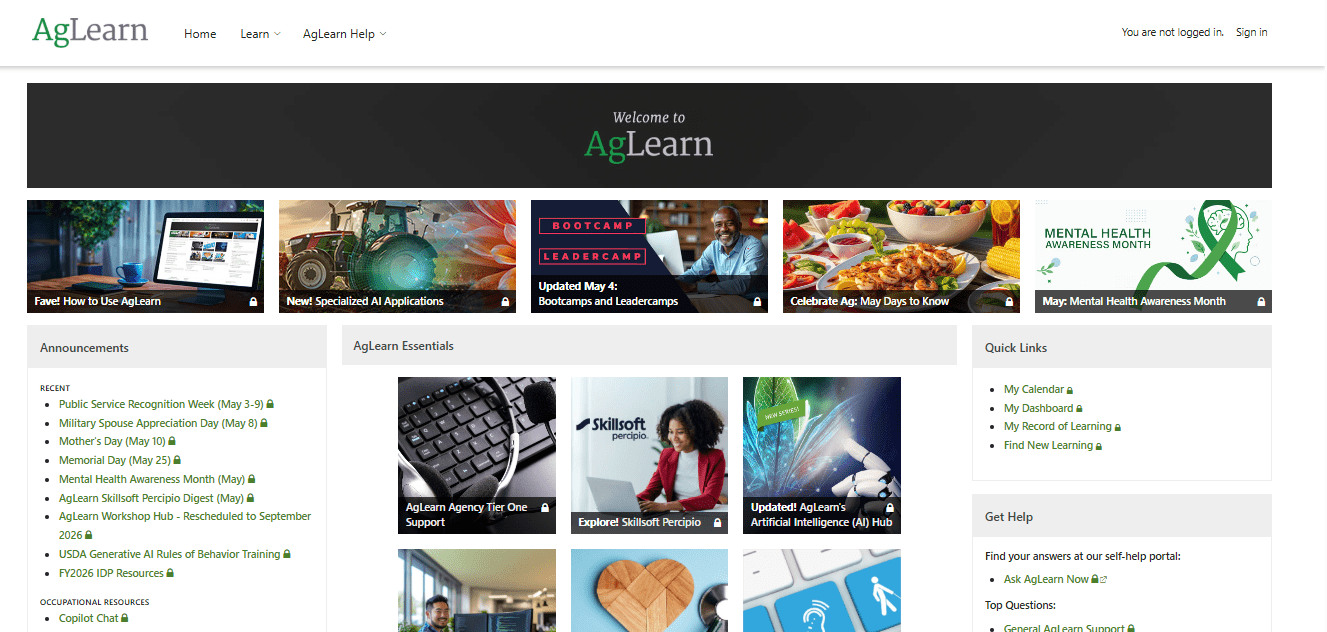
If your operation has any federal partnership, cooperative extension ties, or grant compliance requirements, it’s worth understanding what AgLearn covers. According to the USDA’s Office of the Chief Information Officer, AgLearn is the primary training delivery platform across USDA agencies.
University Extension Programs
Every U.S. state has a land-grant university with an agricultural extension program. These programs produce free, region-specific training content on topics like crop management, soil health, pesticide certification, and farm safety.
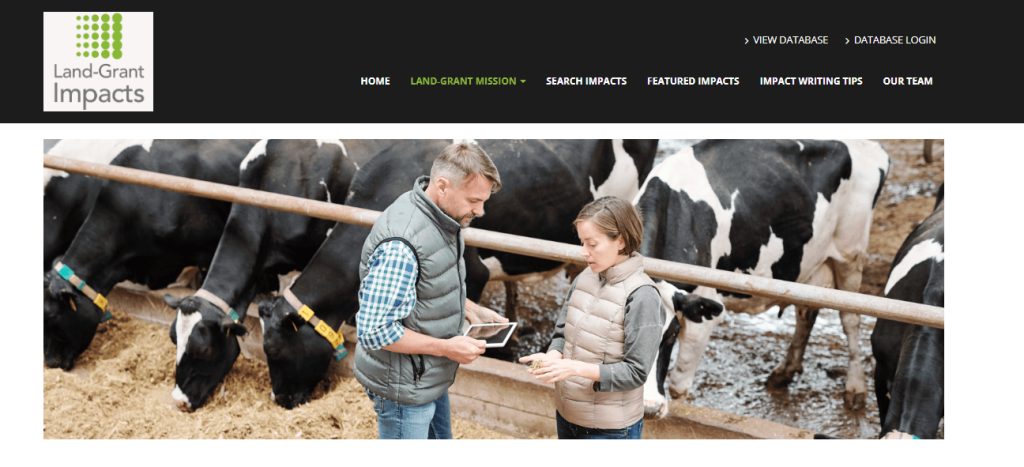
Extension content is often more practically grounded than commercial course libraries because it’s developed in direct partnership with working farmers and agricultural researchers. Find your state’s extension program through the USDA’s National Institute of Food and Agriculture directory.
National Dairy FARM Program
For dairy operations specifically, the National Dairy FARM Program maintains training resources and LMS integration support through dairylearning.com. This includes DairyComp software training, animal welfare certification, and safety compliance modules aligned with the FARM Program’s standards.
OSHA Agricultural Safety Resources
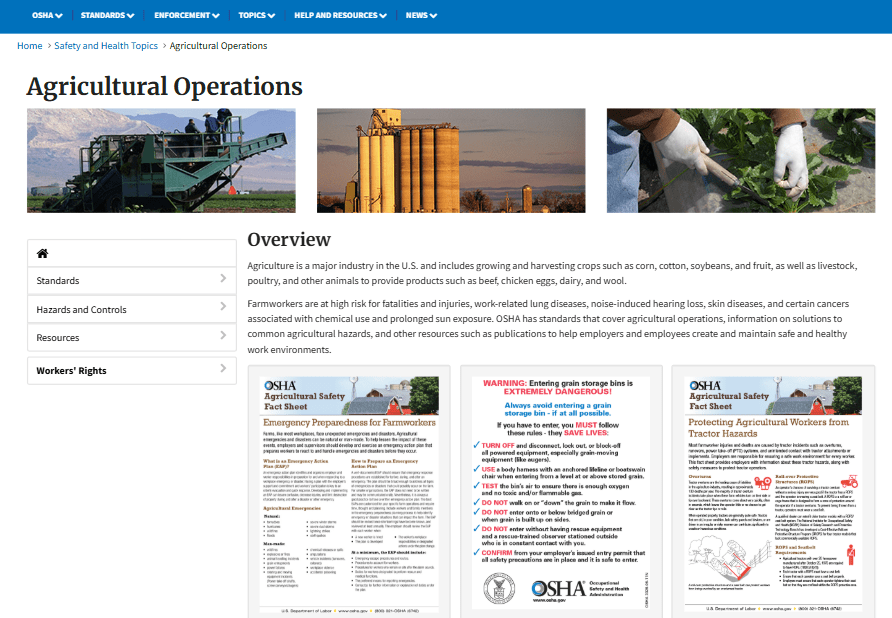
OSHA maintains a free library of agricultural safety training materials covering tractor safety, pesticide handling, grain storage hazards, and heat illness prevention. These can be imported into most SCORM-compatible LMS platforms, including the agriculture LMS options on this list, without additional cost.
Why Does Standard Training Fail Farmers?
This is the question nobody in the software industry wants to sit with, but it’s worth asking before you spend money on another platform that collects dust.
Theory vs. Reality
People in farming communities are blunt about this. The instructors are “removed from the farm.” The coursework covers biology and crop science but skips what modern farming actually demands: troubleshooting a broken moisture sensor mid-season, knowing when not to spray based on humidity readings, and understanding why the irrigation log matters for an audit. Good agriculture training software needs to bridge that gap, not paper over it.
The Technical Knowledge Gap
Modern farming is as much about maintaining complex machinery as it is about soil science. Equipment repair, precision agriculture tools, grain moisture monitoring, and equipment safety protocols require hands-on training. Video-based microlearning, simulation scenarios, and step-by-step visual walkthroughs are not luxuries in an agriculture LMS; they are what makes the training actually work.
The “Mental Hazard” of Startup Costs
This one surprises people. Beginners coming into farming face financial barriers that can reach $5M or more for land and equipment, and almost no training program addresses the business side of this. Land stewardship economics, how to read a government grant application, what an economy of scale actually means for a 200-acre operation versus a 2,000-acre one. An agriculture LMS that ignores this leaves a major gap for anyone using it to onboard or upskill new operators.
Accessibility in Remote Areas
Farming happens in places with poor internet access, full stop. If your agriculture LMS requires a stable cloud connection to deliver training, it will fail when you need it most. This is not a minor inconvenience; it is a dealbreaker for field-based teams.
What Features Should You Look for in an Agriculture LMS?
Before comparing platforms, these are the features that separate tools that actually work in agriculture from ones that only work in a conference room demo.
- Mobile-first with Android support: The majority of field workers are on phones, often Android. An agriculture LMS that is iOS-only or desktop-heavy is not designed for this workforce.
- Offline access: Download content, complete it in the field, sync later. Non-negotiable for remote operations.
- Multilingual and localization support: Agricultural workforces are diverse. Training in a worker’s primary language is a safety requirement, not a nice-to-have.
- Video-based microlearning: Short, demonstration-style videos work for equipment handling and safety procedures. Long text manuals do not.
- Certification and compliance tracking: Automated records of who completed what, with exportable audit logs for OSHA and regulatory inspections.
- Seasonal onboarding capability: Enroll large groups quickly, assign role-specific content, and track completion across a workforce that may turn over every 90 days.
- SCORM compatibility: Import existing content from extension programs, vendor safety manuals, or government training libraries without rebuilding from scratch.
- Gamification and engagement tools: Leaderboards, badges, and completion incentives move the needle on voluntary compliance with training.
How to Implement an Agriculture LMS Without Wasting a Season
Most operations that fail at LMS implementation don’t fail because they picked the wrong software. They fail because they tried to run before they could walk.
A few things that actually matter:
Start with your highest-risk training need: If OSHA compliance documentation is what keeps you up at night, start there. If seasonal onboarding is the problem, start there. Don’t try to digitize your entire training program in the first 30 days.
Match the technology to the workforce: If your field workers are on Android phones with limited connectivity, offline access matters more than advanced reporting dashboards. Prioritize what the learner actually needs to complete the training.
Peer learning is underrated: Farmers trust other farmers. If you have experienced operators willing to record short walkthrough videos or contribute to course content, that material will outperform anything a vendor’s generic course library can provide. Tools like 360Learning or the AI course builder in ProProfs Training Maker make it possible to capture and distribute that knowledge at scale.
Track completion, not just enrollment: Enrollment numbers look good in a report. Completion numbers tell you whether your training is working. Set up your agriculture LMS to track both, and look at the delta.
Use the free resources first: Pull OSHA safety content, USDA AgLearn materials, and extension program content into your LMS before you commission custom courses. You’re not reinventing the wheel; you’re organizing what already exists into a structured, trackable program.
The Right Farming Training Tool Is the One That Works Where You Do
The best agriculture LMS is the one your workers will actually use in the field, not the one with the longest feature list.
I’ve seen operations spend thousands on training software only to return to clipboards because the platform didn’t work offline or was too complicated for day-to-day use.
The good news is that the right LMS can make training faster, simpler, and far easier to manage, especially for seasonal and multilingual teams.
If I had to recommend one platform to get started quickly, I’d choose ProProfs Training Maker. It’s easy to set up, works well for compliance training, supports multiple languages, and helps you create courses fast with AI.
That said, the best choice still depends on your workforce, training goals, and field conditions.
Frequently Asked Questions
What is an agriculture LMS?
An agriculture LMS is a learning management system designed to deliver, track, and certify training for farming workforces. It typically includes mobile access, offline capability, multilingual support, and compliance documentation tools suited to field-based operations.
Can an agriculture LMS work without internet access?
Yes, if the platform supports offline mode. Workers download course content on Wi-Fi, complete it in the field, and sync progress when back in range. This is one of the most important features for any agriculture LMS serving remote or field-based teams.
What is the best agriculture LMS for seasonal workers?
Harvust is built specifically for seasonal agricultural workforces, delivering safety training directly to workers' phones without requiring corporate email accounts. ProProfs Training Maker's per-active-learner pricing also makes it economical for seasonal operations.
How much does agriculture training software cost?
Pricing ranges from free (USDA AgLearn for eligible organizations) to $1.99 per active learner per month for ProProfs Training Maker, up to $8 per user per month for platforms like 360Learning. Most agriculture-specific tools like Harvust and Cultivate require a quote.
Does an agriculture LMS help with OSHA compliance?
Yes. A properly configured agriculture LMS tracks who completed each training module, generates audit logs, and stores completion certificates. Without documented proof that training occurred, the liability rests with the employer, regardless of whether the training actually took place.
Is multilingual support important in an agriculture LMS?
Absolutely. Agricultural workforces are frequently multilingual, with significant Spanish-speaking and H-2A worker populations. Training delivered in a worker's primary language directly affects comprehension, safety outcomes, and regulatory compliance.
What free agriculture training resources are available?
USDA AgLearn, OSHA's agricultural safety library, and university extension programs all offer free, publicly available training content. Most can be imported into SCORM-compatible agriculture LMS platforms.
What is the difference between general LMS software and agriculture training software?
General LMS platforms are built for office environments with reliable internet and corporate infrastructure. Agriculture training software prioritizes offline access, mobile delivery, multilingual support, and compliance tracking for field-based workforces without corporate IT support.
Let ProProfs AI create your training course

 We'd love your feedback!
What did you like & how can we make it even better?
 Thanks for your feedback!
 Ask Your Question
Have a question? Get expert help to make your decision easier.