
Somewhere between 200 and 2000 employees, every training program I’ve touched breaks the same way. Not dramatically. Quietly. A manager starts running onboarding off a Google Doc because the official course is three versions out of date. Compliance can’t say who actually finished harassment training last quarter, only who was assigned it. Nobody notices until an auditor asks a question nobody can answer with a straight face.
That’s the moment an enterprise learning management system stops being optional and becomes infrastructure, the same category as your HRIS or your ticketing system, not a nice-to-have for prettier courses. It’s the system of record for the thing your business is legally and operationally on the hook for.
In this guide, I’ll show you what to look for and compare the 10 best enterprise LMS platforms, built for real enterprise use.
Standardize onboarding across your teams
Deliver consistent onboarding without managing training manually across teams.
What Is an Enterprise Learning Management System (ELMS)?
The distinction that actually matters here isn’t features, it’s blast radius. A basic LMS trains one team. An enterprise learning platform is expected to survive an audit, a merger, and a workforce that doubles in eighteen months, sometimes all in the same year.
That’s a different design problem, and it has less to do with e-learning course creation and more to do with governance at scale, which is why the tools on this list lean so heavily on role-based access, integrations, and reporting depth over flashy course themes.
10 Best Enterprise Learning Management Systems You Should Consider
If you’ve been searching for the best enterprise LMS software, look no further. I’ve curated this list based on my experience and extensive research, trimming a longer shortlist down to the ten platforms that are actually worth your attention. Trust me, each tool will deliver on what it promises. You just need to know what you want out of it.
But before we begin, here’s a table for a quick glance, before you commit to evaluating any single enterprise learning management system in depth:
| Enterprise LMS | Best For | Capterra Rating | Pricing |
|---|---|---|---|
| ProProfs Training Maker | Easy online employee training & LMS | 4.8 | Free plan for growing businesses. Paid plan starts at $1.99 per active learner/month. |
| CYPHER Learning | Automated learning experiences | 4.5 | Custom pricing |
| iSpring Learn | eLearning software for PowerPoint | 4.7 | Starts at $770/author/year |
| Absorb LMS | Complex training needs | 4.5 | Custom pricing |
| Docebo | Complex enterprise training | 4.4 | Starts at $25,000/year |
| Blackboard Learn | Community-based learning | 4.2 | Custom pricing |
| Moodle | Open source LMS | 4.3 | Starts at $180 AUD |
| Seismic Learning | Team training | 4.7 | Custom pricing |
| LearnUpon | Training companies & SMEs | 4.7 | Custom pricing |
| 360Learning | Creating and delivering micro-learning content | 4.7 | Starts at $8/registered user/month |
1. ProProfs Training Maker – Best for Easy Online Employee Training & LMS for Employee Training, Compliance & Skill Assessment
I’ve found ProProfs Training Maker worth the investment because it removes the operational friction that usually slows down enterprise training. When you’re rolling out compliance, safety, or policy programs at scale, speed and consistency are not optional. They’re critical.
As an AI-powered enterprise learning management system, it allowed me to generate full training modules from a single prompt, especially when timelines were tight. What I appreciate is that the content doesn’t stay generic. You can try type a simple prompt below to create a course and see for yourself:

Let ProProfs AI create your training course
I’ve had AI help refine courses with our own tone, internal examples, and branding so the training reflects how we actually operate. That balance between speed and control is what makes it practical at the enterprise level.
The library of 500+ expert-built courses and templates has also helped reduce setup time for mandatory programs. Instead of building everything from scratch, I could adapt structured content and deploy it quickly.
From an enterprise standpoint, it handles scale reliably. Mobile access works smoothly for distributed teams, and support for more than 70+ languages, including AI-generated voiceovers, makes global rollout manageable without creating parallel systems. In practice, it functions less like a basic course builder and more like a structured training system that supports real operational needs.
Pros:
- With ProProfs AI, I can generate full courses instantly with a single prompt.
- 500+ expert-built, ready-to-use courses and templates make compliance and safety rollouts much faster.
- Quizzes, gamification, scenarios, and virtual classrooms keep engagement high.
- Learner groups and admin roles keep training organized across teams.
- Personalized learning paths help users focus on the skills they actually need.
- Self-enrollment and single sign-on (SSO) make administration easy even at scale.
Cons:
- There’s no dark mode yet. It’s a small thing, but I’d welcome it during long admin sessions.
Pricing:
Free plan for small teams. Paid plan starts at $1.99 per active learner/month for large teams. No hidden charges. 15-day money-back guarantee.
2. CYPHER Learning – Best for Automated Learning
I’ve found CYPHER Learning to be a strong option when the goal is to automate training without making the experience feel rigid or overly administrative. In enterprise environments, where learning needs to scale across teams and roles, the platform does a good job of reducing manual effort while still keeping courses structured and personalized.
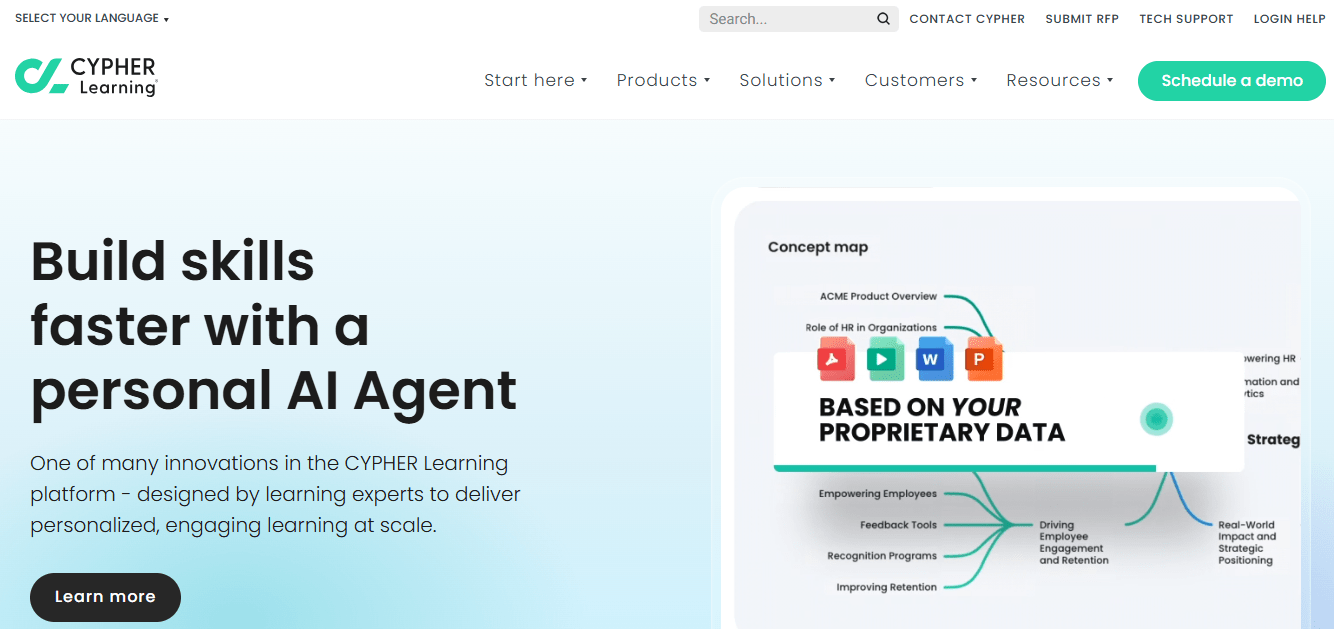
What stood out to me is how smooth the overall experience feels. The interface is intuitive, and I didn’t have to spend time digging through complex menus just to manage assignments or track progress. That usability matters when training becomes part of day-to-day operations, not a side project.
I also like how flexible the platform is when it comes to building learning journeys. I’ve been able to tailor courses around specific audiences and objectives, which makes training feel more relevant instead of one-size-fits-all. The platform also continues to evolve steadily, which gives it the feel of a system that’s being built for long-term enterprise needs rather than short-term features.
Pros:
- The interface is clean and intuitive. I can navigate quickly without digging through menus.
- It supports personalized course design, allowing me to tailor learning to specific roles and objectives.
- The platform evolves consistently, adding new capabilities to keep pace with modern learning needs.
- Strong security standards provide confidence around data protection and compliance.
Cons:
- The course builder could offer more formatting flexibility for a more polished presentation.
- There’s no clear notification system for bounced emails.
- The mobile experience could be smoother and more feature-complete.
Pricing:
Custom pricing
3. iSpring Learn – Best eLearning software for PowerPoint
I’ve found iSpring Learn especially useful when the team already builds content in PowerPoint and wants to move quickly without rebuilding everything from scratch. In many organizations, subject matter experts are comfortable with slides. iSpring makes it practical to turn those slides into structured, trackable training without introducing technical complexity.
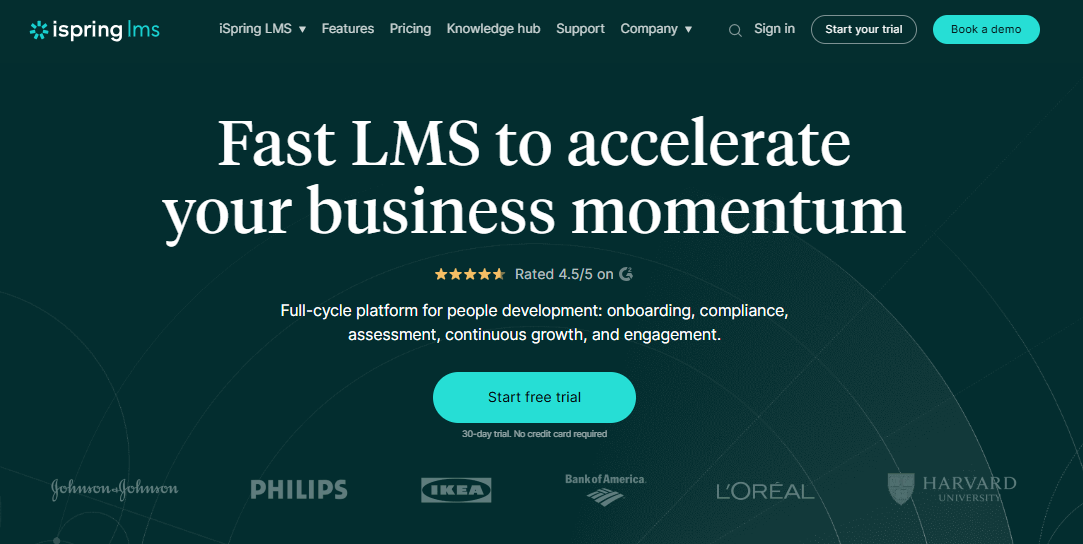
What I appreciate is how directly it connects familiar workflows to formal learning delivery. I’ve converted existing presentations into interactive courses in minutes, which significantly reduces production time. That’s a real advantage when you need to roll out training quickly without compromising structure or tracking.
From an administrative standpoint, it also keeps things organized. I’ve been able to automate reminders, monitor learner progress, and review performance data through a clean dashboard, which helps when managing multiple programs at once.
Pros:
- I can convert PowerPoint presentations into interactive courses quickly.
- Automated reminders and tracking keep training structured without manual follow-ups.
- Badges, leaderboards, and discussions help increase learner engagement.
- Reporting gives clear visibility into performance and progress.
Cons:
- Language support is somewhat limited for global teams.
- The platform has a learning curve before you fully master its advanced features.
Pricing:
Starts at $770/author/year
4. Absorb LMS – Best for Complex Training Needs
I’ve seen Absorb LMS work well in environments where training isn’t simple or linear. When you’re managing multiple departments, certifications, and evolving programs, the platform handles that complexity without feeling overwhelming.
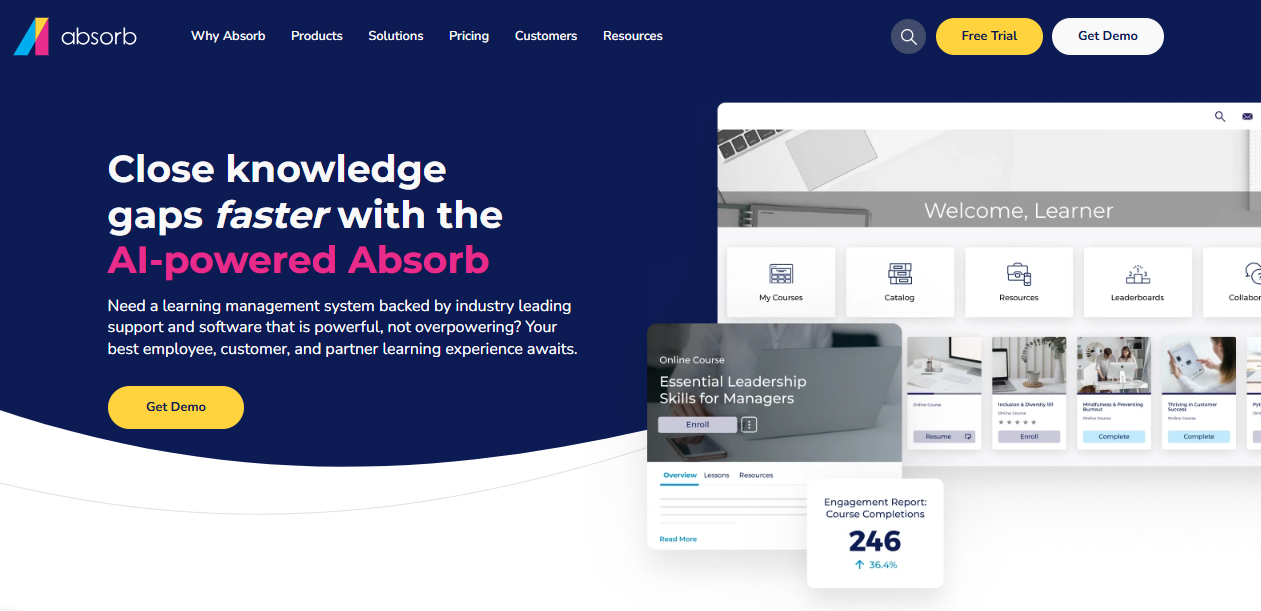
What stood out to me is the balance between power and usability. The interface is clean and straightforward, so administrators are not buried in layers of menus. At the same time, it supports deeper configuration when needed. I’ve also appreciated the ability to align the look and feel with company branding, which helps the learning environment feel intentional rather than generic.
From an operational perspective, it scales comfortably. Whether onboarding new teams or extending training to external partners, it supports growth without forcing you to redesign the structure each time.
Pros:
- Setup is fast, and day-to-day management stays simple.
- The interface is intuitive for both learners and administrators.
- AI-driven learning paths, gamification, and social tools keep training engaging.
- It scales smoothly for onboarding, internal teams, and external partner training.
Cons:
- Re-enrolling users after course updates can be tedious.
- Project management features feel limited for complex rollouts.
- Assessment options are not as extensive as some competitors.
Pricing:
Custom pricing
5. Docebo – Best for Complex Enterprise Training
Docebo stands out when enterprise training goes beyond basic onboarding and becomes a multi-audience operation. If you’re managing learning for employees, partners, and customers simultaneously, the platform has the structure to support that complexity.
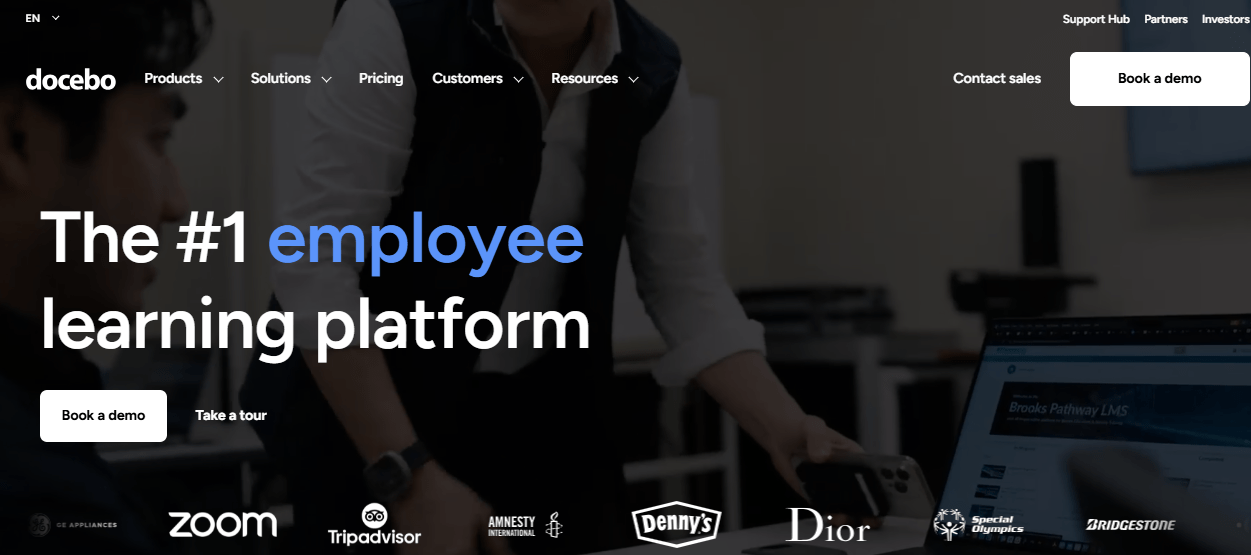
What I value about Docebo is the depth behind the interface. It’s intuitive enough to manage daily programs without friction, yet powerful enough to handle layered learning paths, large content libraries, and enterprise-level reporting. Organizing content from different systems into one centralized environment helps reduce administrative overhead.
Its reporting and analytics are particularly strong. The visibility into engagement, completions, and performance makes it easier to continuously refine programs instead of running training on autopilot.
Pros:
- The interface is clean and easy to manage, even with large training programs.
- It pulls in content from multiple sources, keeping materials centralized.
- Reporting and analytics provide clear insights into performance and engagement.
- Built-in social learning and integrations support collaboration across teams.
Cons:
- Video uploads have size limits.
- There’s no native video conferencing for live sessions.
- Pricing can feel less flexible for smaller organizations.
Pricing:
Starts at $25,000/year
6. Blackboard Learn – Best for Community-Based Learning
Blackboard Learn works best when training is meant to feel less like a one-way course and more like an ongoing learning environment. I’ve used it in settings where discussion, collaboration, and peer interaction mattered just as much as the content itself, and that’s where it holds up well.
What I appreciate is how naturally it supports community-style learning. The platform makes it easy to combine structured modules with discussion boards, assessments, and interactive content, so learners are not just consuming material; they’re engaging with it. For organizations running instructor-led or cohort-based programs, that structure feels especially useful.
The administrative side is also fairly straightforward. Once courses are set up, tracking progress and participation is clear, and the reporting gives enough visibility to understand where learners are keeping up and where they are dropping off.
Pros:
- Setup is straightforward, and the platform is easy to navigate.
- Supports multimedia content, discussions, and structured assessments.
- Reporting makes it simple to track progress and measure effectiveness.
- Mobile-friendly access allows learners to train from anywhere.
Cons:
- The mobile app could offer more features.
- There is a learning curve during initial setup.
- The messaging system could be more seamless.
Pricing:
Custom pricing
7. Moodle – Best for Open-Source Learning
Moodle is one of the most flexible options available if you want full control over how your training platform is built. I’ve always seen it as less of a packaged LMS and more of a foundation you can shape around your organization’s needs, especially if you have the technical resources to support it.
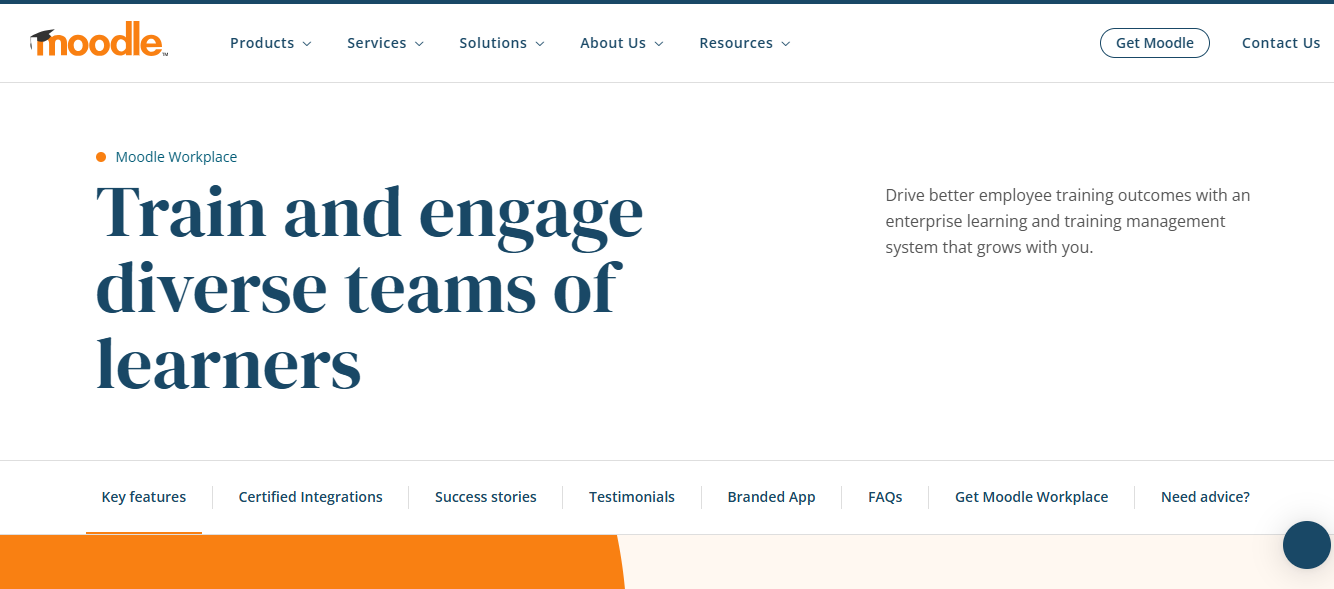
What makes Moodle stand out is the open-source model. You’re not locked into a rigid vendor structure, and the platform can be customized heavily, from the learner experience to the backend workflows. For enterprises that want ownership over their learning environment rather than a fixed out-of-the-box system, that flexibility is a real advantage.
It also supports a wide range of learning use cases, from structured course delivery to community-based engagement. With the right configuration, Moodle can scale across departments, regions, and audiences without forcing you into a one-size-fits-all approach.
Pros:
- It’s free and highly customizable, giving full control over the learning environment.
- Strong core features cover course management, community tools, and access controls.
- It scales well as learner volumes and course libraries grow.
- A large plugin ecosystem makes integrations and extensions possible.
Cons:
- Reporting in the base version can feel limited without add-ons.
- Integrations and configuration can get complex.
- It’s best suited for organizations with dedicated IT support.
Pricing:
Starts at $180 AUD
8. Seismic Learning – Best for Training Sales Team
Seismic Learning, previously known as Lessonly, is particularly strong when training is closely tied to sales performance. I’ve used it in environments where onboarding reps quickly and reinforcing messaging consistency directly impacted revenue, and that’s where it delivers real value.
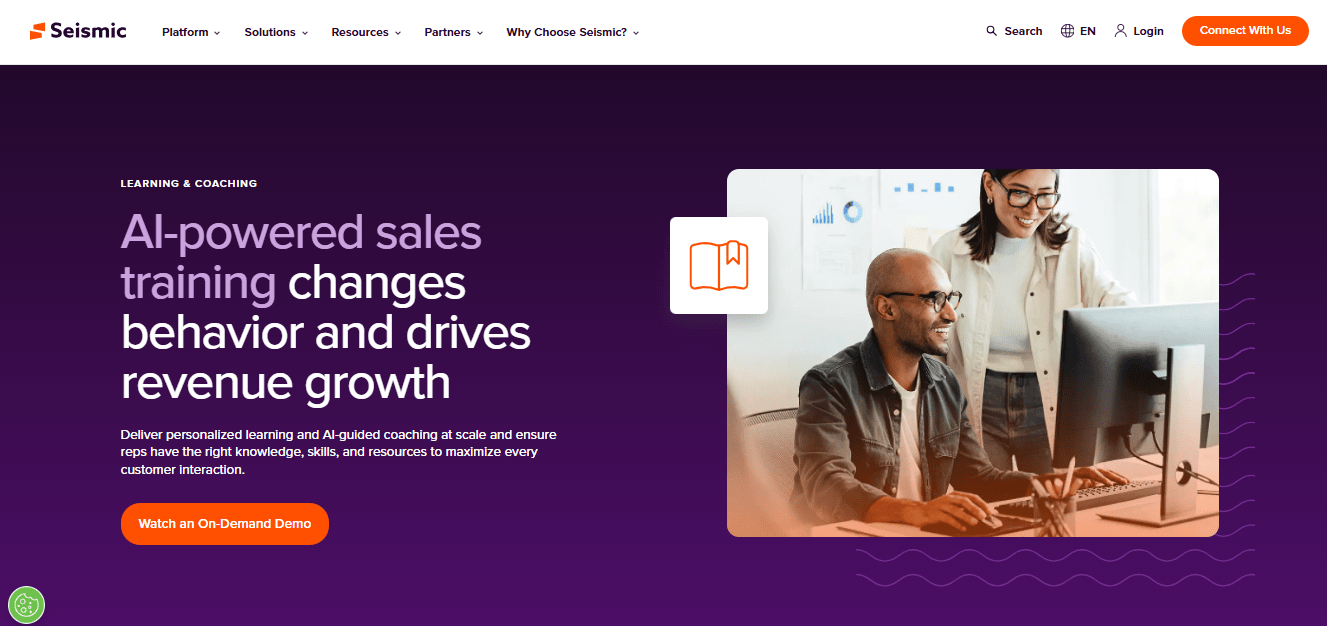
What stands out is how focused it is on application, not just content delivery. Building lessons is straightforward, and the interface makes it easy to assemble structured training using text, video, and assessments without overcomplicating the process. For fast-moving sales teams, that simplicity matters.
The practice and coaching elements are what make it more performance-driven than many traditional LMS platforms. Instead of treating training as a one-time event, it supports repetition and skill reinforcement, which helps ensure knowledge actually translates into real conversations with customers.
Pros:
- Drag-and-drop lesson building makes course creation fast and simple.
- Practice sessions help reinforce learning beyond one-time completion.
- Interactive lesson formats keep learners engaged throughout training.
- Built-in video creation is useful for coaching and sales enablement.
Cons:
- Search can be inconsistent when trying to locate specific content.
- Engagement options could be broader for more variety in learning experiences.
Pricing:
Custom pricing
9. LearnUpon – Best for Delivering Impactful Training
I’ve found LearnUpon to be a strong option when the goal is to deliver structured training across multiple audiences without creating separate systems for each group. In enterprise settings where employees, partners, and customers all require different learning paths, the platform keeps everything centralized while still maintaining clear segmentation.

What I appreciate is how organized the overall experience feels. Creating courses is straightforward, and the interface makes it easy to manage content without unnecessary complexity. I’ve also liked how simple it is to set up dedicated portals for different audiences, so each group sees only what’s relevant to them.
Integrations and automation are another advantage. LearnUpon connects well with existing business systems, which reduces manual data handling and helps keep training aligned with how the organization already operates. The reporting suite is comprehensive enough to track completions, progress, and program performance in a structured way.
Pros:
- Drag-and-drop builder makes course creation straightforward.
- Multi-portal setup allows clear segmentation for employees, partners, and customers.
- Integrations and automation reduce manual data handling.
- Reporting provides strong visibility into progress and training performance.
Cons:
- Building detailed modules can take more time than expected.
- Reporting visuals could offer more flexibility.
- Updated courses or tests don’t always allow smooth retakes for learners.
Pricing:
Custom pricing
10. 360Learning – Best for Collaborative Learning
I see 360Learning as a strong choice when collaboration is not just a feature, but the core of the learning strategy. In organizations where knowledge resides within teams and subject-matter experts, the platform makes it easier to turn internal expertise into structured learning programs.
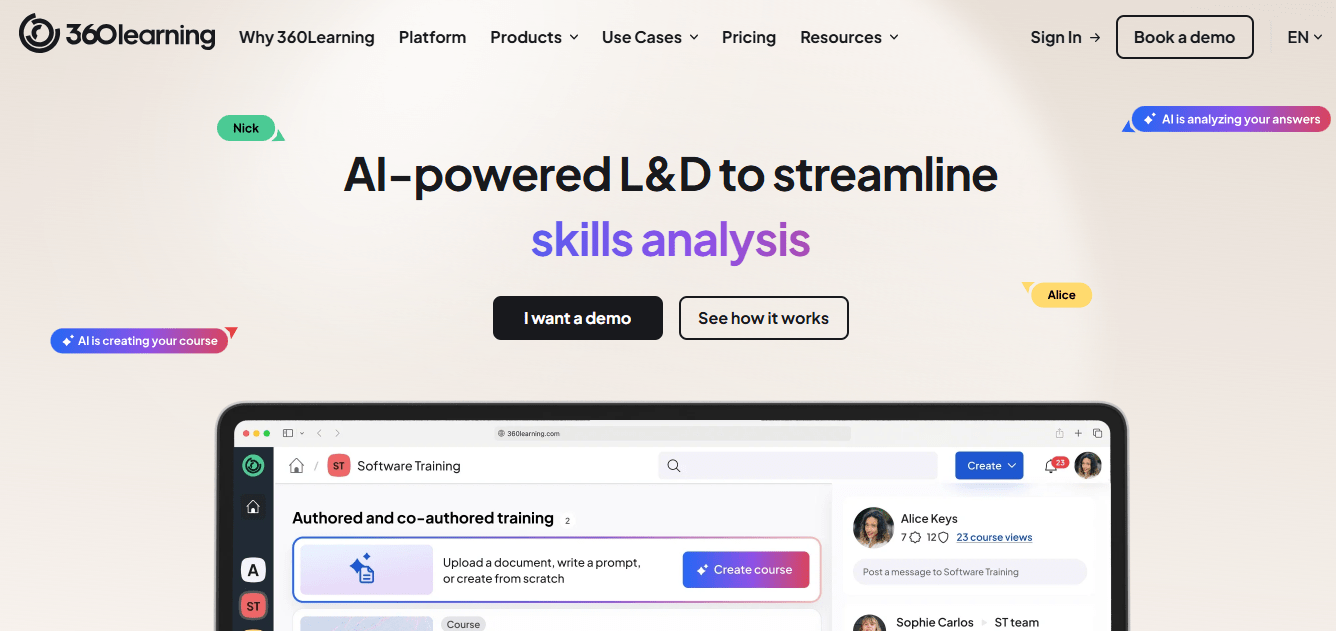
What stands out to me is the peer-driven approach. Instead of relying only on top-down training, teams can contribute content, share feedback, and discuss lessons directly within the platform. That creates a more dynamic environment where learning feels continuous rather than one-off.
Course creation is also straightforward. I’ve been able to build and publish structured content without dealing with technical friction, which helps when multiple contributors are involved. The centralized content system keeps resources organized, and integrations help align learning with the broader tech stack.
Pros:
- Strong social learning features support discussions and peer collaboration.
- Centralized content keeps resources organized and accessible.
- Course creation is straightforward without technical complexity.
- Integrations connect smoothly with existing business tools.
Cons:
- Quizzing options could be more advanced and varied.
- Frequent updates can occasionally require adjustments to existing course materials.
Pricing:
Starts at $8/registered user per month
My Top 3 Enterprise Learning Management Systems
There isn’t a single “best” enterprise LMS. The right choice depends on how your organization delivers training, how complex your structure is, and how much operational control you need.
When I narrow it down for enterprise use, I look at three things: execution at scale, administrative efficiency, and long-term flexibility. Based on that, these are my top three picks:
1. ProProfs Training Maker
If speed, simplicity, and structured rollout matter most, this is the one I’d prioritize. It’s particularly strong for employee training, compliance programs, and rapid course deployment. The combination of ready-made courses, AI-powered creation, and clean administration makes it practical for organizations that need reliability without heavy technical overhead. The pricing also makes it accessible across different business sizes.
2. CYPHER Learning
If automation and personalization are high on your list, CYPHER Learning stands out. It’s built to streamline workflows and adapt learning paths intelligently, which helps reduce manual effort in large training environments. It’s a solid option for organizations that want modern learning experiences without sacrificing structure.
3. iSpring Learn
If your team already builds content in PowerPoint and you want to move quickly, iSpring Learn makes that transition seamless. It’s efficient for turning existing materials into interactive, trackable courses, and it offers solid automation and reporting for structured training programs.
Ultimately, the best enterprise LMS is the one that aligns with how your organization actually operates. The platform should support your training model, not force you to redesign it.
How I Evaluated These Enterprise LMS Platforms
Picking tools for a list like this isn’t something I take lightly, especially when one of them is the platform I write about for a living. I followed the same criteria I’d use for any list, adapted for what actually matters when a system has to hold up under enterprise weight: thousands of learners, multiple audiences, and an audit trail someone can actually stand behind.
- User Reviews and Ratings: Every score in the comparison table came directly from each platform’s Capterra and G2 listing, not a vendor’s marketing page, and I weighted patterns across many reviews over a single outlier.
- Essential Features and Functionality: For an enterprise use case specifically, I looked at whether a platform actually separates employees, contractors, partners, and customers into their own portals with distinct admins and reporting, rather than just tagging a user with a role name. I weighed real AI capability, like generating a full course from a prompt or a document, against tools where “AI” is a checkbox on a features page, and checked genuine enterprise depth like SSO, SCORM/xAPI support, and role-based permissions.
- Ease of Use: A platform only your L&D team can operate defeats the purpose at enterprise scale. I gave real weight to how quickly a non-technical training coordinator could build a course, assign it to the right group, and pull a compliance report without opening a support ticket.
- Customer Support: Enterprise rollouts hit setup snags by definition: new integrations, new user hierarchies, new edge cases the moment you cross a few thousand learners. I looked at how reviewers described response times and implementation help, not just whether a support page exists.
- Value for Money: I evaluated pricing at the tier a real enterprise buyer would actually land on, not the cheapest teaser plan, and flagged wherever a pricing model, per learner, per author, or quote-only, works against how these organizations actually scale.
- Real-World Fit at Enterprise Scale: Star ratings alone don’t tell you whether a platform holds up at ten thousand users across a dozen countries. Wherever reviewers specifically mentioned large-org, multi-department, or global rollout use, positive or negative, I weighted that feedback more heavily than a generic review from a small team just trying out the free plan.
What Are the Features of an Enterprise LMS?
Ideally, an enterprise LMS should have the following features:
- Ideally, an enterprise LMS should have the following features:
- Robust Content Management: This is where most buyers actually start, usually because someone on the team has been quietly Googling how to create e-learning content that doesn’t look like a 2015 PowerPoint export. A strong content management layer lets you craft, edit, and distribute training across video, audio, and documents, so you can create your own e-learning without waiting on a developer every time something needs updating.
- Learning Paths & Automation: Set up automatic, seamless training courses with pre-defined learning paths, so elearning course creation doesn’t turn into a redo project every time a role changes.
- Advanced Reporting & Analytics: Use powerful reports and analytics to get the scoop on your performance. Track learner progress, measure the effectiveness of your courses, and find ways to improve them even more.
- Scalability for Large User Bases: This LMS scales to meet your needs, no matter how many learners you have. Bring on more users without a hitch and keep everyone’s learning experience smooth and uninterrupted.
- Security & Compliance: Keep your data safe with robust security features like multi-factor authentication, and stay compliant with all relevant industry regulations without breaking a sweat.
- Engagement Features: Boost learner motivation with gamified LMS, collaborative social learning tools, and personalized learning paths.
- Integrations: Connect seamlessly with your existing systems, such as HRIS or CRM. This integration ensures that your data flows smoothly across your platforms.
How to Choose an Enterprise Learning Platform for Your Organization
Choosing an enterprise learning platform isn’t about picking the one with the longest feature list. At scale, the real question is simple: will this system still work when your training operation becomes more complex next year?
When I evaluate an enterprise LMS, I focus on a few practical steps that help separate polished demos from platforms that can actually support enterprise execution.
1. Start With How Training Is Structured in Your Organisation
Before looking at features, I always ask what the platform needs to support: onboarding, compliance, leadership development, partner enablement, or customer education. The best LMS for you depends entirely on who you’re training and how often learning needs to happen.
2. Make Sure User Management Won’t Become a Bottleneck
In enterprise environments, managing learners manually becomes impossible. I look for systems that handle role-based access, group segmentation, and bulk actions cleanly, because training quickly breaks down if user administration is messy.
3. Prioritize Automation Where Scale Demands It
Once training volumes grow, automation stops being a bonus. It becomes necessary. Platforms that use AI for content recommendations, enrollment workflows, or administrative tasks can reduce overhead significantly, especially when programs run across multiple teams.
4. Check Whether It Can Support Learning Paths and Certifications Properly
If training includes compliance or role progression, the LMS needs to handle structured learning journeys, renewals, and certification tracking without workarounds. This is one of the fastest ways to tell if a platform is enterprise-ready.
5. Look Beyond Branding, but Don’t Ignore It
I do think the LMS should feel like part of your organization, not a third-party portal. White-labeling, custom domains, and branded learner experiences matter more than most teams realize when adoption is a priority.
6. Validate Integrations Early
An enterprise LMS can’t operate in isolation. I always check how well it integrates with HRIS, CRM, ERP, and identity systems, because disconnected learning data creates operational gaps very quickly.
Eliminate manual training processes as you scale
Manage onboarding, certifications, and reporting without manual workarounds.
7. Treat Reporting as a Decision-Making Tool, Not a Dashboard
Completion rates alone are not enough. I look for reporting that helps answer real questions: Who is falling behind? Which teams are under-trained? What programs are actually improving performance?
8. Don’t Overlook Mobile and Security Requirements
If your workforce is remote or distributed, mobile access is non-negotiable. And at enterprise scale, security is foundational. I always look for strong access controls, encryption, and compliance with standards like GDPR or HIPAA.
9. Finally, Test Scalability Before Committing
The platform should perform just as reliably at 10,000 learners as it does at 500. I always recommend evaluating whether the LMS can grow with your organization without forcing a rebuild later.
Choosing the right enterprise learning platform is ultimately about operational fit. The best systems don’t just deliver training. They help you run learning as a structured, accountable function across the business.
Here is a short video for your reference:
Turning Learning Into Something You Can Rely On
Choosing an enterprise learning management system is really about deciding how intentional you want to be about learning as your organization grows. At a certain size, training can’t rely on shared folders, good intentions, or tribal knowledge anymore. You need a system that makes learning consistent, visible, and manageable without creating more work than it removes.
The right platform won’t just answer how to create elearning content faster. It’ll disappear into the background of how your organization runs, quietly doing its job, helping people get up to speed faster, reducing risk, and giving you confidence that what needs to be learned is actually happening.
Frequently Asked Questions
How do I know if I need an Enterprise Learning Management System or if my current setup can still stretch?
If you're tracking completions in spreadsheets, chasing signatures by email, or a single departed employee could take institutional training knowledge with them, your setup has already stretched past its limit. An enterprise learning management system replaces that fragility with a system that doesn't depend on one person remembering everything.
What breaks first when an Enterprise Learning Platform is poorly implemented?
Usually reporting. Admins discover mid-audit that completion data doesn't match reality, because the rollout skipped role mapping or bulk enrollment setup. The fix isn't more training, it's redoing the implementation with proper user groups and automation from day one.
How should Enterprise LMS Software handle multiple audiences without becoming chaotic?
Through separate portals or learner groups, not separate systems. The strongest enterprise LMS software lets you segment employees, contractors, and partners with different content and branding, while admins still manage everything from one dashboard.
How do integrations actually affect day-to-day training operations?
They remove manual data entry. When your LMS connects to HRIS or CRM tools, new hires get auto-enrolled and completions sync back automatically. Without that, someone on your team is manually updating spreadsheets every week.
Can an Enterprise Training Management System scale without sacrificing usability?
Yes, but only if usability was a design priority from the start, not an afterthought bolted onto an admin-first platform. The systems that scale well keep the learner experience simple even as the backend handles thousands of users and compliance rules.
What should I prioritize if I'm choosing the Best Enterprise Learning Management System for long-term use?
Prioritize whether it fits how your organization already runs training, not which platform has the most features. Check ease of use, integration depth, and how well it supports elearning course creation at the pace your team actually works, not the pace a demo suggests.
Let ProProfs AI create your training course

 We'd love your feedback!
What did you like & how can we make it even better?
 Thanks for your feedback!
 Ask Your Question
Have a question? Get expert help to make your decision easier.