A manufacturing LMS (Learning Management System) is a training platform built for deskless, multi-shift factory workforces. The best ones automate OSHA, ISO 9001/45001, and GMP compliance tracking, deliver mobile microlearning and QR code training right on the shop floor, and produce audit-ready reports across multiple plants without pulling workers off the production line.
Let me guess. Your next OSHA audit is a few weeks out. Half your workforce does not have a company email. And the last time you updated an SOP (that stands for Standard Operating Procedure, the step-by-step instructions your workers follow), it took two weeks of printing, distributing, and chasing paper signatures across three shifts.
I have spent years working with manufacturing teams on exactly this problem, and here is what I can tell you: the tools most companies use for training were not built for the factory floor. They were built for office workers with laptops and dedicated training hours. That is why they fail in manufacturing.
So I reviewed dozens of LMS platforms and narrowed the list to the 10 that actually solve the problems you face every day: deskless workers, compliance deadlines, shift scheduling, and the constant pressure to keep training going without stopping production.
Here is what I have put together for you in this guide:
- A fast, scannable comparison of the 10 best manufacturing LMS platforms in 2026
- The non-negotiable features your LMS must have for shop-floor training and OSHA/ISO/GMP compliance
- A step-by-step 30/60/90-day rollout plan you can start using this week
- The exact ROI metrics and benchmarks you need to justify the investment to leadership
Let me walk you through each one.
What Is a Manufacturing LMS?
If you’re managing training in a manufacturing setup, you already know it’s nothing like training an office team. Your workforce is on the shop floor, working in shifts, often without emails or desktops. That’s exactly where a manufacturing LMS comes in.
A manufacturing LMS is a training platform designed specifically for these realities. It lets you deliver short, mobile-friendly training that workers can access during breaks, between shifts, or right at their workstation, without slowing down production.
What I’ve found most useful is how it takes the pressure off compliance. Instead of tracking certifications in spreadsheets or chasing updates, the LMS automatically records completions, sends reminders before deadlines, and keeps everything audit-ready in one place.
It also helps you standardize training across locations. Whether you’re updating an SOP or onboarding new hires, everyone gets the same training, and you can clearly see who’s completed it and who hasn’t.
In simple terms, it’s how you keep your workforce trained, compliant, and consistent without disrupting your production flow.
Why Do Manufacturers Need an LMS for Deskless, Multi-Shift Training?
As Henry Ford famously said, “The only thing worse than training your employees and having them leave is not training them and having them stay.” That advice is over a century old, but it hits harder than ever in manufacturing, where untrained workers are not just less productive, they are a compliance liability and a safety risk.
If you are managing training in a manufacturing environment, you already know this is not like training an office team. Your workers are not sitting at desks. They do not have company email addresses. They are running machines, changing shifts, and working in environments where pulling someone off the line for a 90-minute classroom session costs real production output. The training challenges in the manufacturing industry are unique, and the tools you use need to match.
Here is why a dedicated manufacturing LMS (not a generic training tool) matters:
1. You Can Train Across Shifts Without Stopping the Line
With a manufacturing LMS, your workers train during natural downtime: between shifts, during scheduled breaks, or on their mobile phones before clocking in. Think of it this way: instead of shutting down a production line so 30 people can sit in a conference room, each worker completes mobile microlearning on their phone during their break or downtime. A 10-minute module on forklift safety or a quick SOP refresher fits into a break window. Training fits around your production schedule, not the other way around. If you are building a manufacturing training program from scratch, this shift-friendly approach is where to start.
2. You Can Automate OSHA, ISO 9001/45001, and GMP Compliance
Here is a number that should get your attention. According to OSHA, a single serious violation carries a penalty of up to $16,550 per violation. Willful or repeated violations can reach up to $165,514 per violation. And according to the Bureau of Labor Statistics (2023), the manufacturing sector reported approximately 373,300 nonfatal workplace injuries and illnesses in a single year, making it one of the highest-risk industries for worker safety.
A manufacturing LMS tracks every certification automatically. It knows when each worker’s OSHA compliance training is about to expire. It sends reminders to the worker and their manager before the deadline. And when the auditor shows up, you pull a complete compliance report in a few clicks instead of spending days digging through spreadsheets and filing cabinets.
3. You Can Standardize SOP Training Across Every Plant
When a standard operating procedure changes (and in manufacturing, they change often), a manufacturing LMS pushes the update to every affected worker at every location at the same time. Each worker opens the updated SOP on their phone, reads it, and completes a short quiz or digital signature to confirm they understand the change. The LMS tracks exactly who has completed the update and who has not. No more printing paper copies. No more chasing signatures. No more wondering if the night shift got the memo.
4. You Can Replace Manual Tracking That Nobody Trusts
I have seen manufacturing teams track compliance in Excel spreadsheets, paper binders, and even email threads. Every one of these systems breaks eventually. Someone forgets to update a row. A file gets lost. An auditor asks for records and you spend three days assembling them. A centralized LMS replaces all of that with a real-time dashboard that shows you exactly who is certified, who is overdue, and who has not started, across every shift and every plant.
5. You Stay Audit-Ready at All Times
According to the National Safety Council, companies with comprehensive safety training programs report 24% fewer workplace injuries. But beyond safety outcomes, the practical benefit is this: when the auditor walks in, you do not panic. You log into your LMS, pull the compliance report, and hand it over. That is what audit-ready means.
Which Manufacturing LMS Platforms Are Best for Shop-Floor and Compliance Training?
I have tested and reviewed each of these employee training software platforms specifically for manufacturing use cases. Below is a quick comparison table so you can see everything side by side, followed by my detailed take on each one.
A quick note on what the columns mean:
- “Best For” tells you the one scenario where this LMS stands out from the rest.
- “Pricing” shows the starting cost. “Custom” means you need to contact their sales team for a quote.
- “Rating” is pulled from G2 or Capterra, the two most-used software review sites.
| LMS Name | Best For | Pricing | Rating | Key Manufacturing Features |
|---|---|---|---|---|
| ProProfs Training Maker | Deskless mobile training | Free; from $1.99 per active learner/month | 4.8/5 | OSHA/ISO tracking, QR code access, AI course creation, 500+ safety courses, HRIS integration |
| Moodle | Open-source customization | From $130/50 users | 4.3/5 | Full customization, SCORM support, offline access, multi-language |
| Absorb LMS | Complex multi-site training | Custom pricing | 4.5/5 | Compliance automation, mobile/offline, role-based paths, gamification |
| Docebo | Enterprise AI-powered training | Custom pricing | 4.4/5 | AI learning paths, automated retraining, SCORM/video, ERP integration |
| iSpring Learn | Fast PPT-to-course deployment | From $3.70/user/mo | 4.6/5 | PPT conversion, auto re-enrollment, offline mobile, compliance reports |
| 360Learning | Collaborative peer learning | From $8/user/mo | 4.7/5 | Collaborative forums, mobile-friendly, drag-and-drop creation |
| Litmos | Ready-made course library | Custom pricing | 4.3/5 | 80,000+ prebuilt courses, cross-device, compliance automation |
| LearnUpon | Scalable impactful training | Custom pricing | 4.6/5 | AI course recommendations, clean UI, mobile, role-based paths |
| Vector LMS | Safety and skills training | Custom pricing | 4.5/5 | Safety modules, HR integration, auto role-based assignments |
| SkyPrep | Comprehensive programs | From $349/mo | 4.6/5 | Auto certification tracking, mobile-friendly, custom reporting |
Now, let me walk you through each platform in detail.
1. ProProfs Training Maker: Best for Deskless Training on Mobile Phones
I have put ProProfs Training Maker at the top of this list for a specific reason: it is built for the exact challenges manufacturing teams face every day. Your workers do not have company email addresses. They do not have assigned laptops. They work in shifts and cannot sit in a training room for hours. ProProfs Training Maker is designed around all of these realities.
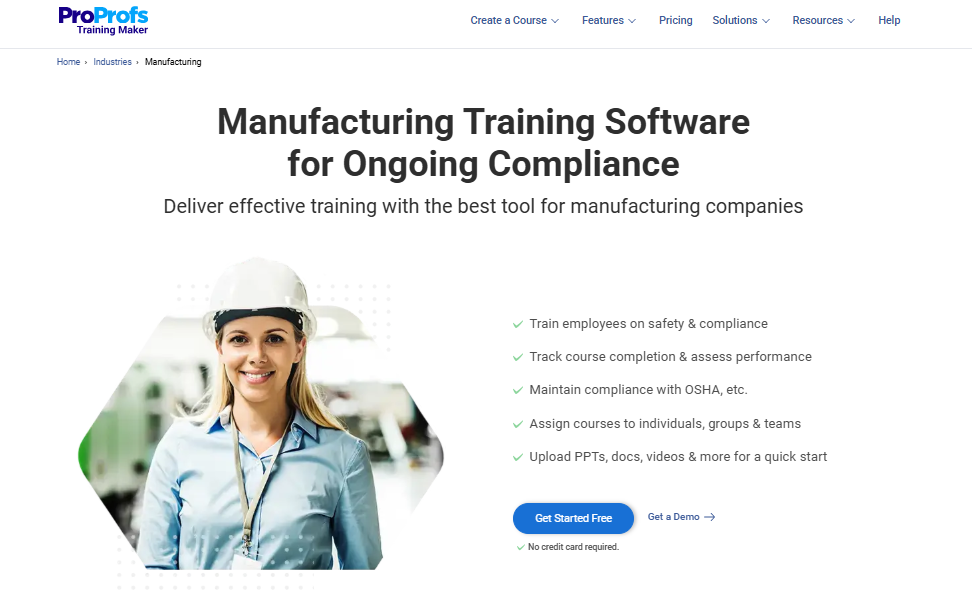
Let me show you the feature that convinced me. It is called QR code access, and here is exactly how it works:
- You (the training manager) create a course in ProProfs. The system generates a unique QR code for that course.
- You print the QR code and place it wherever workers need it: on a machine, at a safety station, on a break room wall, or next to an equipment manual.
- Your worker walks up, pulls out their phone, and scans the code with their camera. The training opens instantly in their phone’s browser.
- No email. No login. No password. No IT ticket. They tap Start and begin training right there.
For a workforce where many people do not have company email accounts and some are not comfortable navigating complex software, this is a game-changer. I have seen it reduce the “how do I even log in?” support requests to nearly zero.
Compliance tracking is automatic, with reminders sent before certifications expire, so there is nothing to chase. Creating courses is quick too. I just enter a topic, and the AI builds a ready-to-edit course in minutes.
If I need something ready-made, there are 500+ safety and compliance courses that are easy to customize and brand. And if I already have content, SCORM import makes it simple to bring everything in while still tracking scores, attempts, and time spent.
On top of that, HRIS integrations keep things in sync. New hires get enrolled automatically, and training records flow back into the HR system without extra work.
Key Features at a Glance
- OSHA and ISO compliance tracking with automated certification reminders
- QR code access for workers without email or desktop access
- AI course creator: generate complete courses from a topic prompt
- 500+ expert-designed safety and compliance courses with full white-label branding
- 20+ question types and 1,000,000+ question bank for assessments
- AI reporting and analytics with audit-ready dashboards
- SCORM/xAPI import with full score tracking (not just completion data)
- HRIS integrations: BambooHR, isolved, Dayforce, Oracle HRMS, Salesforce
- 70+ interface languages for multilingual workforces
- 24/7 human phone support at every plan tier, including free
Real-World Use Cases I Have Seen Work
- Onboarding new machine operators between shifts: the new hire scans a QR code at their workstation and completes safety training before their first shift starts.
- Rolling out safety refreshers without pulling workers off the line: push a 10-minute microlearning module to everyone’s phone. They complete it during break.
- Staying audit-ready across multiple plants: pull a compliance report for any plant, any role, any certification in one click. No spreadsheet assembly required.
What Real Users Say (G2)
“Takes the headache out of training. It’s like having a virtual trainer that keeps things organized while making sure everyone stays on track.”
“It’s very user-friendly, and our employees don’t need a lot of guidance to start using it.”
“ProProfs offers easy to use data, reports and analytics, making valuable assessments regarding a user’s effectiveness during training.”
What You Should Know Before Buying
- You need internet access for training delivery. There is no offline mode, so if your plant has areas with poor connectivity, you will want to test coverage first.
- A dark theme is not currently available in the interface.
Pricing
Here is what I like about ProProfs pricing: it is simple and transparent.
- Free plan: $0. Up to 10 learners. All features included. No time limit. No credit card required. This is ideal for a pilot program.
- Essentials plan: $1.99 per active learner/month. “Active learner” means you only pay for people who actually train in a given month. If someone does not log in, you do not pay for them.
- Enterprise: custom pricing for unlimited learner options. Contact their sales team.
Rating: 4.8/5 (Capterra)
Trusted by: Sony, Dell, Cisco, DHL, Yale, LinkedIn
I recommend looking at how Tupperware uses ProProfs Training Maker for their manufacturing workforce training. It is a strong real-world example of everything I have described above.
2. Moodle: Best for Open-Source Customization
If you have an IT team on staff (or a tech-savvy consultant you trust), Moodle gives you complete control over your training environment. It is open-source, which means the base software is free and you can customize everything: the look, the course structure, the compliance modules, even the way reports are generated. I recommend Moodle for manufacturers who want to build their LMS exactly the way they want it and have the technical resources to make that happen. If you do not have IT support, this is probably not the right fit.
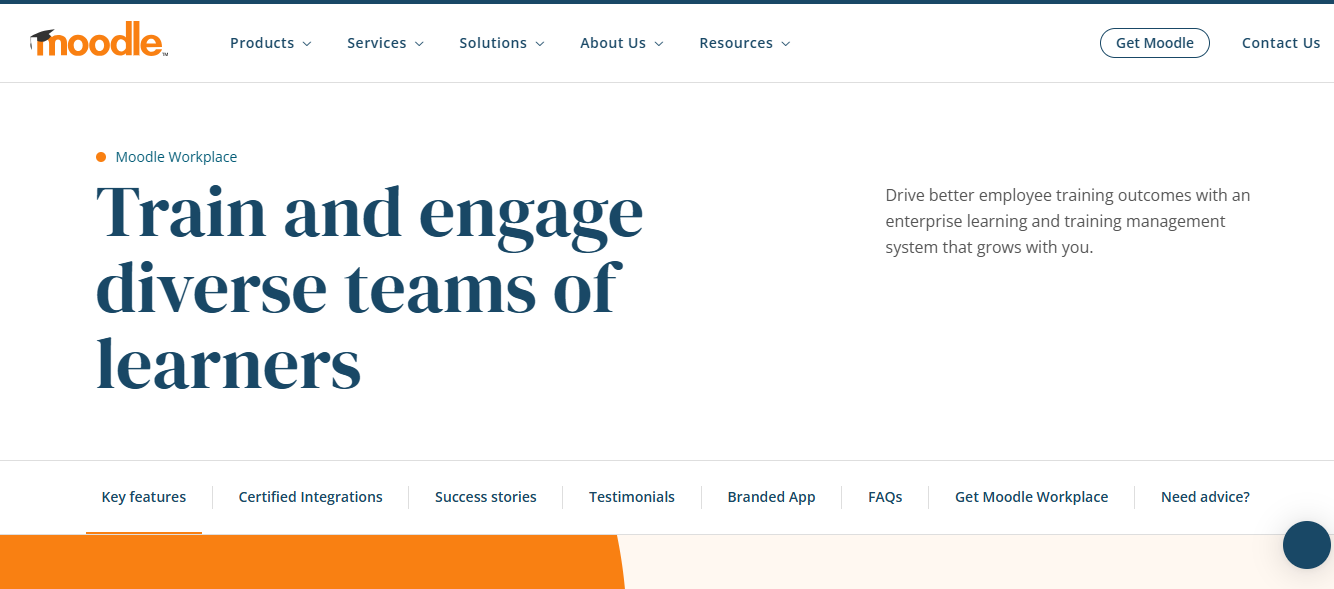
Here is what setup looks like in practice: you download and install Moodle on your own server (or pay a hosting provider to do it). Then you configure your course categories, upload your training content (videos, PDFs, SCORM packages), and set up user accounts. The learning curve is steeper than a cloud-based tool, but the customization ceiling is much higher.
Key Features
- Open-source platform you can customize completely to your compliance requirements
- Supports SCORM courses (the universal training file format), videos, PDFs, and documents
- Offline access so field workers and remote plant employees can train without internet
- Automated course deadlines and notifications to keep certifications on track
- Scales across multiple locations and supports large, growing workforces
Real-World Use Cases
- Building fully customized compliance courses for specific machinery or processes at your plant
- Managing multilingual training across international manufacturing locations
- Uploading and organizing your existing library of SOPs, manuals, and training videos
What Real Users Say
“Moodle is a flexible open-source Learning Management System.”
“Moodle’s open-source nature and extensive range of features made it the perfect choice for both small and large-scale courses.”
What You Should Know Before Buying
- You need IT expertise for setup and ongoing maintenance. This is not a plug-and-play tool.
- The interface can feel dated compared to newer platforms, especially on mobile devices.
- Reporting features are more basic than what you get with premium, cloud-based LMS platforms.
Pricing: Starts at $130 for 50 users (self-hosted). You will also need to budget for hosting and technical support.
Rating: 4.3/5 (Capterra)
3. Absorb LMS: Best for Complex Multi-Site Training
If you manage training across multiple manufacturing sites with different roles, regions, and compliance requirements, Absorb LMS handles that complexity well. I recommend it for mid-to-large manufacturers where you need one system that keeps everything organized across plants, departments, and certification types. The automation is strong: you set up the rules once, and Absorb handles enrollments, reminders, and reporting.
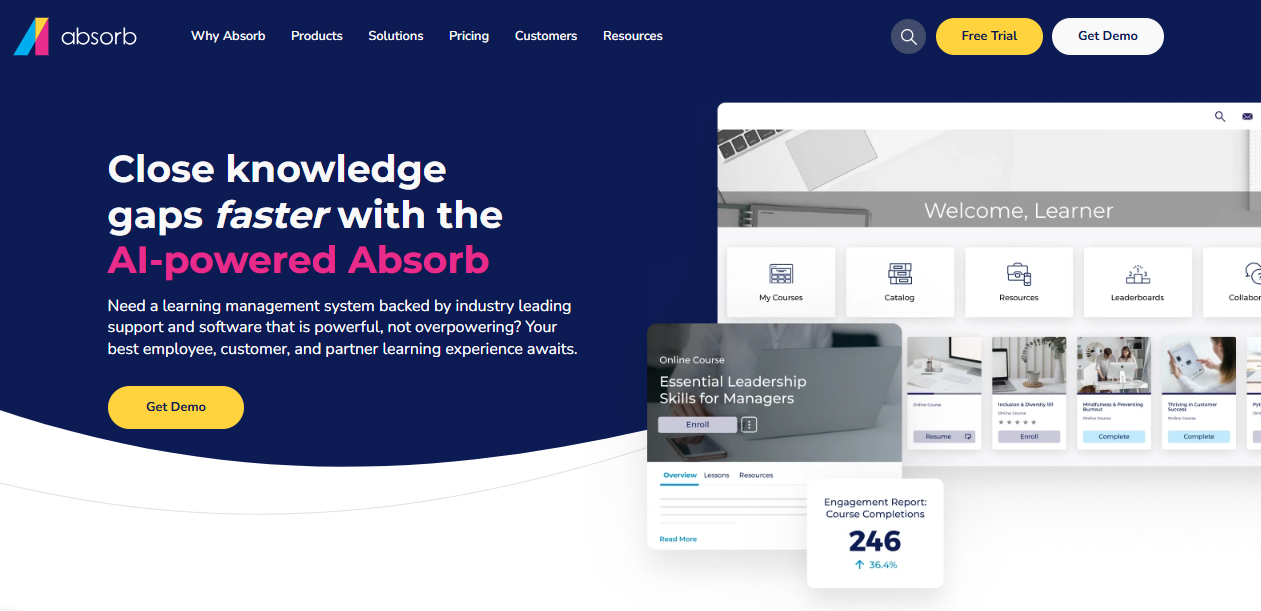
Here is what daily use looks like: your admin dashboard shows compliance status across every site. You can filter by location, department, or certification type. When a new employee joins at any plant, role-based rules automatically assign the right courses. Reports can be scheduled to land in your inbox weekly or monthly.
Key Features
- Robust compliance tracking with real-time analytics across all your locations
- Mobile learning with offline access so workers can train even in low-connectivity areas
- Custom branding and role-based learning paths tailored to different job functions
- Gamification tools like leaderboards and badges to keep engagement up
- Supports videos, documents, quizzes, and multimedia training content
Real-World Use Cases
- Automating onboarding for contractors and temp staff who rotate across sites
- Delivering multi-language compliance programs for global manufacturing operations
- Tracking skills development across subsidiaries and departments from one dashboard
What Real Users Say
“Admin side is intuitive and offers easy templates for a variety of customizations.”
“The Absorb platform provided flexible and scalable learning solutions for our enterprise.”
What You Should Know Before Buying
- The admin dashboard can feel overwhelming when you first log in. Give yourself a week to get comfortable.
- Advanced reporting features have a learning curve. You may need their support team to help set up custom reports.
- Some users report occasional slowness when loading large training libraries.
Pricing: Custom pricing. You will need to contact their sales team for a quote based on your number of learners and locations.
Rating: 4.5/5 (Capterra)
4. Docebo: Best for Enterprise AI-Powered Training
Docebo is built for large manufacturing operations that need to consolidate training across multiple platforms into one system. If you are currently using three or four different tools for compliance training, product rollouts, and skills development, Docebo brings all of that under one roof. Its AI-driven learning paths automatically route workers to the right courses based on their role, performance, and compliance requirements. I recommend this for enterprise manufacturers with the budget to match.
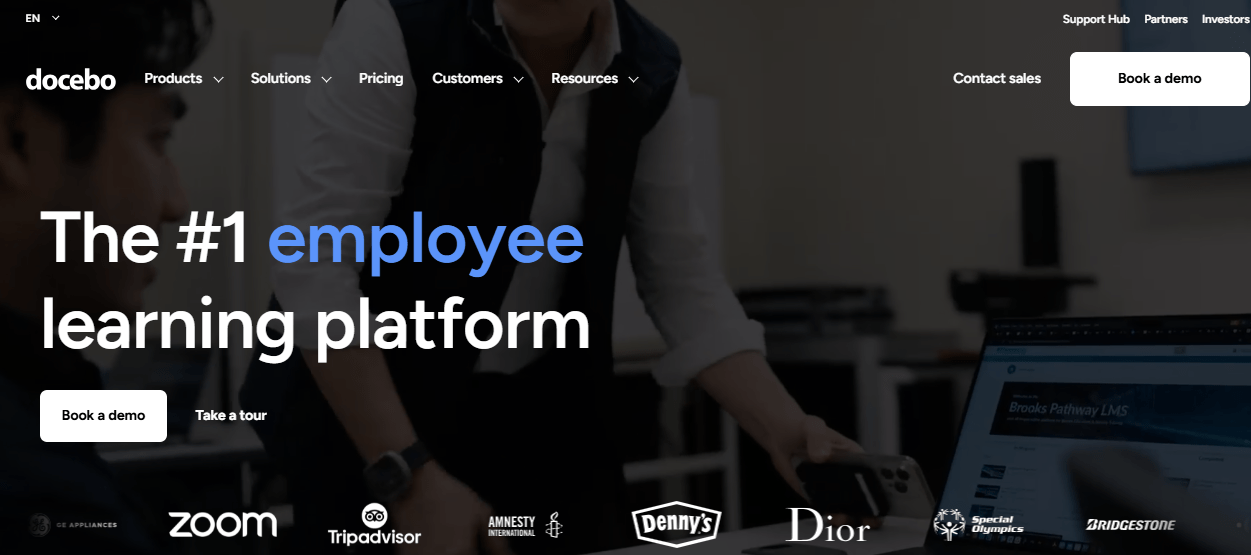
Here is what the experience looks like for your workers: they log in and see a personalized dashboard showing only the courses relevant to their role. If a compliance certification is coming due, it appears at the top. The AI recommends additional training based on what similar roles have completed. For admins, the reporting dashboard pulls data across all plants and integrates with your HR and ERP systems.
Key Features
- AI-powered personalized learning paths that route workers to the right courses automatically
- Automated compliance reminders and retraining schedules based on certification expiry dates
- Supports SCORM (universal training files), video, PowerPoint, and document uploads
- Clean, intuitive user interface that workers can navigate without extensive training
- Robust admin reporting and controls across locations
Real-World Use Cases
- Consolidating training for multiple manufacturing plants under one system instead of using separate tools per site
- Automating compliance retraining for heavy machinery operators when certifications expire
- Integrating your LMS data with existing HR and ERP systems so training records live alongside employee data
What Real Users Say
“Before Docebo, we could use up to 6 other programs. Now, we are able to access everything from one platform.”
“The UI is clean and intuitive. My audience was able to use most of the features with ease.”
What You Should Know Before Buying
- Higher cost than most alternatives. Docebo typically starts at approximately $25,000 per year, so it is aimed at larger budgets.
- Initial setup can feel complex for new admins. Plan for a longer onboarding period.
- Pulling custom reports can be tricky until you learn the reporting interface.
Pricing: Custom pricing based on enterprise needs. Contact their sales team for a quote.
Rating: 4.4/5 (G2)
5. iSpring Learn: Best for Fast, User-Friendly Deployment
If your team already has training materials (PowerPoint presentations, videos, PDFs) and you want to turn them into trackable LMS courses without starting from scratch, iSpring Learn is the fastest path I have seen. You upload your existing PowerPoint, iSpring converts it into an interactive course, and you assign it to your workers. It is that straightforward. I recommend this for manufacturing teams that need to get training live quickly and do not want to spend weeks building content.
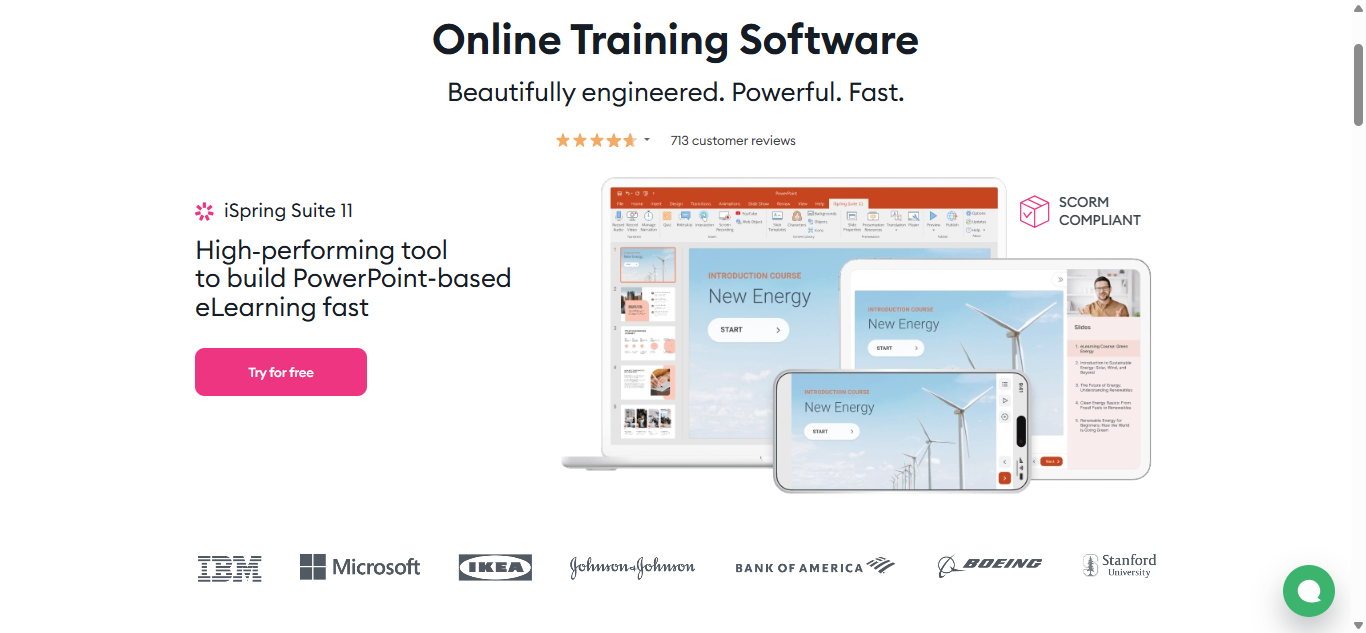
Here is the step-by-step: open iSpring’s course builder, upload your PowerPoint file, and the system converts it into a course with slides, narration support, and quiz options. You assign the course to specific roles or departments. Workers open it on their phone or computer. The LMS tracks who completed it, their quiz scores, and when certificates expire for re-enrollment.
Key Features
- Convert your existing PowerPoint presentations into trackable LMS courses in minutes
- Automated certificate re-enrollment: when a certification expires, the system re-enrolls the worker automatically
- Mobile-friendly with offline access for workers in areas with limited connectivity
- Strong customer support and fast initial setup process
- Pre-built compliance tracking reports you can run without configuring anything
Real-World Use Cases
- Converting your existing library of PowerPoint safety trainings into trackable e-learning courses
- Rapid deployment of product training when a new assembly line or piece of equipment is introduced
- Providing offline access to compliance training for field engineers or remote plant workers
What Real Users Say
“Extremely easy to use product so building content takes little time, and I can leverage other subject matter experts to build content as well.”
“Automatically re-enrolling employees when a certificate expires. Set it and forget it.”
What You Should Know Before Buying
- Gamification features are limited compared to platforms like Absorb or ProProfs.
- The permissions system could be more fine-tuned for complex multi-site setups.
- Some users have reported occasional issues with media uploads not completing.
Pricing: Starts at $3.70 per user per month.
Rating: 4.6/5 (G2)
6. 360Learning: Best for Collaborative Peer Learning
360Learning takes a different approach from most LMS platforms on this list. Instead of a top-down model where the training manager builds all the courses, 360Learning lets your experienced workers create training content themselves. Your line managers, safety officers, and shop-floor veterans can build short courses, record walkthroughs, and share their knowledge directly. I recommend this for manufacturing teams where the best training knowledge lives in the heads of your senior workers, not in a corporate training library.
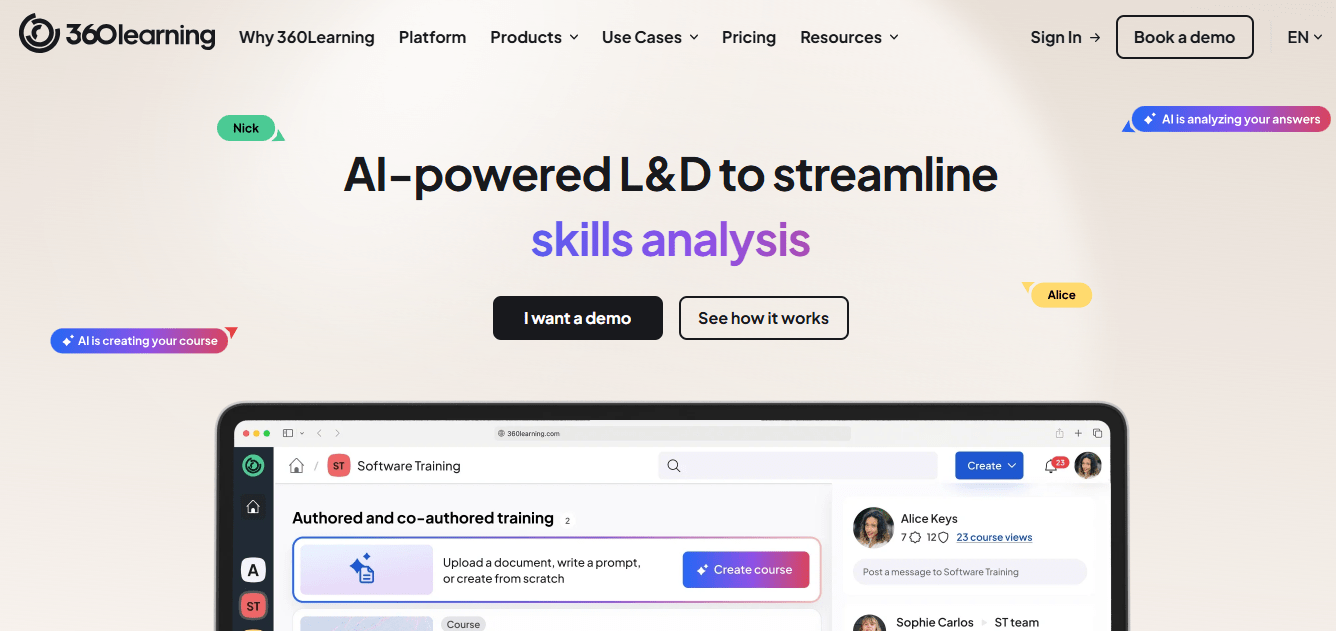
Here is how it works in practice: your safety officer notices workers are making the same mistake on a new machine. They open 360Learning, create a quick 5-minute course with screen recordings and a short quiz, and push it to the relevant team. Workers complete it on their phones between shifts. The system tracks completions and collects feedback so you can improve the content over time.
Key Features
- Collaborative course creation: experienced workers and supervisors build training, not just the training team
- Mobile-friendly design that works across shifts on personal devices
- Drag-and-drop course builder that anyone can use without technical skills
- Detailed analytics on learner progress, completion rates, and feedback
- Built-in screen recording and video walkthroughs for equipment-specific training
Real-World Use Cases
- Having experienced floor supervisors create and share hands-on training with newer workers
- Rolling out quick safety updates between shifts when a process or procedure changes
- Collecting feedback from workers on training quality and process improvements
What Real Users Say
“A great tool for collaborative learning! It’s an intuitive tool that we can easily customize according to our needs and brand.”
“The collaborative features and detailed statistics on the trainees are fantastic.”
What You Should Know Before Buying
- It takes time to learn all the features. Budget a few weeks for your team to get comfortable.
- Branding and visual customization options are more limited than some competitors.
- The mobile experience is functional but has room for improvement.
Pricing: Starts at $8 per registered user per month (for up to 100 users).
Rating: 4.7/5 (Capterra)
7. Litmos: Best for Ready-Made Course Library
If you do not have the time or resources to build training courses from scratch, Litmos gives you access to over 80,000 pre-built courses. That library covers OSHA compliance, workplace safety, leadership development, and dozens of other topics. You browse the library, assign courses to your workers, and the LMS tracks everything. I recommend Litmos for manufacturing teams that need to launch training fast using off-the-shelf content rather than building their own.
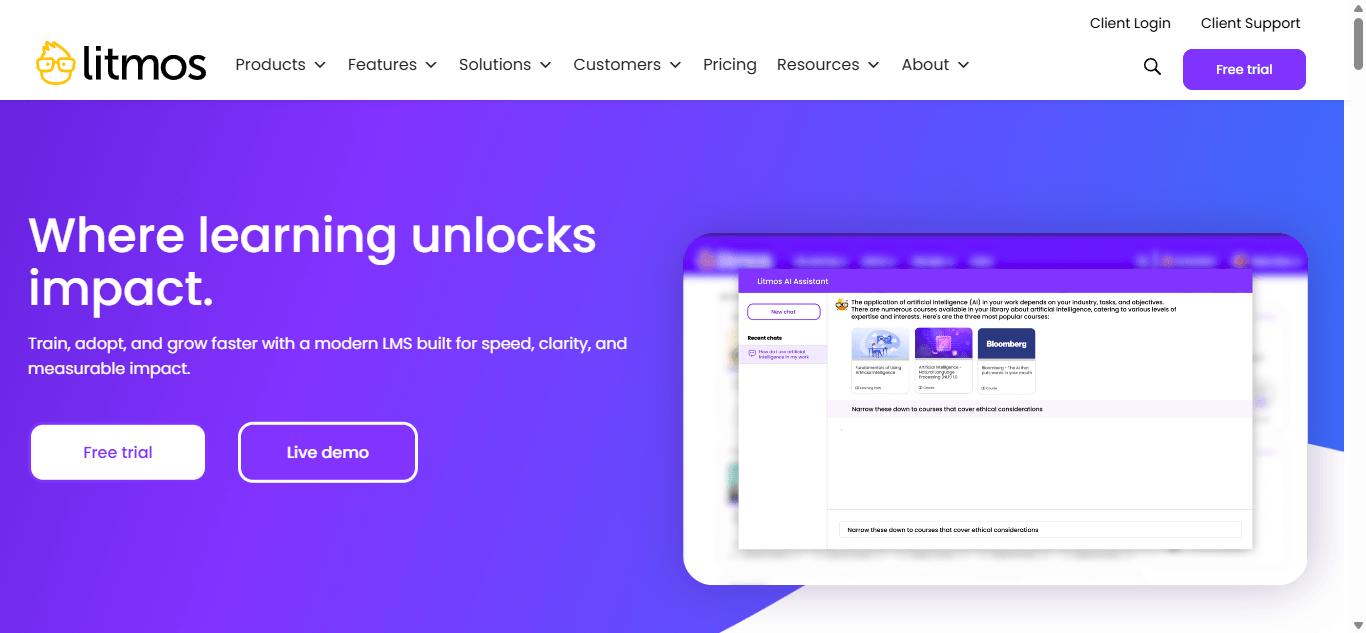
Here is what getting started looks like: you log in, browse the course library by category (safety, compliance, leadership, etc.), select the courses relevant to your team, and assign them to specific roles or departments. Workers receive a notification, open the course on any device, and complete it. The LMS automatically tracks completion and stores certificates.
Key Features
- Library of 80,000+ pre-built courses covering compliance, safety, and professional development
- Automated workflows for compliance tracking and certificate management
- Works across devices: mobile phones, desktop computers, and even wearables
- Customizable interface with your company branding
- Flexible reporting for audits and certification status
Real-World Use Cases
- Quickly deploying OSHA-required safety courses without spending weeks building content
- Scaling leadership development programs across multiple manufacturing plants
- Automating certificate tracking for annual compliance audits
What Real Users Say
“Intuitive system which is easy to navigate. It also has a lot of great features.”
“Their customer service is great; we were assigned a new CSM and AM.”
What You Should Know Before Buying
- Reporting can feel limited if you need deep, granular insights beyond standard dashboards.
- Some users describe the interface as clunky in certain areas.
- The search function could be better for finding specific courses in the large library.
Pricing: Custom pricing. Contact their sales team for a quote.
Rating: 4.3/5 (G2)
8. LearnUpon: Best for Scalable, Impactful Training
LearnUpon is a solid choice if you need an LMS that scales as your manufacturing operation grows. What stood out to me about LearnUpon is the combination of a clean, simple interface and genuinely helpful customer support. If you are new to LMS platforms and want a team that will walk you through setup step by step, LearnUpon is worth considering. Their AI-powered content recommendations also help surface the right training for the right roles automatically.

Here is the experience for your team: admins see a clean dashboard showing training progress across the organization. You create learning paths for different roles, assign them, and the system handles enrollment and reminders. Workers see only the courses relevant to their job. If you need help at any point, their support team is responsive and hands-on during onboarding.
Key Features
- AI-assisted course recommendations that suggest relevant training based on each worker’s role
- Clean, intuitive interface that both admins and workers can navigate without training
- Excellent customer support and dedicated onboarding guidance
- Flexible learning paths and role-based training assignments
- Reliable mobile access for training on the go
Real-World Use Cases
- Delivering equipment-specific training to vendors, partners, and external contractors
- Scaling training as your workforce expands to new manufacturing locations
- Supporting remote employees and field workers with mobile-friendly courses
What Real Users Say
“Great support team helps work around limitations.”
“It is very simple to learn the basics of the system. Creating a course is really easy.”
What You Should Know Before Buying
- Every user needs a unique email address. This can be a problem for frontline workers who do not have company email.
- Gamification features are limited compared to some competitors on this list.
- If you need e-commerce features (selling courses), setup can be complex and may require vendor help.
Pricing: Custom pricing. Contact their sales team for a quote.
Rating: 4.6/5 (G2)
9. Vector LMS: Best for Safety and Skills Training
Vector LMS is purpose-built for safety-first industries, and manufacturing is one of its core markets. What makes it different is the tight integration with HR and safety systems: you set up rules once (“everyone in Role X at Plant Y gets these courses”), and Vector automatically assigns, tracks, and reports on training. I recommend Vector for manufacturers where safety compliance is the number one priority and you need a system that syncs directly with your HR and safety platforms.
Here is how the automation works: your HR system records that a new employee has been hired as a machine operator at Plant 2. Vector LMS picks up that record, automatically assigns the required safety courses for that role and location, notifies the employee, and tracks their progress. When they complete training, the certificate syncs back to your HR and safety systems. You do not touch it.
Key Features
- Automatically assigns training based on job role and plant location
- 70+ new and updated courses added every year to keep content current with regulations
- Syncs data with HR and safety platforms so records stay consistent across systems
- Flexible assessment formats for quizzes and compliance checks
- Built-in compliance analytics and reporting
Real-World Use Cases
- Auto-assigning the right safety training to every role at every site without manual setup
- Tracking policy acknowledgments across multiple manufacturing locations and shifts
- Running compliance drills and assessments with built-in quiz tools
What Real Users Say
“Convergence provides a huge variety of training to help us stay current on safety training requirements.”
“Overall, Convergence has been very easy to use and very effective in its ability to track self-paced training.”
What You Should Know Before Buying
- Some users report platform stability issues like timeouts or glitches during heavy use.
- Customizing reports beyond the standard options can be challenging without support.
- The interface feels less intuitive than some newer, more modern platforms.
Pricing: Custom pricing. Contact their sales team for a quote.
Rating: 4.5/5 (G2)
10. SkyPrep: Best for Comprehensive Training Programs
SkyPrep is a user-friendly manufacturing LMS that works well for teams that want simplicity without sacrificing the important stuff. If your priority is getting a system up and running quickly without a steep learning curve for admins or workers, SkyPrep is a strong option. Its automation handles certificates and recertification tracking, and its reporting helps you spot skill gaps before they become safety issues.
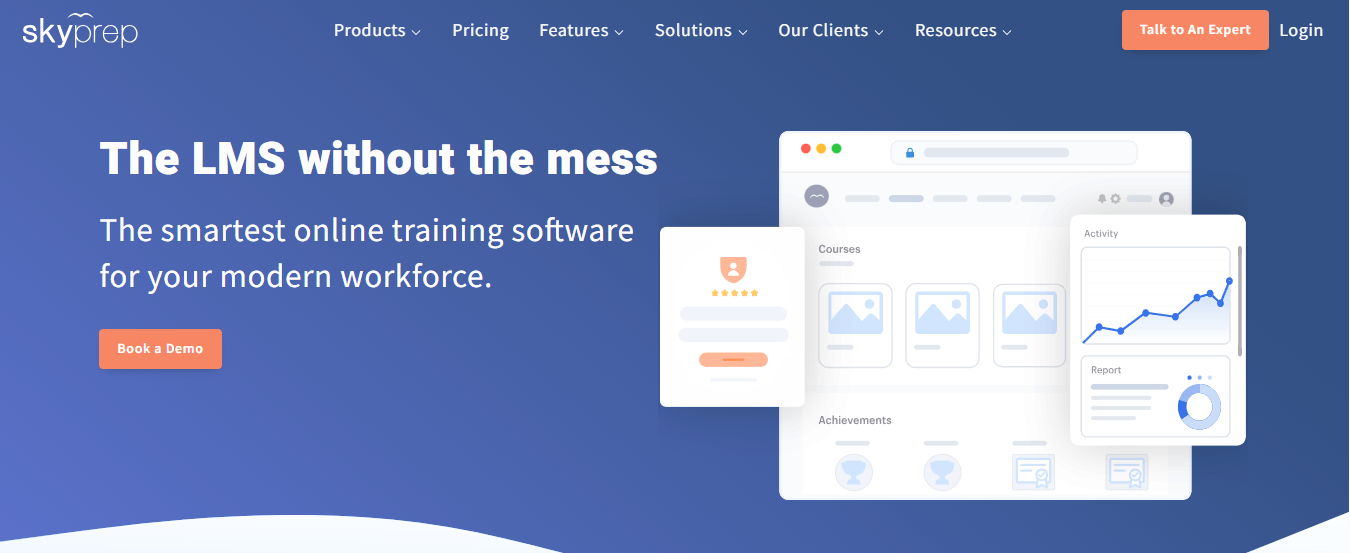
Here is what the admin experience looks like: you create courses (or upload existing content), organize them into learning paths by role or department, and assign them to your workers. The system tracks completions, generates certificates automatically, and sends renewal reminders when certifications are approaching expiry. Reports show you exactly where skill gaps exist across your workforce.
Key Features
- Simple course creation and management interface that non-technical admins can use comfortably
- Automated certificate generation and recertification tracking with expiry reminders
- Mobile-friendly platform so workers can train on their phones during breaks or downtime
- Robust reporting and analytics to identify skill gaps and track compliance progress
- API available for integration with your existing systems
Real-World Use Cases
- Training new hires across multiple departments with role-specific learning paths
- Automating certificate renewals so compliance deadlines are never missed
- Using real-time reporting to spot skill gaps and address them before they cause incidents
What Real Users Say
“Excellent client support and direction, easy to understand instructions, and personalized support.”
“Super easy to implement; users can easily navigate the platform; it didn’t take a ton of work to set up.”
What You Should Know Before Buying
- Editing features within course modules are limited compared to more robust course builders.
- Some users want more control over admin dashboard customization.
- The email notification system could be more flexible for complex scheduling.
Pricing: Starts at $349 per month.
Rating: 4.6/5 (G2)
What Features Are Non-Negotiable in a Manufacturing LMS?
I have seen manufacturing teams buy an LMS that looks great in a demo but fails on the shop floor because it is missing one or two critical features. Here are the seven features I consider non-negotiable. If a platform does not have these, keep looking.
1. Compliance Tracking (OSHA, ISO, GMP)
This is the foundation. Your LMS needs to automatically track which workers hold which certifications, when those certifications expire, and which courses satisfy which compliance requirements. Here is what good compliance tracking looks like in practice: you log in, click on any worker’s name, and immediately see every certification they hold, its expiry date, and whether they are current, expiring soon, or overdue. No spreadsheets. No guessing.
2. QR Code Access and Mobile Training for the Factory Floor
Your workforce is not behind a desk. They are on the floor, at a machine, or between shifts. QR codes and mobile LMS access let workers scan a code with their phone and start mobile microlearning instantly. No login, no email, no laptop required. If your LMS requires every worker to have an email address and a password, adoption will be low. I have seen it happen repeatedly.
3. Certification Expiry Alerts and Auto-Reminders
Here is what happens without this feature: a worker’s forklift certification expires on a Tuesday. Nobody notices until an auditor or a safety incident flags it three weeks later. With automatic expiry alerts, the LMS sends reminders to the worker and their manager 30, 14, and 7 days before expiry. Some platforms also auto-enroll the worker in the renewal course. You set it up once and it runs on autopilot.
4. Prebuilt Safety and Compliance Course Libraries
Building OSHA and workplace safety training courses from scratch takes months. Look for an LMS that includes a library of pre-made, expert-designed courses covering OSHA regulations, workplace safety, hazard communication, and industry-specific topics. The best libraries offer full-length courses (not just short quizzes) that you can customize with your branding and adapt to your specific compliance requirements.
5. HRIS, ERP, and QMS Integrations
HRIS stands for Human Resource Information System (where your employee records live, like BambooHR or Dayforce). ERP stands for Enterprise Resource Planning (your operations management system). QMS stands for Quality Management System. When your LMS integrates with these systems, training records flow automatically. A new hire in HR triggers automatic course enrollment. A completed course pushes a certificate back into HR. No manual data entry between systems.
6. Multi-Location and Multi-Role Delivery
If you operate more than one plant (and most manufacturers do), your LMS needs to deliver different training to different locations and roles. Managing employees across multiple locations is one of the hardest parts of manufacturing training. Machine operators at Plant 1 need different training than quality inspectors at Plant 3. A good manufacturing LMS lets you set up role-based and location-based rules so the right training reaches the right people automatically.
7. Cost-Efficiency at Scale
Training large manufacturing teams gets expensive quickly. Look for active-learner pricing (you only pay for workers who actually train in a given month, not every employee on your roster). Also look for free plans or free trials that let you run a pilot before committing budget. A 500-person manufacturer paying $1.99 per active learner per month spends $995 per month. Compare that against the cost of in-person training sessions: instructor fees, travel, lost production time.
How Do You Roll Out a Manufacturing LMS Without Stopping Production?
I have seen two types of LMS rollouts in manufacturing. The first is the “big bang”: someone picks a launch date, sends a company-wide email, and expects everyone to start using the system on Monday. This almost always fails. Workers are confused, support gets overwhelmed, and management concludes the LMS does not work. If you want a detailed LMS implementation guide, I have written about this separately, but here is the manufacturing-specific version.
The second approach is phased, and it works. Here is the exact plan I recommend:
Days 1 to 30: Build the Foundation
Start small and get the foundation right.
- Pick your pilot. Choose the plant or production line with the highest compliance urgency or the most upcoming certification renewals. This gives you the fastest measurable win.
- Import your existing training. If you have training materials in PowerPoint, PDF, or SCORM format (SCORM is the universal file format that lets courses move between LMS platforms), import them now. This means you are not starting from zero.
- Set up role-based learning paths. Create three to five roles (for example: machine operator, line supervisor, safety officer, maintenance technician, quality inspector). Assign the right courses to each role. This ensures workers only see training relevant to their job.
- Connect your HRIS. Integrate with BambooHR, isolved, Dayforce, or whatever HR system you use. When HR adds a new hire, the LMS should automatically enroll them in the right courses.
- Place QR codes. Print QR codes for your most critical training courses and post them at workstations, safety stations, and break rooms. Test the scan-to-train flow with 3 to 5 workers to make sure it works smoothly.
Days 31 to 60: Run the Pilot
Now you test with real workers on real shifts.
- Launch with one shift. Pick your most engaged shift (or the one with the most compliance gaps) and roll out training to them first. Measure completion rates, time-to-complete, and collect feedback.
- Turn on compliance reminders. Activate automated certification expiry alerts. Workers and managers should start receiving reminders for upcoming renewals.
- Train your coaching leads. Pick 2 to 3 supervisors and train them to help workers on the floor with any questions about accessing or navigating the LMS. These are not IT people. They are floor leads who can say, “Here, scan this code, tap Start, and you are in.”
- Check the data. Review your AI reporting dashboards to see where learners drop off. If 40% of workers abandon a module at the same point, the content needs fixing, not the worker.
Days 61 to 90: Scale Across the Organization
Once the pilot is working, expand methodically.
- Roll out to all shifts at the pilot plant, then to your next highest-priority plant.
- Activate organization-wide certification tracking and automatic re-enrollment for expiring certifications.
- Set up audit-ready dashboards for plant managers and your safety director. They should be able to pull compliance status for any worker, any role, any location in one click.
- Establish a monthly feedback loop: frontline workers flag content issues, supervisors review completion trends, and you (the training manager) iterate on content and delivery. This is not a one-time setup. It is a living system.
This phased approach is how Thermo Fisher Scientific rolled out their global exam program across multiple locations, and it is similar to how the Fortune 500 Construction Company that runs 3,000+ training sessions through ProProfs Training Maker scaled their program plant by plant.
What Are Common Mistakes When Choosing a Manufacturing LMS for Deskless Teams?
I have watched manufacturing teams make the same LMS mistakes over and over. Here are the six I see most often, along with exactly what to do instead.
Mistake 1: Picking an LMS Designed for Desk-Based Workers
This is the most common mistake. Research from industry analysts consistently finds that the leading cause of LMS failure in manufacturing is poor frontline adoption, not feature gaps. Most LMS platforms are built for corporate environments where every employee has a laptop, an email address, and dedicated training time. They look great in a demo because the demo is happening on a laptop in a conference room. But your workers are not in a conference room. They are on the shop floor, wearing gloves, checking their phone during a 10-minute break.
What to do instead: Before you evaluate any LMS, ask this question: can a worker without an email address start training in under 30 seconds? If the answer is no, move on.
Mistake 2: Ignoring Login Friction
IT teams default to SSO (Single Sign-On) and email-based authentication because that is the corporate standard. But here is the reality on the factory floor: your frontline workers share devices, most do not have individual email accounts, and typing a password on a greasy touchscreen is not practical. According to the Microsoft Work Trend Index (2022), 63% of frontline workers say the technology provided by their employer does not adequately support their work. I have seen LMS adoption rates below 20% because the login process alone took five minutes on a shared kiosk.
What to do instead: Look for QR code access, kiosk-friendly interfaces, and no-email enrollment options. The goal is: scan, tap, train. Three steps, under 30 seconds.
Mistake 3: Choosing Based on Course Count Over Quality
A platform advertising 80,000+ courses sounds impressive. But take a closer look. Are those full-length, expert-designed compliance training courses that meet OSHA and ISO requirements? Or are they bite-sized, 3-minute mobile assessments? There is a massive difference. A 3-minute quiz on workplace safety is not the same as a 45-minute OSHA compliance course taught by a subject matter expert.
What to do instead: Ask about course depth, expert authorship, and customizability. Can you white-label courses with your branding? Can you adapt the content to your specific compliance requirements? Quality and customizability matter more than raw course count.
Mistake 4: Skipping HRIS/ERP Integration
Integration feels like a “Phase 2” project. Teams launch the LMS as a standalone tool with plans to connect it to their HR and ERP systems later. In my experience, “later” never comes. Six months in, you are manually reconciling training records between two systems, exporting CSVs, and pasting data into spreadsheets. This is exactly the problem the LMS was supposed to solve.
What to do instead: Configure HRIS integration during your initial setup (Days 1 to 30 of the rollout plan above). Auto-enrollment and compliance data sync should be operational before you scale beyond the pilot.
Mistake 5: Not Planning for Multi-Shift, Multi-Language Delivery
The initial rollout focuses on one shift at one plant with one language. It works. Then the mandate comes to expand across three shifts, four plants, and a workforce that speaks English, Spanish, and Mandarin. Suddenly your LMS cannot handle the complexity.
What to do instead: Choose an LMS with multi-language support from day one. ProProfs Training Maker, for example, supports 70+ interface languages and AI-powered course translation. Build your content architecture for multi-site delivery, even if you start small.
Mistake 6: Treating Rollout as a Single Launch Day
Project management instincts push toward a big-bang launch: pick a date, send an email, flip the switch. In manufacturing, this overwhelms workers and overloads support. I have seen launch-day LMS rollouts where the support inbox hit 200 tickets in the first 48 hours because nobody had been trained on how to use the training system. (Yes, the irony is real.)
What to do instead: Follow the 30/60/90-day phased rollout I described above. Start with one shift, iterate based on feedback, then scale. Slow rollout, fast adoption.
What Metrics Prove Manufacturing Training ROI?
When you walk into your VP’s office to justify the LMS budget, you need numbers, not feelings. Here are the five metrics I recommend tracking, along with the benchmarks to aim for.
1. Safety Incident Reduction
This is the metric your safety director and executive team care about most. According to the National Safety Council, companies with comprehensive safety training programs report 24% fewer workplace injuries. Here is how to track it: compare your monthly safety incident and near-miss count before the LMS rollout against the same months after. Map this against training completion rates. You are looking for a correlation: as more workers complete safety training, incidents should trend downward.
2. Audit Preparation Time
Before an LMS, audit preparation typically takes days: pulling records from spreadsheets, filing cabinets, email chains, and multiple systems. After: you log into the LMS, click the compliance report, and export it. I have seen manufacturing teams go from 3 to 5 days of audit prep to under 30 minutes. Measure the hours saved per audit cycle and multiply by your team’s hourly cost.
3. Certification Coverage Rate
This is the percentage of your workforce that holds current, valid certifications at any given time. The benchmark for well-managed manufacturing compliance programs is 95%+ coverage. Before an LMS, most teams I have worked with hover around 70% to 80% because expired certifications slip through the cracks. With automated expiry alerts and auto-re-enrollment, hitting 95% becomes realistic.
4. Training Cost Per Employee
If you want a clear picture of training costs, it helps to look at both sides. Here’s how you can calculate it: add up your total LMS spend (license fees + content creation time + admin time) and divide by the number of active learners. Compare that against your historical cost for in-person training (instructor fees + travel + facility rental + lost production time while workers are in the classroom).
5. Compliance Penalty Avoidance
According to OSHA, a single serious violation penalty can reach up to $16,550, while willful violations can go as high as $165,514. Here is the simple math: if your LMS prevents even one serious violation, it has potentially paid for itself for the entire year. Frame this as risk reduction when presenting ROI to leadership. The question is not “what does the LMS cost?” The question is “what does one compliance failure cost?”
Sample ROI Calculation: 500-Employee Manufacturer
Let me walk you through a concrete example so you can adapt these numbers for your own operation:
- Annual LMS cost: 500 active learners x $1.99/month = $995/month = $11,940/year
- In-person training cost replaced: estimated $40,000 to $60,000/year (instructor fees, travel, lost production time during classroom sessions)
- One prevented serious OSHA violation: $16,131 saved
- Audit prep time saved: estimated 40 to 80 hours/year of admin time at $35 to $50/hour = $1,400 to $4,000 saved
- Net result: the LMS pays for itself if it prevents one violation OR replaces a fraction of in-person training costs. Most manufacturers see payback within the first 6 months.
What Is the Future of Learning in the Manufacturing Industry?
I want to leave you with a look at where manufacturing training is headed, because the LMS you choose today needs to grow with these trends.
According to Deloitte and The Manufacturing Institute (2021), 2.1 million manufacturing jobs could go unfilled by 2030 due to skills gaps. And the tools to address this are scaling fast: according to Fortune Business Insights (2024), the global LMS market is projected to grow from $20.5 billion in 2024 to $82.2 billion by 2032, driven by demand for mobile learning, AI-powered course creation, and compliance automation. The companies that invest in modern training infrastructure today will have a real advantage in recruiting, retaining, and developing their workforce.
Here are the four trends I am watching:
| Trend | What It Means | Why It Matters for You | Key Challenge | Tech Behind It |
|---|---|---|---|---|
| AI Course Creation | You type a topic, the AI builds a complete training course in minutes | Faster content creation when SOPs change or new equipment arrives | Data privacy, integration with your existing content | Generative AI, machine learning |
| Mobile Microlearning | Short, 5-10 minute lessons workers complete on their phones | Training happens during breaks without production loss | Mobile connectivity in plant environments | Mobile apps, responsive design |
| HRIS/ERP/QMS Integration | Your LMS talks directly to your HR and operations systems | Training records, compliance data, and employee records all sync automatically | Technical setup and maintenance cost | APIs, middleware, connectors |
| VR/AR Simulation | Workers practice high-risk tasks in virtual reality before doing them for real | Safer, faster skills training for dangerous equipment and scenarios | High upfront cost for hardware and content creation | VR/AR headsets, simulation software |
Ready to Find the Right LMS for Your Manufacturing Team?
I hope this guide has given you a clear picture of what to look for, what to avoid, and how to actually roll out a manufacturing LMS without disrupting your operation. The right platform does not just check boxes on a feature list. It makes compliance tracking automatic, puts training on the phones your workers already carry, and keeps every plant audit-ready.
If you want to start small and test the waters, ProProfs Training Maker offers a free plan with all features for up to 10 learners. No credit card, no time limit. Use it to pilot with one team or one compliance area and see how it works for your environment. If you need something more customized, their team offers live demos where they walk you through the setup for your specific manufacturing needs.
Frequently Asked Questions

What features should a manufacturing LMS include for shop-floor workers?
At minimum, look for: mobile and offline access so workers can train on their phones, QR code login so nobody needs an email or password, automated compliance tracking with certification expiry alerts, a library of prebuilt safety courses, HRIS/ERP integration so records sync automatically, multi-location role-based delivery, and one-click audit-ready reporting.
Can a manufacturing LMS work without employee email addresses?
Yes. This is one of the most important features for manufacturing. Platforms like ProProfs Training Maker offer QR code access: workers scan a code at their workstation with their phone camera and start training instantly. No email, no login credentials, no laptop required. This is critical for frontline operators, contractors, and temporary workers who may not have company email accounts.
How does an LMS help with OSHA, ISO, and GMP compliance?
A manufacturing LMS automates compliance by assigning the right training to each worker based on their role, tracking course completions in real time, sending automatic reminders before certifications expire, and generating audit-ready reports you can pull in one click. This replaces manual spreadsheets, paper sign-off sheets, and filing cabinets with a centralized, always-current compliance record.
How do you automate certification renewals and expiry tracking?
Here is how it works step by step: you set a validity period for each certification in your LMS (for example, "Forklift Safety certification expires 12 months after completion"). The system watches the clock. When a certification is 30 days from expiry, it sends a reminder to the worker and their manager. At 14 days and 7 days, it sends follow-ups. Some platforms also auto-enroll the worker in the renewal course. You set it up once, and it runs on its own.
How do you manage SOP updates and ensure employees acknowledge changes?
Upload the updated SOP to your LMS as a new course or module. Assign it to every worker in the affected roles and locations. Require a completion acknowledgment, either through a short quiz (to confirm understanding) or a digital signature. The LMS tracks exactly who has completed the update and who has not, across every shift, every plant, in real time. No more printing and chasing paper.
What metrics prove ROI for manufacturing training?
Track four metrics from day one: safety incident reduction (benchmark: 24% fewer injuries with comprehensive training), audit preparation time (goal: from days to under 30 minutes), certification coverage rate (target: 95%+ of your workforce certified at all times), and training cost per employee compared to in-person delivery (digital training typically reduces costs 40% to 60%).
How long does it take to implement a manufacturing LMS?
Most mid-size manufacturers (200 to 2,000 employees) can go live in 30 to 60 days using a phased rollout. Here is the timeline: Days 1 to 30, set up the platform, import courses, configure roles, and place QR codes. Days 31 to 60, pilot with one shift, collect feedback, and iterate. Days 61 to 90, scale to all shifts and remaining plants. If you have existing training in SCORM format, you can import it directly. Bulk user upload handles employee migration.

Let ProProfs AI create your training course

 We'd love your feedback!
What did you like & how can we make it even better?
 Thanks for your feedback!
 Ask Your Question
Have a question? Get expert help to make your decision easier.