
I understand how challenging LMS implementation can be, especially for those new to the technology. There are many things to consider, from choosing the right tool to training your end-users.
But don’t worry. I’m here to help. As someone in the training & learning industry, I’ve been relying on these platforms extensively for my daily activities.
In this blog, we’ll explore two important areas: the problems you might face during LMS implementation & how to fix them, and the step-by-step process to make it happen.
Ready to solve those LMS mysteries?
Let’s do it together.
What Is LMS Implementation?
LMS implementation is the process of setting up and using a learning management system (LMS) in an organization or educational institution. This involves choosing the right LMS software, configuring it to meet specific learning needs, adding courses, and ensuring both instructors and learners can access and use the system effectively.
During the implementation, you train your team members to use the LMS features, such as creating lessons and tracking progress. To streamline workflows, you may also integrate the LMS with other tools and systems, such as communication platforms.
The implementation includes setting up support structures to help users with any issues that arise as they adapt to the new system.
Finally, there’s often an ongoing evaluation phase to assess the effectiveness of the LMS and make necessary adjustments to improve learning outcomes.
Why Is a Structured LMS Implementation Plan Vital?
An organized LMS implementation plan is essential for ensuring the successful deployment and utilization of the system across an organization.
Here are some of the key reasons why such a plan is vital:
- Alignment With Organizational Goals: A structured plan ensures that the LMS implementation aligns with your organization’s strategic objectives. It clearly explains how the LMS will support training needs, compliance requirements, and overall business goals.
- Resource Optimization: Planning helps in the effective allocation and utilization of resources, including time, budget, and personnel. It lets you identify the required investments in technology and human resources to ensure the implementation is economically viable and efficiently executed.
- Risk Management: A detailed plan helps identify the potential risks and challenges associated with LMS implementation, such as technical issues, user resistance, or data security concerns. Proactive risk management strategies mitigate these risks and ensure a smoother transition.
- Stakeholder Engagement: Through careful planning, all stakeholders, including IT staff, HR, trainers, and end-users, can be engaged appropriately. This engagement is crucial for gaining support, understanding user needs, and ensuring that the system meets these needs.
- Training and Support: A structured implementation plan includes a comprehensive training and support strategy to ensure all users are proficient in using the LMS. This is critical for maximizing the system’s utilization and achieving the desired learning outcomes.
- Scalability and Flexibility: Effective planning considers future needs and potential scale-ups. This foresight ensures that the LMS can adapt to growing user numbers or evolving learning requirements without requiring complete system overhauls.
- Evaluation and Adaptation: A plan should also include mechanisms for the ongoing evaluation of the LMS’ effectiveness. This enables continuous improvement based on user feedback and changing organizational needs.
A structured LMS implementation plan is not merely a procedural necessity; it is a strategic asset. It ensures the LMS is deployed in a manner that maximizes its impact and effectiveness and aligns the technology with your organizational objectives and user requirements.
Real-Life Success Story
Successful LMS Implementation Plan
An ideal LMS implementation blueprint should go beyond mere steps, checklists, or strategies. It should encapsulate a holistic view of the entire project from start to finish to ensure a smooth transition and effective integration into an organization’s learning culture.
Here’s what such a plan looks like:
- Vision and Objectives Definition
There should be a clear articulation of why your organization is implementing an LMS and the problems it aims to solve. In other words, the LMS goals should align with your organization’s broader educational or training objectives. - stakeholder Engagement
Involving all key stakeholders (e.g., IT staff, HR, educators, administrators, and end-users) from the outset helps gather input and build consensus. There is ongoing communication throughout the project to keep stakeholders informed and engaged. - Technical Requirements and Integration
Detailed assessment of current IT infrastructure and necessary upgrades to support the LMS. Identification of integration points with other systems (e.g., HR software, content management systems) to ensure seamless data flow and functionality. - User-Centric Design and Usability
Designing the LMS interface and functionalities with end-user ease and efficiency in mind. This ensures the system is accessible to all users, including those with disabilities.
- Content Development and Migration
Developing a content roadmap that includes creating, curation, and migrating existing and new materials. Implementing processes to ensure content is engaging, educational, and up to standards. - Training and Support
Providing extensive training sessions for all users to ensure they are comfortable and proficient in using the LMS. A support system assists users post-implementation, including help desks, user manuals, and online support resources. - Pilot Testing and Iteration
At this stage, you conduct phased roll-outs and pilot tests to gather feedback and identify areas for improvement before full-scale implementation. You also set up mechanisms to continuously collect user feedback and quickly address any issues or needed adjustments. - Evaluation and Enhancement
Defining clear metrics to measure the success of the LMS implementation based on user engagement, satisfaction, and learning outcomes. Regularly review system performance and user feedback to enhance functionalities and user experience over time. - Future Scalability
This involves planning for future growth regarding users, courses, and geographic expansion. The system must also be kept up-to-date with the latest educational technology trends and upgrades. - Legal and Regulatory Compliance
Last but not least, ensuring the LMS meets all legal requirements for data protection and privacy. Incorporate necessary compliance training and features to meet industry-specific regulatory standards.
A successful LMS implementation plan focuses on the holistic integration of technology, people, and processes to ensure that every phase contributes to an engaging and effective learning environment.This plan is distinct in its breadth and depth, addressing not just the logistical or technical tasks but also the cultural and strategic shifts necessary for true transformation in learning and development initiatives.
How to Implement an LMS: 15 Easy Steps
Have you ever wondered what it takes to turn your learning goals into a well-functioning system?
How do you combine all the tech and content to create a seamless learning experience?
Well, I’ve been there and done that. So, let’s now get into the exciting part — how to make LMS implementation happen.
Here’s a step-by-step LMS implementation guide for you.
Step 1: Define Your Goals
Clearly outline your objectives and reasons for implementing an LMS. Are you aiming for employee training, customer education, or something else?
How: Brainstorm and prioritize your goals. This will guide your entire LMS implementation strategy.
Step 2: Select the Right LMS
Choose an LMS that aligns with your goals and requirements. Consider features, scalability, and usability.
How: Research different LMS options and vendors, read reviews, and assess their features. Pick one that best suits your needs.
Step 3: Build a Project Team
Form a team of experts from different departments to ensure a well-rounded approach.
Administrators will have full access, including course creation, editing, and user management.
Instructors/trainers can create and edit course content, manage assessments, and track learner progress.
Reviewers can view and comment on the course content but cannot make direct changes. This role might be assigned to managers and other department heads for quality assurance.
Learners can access the course materials, participate in discussions, and complete assessments. This group includes the end users who will benefit from the training.
How: Identify key stakeholders from IT, training, content creation, and management to bring diverse perspectives.
Step 4: Plan and Structure
Create a detailed LMS implementation project plan with tasks, timelines, and responsibilities.
How: Collaborate with your team to outline the specific tasks and deadlines. Set up a roadmap for the entire implementation process.
Step 5: Manage Content
Decide what existing content will be transferred, updated, or replaced, and create new content if needed.
How: Assess your current materials, determine gaps, and develop engaging content based on your learning objectives.
Step 6: Customize and Branding
Tailor the LMS interface to match your organization’s branding and visual identity. Customizing the LMS interface to match your brand enhances recognition, fosters familiarity, and boosts engagement.
How: Modify the LMS’ appearance, colors, and logo to give it a personalized touch.
Step 7: Integration With Other Systems
Integrate the LMS with other tools, such as HR software or authentication systems. It streamlines user access and data management.
How: Work with your IT team to ensure seamless integration between the LMS and other software you use.
Step 8: Train Your Team
Provide training sessions for administrators, instructors, and learners on using the LMS.
Administrators will be responsible for overall system management, course creation, and user administration. They create and organize users into groups based on department, role, or skill level. They also set specific permissions for each group to ensure they have access to the appropriate content and tools.
Instructors/trainers will focus on content creation, course delivery, and learner assessment. They use the LMS to track group progress and performance, allowing for targeted support and intervention when needed.
Learners are the end users who will engage with the course content and complete training modules.
How: Prepare training materials, conduct workshops, and create user guides to make everyone comfortable with the system.
Step 9: Pilot Testing
Launch a small-scale pilot test of the LMS to gather feedback and identify any remaining issues. You may also roll out your first course and share it with a representation sample in a low-risk manner.
Don’t forget to gather feedback at the end of the course to ensure it’s a smooth process.
How: Invite a select group of users to test the LMS, gather their input, and refine the system based on their experience.
Step 10: Full Deployment
Roll out the LMS to your target audience.
How: Communicate the launch effectively, provide access instructions, and ensure a smooth transition.
Step 11: Ongoing Monitoring and Support
Continuously monitor LMS usage, address technical issues, and provide user support.
How: Implement a system for tracking user activity, offer help desk support, and promptly address problems, if any.
Step 12: Gather User Feedback
Encourage users to share their experiences and suggestions.
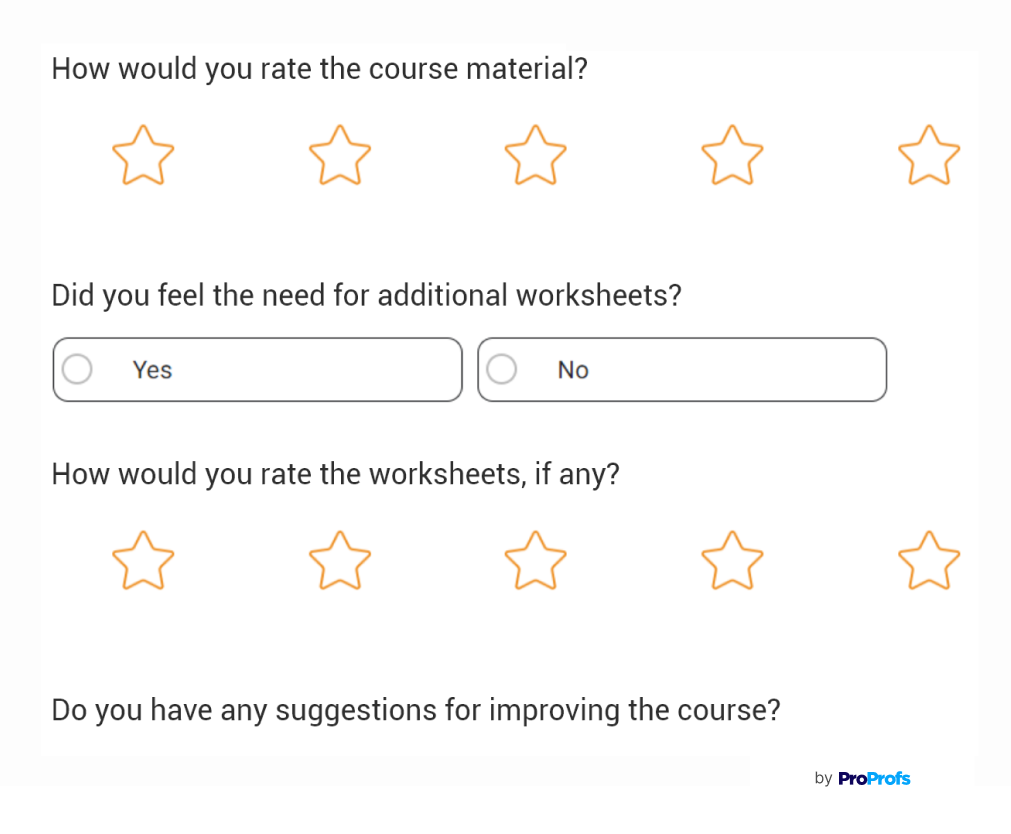
How: Create feedback channels, online surveys, or discussion forums to gather input for improvements.
Step 13: Use Analytics
Leverage the LMS’ reporting and analytics to measure learner progress, engagement, and course effectiveness.
How: Regularly analyze data to understand how well your training programs are performing and make data-driven decisions.
Step 14: Continuous Improvement
Regularly update content and the LMS itself to keep it fresh and effective.
How: Schedule periodic reviews of both content and system functionality. Incorporate user feedback and emerging trends.
Step 15: Evaluate and Adapt
Periodically assess the LMS’ impact on learning outcomes and business goals.
How: Review your initial goals, compare them with actual results, and make necessary adjustments for continuous growth.
As we wrap up, it’s clear that each of these LMS implementation steps matters, from figuring out the needs to picking the right vendor, customizing, testing, and improving.
We can’t ignore training, clear communication, and data security, either. These considerations helped me manage the LMS implementation process effectively, and I believe they will help you, too.
Watch: How to Implement an LMS in Your Organization
Get Free LMS Software — All Features, Forever.
We've helped 567 companies train 200,000+ employees. Create courses in under a minute with our AI LMS or use 200+ ready-made courses on compliance, harassment, DEI, onboarding, and more!
LMS Implementation Checklist
Here’s a concise checklist for LMS implementation with a focus on the practical steps and considerations that complement a broader implementation plan:
✅ Define User Roles and Permissions – Clearly outline who can access what within the LMS to maintain security and functionality.
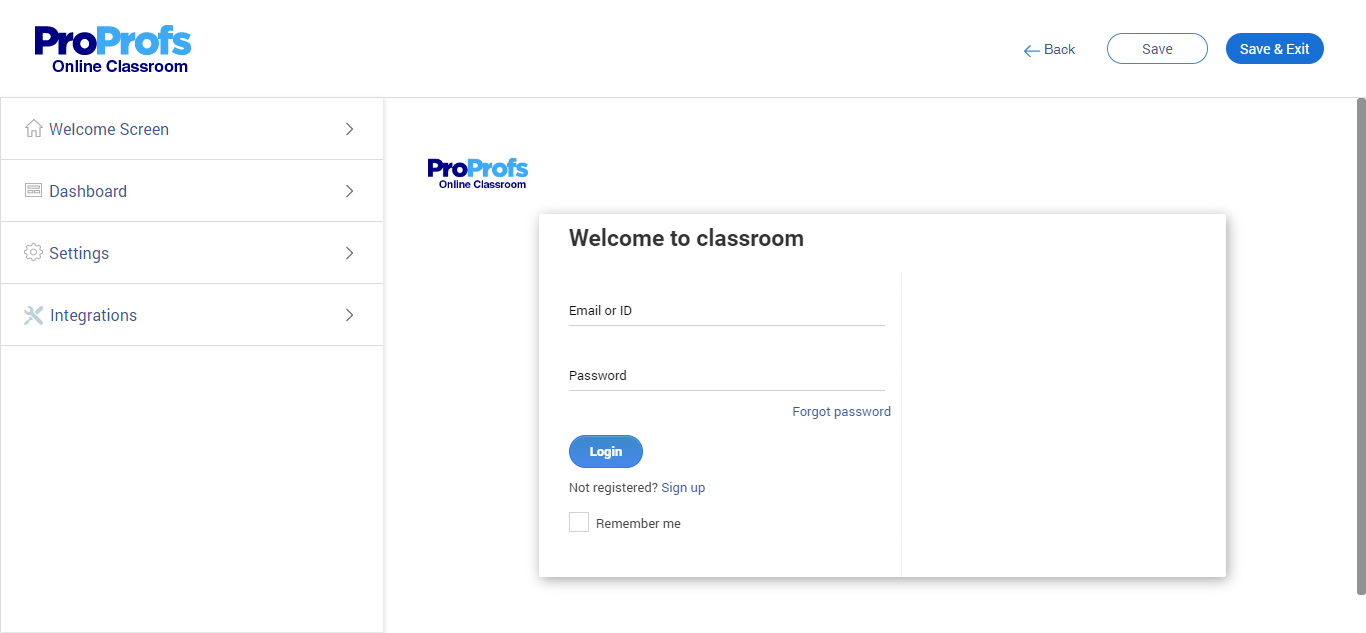
✅ Set Up User Authentication – Determine how users will log in (e.g., single sign-on, email verification) to ensure easy and secure access. Here’s an example from ProProfs Training Maker: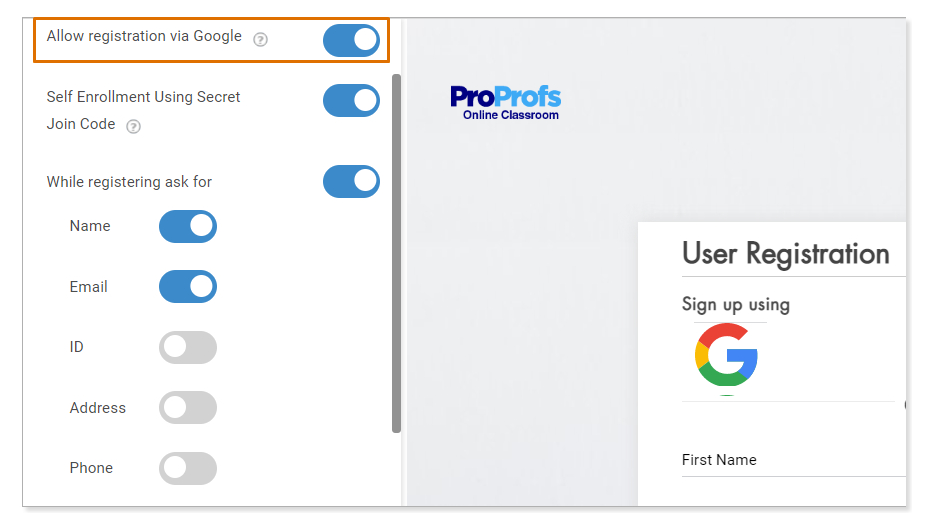
✅ Customize Branding – Apply your organization’s branding to the LMS interface to enhance familiarity and adoption.
✅ Establish Data Backup Procedures – Implement regular backup schedules and ensure data recovery processes are in place to prevent data loss.
✅ Configure Notifications & Alerts – Set up automated notifications for course updates, deadlines, and other important events.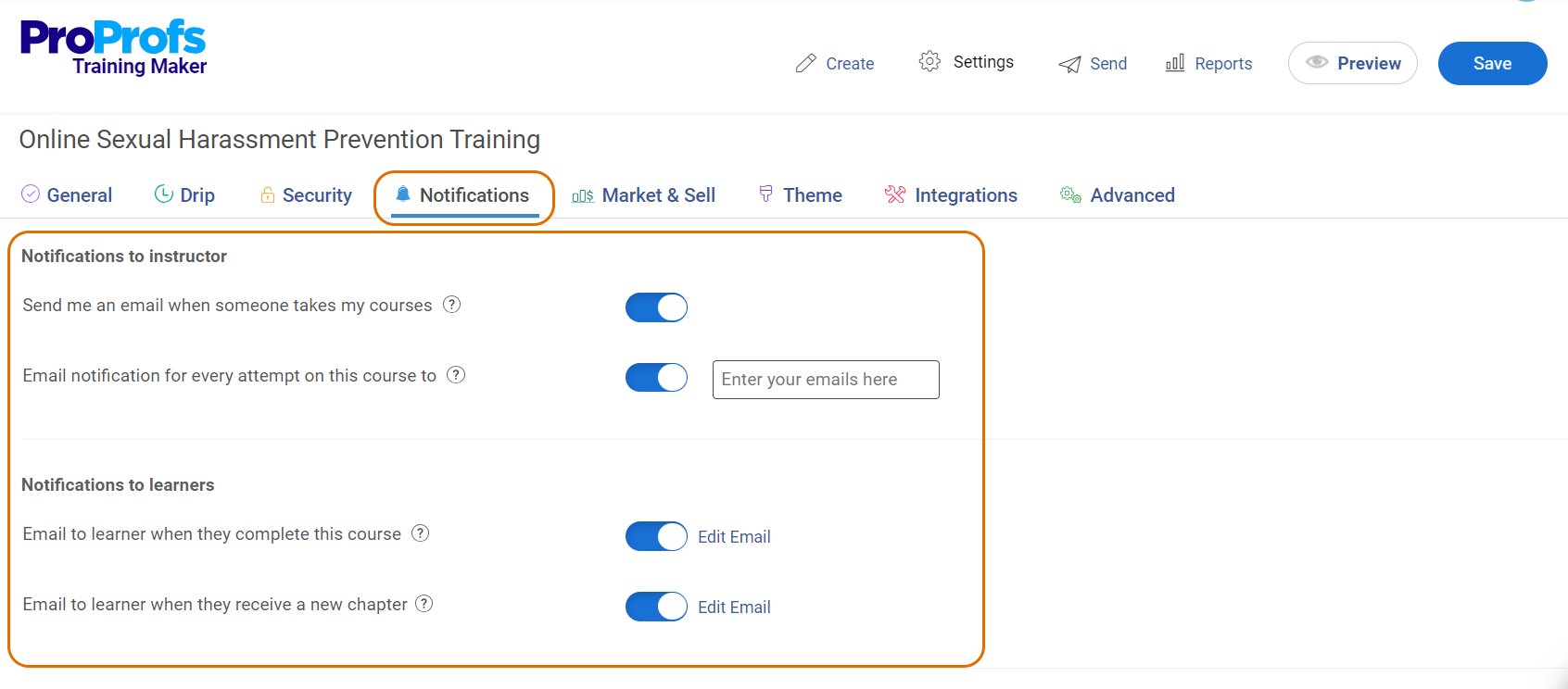
✅ Prepare IT Infrastructure – Ensure the hardware, software, and network infrastructure can support the LMS requirements, including high user loads.
✅ Develop a Mobile Access Strategy – Ensure the LMS is mobile-friendly or has a dedicated mobile app to support learning on the go.
✅ Set Up Analytics & Reporting Tools – Implement tools for tracking usage, engagement, and learning outcomes to gauge effectiveness.
✅ Create a Feedback Mechanism – Establish a system for users to provide feedback on their learning experience and any technical issues.
✅ Plan for Future Updates – Schedule regular updates and maintenance to the LMS to add features, fix bugs, and enhance security.
This checklist will ensure that your LMS is functional, secure, and user-friendly from the technical and operational perspectives. Make sure you tick all the boxes.
What Are the Mistakes to Avoid in LMS Implementation?
While implementing a learning management system, you may trip up on many pitfalls.
Here are 10 common mistakes to avoid and how to overcome them:
Mistake #1: Lack of Clear Goals
Without clearly defined goals, it’s difficult to choose the right LMS and effectively measure its success.
What You Can Do About It: Establish specific, measurable, achievable, relevant, and time-bound (SMART) goals before choosing an LMS. This helps in selecting an LMS that aligns with your organizational learning needs.
Mistake #2: Unrealistic LMS Budgets
Underestimating the costs can lead to financial constraints, affecting the quality and scope of your LMS implementation.
What You Can Do About It: Develop a comprehensive budget that includes software costs, hardware, staff training, content development, and ongoing maintenance.
Mistake #3: Forgetting Integrations
Neglecting necessary integrations with existing systems can limit the functionality and user adoption of your LMS.
What You Can Do About It: Identify and plan integrations with existing systems, such as HR software, talent management systems, and collaboration tools, to ensure seamless functionality and data synchronization.
Mistake #4: Unrealistic Expectations
Expecting too much from the LMS can lead to disappointment and perceived failure.
What You Can Do About It: Set realistic expectations by understanding the capabilities and limitations of the LMS. Regularly review and adjust your expectations based on actual performance and user feedback.
Mistake #5: Complicated Learner Portal
A complex user interface can deter learners from using the system effectively. For example, a cluttered interface with numerous menus, dense text, and multiple overlapping functions can confuse users.
What You Can Do About It: Ensure the user interface is intuitive and user-friendly. Consider the user experience in the design phase and gather feedback for iterative improvements.
Mistake #6: Code Overload
Over-customizing an LMS with excessive code can increase bugs and maintenance challenges.
What You Can Do About It: Stick only to the necessary customizations and use standard features wherever possible. Regularly update and test the system to manage any custom code efficiently.
Mistake #7: Production of Content Without Attention to Quality
Poor quality content can be a huge turn-off and it can undermine learner engagement and retention.
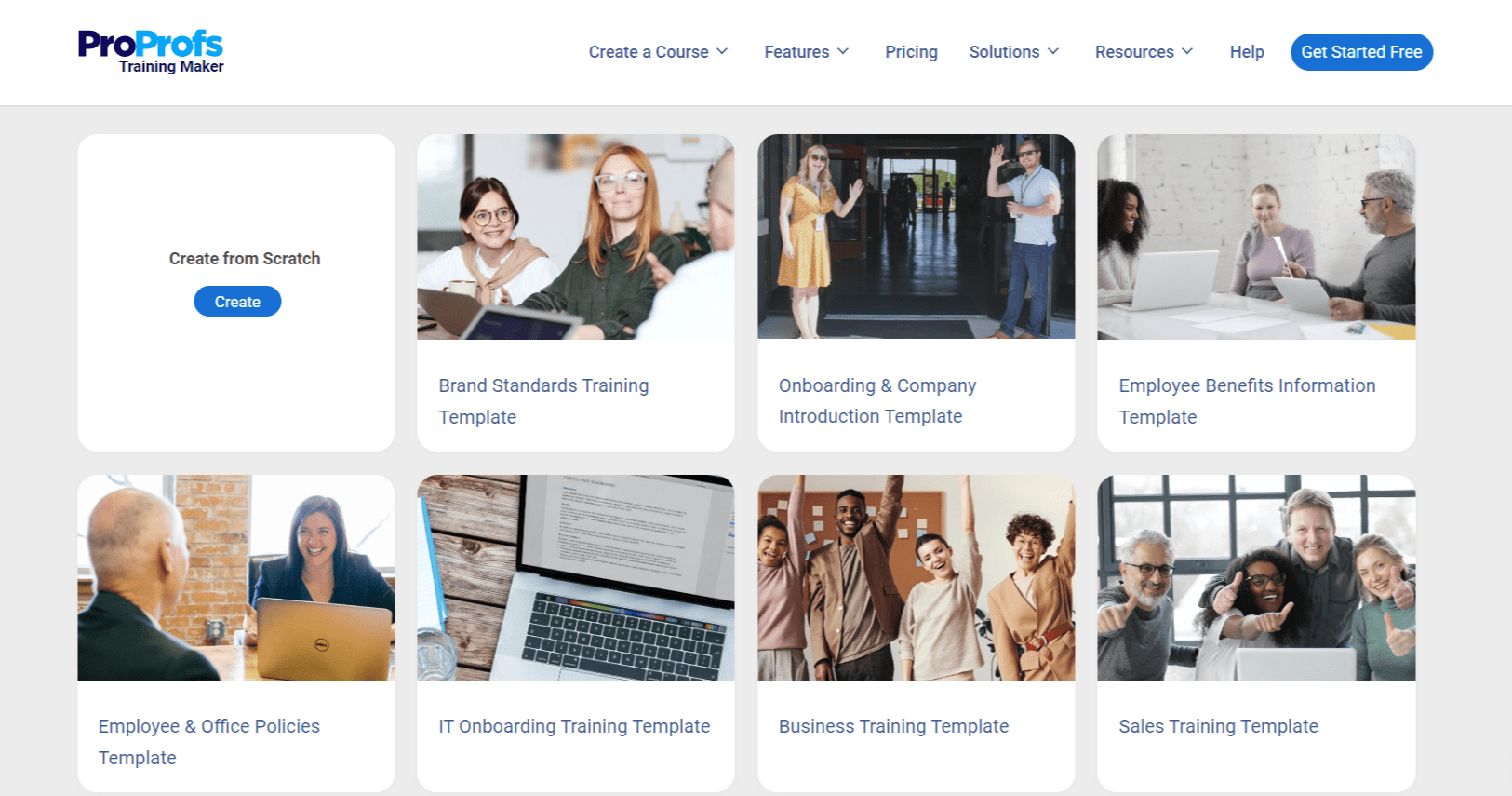
What You Can Do About It: Invest in high-quality content development. Use engaging and interactive content formats and regularly review and update the content to maintain relevance and quality. An LMS with professionally designed, editable, and ready-to-use courses and templates can be a great resource here.
Mistake #8: Inadequate IT Support
Lack of IT support can cause unresolved technical issues, affecting the usability of the LMS.
What You Can Do About It: Ensure adequate IT support is available for both initial setup and ongoing maintenance. Provide training for IT staff specific to the LMS.
Mistake #9: Irrelevant Content
Remember, irrelevant content is worse than no content at all. Content that does not align with learner needs or organizational goals can lead to low engagement and wastage of resources.
What You Can Do About It: Regularly assess the relevance of the content to your learners’ job functions and career aspirations. Update and tailor content to meet evolving needs.
Mistake#10: Lack of Future Planning
“If you fail to plan, you are planning to fail.”
Failing to plan for future needs can render the LMS obsolete as organizational requirements evolve.
What You Can Do About It: Choose an LMS that is scalable and flexible. Plan for future learning scenarios and technological advancements to ensure the LMS remains effective over time.
By addressing these common mistakes, you can enhance the effectiveness of your LMS implementation and achieve better learning outcomes and higher ROI.
What Is the Cost of LMS Implementation?
The total cost of ownership for an LMS encompasses several components, including direct financial costs as well as non-monetary costs such as time, energy, and other resources.
Below is a detailed breakdown of these costs:
- LMS Software Cost
This is typically the most apparent part of the costs involved in adopting an LMS. It can vary significantly based on several factors.
Licensing Model: LMS providers may charge based on a subscription model (annual or monthly) or a one-time purchase. Subscription models might depend on the number of users (per-user fee) or may be tiered based on features.
Cloud vs. On-Premise: Cloud-based LMS typically involves lower upfront costs and is billed on a recurring basis, whereas on-premise solutions might require a larger one-time purchase but could lead to lower long-term costs. - Implementation Cost
Implementation costs can also vary widely depending on the complexity of the system and the specific needs of the organization:
Setup and Configuration: Includes system setup, data migration, and initial configuration to meet organizational needs.
Customization: If the out-of-the-box features do not meet all the organizational requirements, additional customization may be required.
Training: Training for administrators and users to effectively use the LMS.
Support Services: Initial support might be included, but ongoing support could incur additional costs. - Add-Ons and Integrations Cost
Additional costs may be involved to extend the functionality of an LMS and integrate it with other systems (such as HR software, content libraries, etc.):
Third-party Integrations: Costs associated with integrating external systems or purchasing third-party add-ons.
Upgrades: While some LMS platforms include updates in their subscription fee, significant upgrades might require additional payment. - Non-Monetary Costs
These are often overlooked but are crucial to understanding the full scope of what an LMS implementation will entail:
Time: The time investment for setting up, maintaining, and managing an LMS can be substantial.
Energy and Resources: This includes the effort required from various stakeholders to ensure the LMS is successfully deployed and adopted across the organization.
Change Management: Resistance to change is a common issue in organizations. Implementing an LMS might require significant effort in managing change among staff and educators.
Opportunity Costs: Implementing and managing an LMS requires dedicating resources that could otherwise be used for other initiatives.
- Estimating the Total Cost of Ownership
To estimate the TCO of an LMS, consider both the direct and indirect costs over a period, typically 3-5 years. This will provide a more comprehensive understanding of the investment required, rather than just the initial or upfront costs.
Additionally, organizations should consider the return on investment, which involves evaluating the efficiency and effectiveness gains from the LMS against its costs.
In summary, the total cost of LMS ownership is multi-faceted, involving upfront and ongoing financial costs as well as significant time and resource investment. A thorough cost-benefit analysis considering both monetary and non-monetary factors is essential for organizations to make well-informed decisions regarding LMS implementation.
Put Your LMS Implementation Plan Into Action
Implementing an LMS is a transformative journey for any organization that streamlines the training process and enhances learning outcomes. From planning to execution, each step of the LMS implementation involves meticulous preparation and strategic decision-making.
Effective implementation begins with a clear understanding of your organization’s learning requirements and involves choosing the right LMS. Train your staff to use the LMS effectively and continuously evaluate the LMS against set performance indicators. Also, understand the total cost of ownership, not just initial expenses, to prepare your organization for long-term investment.
To minimize challenges, opt for an intuitive and user-centric cloud LMS, such as ProProfs Training Maker. This platform supports straightforward setup and usability. Its cloud-based nature ensures flexibility and scalability.
By adopting a superior tool, organizations considering new LMS solutions can enjoy a smoother and more effective implementation and learning experience.

Let ProProfs AI create your training course

 We'd love your feedback!
What did you like & how can we make it even better?
 Thanks for your feedback!
 Ask Your Question
Have a question? Get expert help to make your decision easier.