Is Northpass still a safe bet? That question sits behind most searches for Northpass alternatives, and my honest answer for existing customers is probably, with caveats. I would not panic, and I would not renew blindly either, because the platform’s future and its price are both harder to read than they should be. If a renewal is coming up, that is worth settling before anything else on the list.
The other half of the searches are about the product itself: analytics people describe in harsh terms, branding that needs code, no native mobile app, and a price that never appears on a page. I read those as problems you can fix by switching platforms, and each of the ten below takes on at least one, with the trade-offs spelled out. I would rather you find the gaps in a pilot than in the second year of a contract.
What Is Northpass
The name on the invoice and the name on the website no longer match.
For existing customers, there is no announced sunset, which is reassuring but not a roadmap. I would ask for the roadmap and the content and learner-data export process in writing before any renewal, and I would treat searching for Gainsight Customer Education alternatives as a fair question, not an overreaction.
Top 10 Northpass Alternatives Compared
A customer academy can fail you on reporting, price, branding, or reach, and no one platform fixes all four equally. That is why the best Northpass alternatives for a team that mostly wants honest analytics look nothing like the best pick for one that wants a native app.
Here is the fast version: Capterra ratings, current pricing, and the two columns that map to the loudest complaints, how visible the pricing is, and how learners access the content on a phone.
| Tool | Best For | Capterra | Pricing | Pricing Visibility | Mobile Experience |
|---|---|---|---|---|---|
| ProProfs Training Maker | Reporting and no-code branding for academies | 4.8 | Free (10 learners); paid from $1.99/learner/mo | Published, with a free plan | Mobile-friendly delivery |
| WorkRamp | Customer and employee education, one vendor | 4.5 | Custom quote | Quote only | Confirm with vendor |
| LearnUpon | Separate branded portals per audience | 4.7 | Custom quote | Quote only | Confirm app options with vendor |
| Docebo | Deep reporting, enterprise-scale academies | 4.4 | Custom quote (~$25K+/yr) | Quote only | Mobile-first, offline access |
| Absorb LMS | High-volume programs, automated assignment | 4.5 | Custom quote | Quote only; add-ons | Confirm app options with vendor |
| TalentLMS | Published pricing, fast launch | 4.7 | Free plan; $149–$579/mo | Published, with a free plan | Mobile access for learners |
| Thinkific | Paid customer education, built-in selling | 4.4 | $40–$164/mo (annual) | Published monthly plans | Browser; branded app at enterprise tier |
| LearnWorlds | Branded school, mobile app option | 4.7 | $24–$249/mo (annual) | Published monthly plans | Branded app as paid add-on |
| Teachable | Simple branded academy, native app | 4.3 | $29–$189/mo (annual) | Published monthly plans | Native iOS and Android app |
| Moodle | Ownership, portability, cost control | 4.3 | Free (self-hosted); hosting varies | Free software | Official Moodle mobile app |
1. ProProfs Training Maker – Best for Easy Course Creation for Employee Training, Compliance & Skill Assessment
ProProfs Training Maker is where I would start if the complaints on your list are analytics and code. Branding, certificates, and quizzes are set up without a developer, and results come as reports by individual, team, or location, with Conversational AI for Reports to ask questions of the data instead of rebuilding an export.
The AI course creator turns a topic or an uploaded file into a structured course, so new academy tracks skip the backlog.

Let ProProfs AI create your training course
You can also choose from 500+ expert-built, ready-to-use courses to complement the training content you create. Courses run in 70+ languages, gamification keeps learners finishing, delivery works cleanly on mobile, and a Salesforce integration covers the CRM side.
It does not allocate instructors or rooms for live programs, and it is not wired into Gainsight CS. Where reporting and branding are the sore spots, among Northpass alternatives, it is the one I would test first.
Pros:
- Turns a topic or an uploaded file into a complete course with the AI course creator, so new academy content skips the backlog
- Gives you 500+ expert-built courses to run beside your own material
- Lets you brand the academy without code through logo, theme, and color controls
- Keeps results visible with reports by individual, team, or location, plus Conversational AI for Reports
- Fits your stack with Salesforce, HR, and SSO integrations, plus SCORM and Tin Can support
Cons:
- Runs only in the cloud, with no on-premise or downloadable option
- Dark mode is not available for the learner interface yet
Pricing: Free for up to 10 learners; paid plans start at $1.99 per learner per month.
2. WorkRamp – Best for Customer and Employee Education Under One Vendor
WorkRamp is the closest fit for what Northpass was built to do, with a twist: it sells separate customer and employee learning products, so a customer academy does not have to share a roof with internal onboarding. Customer education portals, certification, and onboarding programs sit on top of native content creation tools, which means courses can be built inside the platform instead of in a separate authoring app.
AI features, an employee development module, SCORM content support, and integrations such as single sign-on and Slack round it out. The familiar catch applies: pricing is custom with no public rates, and reviewers say it can feel costly for smaller businesses and early-stage startups, so it does not solve the opacity complaint.
I would shortlist it for a team whose customer academy is a growth lever. Ask for sample reports with your own data, because analytics are where Northpass users felt let down.
Pros:
- Separate customer and employee learning products
- Customer education portals with certification
- Native content creation tools for building courses in-platform
- AI features and an employee development module
- SCORM content support, SSO, and Slack integrations
Cons:
- Pricing is custom with no public rates
- Can feel costly for smaller businesses and early-stage startups
Pricing: Custom quote only; contact the vendor for pricing by use case and team size.
3. LearnUpon – Best for Separate Branded Portals for Each Audience
LearnUpon speaks directly to the multi-audience job. Separate branded portals let customers, partners, and employees each see their own content, branding, and permissions from a single account, so a partner never wanders into internal material.

Automation handles enrollment and reminder busywork, multilingual support suits global audiences, and users consistently point to responsive support. Integrations include HR and CRM tools such as BambooHR and Salesforce, which matters when CRM syncs were a Northpass pain. Customization and advanced analytics lag pricier enterprise tools, and pricing is a custom quote, not a published rate.
I would choose it for a mid-sized company with customers and partners to train. Pilot one portal with real branding and permissions before you commit, and ask to see the reporting on your own data. I would also ask how reporting behaves when one portal holds thousands of external learners, since that is where limits tend to show.
Pros:
- Separate branded portals for customers, partners, and employees
- Strong, consistently praised customer support
- Automation for enrollment and reminder workflows
- Multilingual support suited to global audiences
- HR and CRM integrations including BambooHR and Salesforce
Cons:
- Pricing is not published and requires contacting sales
- Customization and analytics depth lag top-tier enterprise platforms
Pricing: Custom quote only; contact the vendor for pricing based on user count and portal needs.
4. Docebo – Best for Deep Reporting and Enterprise-Scale Academies
Docebo is the heavyweight option for companies where customer education has grown into a function. It is an AI-powered platform serving employees, partners, and customers, and its Shape tool turns existing documentation into course drafts, which helps when the content backlog is the bottleneck.
Reporting goes well beyond completion counts, which speaks directly to the most common complaint about Northpass, and a mobile-first learner experience with offline access answers the missing-app gap. The cost is real. Pricing is quote-only, commonly reported around $25,000 a year before add-ons, and setup takes dedicated admin effort that a lean team may not have spare.
For a larger organization with a team to run it, the price makes sense. For a smaller academy, it is more platform than the problem requires, so I would ask for a pilot scoped to one audience, with references from a company running a customer academy, before signing anything multi-year.
Pros:
- Deep, customizable reporting beyond completion rates
- AI-powered content creation (Shape) that speeds up course drafting
- Strong multi-audience support for employees, partners, and customers
- Mobile-first learner experience with offline access
- Active roadmap with frequent AI feature releases
Cons:
- Pricing is quote-based and expensive at scale
- Steep admin learning curve during initial configuration
Pricing: Custom quote only; total cost of ownership commonly starts around $25,000 per year before add-ons.
5. Absorb LMS – Best for High-Volume Programs That Need Assignment on Autopilot
Absorb suits organizations that train a large volume of people and want assignment to run itself. Automated enrollment rules and bulk operations assign learners by criteria instead of by hand, and the learner interface is polished enough that adoption rarely needs a campaign of its own. That removes the click-heavy bulk work people complain about elsewhere.
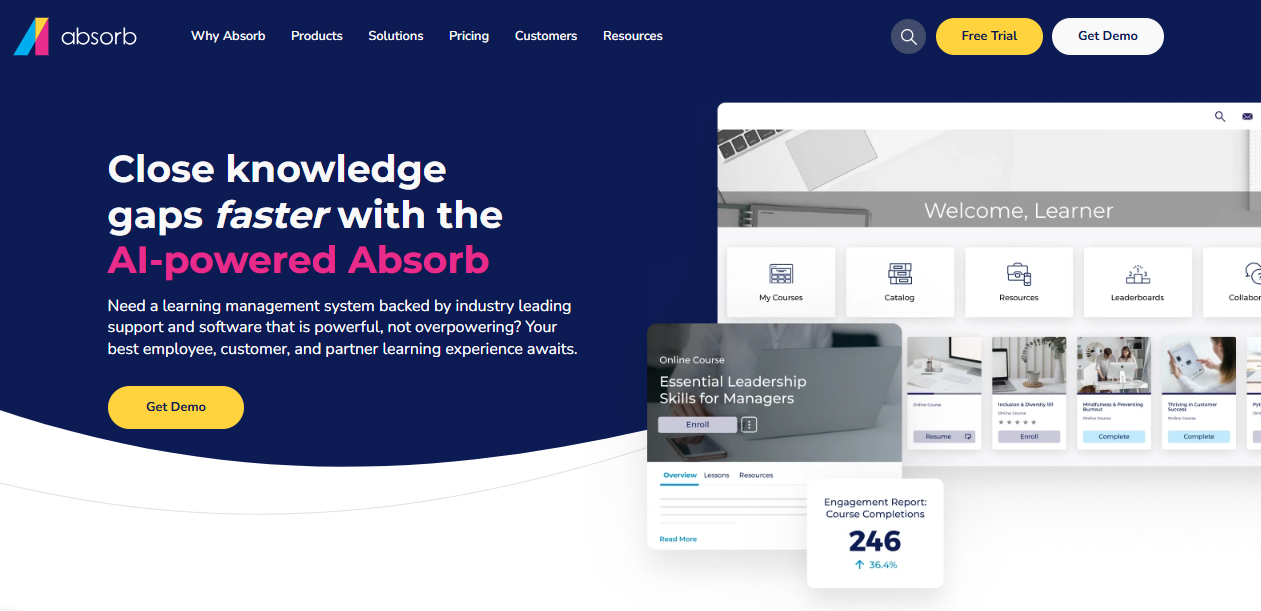
Absorb Intelligence recommends courses and flags learners who are falling behind, which gives you something to act on beyond a completion list. Reporting leans toward audit needs, so it also answers some of the analytics frustration. Pricing is not published, and social learning, authoring, and advanced analytics sit behind add-ons.
It is built for mid-size to large organizations, and a small academy will find it more than it needs. I would pick it when your volume is real and you can budget for a quote-based contract and a pilot with your own assignment rules.
Pros:
- Automated enrollment rules and bulk operations
- AI-powered course recommendations and at-risk learner flagging
- Modern learner interface that drives adoption
- Strong customer support consistently praised
- Scales from mid-size to large deployments
Cons:
- Pricing is not published and requires a custom quote
- Add-on model means the base price rarely reflects final cost
Pricing: Custom quote only; contact the vendor for pricing based on active learner count.
6. TalentLMS – Best for Published Pricing and a Fast Academy Launch
TalentLMS answers the pricing question by publishing its prices. Plans follow how many people log in each month, so you pay for active learners rather than every name on the roster, and a free plan lets you run a real pilot before any sales conversation.
You can sell courses and train outside audiences from the same account, issue certificates, and report on completions. The optional TalentLibrary add-on brings 1,000+ ready-made courses, and 30+ integrations include Zapier for lighter connections to your CRM. Reviewers consistently find it easy to administer, which helps a small team keep an academy running.
It is lighter than enterprise platforms on deep customization and advanced analytics, so I would pick it for a growing academy that wants to be live in weeks at a known price. The free plan also lets you test a customer-facing course with real people before spending anything.
Pros:
- Pricing based on monthly active users, with no sales call required
- Genuine free plan for testing before committing
- Courses, certificates, and sales for outside audiences in one account
- Optional TalentLibrary add-on with 1,000+ ready-made courses
- 30+ integrations including Zoom and Zapier
Cons:
- Customization and analytics are lighter than on enterprise platforms
- The ready-made library is a paid add-on
Pricing: Free plan available; Core starts at $149 per month for up to 100 users, scaling to $579 per month for 1,000 users.
7. Thinkific – Best for Paid Customer Education With Built-In Selling
Thinkific suits a customer academy that also wants to charge. A storefront and checkout come with the platform, transaction fees stay at 0% on paid plans, and graded assignments, quizzes, and structured learning paths make the course more than a recorded lesson.
The builder is approachable for a team without developers, which speaks to the code-to-customize complaint, and prices are posted for every plan. The 2026 price increase and the end of the free plan are real costs, and a branded mobile app is not included below the enterprise tier, so the missing app is only partly solved here.
It is a publishing platform first, so deep reporting and multi-audience governance are lighter than at an enterprise LMS. I would choose it for paid or partner-facing education, and keep a dedicated tool for anything that needs audit-grade records. Test a customer-facing course end to end before you move your whole catalog.
Pros:
- 0% platform transaction fees on every paid plan
- Storefront and checkout for selling courses directly
- Graded assignments and quizzes that add accountability
- Approachable builder for teams without developers
- Published pricing for every plan
Cons:
- No permanent free plan, only a 14-day trial
- Branded mobile app is not included below the enterprise tier
Pricing: Basic starts at $40 per month on annual billing, scaling to $164 per month for Grow.
8. LearnWorlds – Best for a Branded School With a Mobile App Option
LearnWorlds goes after the branding and mobile complaints together. It offers a branded school with a real checkout and a customizable course player, and a branded mobile app is available as a paid add-on, which is more than Northpass users get out of the box.
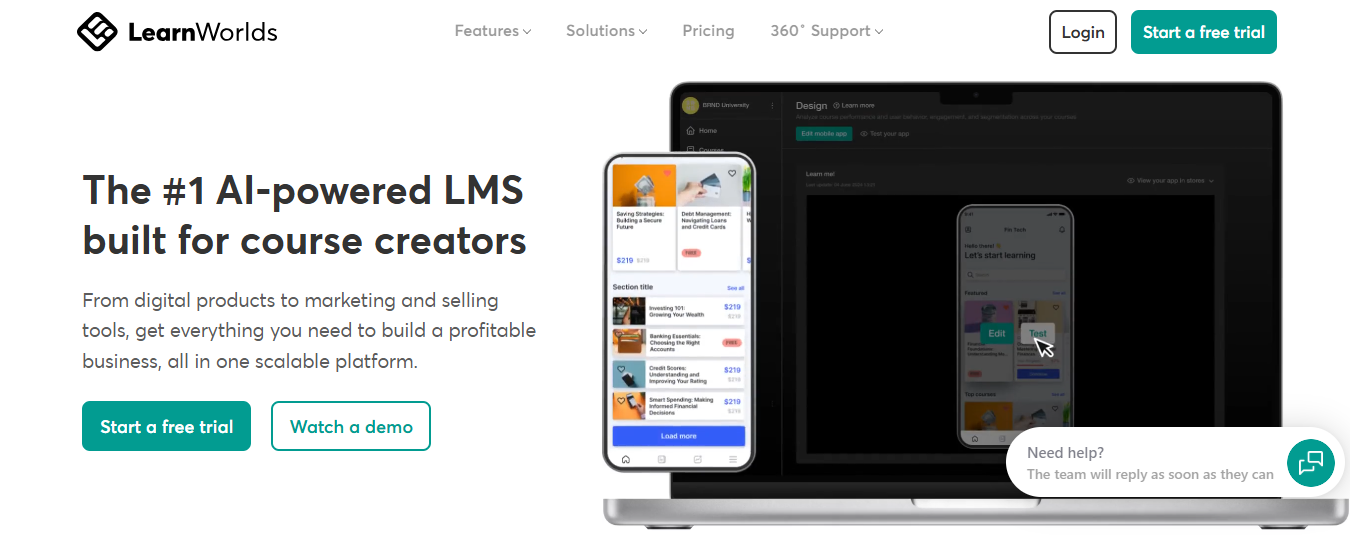
Interactive video with embedded questions adds engagement a plain course page never will, and live classes connect through Zoom and Webex for any live sessions in the mix. The Starter plan carries a flat $5 fee per enrollment, which is worth modeling against your volume, though it disappears on Pro Trainer and above.
Reporting and multi-audience controls are lighter than at an enterprise LMS. I would choose it for a customer academy where how it looks, sells, and feels on a phone matter as much as the back end. Ask what the mobile add-on costs on your plan, and whether it covers the content types you use.
Pros:
- Built-in storefront and checkout, with a branded course player
- Branded mobile app available as a paid add-on
- Interactive video with embedded quizzes and clickable moments
- Live classes through Zoom and Webex integrations
- Fee drops to 0% on Pro Trainer and above
Cons:
- Starter plan charges a flat $5 fee per enrollment
- Reporting and multi-audience controls are lighter than enterprise platforms
Pricing: Starter starts at $24 per month on annual billing with a $5 enrollment fee, scaling to $249 per month for Learning Center with no fee.
9. Teachable – Best for a Simple Branded Academy With a Native App
Teachable is the simple answer to the native app complaint, which Northpass users say they feel. A native iOS and Android app comes with every paid plan, so customers open an actual app instead of a browser tab, and you publish under your own brand without touching a template language.

The cost shows up in the fee structure. The entry Starter plan takes 7.5% of each sale on top of card processing, which falls away from the Builder plan up, and there is no permanent free plan, only a trial. Reporting and multi-audience tools are lighter than at an enterprise LMS, and live-training operations are outside its scope.
I would choose it for a smaller academy with a defined catalog and customers who value a proper app. If your needs include partner portals, CRM-driven enrollment, or deep reporting, a heavier platform will serve you better. Pilot one course first.
Pros:
- Native iOS and Android app included on every paid plan
- Publish and price courses under your own brand
- 0% transaction fees from the Builder plan up
- Built-in affiliate tools to drive sales
- Course completion certificates on higher tiers
Cons:
- 7.5% transaction fee on the entry Starter plan
- Lighter reporting and no multi-audience or live-training tools
Pricing: Starter starts at $29 per month on annual billing with a 7.5% fee, scaling to $189 per month for Growth with 0% fees.
10. Moodle – Best for Ownership, Portability, and Cost Control
Moodle answers the lock-in worry at the root. The software is free and open-source, so you control the data, the hosting, and the export of both learner records and course content, which matters when Northpass users say bulk content export is poorly documented.
A large plugin ecosystem covers reporting, enrollment, and integrations, and you can shape the design as far as your developers will take it. The trade is effort. Self-hosting needs technical staff and ongoing maintenance, the interface feels dated beside commercial platforms, and customization still takes code. Hosted plans through partners exist if you would rather not run servers.
I would choose it for a team with technical people in-house who care most about ownership and cost. If you want a polished academy this quarter without a developer, a commercial platform will save you time. Budget a named technical owner from day one, and test an export before you commit.
Pros:
- Free, open-source software with no license or per-seat fees
- Full control over data, hosting, and exports
- Large plugin ecosystem for reporting, enrollment, and integrations
- Strong track record in education and government
- Large community providing support and development
Cons:
- Self-hosting requires technical staff and ongoing maintenance
- Interface feels dated, and deeper customization still takes code
Pricing: Free and open-source to self-host; hosted plans through Moodle partners vary by provider.
My Top Picks Among the Northpass Alternatives
If you read nothing else, start here. Among all the Northpass alternatives above, these three cover the three jobs people actually switch for: honest reporting and branding, separate spaces for each audience, and a price they can see. Whether you searched for Northpass competitors or Gainsight Customer Education alternatives, one of them fits.
1. ProProfs Training Maker
My pick if the sore spots are analytics and branding. Reports by individual, team, or location, plus Conversational AI for Reports, give you answers without a rebuilt export, and branding works without code. It is not wired into Gainsight CS, so confirm the CRM path you need before you commit.
2. LearnUpon
My pick if customers, partners, and employees each need their own space. Branded portals keep audiences separate, automation handles reminders, and HR and CRM integrations include Salesforce. Pricing is a custom quote, so ask for a first-year total before you compare it with a published price.
3. TalentLMS
My pick if a visible price is the first requirement. Active-user pricing, a free plan, and the ability to sell courses and train outside audiences make a pilot low-risk. It is lighter on deep customization, so check how far the branding goes before you rely on it for a customer-facing academy.
How I Evaluated These Northpass Alternatives
I did not rank these ten alternatives to Northpass on feature lists alone. Here is what shaped the order:
- User reviews and ratings from Capterra, weighted toward platforms with a meaningful volume of recent reviews
- Reporting depth and exportability, since weak analytics and reporting is the most consistent complaint driving people toward Northpass competitors
- Pricing transparency and total cost, including license, implementation, content author time, and any developer help
- Customization without code, meaning how far branding and layout can go for a non-technical team
- Mobile experience, including native app availability and offline support
- Integration reliability, especially CRM, customer success platforms, and SSO
- Portability and vendor stability, meaning how clearly a platform documents learner-data and content export and where its roadmap stands
Get the Roadmap and the Export in Writing
A reassurance on a sales call is not a roadmap.
Northpass is still a reasonable choice for teams that value easy basic course building, a white-label academy, and responsive support, especially if they are already deep in the Gainsight ecosystem and do not hit the reporting and customization limits. Leave when the failing piece is analytics, price clarity, branding without code, mobile, or integrations. Among all these Northpass alternatives, none wins every category, so decide which complaint is yours before you start demos. If reporting and branding without code are on your list, I would run that same test on ProProfs Training Maker too, since the pricing is published and a free plan lets you try it with real learners first.
Before you move, export your learner records early and test the file, get the course content and media export process in writing, and keep the old system running until the new one is proven. If instructor-led training is part of your mix, keep a scheduling tool or one of the virtual classroom options beside your academy instead of forcing one platform to do both. Anyone weighing alternatives to Northpass should ask each vendor for first-year costs and export tooling in writing.
Frequently Asked Questions
What are the best Northpass alternatives for customer academies?
WorkRamp, LearnUpon, and Docebo are built for customer and partner education, TalentLMS and Thinkific add published pricing and selling, and ProProfs Training Maker suits teams that want better reporting and no-code branding. Pilot two or three with your real content.
Is Northpass still supported after the Gainsight and Skilljar acquisitions?
Existing customers continue with no announced sunset, but Gainsight now mainly markets Skilljar to new buyers. Ask for written roadmap, support, and data-export commitments at renewal rather than relying on verbal assurances, and plan an exit test.
Who are the main Northpass competitors for partner training?
LearnUpon and WorkRamp are the closest Northpass competitors for partner training, with separate portals or learning products per audience. Docebo covers partners at enterprise scale, and Skilljar sits inside the Gainsight orbit, so compare how each handles your audience mix.
What should I look for in alternatives to Northpass?
Start with the complaint: reporting, pricing, no-code branding, mobile, or integrations. Then compare export tooling, total cost including author time, and how each vendor handles live training before you compare feature lists, and ask for a pilot on real content.
Which Gainsight Customer Education alternatives offer better reporting?
Docebo offers the deepest reporting, Absorb leans toward audit-ready tracking, and ProProfs Training Maker adds reports by individual, team, or location with Conversational AI for Reports. Ask each vendor for sample reports on your own data.
Can I connect a Northpass alternative to Salesforce or my CRM?
Yes. ProProfs Training Maker offers a Salesforce integration through its integrations, and LearnUpon connects to tools such as Salesforce and BambooHR. Confirm exactly what syncs, how often, and who owns the integration before you sign.
Let ProProfs AI create your training course

 We'd love your feedback!
What did you like & how can we make it even better?
 Thanks for your feedback!
 Ask Your Question
Have a question? Get expert help to make your decision easier.