When I built my first virtual classroom, I thought I needed more tools. What I really needed was a clear process. Once I nailed that, the whole thing came together faster than I imagined, and people actually loved using it.
That’s exactly what I’m giving you here: a simple, repeatable way to build your own virtual classroom from scratch. When you understand how to create a virtual classroom that solves real business problems, the tech becomes simple, the content strategy becomes clear, and the results speak for themselves.
And because I want you to have everything in one place, you’re also getting:
- Free virtual classroom templates you can start with today
- The core features that make a classroom truly work
- Fixes for the most common tech headaches
- The real benefits that make it all worth doing
Follow this, and you won’t just build a virtual classroom, you’ll launch one that works from day one.
What Is a Virtual Classroom?
A virtual classroom is an online learning environment that simulates the experience of a physical classroom by using digital and interactive tools, such as a learning management system (LMS) , video conferencing platform, online assessment software, and more.
You can create an online classroom to deliver synchronous learning (instructors and learners connect in real-time using a video-conferencing tool) and/or asynchronous learning (instructors and learners log in to the virtual space at their convenience).
Asynchronous virtual learning is achieved using online courses featuring videos, presentations, quizzes, recorded webinars, assignments, and other digital learning materials.
5 Easy Steps for Creating a Virtual Classroom
Whether you’re onboarding employees, training remote teams, or running customer education programs, setting up a virtual classroom is easier than it sounds.
In a Hurry? Watch This Quick Video First
Once you’ve seen how it works, follow these simple steps to build and launch your virtual classroom.
Step 1: Create & Brand Your Classroom
Go to your training platform, create a new classroom, give it a name, and customize it with your logo and brand colors.
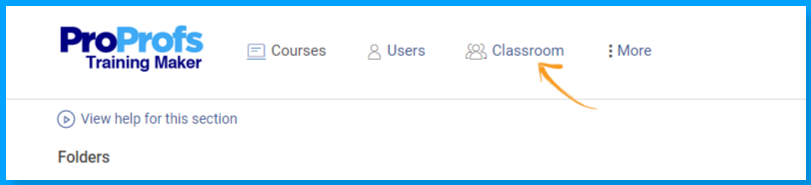
If you’re training different teams or clients, you can create separate classrooms for each group while managing everything from a single dashboard. This gives every learner a branded experience when they log in.
Watch: How to Set Up Virtual Classrooms for Multiple Clients
Step 2: Add Your Learners
Upload a spreadsheet to enroll everyone at once.
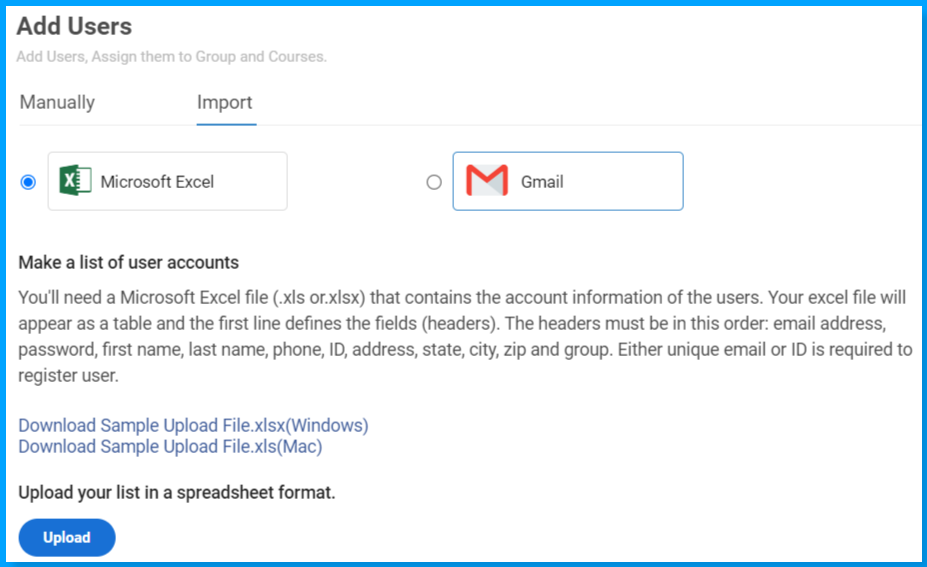
If your organization uses Google Workspace, enable Single Sign-On (SSO) so learners can log in instantly using their Google accounts without creating new passwords.
Step 3: Build Your Courses
Start with a topic and let AI generate the initial course structure for you. Here, give it a try:

Let ProProfs AI create your training course
Then add videos, quizzes, documents, and other learning materials to make the course more interactive and useful. Once your content is ready, organize courses into learning paths so learners know exactly what to complete and in what order.
Step 4: Keep Learners Updated
Use the learner dashboard to share announcements, deadlines, updates, and important notices.
This keeps everything centralized, so learners don’t have to search through emails or messages to stay informed.
Step 5: Track Progress & Issue Certificates
Monitor learner activity from your dashboard to see who has completed training, who is still in progress, and who hasn’t started yet.
When learners finish a course, branded certificates are generated automatically with their name, score, and completion date.
Move beyond in-person training limitations
Run virtual training without travel or location constraints.
7 Virtual Classroom Templates You Can Use Now (For Free)
When I was setting up my own virtual classroom in ProProfs, I came across their ready-made templates.
Instead of spending weeks building everything from scratch, I had a complete framework ready in days. These templates kept my learners engaged and pushed completion rates past 85%, making it one of the fastest and most effective ways I’ve found to create an online classroom.
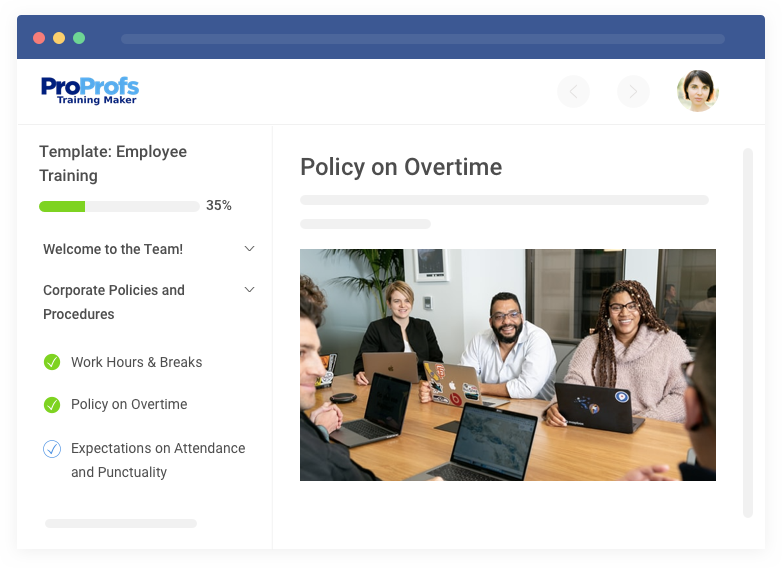
1. Employee Training Template
This comprehensive workforce development program covers company policies, mission, vision, and essential skills. It includes modules on leadership, communication, technical skills, and sales, all with built-in progress tracking.
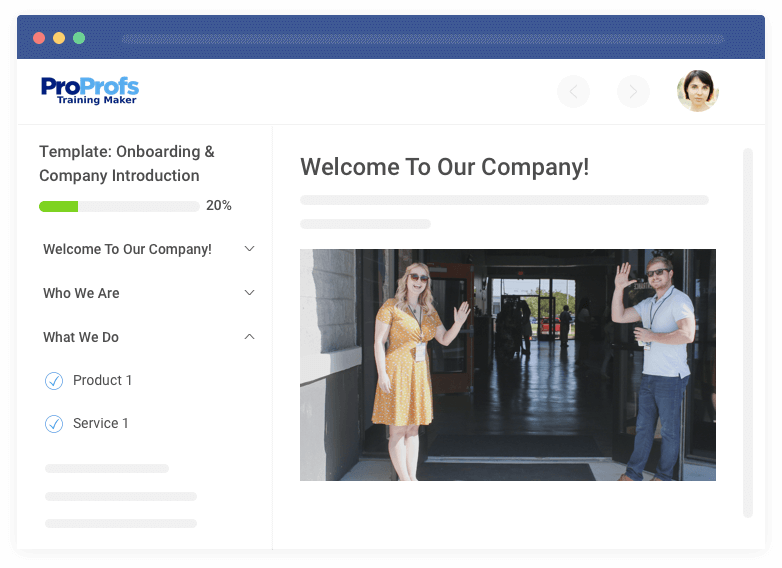
2. Induction Training Template
Designed to accelerate new hire productivity, this onboarding program features welcome modules, company culture introductions, role-specific training, and compliance basics.
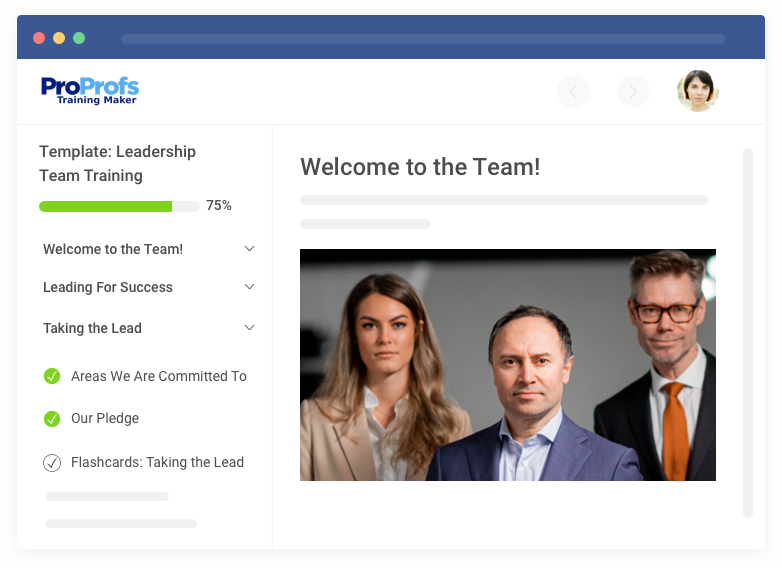
3. Leadership Training Template
Focuses on management fundamentals, team-building exercises, performance management tools, and real-world decision-making simulations.
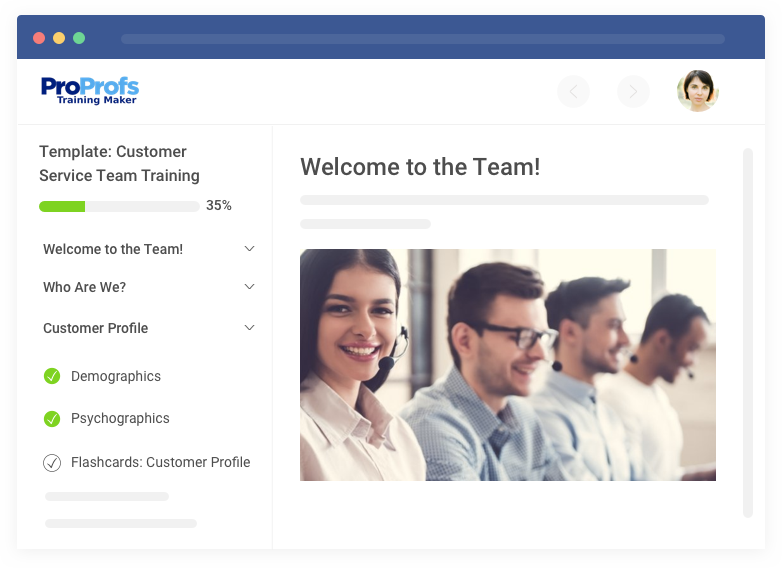
4. Customer Service Training Template
Provides a framework for improving communication skills, problem-solving, customer handling, and brand representation.
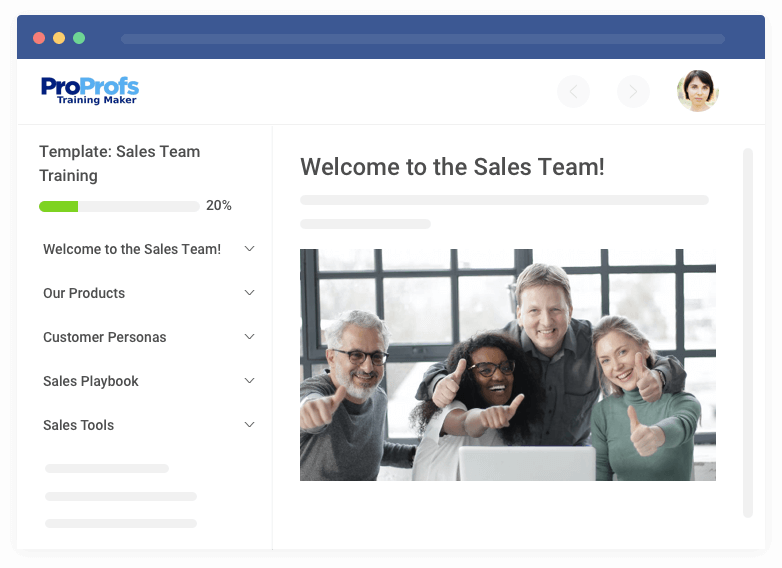
5. Sales Training Template
Covers product knowledge, sales techniques, CRM skills, and includes performance tracking to boost sales effectiveness.
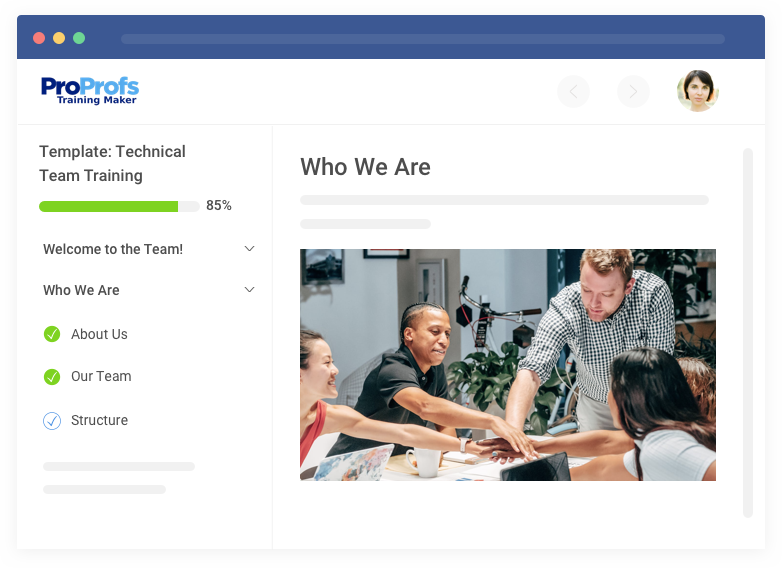
6. Technical Training Template
Offers skill-building courses with software tutorials, troubleshooting guides, best practices, and hands-on competency assessments developed by industry experts.
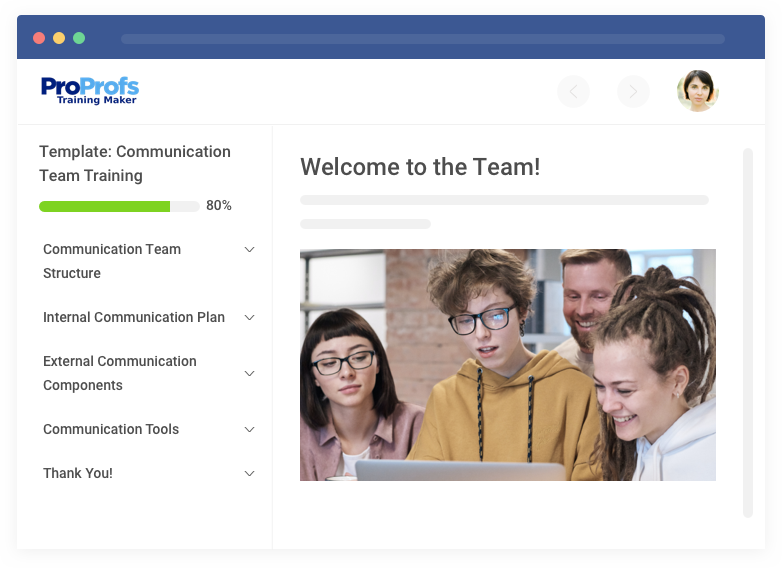
7. Communication Training Template
Includes modules on written communication, presentation skills, cross-cultural interaction, and digital collaboration tools.
4 Core Requirements for a Virtual Classroom That Delivers Results
Your virtual classroom has specific jobs to do. Here’s what needs to happen and the exact steps to make it work.
1. Deliver Professional-Quality Content That Builds Credibility
Your Job: Look and sound like an expert, not someone broadcasting from their kitchen.
Action Steps:
- Get a quality USB microphone, position it 6-8 inches from your mouth, slightly off to the side
- Use a ring light or softbox positioned in front of you (never behind)
- Mount your 1080p webcam at eye level, 3-4 feet away, face takes up 30% of frame
- Test lighting at different times if teaching across time zones
- Record in 5-7 minute chunks with consistent audio levels across all content
2. Handle System Load When Everyone Shows Up
Your Job: Keep the platform running during peak usage without crashes.
Action Steps:
- Test with 3x your expected concurrent users before launch
- Ensure 25 Mbps upload speed minimum, use ethernet over WiFi
- Set up UPS backup power and mobile hotspot for redundancy
- Run load testing during peak hours, not quiet periods
- Monitor system performance weekly, fix issues before they compound
3. Create Engagement That Actually Keeps People Watching
Your Job: Design content that works in virtual environments where attention spans drop 40%.
Action Steps:
- Plan learner interaction every 3-5 minutes (polls, questions, activities)
- Hook attention in first 30 seconds, explain why content matters to them specifically
- Use randomized question pools with immediate feedback on quiz answers
- Build assessments that mirror real job tasks, not just memorization
- Schedule virtual office hours (2 hours weekly) instead of constant individual support
4. Track Progress That Connects to Business Results
Your Job: Prove training improves actual work performance, not just completion rates.
Action Steps:
- Set minimum time requirements per module to prevent clicking through
- Schedule manager check-ins at 30, 60, 90 days post-training
- Create skill checklists supervisors can observe and rate on the job
- Track business metrics (quality scores, incident rates) before and after training
- Flag learners with <70% completion rates for immediate intervention
Your virtual classroom succeeds when these jobs get done consistently with the right equipment and systems in place.
Want to see how teams are creating engaging virtual training sessions faster? Watch our webinar, How to Create & Deliver Engaging Employee Training in Under 20 Minutes, for practical tips and a complete walkthrough before you get started.
8 Benefits of a Virtual Classroom
Virtual classrooms offer several benefits that make them both a great alternative and a complement to face-to-face learning.
1. No Geographical Restrictions
Using a virtual classroom, instructors can reach out to a worldwide audience as long as they have an internet connection. Students or employees can access live or pre-recorded courses from the comfort of their homes and overcome geographical barriers to high-quality education/training.
The fact that online classrooms are immune to geographical restrictions makes them indispensable for multinational corporations looking to train globally dispersed teams.
2. Access to Coursework Anytime, Anywhere
By taking your learning online, you can provide learners with 24/7 access to study material, assignments, quizzes, live session recordings, and more using a learning management system. In this way, virtual classrooms eliminate the possibility of learners missing out on key concepts due to missed classes.
Virtual classroom software are also mobile-friendly, meaning learners can access their courses on the go.
3. Self-Paced Asynchronous Learning
LMS-based virtual classrooms are one of the simplest ways to facilitate self-paced asynchronous learning. Learners can log in and log out at their convenience to gain knowledge in a highly flexible way as long as they meet the deadlines for the courses, tests, and assignments.
This flexibility in scheduling allows learners to join a classroom without compromising on any work or family-related responsibilities.
For example, check out how Florida Auto Dealer School used a virtual classroom platform to deliver mandatory pre-licensing training in a self-paced way.
Watch: How Florida Auto Dealer School Found an Excellent Alternative to In-Person Training
4. Active and Engaging Learning
Unlike traditional, lecture-driven classrooms that are based on unidirectional and passive learning, virtual classrooms provide an easy way to implement the active learning approach, making them highly effective for keeping learners engaged and developing deep understanding in them.
To improve comprehension and retention, you can add various visual and interactive elements to your online classroom courses. Such elements include:
- Quizzes
- Flashcards
- Lecture videos, webinars, and podcasts
- Case study and interview videos
- Animated videos explaining concepts
- Interactive videos
- Slide show presentations
- Downloadable infographics/handouts
- Surveys
Watch: How to Create Virtual Classroom Courses Featuring Media & Quizzes
5. Collaborative Learning
Virtual classrooms provide the perfect environment for collaborative learning. Using virtual learning software, learners from different time zones can conduct productive, real-time discussions among themselves and with their instructors.
Learners can exchange ideas, ask questions, and receive feedback. Besides clarifying doubts, such discussions can also help develop critical thinking and interpersonal skills.
6. Streamlined Learning Assessment
Virtual classrooms powered by LMS software let you conduct online assessments in a highly organized and effective way. You can automate various admin tasks, such as enrolments, grading, reporting, and certification, and use security and anti-cheating settings to ensure the integrity of your tests.
Automation in assessments saves hours, which instructors can use to improve learners’ understanding by providing personalized feedback and mentorship.
What’s more, online assessments let you ask questions in diverse formats, boosting engagement and allowing you to test knowledge comprehensively.
7. Cost & Time-Saving
Virtual learning removes the need to arrange physical classrooms, print study materials, and commute to training centers. In this way, virtual classrooms save a lot of cost and time for learners, instructors, and institutions conducting the learning program.
Virtual classrooms’ cost & time-saving benefits are particularly important for learners. By eliminating or reducing financial/logistical constraints, virtual classrooms make learning more accessible and the learning environment more inclusive.
8. Blended/Flipped Learning
While virtual classrooms are an amazing alternative to brick-and-mortar learning, they can also serve as an excellent complement to it by facilitating blended learning.
Blended learning is an increasingly popular approach to education and workplace training that combines face-to-face instruction and other classroom-based activities with online learning technologies, such as virtual classroom template, LMSs, assessment software, and Q&A platforms.
Blended learning leverages digital tools to make learning more flexible, effective, and comprehensive.
Flipped Classroom
The flipped classroom approach is one of the best examples of how virtual classrooms help achieve these objectives. In this instructional strategy, learners acquire new knowledge at home while face-to-face classroom time is used for problem-solving, discussions, and focused and personalized mentorship.
LMS-based virtual classrooms fit the flipped learning approach like a glove. Learners can explore new topics at home by taking engaging and interactive online courses instead of going through the oft-laborious task of reading the text-only versions.
Scale training without adding more trainers
Train more people at once without increasing training overhead.
12 Common Virtual Classroom Tech Issues and How to Fix Them
Your virtual classroom setup needs to hold up under real conditions. These are the technical problems that show up most often, and what you can do to fix them before they derail your session.
1. Echo and Feedback
Enable push-to-talk, mute participants by default, and apply noise gate or suppression settings in your audio setup.
2. Audio Cutting In and Out
Disable automatic gain control, use dedicated audio drivers, and close any bandwidth-heavy applications running in the background.
3. Participants Can’t Hear the Instructor
Check system output settings before each session, verify mic levels, and offer dial-in phone numbers as a backup.
4. Screen Sharing Fails Mid-Session
Have a secondary screen-sharing tool ready (like TeamViewer), pre-upload slides to your LMS, and provide downloadable handouts ahead of time.
5. Webcam Not Detected
Update camera drivers, restart your video services or browser, and be ready to switch to audio-only mode if needed.
6. Lag During Recording
Record locally instead of in-platform, lower screen resolution while recording, and pause large file downloads or cloud syncs during the session.
7. LMS Timeouts at Peak Hours
Use queue management or staggered logins during launches. Offer downloadable content in advance for learners with unstable access.
8. Assessment Submission Errors
Enable autosave for quizzes and tests, allow email submissions as a backup, and build in automatic deadline extensions during outages.
9. Integration Breaks Mid-Session
Keep backup login credentials for all third-party tools, switch to standalone alternatives (e.g., direct Zoom link), and communicate quick workarounds in your session chat.
10. Password Reset Overload
Set up bulk reset tools for group onboarding, create short-term guest logins, and offer real-time support via chat or phone during rollout.
11. Mobile App Crashes
Test your virtual classroom monthly on iOS and Android, offer mobile browser access as default, and avoid app-only workflows.
12. Corporate Firewall Blocks
Distribute whitelist requirements to IT teams in advance, provide VPN setup instructions, and include fallback access options using a public link or cloud-hosted version.
Your virtual classroom doesn’t fail when the software fails. It fails when you’re not ready. Get ahead of these problems, and you stay in control.
Revolutionize Learning With Virtual Classrooms
Setting up a virtual classroom and delivering effective training doesn’t have to be complicated. Use this guide whenever you want to create an online classroom that fits your training needs.
Virtual classrooms offer real benefits like easy access, flexible learning, strong engagement, cost savings, and better collaboration.
ProProfs Training Maker simplifies your digital classroom setup. With over 500 ready-made courses and all the tools you need in one virtual classroom platform, it helps you deliver virtual classroom training smoothly and efficiently.
Choosing the right platform means less time troubleshooting and more time focusing on your learners’ success.
Frequently Asked Questions

Can I create learning paths that unlock content based on completion?
Yes, most platforms offer prerequisite-based learning paths. Set up gated content where learners must complete Module A with a passing score before accessing Module B. You can also trigger automatic enrollments in advanced courses based on assessment results or job role changes.
How do I keep virtual sessions engaging when attention spans are shorter?
Use breakout rooms for small group discussions, interactive polls every 5-7 minutes, and gamified elements like leaderboards. Active participation is required through chat responses, collaborative whiteboards, or quick knowledge checks rather than passive listening.
What's the best way to handle chat during live sessions without losing control?
Enable moderated chat where messages require approval, assign teaching assistants to monitor discussions, or use structured chat protocols like "raise hand" reactions. You can also disable private messaging and set chat to instructor-only during critical instruction periods.
How do I integrate my virtual classroom with existing video conferencing tools we already use?
Look for platforms offering native integrations with Zoom, Teams, or Google Meet. These typically allow single sign-on, automatic session scheduling from your LMS dashboard, and attendance data sync. If direct integration isn't available, use embedded links or calendar invitations as workarounds.
Let ProProfs AI create your training course

 We'd love your feedback!
What did you like & how can we make it even better?
 Thanks for your feedback!
 Ask Your Question
Have a question? Get expert help to make your decision easier.