Training in healthcare isn’t like any other field; teams need to stay compliant with HIPAA and OSHA, onboard staff quickly, and adapt to constantly shifting regulations.
As one hospital director told me recently, “We don’t just need an LMS, we need a system that understands healthcare.” That insight stuck with me, so I dug deeper, speaking with over 75 healthcare administrators, HR leads, and compliance officers about what’s actually working for them today.
The result? This guide to the 10 best healthcare LMS platforms. These aren’t generic systems; they’re designed for the unique demands of healthcare, which include robust compliance tools, mobile-friendly interfaces for on-the-go staff, and enterprise-grade security.
So, let’s get started.
What Is a Healthcare LMS, And What Makes It Different From a Regular LMS?
A standard LMS delivers training. A healthcare LMS has to do more.
I have seen the gap in real use.
Healthcare is not predictable. Staff moves across roles, certifications expire at different times, and compliance rules keep changing. The risk is not just operational. It impacts patient safety.
A true healthcare learning management system handles this complexity. It automatically updates role-based training, tracks certifications by expiry date, and keeps audit-ready records without extra work.
It also has to be easy to use. In my experience, if an LMS for healthcare is not mobile-friendly, people simply do not use it.
The real test is simple.
If a healthcare compliance LMS cannot show me who is overdue, who is certified, and where the gaps are by role and location right now, it is just a general LMS.
Stop managing healthcare training with spreadsheets
Automate enrollment and compliance training instead of doing it manually.
10 Best Healthcare LMS Platforms: In-Depth Reviews
I have compiled this selection of LMS systems for healthcare based on my experience, extensive research, and input from colleagues who have used these platforms. Additionally, I have considered unbiased evaluations on external websites and client feedback.
Here’s a quick overview of the top healthcare LMS platforms in 2026, what each is best known for, and where their pricing starts.
| Healthcare LMS | Best for | Pricing |
|---|---|---|
| ProProfs Training Maker | Easy Online Employee Training & Healthcare LMS | Free for small teams; paid plans start at $1.99 per active learner/month |
| Relias Healthcare LMS | Compliance Tracking | Starts at $85/year |
| HealthStream LMS | Certificate Management | Starts at $4/user/month |
| iSpring Learn | eLearning software for PowerPoint | Starts at $2.29/user/month (billed annually) |
| Docebo | Complex Enterprise Training | Starts at $25,000/year |
| Tovuti LMS | Training Large Teams | Starts at $775/month |
| Litmos | External Training | Starts at $3/user/month |
| SkyPrep | Enterprise Learning Needs | Starts at $199/month |
| MedTrainer | Compliance Regulation | Starts at $10/user/month |
| Northpass | Mid-Sized Businesses | Starts at $200/month |
1. ProProfs Training Maker – Best for Easy Online Employee Training & Healthcare LMS
I have used ProProfs Training Maker for healthcare training, and what stood out to me is how well it fits into existing workflows instead of forcing you to change them.
It works for both clinical and non-clinical training, so I can roll out updates, manage compliance, and keep different departments aligned without losing time or visibility.
As an AI-powered healthcare LMS, it makes course creation much faster. I can turn existing materials like policies, SOPs, and onboarding docs into structured training with quizzes and lessons with its AI-powered course creation. Here, give it a spin, type a simple prompt, and see the course created in minutes.

Let ProProfs AI create your training course
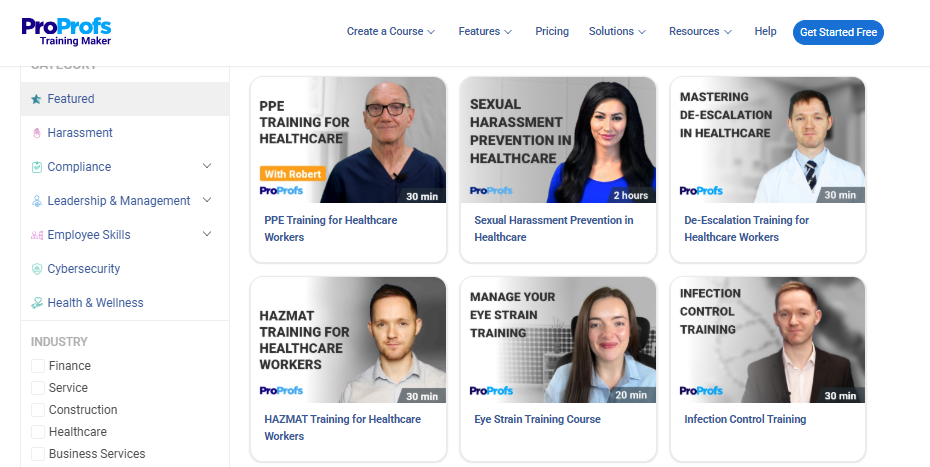
I also like the flexibility. I can upload PowerPoints, videos, and PDFs, or tweak 500+ expert-built, ready-to-use courses to fit my needs. Whether it is infection control, HIPAA, or equipment training, it adapts easily.
There is also strong control on the admin side. With built-in settings, I can automate reminders, manage expirations, and stay prepared for audits without manual tracking.
For learning, it supports scenarios, labeled graphics, and assessments that actually help with retention. This matters because the training directly impacts patient outcomes.
Reporting is another area where it helps. I can quickly see who is certified, who is overdue, and where the gaps are. It saves a lot of time.
Overall, it makes managing healthcare training more structured and a lot less manual.
Pros:
- 500+ expert-built, ready-to-use HIPAA and workplace safety courses
- AI helps create & structure courses, create quizzes, and organize content fast
- Upload PDFs, videos, or presentations to build custom training
- Built-in quizzes to check understanding and retention
- Mobile-friendly access for training anytime, anywhere
- Real-time tracking of progress, completions, and scores
Cons:
- No downloadable or on-premise version as it is completely cloud-hosted
- There is no dark viewing mode for the interface yet
User Rating:
Capterra: 4.8/5
Pricing:
Free plan available for up to 10 learners. The paid plans start at $1.99 per active learner/month for large teams.
Make compliance tracking easier for your team
Track training completion in real time without chasing staff or updating sheets.
2. Relias Healthcare LMS – Best Healthcare LMS for Compliance Tracking
During my experience with Relias Healthcare System, I was impressed by how comprehensive the platform is. It gave me a centralized place to manage all healthcare training without juggling multiple tools.
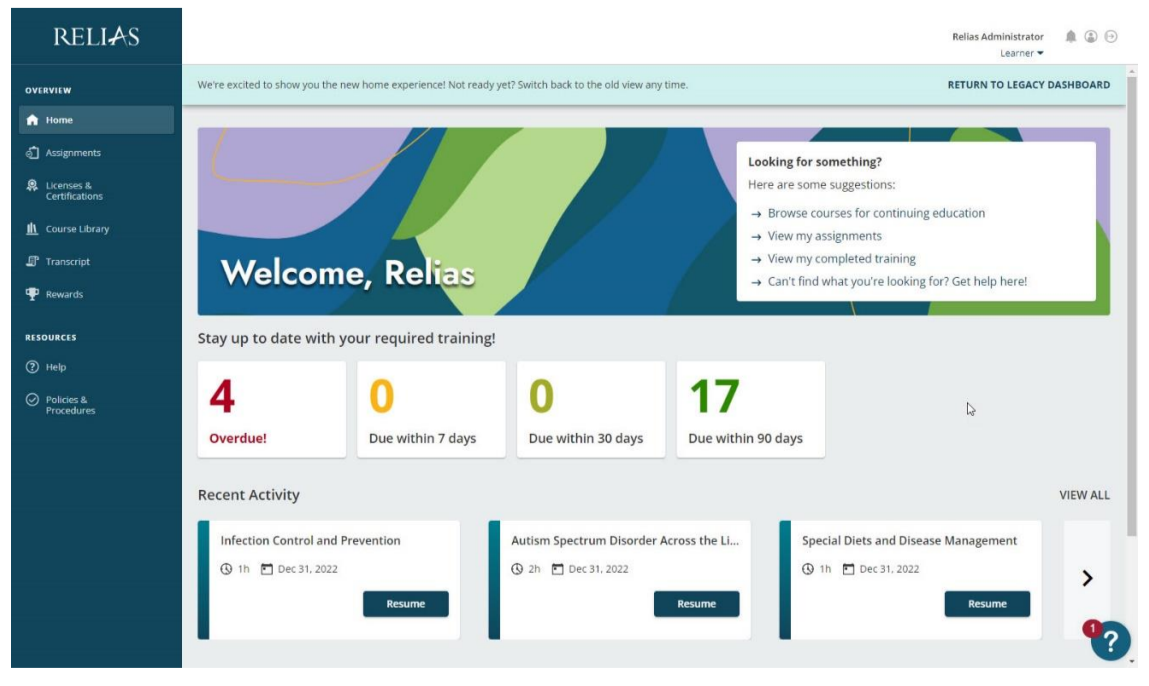
What I found especially useful was how it simplified compliance. Tracking requirements and preparing for audits felt much less stressful. Automated reports and reminders helped me keep staff on schedule, and the interface was simple enough for everyone to use without much hand-holding.
The course quality also stood out. The platform offers a large library of healthcare-focused courses created by experts, which saved me time and reduced the need to build everything from scratch.
I also liked how easy it was to assign training based on roles. I could enroll staff quickly and even convert existing presentations into structured courses using the built-in authoring tools. It supports standards like SCORM, AICC, and xAPI, which made integration smoother.
Overall, it made managing healthcare training more organized and a lot less time-consuming.
Pros:
- Pre-built healthcare courses ready to assign
- Automated compliance tracking with minimal manual effort
- Role-based enrollment for quick, targeted training
- Supports SCORM, AICC, and xAPI for easy content upload
Cons:
- Pricing lacks clarity beyond the base plan
- No public G2 or Capterra ratings available
User Rating:
Capterra: –
Pricing:
Starts at $85/year
3. HealthStream LMS – Best Healthcare LMS for Certificate Management
In my experience with HealthStream LMS, I found it to be a solid platform for managing healthcare training and development in one place.
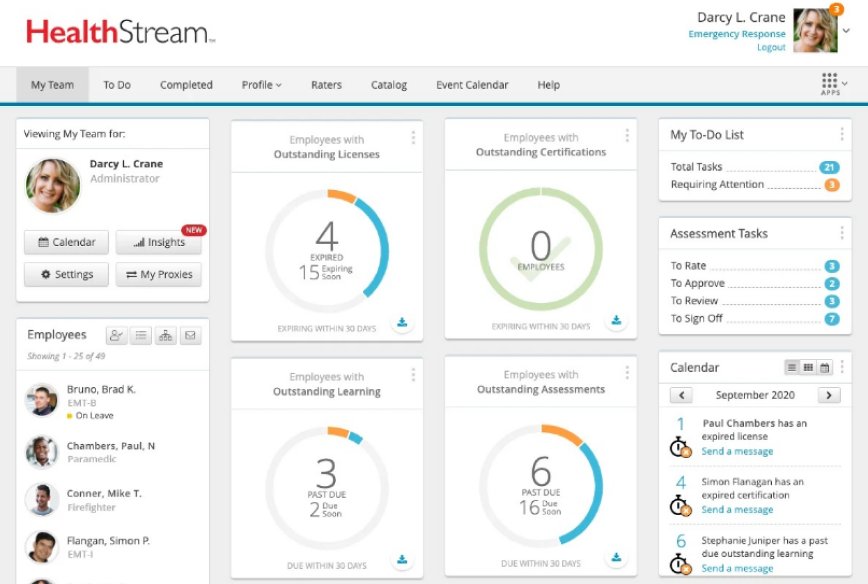
What stood out to me was how easy it made certification tracking. I could keep up with expiration dates without constant manual follow-ups, which gave me confidence that the team stayed compliant. The onboarding workflows also helped streamline training for new hires without extra coordination.
I also liked the focus on personalized learning. The platform creates learning paths based on individual needs, so staff can build skills at their own pace while still meeting required standards. Features like automated assignments and access to third-party course content made the process smoother.
On the admin side, tools for assignment management, reporting, and learner grouping made it easier to stay organized. I could track progress, manage teams, and adjust training without too much effort.
Overall, it helped me stay on top of compliance while supporting continuous learning across the team.
Pros:
- Tracks certifications based on expiration dates, not just completion
- Integrates with EHR and HR systems for synced records
- Automates training assignments for recurring compliance needs
- Mobile-first design for non-desk healthcare staff
Cons:
- Costs can add up quickly at scale
- May feel complex for smaller clinics or practices
User Rating:
Capterra: 4.3/5
Pricing:
Starts at $4/user/month
4. iSpring Learn – Best eLearning software for PowerPoint
What I liked about iSpring Learn is how easy it makes healthcare training without overcomplicating things.
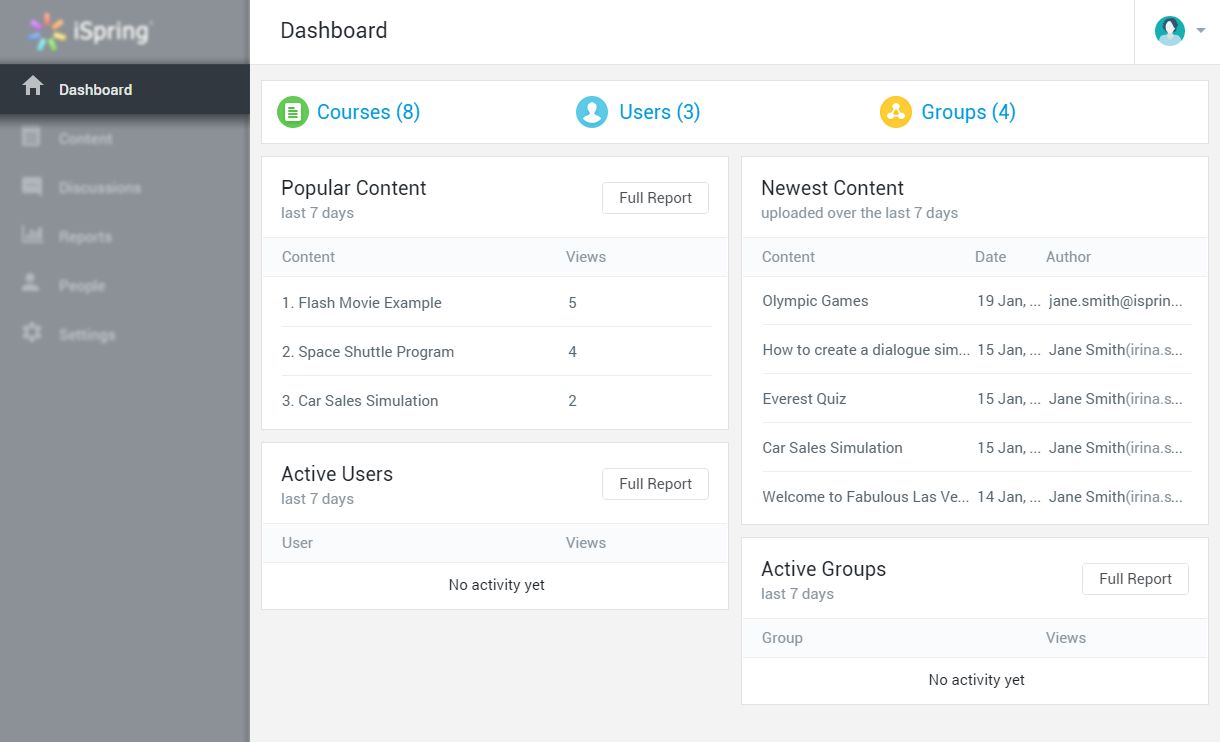
Turning PowerPoint presentations into full courses is quick, and adding quizzes or interactions helps make the content stick better. I did not have to rebuild everything from scratch, which saved a lot of time.
It also works well as a complete training setup. I could create courses, role-plays, and assessments in one place to keep staff updated and test their understanding regularly.
Tracking progress is straightforward too. The analytics give a clear view of how learners are doing, so it is easier to spot gaps and improve training.
I also noticed that many healthcare organizations use it, and the feedback around employee readiness and support has been quite strong.
Overall, it felt like a practical solution for managing healthcare training while keeping things simple and effective.
Pros:
- Quickly converts PowerPoint into full courses
- Integrates with Zoom and Microsoft Teams for live training
- Automated renewal alerts for certifications
- Strong user feedback on ease of use and support
Cons:
- PowerPoint-first approach can feel limiting
- Annual billing reduces short-term flexibility
User Rating:
Capterra: 4.7/5
Pricing:
Starts at $2.29/user/month (billed annually).
5. Docebo – Best for Complex Enterprise Training
If I were comparing healthcare LMS platforms, Docebo would easily be one of the stronger options on the list.
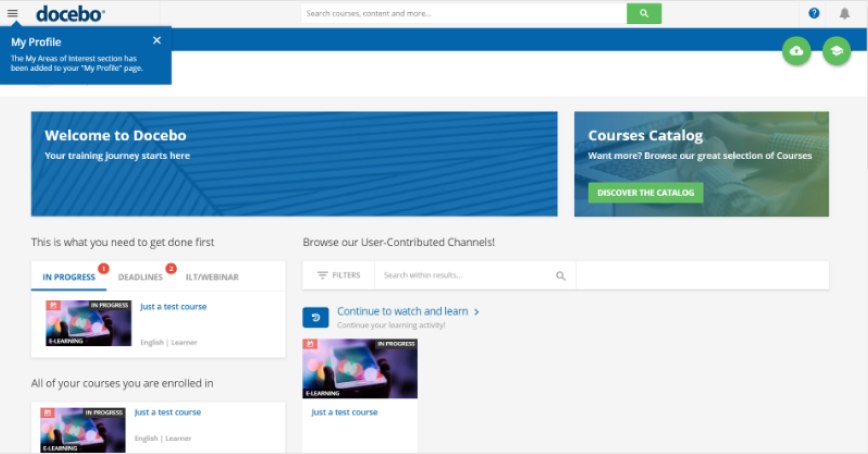
It works especially well for complex healthcare setups where training needs vary across roles and departments. I could create personalized learning paths and use detailed reporting to actually measure how training was performing.
What stood out to me was how it brings everything into one place. Managing training programs and content felt more organized, and it made compliance easier to handle without constant follow-ups.
I also liked the mix of learning formats. Blended and social learning made it easier to keep teams engaged while cutting down on in-person training time.
On the compliance side, it covers the essentials well. Tracking course completion, automating retraining, and managing certifications helped me stay aligned with standards like HIPAA without extra effort.
It also checks the practical boxes. Mobile access for healthcare staff, strong security, audit trails, and reliable support all add to the experience.
Overall, it felt like a flexible platform that can handle the scale and complexity healthcare organizations usually deal with.
Pros:
- Supports complex, multi-role training with flexible learning paths
- Blended learning for online and in-person training in one system
- Strong compliance tools with certification tracking and audit logs
- Detailed reporting beyond basic completion metrics
Cons:
- High starting cost, suited for large enterprises
- Setup can take longer due to advanced features
User Rating:
Capterra: 4.4/5
Pricing:
Starts at $25000/year
6. Tovuti LMS – Best Healthcare LMS for Training Large Teams
Tovuti stood out to me for how organized it makes healthcare training without adding complexity.
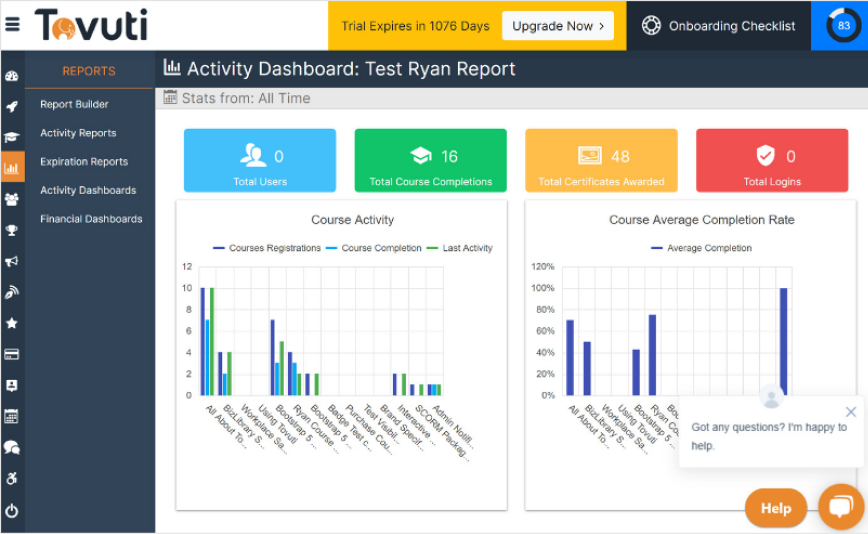
Everything sits in one place, so managing, tracking, and scaling training across teams feels much more controlled. I found it especially useful for onboarding large groups without things slipping through the cracks.
The platform is easy to navigate, and the built-in communication tools help keep everyone aligned. It is not just about assigning courses. It actually supports collaboration and knowledge sharing across teams.
What I also liked is how flexible it is. I could customize learning paths based on roles and even align the platform with our branding. The integrations are another plus. Connecting it with other systems was smooth thanks to its wide API support.
There is also plenty of content to work with. The pre-built course library, mobile access, and interactive elements like gamification make learning more engaging and easier to complete.
On the admin side, automation helps a lot. Enrollments, reminders, and certifications can be managed without constant manual effort.
Overall, it felt like a well-rounded platform that makes healthcare training easier to manage while keeping learners engaged.
Pros:
- Scales easily with automated enrollments, reminders, and certifications
- Strong API support for easy integrations
- Gamification and interactive content boost engagement
- Custom branding for a consistent learning experience
Cons:
- Higher cost, better suited for larger teams
- Setup can take time due to feature depth
User Rating:
Capterra: 4.8/5
Pricing:
Starts at $775/month
7. Litmos – Best for External Training
Training matters more in healthcare because every action impacts patient outcomes. That is where Litmos fits in well.
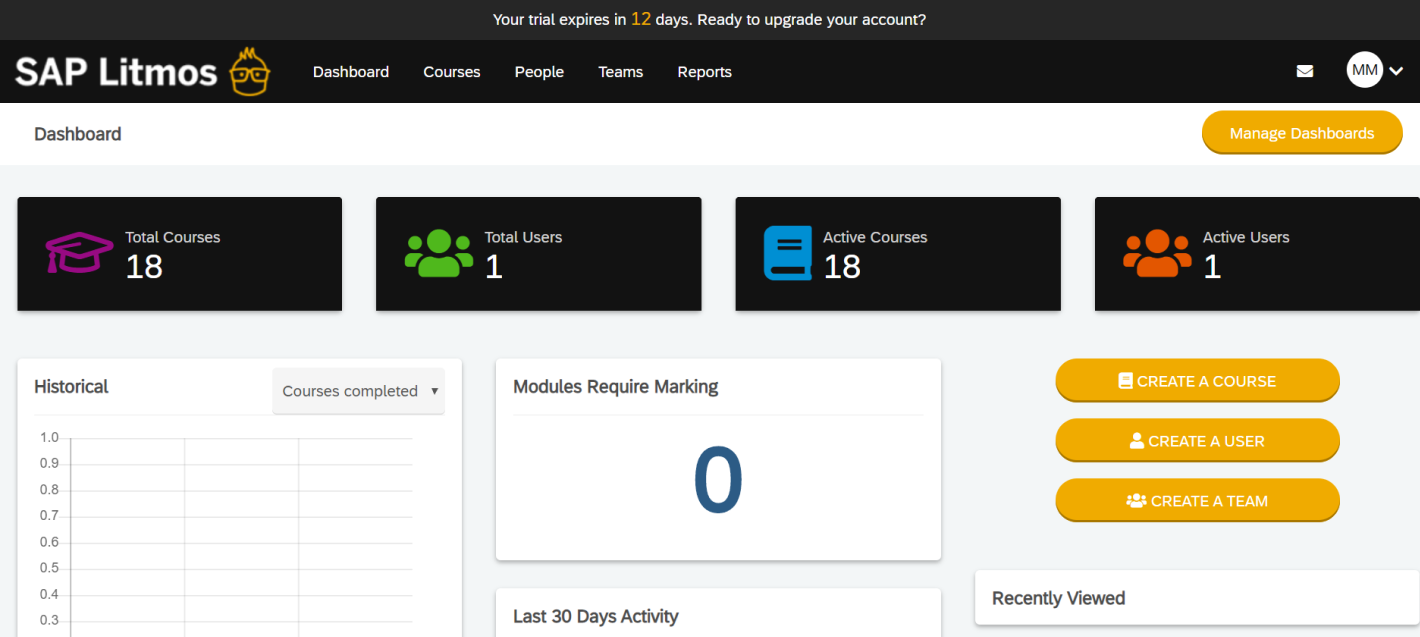
What I liked about Litmos is how it brings training, compliance, and skill development together in one place. It helped me cover essentials like HIPAA, OSHA, and core healthcare practices without needing separate systems.
The course library is a big plus. There are ready-made healthcare courses around compliance, safety, and well-being, which saved me time. I could also create my own content while staying aligned with regulatory standards.
It is also easy to extend training beyond internal teams. I found it convenient to train external partners thanks to its simple interface and mobile access. The e-commerce feature is useful if you want to monetize courses as well.
On the admin side, role-based training controls made it easier to assign and track learning across different teams. Security is also handled well, which is important when dealing with sensitive data.
Overall, it felt like a reliable platform for managing healthcare training while keeping compliance and accessibility in check.
Pros:
- Ready-made HIPAA, OSHA, and patient safety courses
- Role-based training for relevant learning paths
- Mobile-friendly for shift-based staff
- Supports external training for contractors and partners
Cons:
- Reports of slow customer support response
- Some features feel more suited for training businesses
User Rating:
Capterra: 4.2/5
Pricing:
Starts at $3 per user/month
8. SkyPrep – Best Healthcare LMS for Enterprise Learning Needs
SkyPrep felt like a practical option for handling ongoing healthcare training without making things complicated.
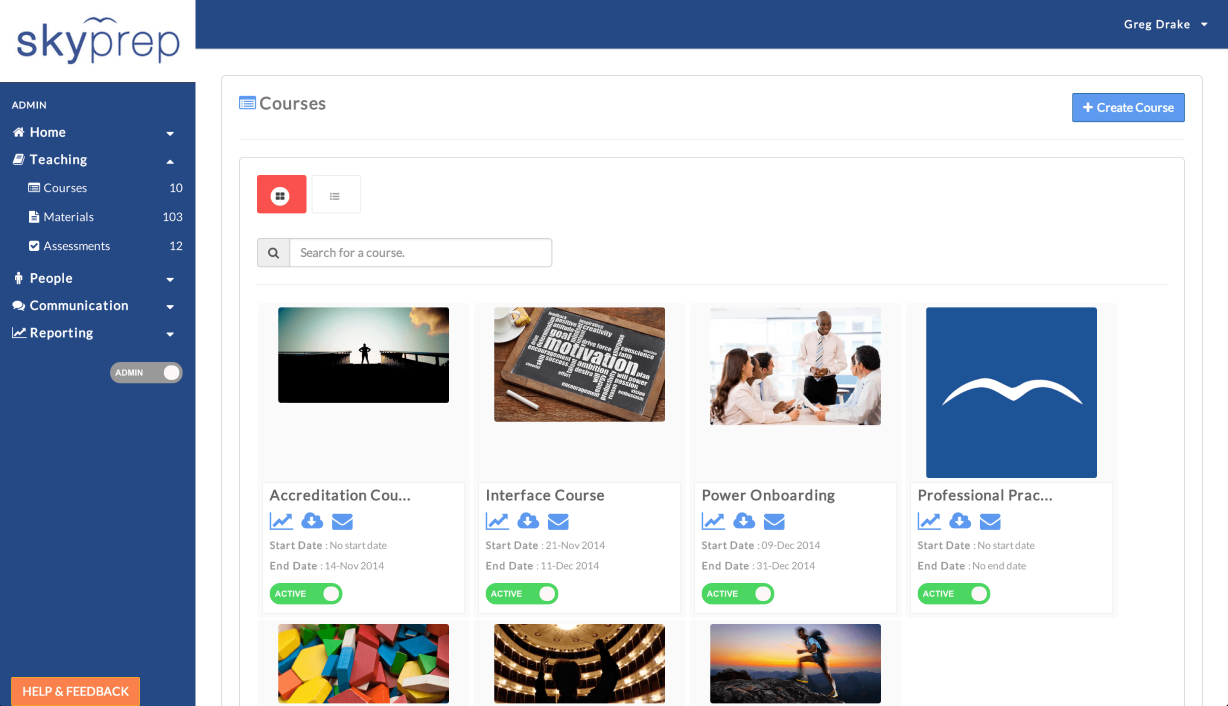
What stood out to me was its focus on certifications and compliance. I could manage HIPAA training, policy updates, and certification programs in one place, with reporting that actually helps during audits.
The platform also puts a strong emphasis on continuing education. It encourages staff to keep learning through interactive content, which is important in a field where knowledge needs to stay current.
Ease of use is another plus. It is simple to access, works across devices, and does not require much effort for teams to get started.
As training needs grow, it scales well. I could track progress, spot gaps, and automate routine tasks like enrollments and reminders without adding extra workload.
Overall, it made managing healthcare training more structured while still being easy to use.
Pros:
- Strong certification tracking with audit-ready reporting
- Gamification features to improve learner engagement
- Scales well as your organization grows
Cons:
- Pricing may be high for mid-sized teams
- Limited healthcare-specific course content
User Rating:
Capterra: 4.8/5
Pricing:
Starts at $199/month
9. MedTrainer – Best Healthcare LMS for Compliance Regulation
MedTrainer stood out to me for how focused it is on compliance.
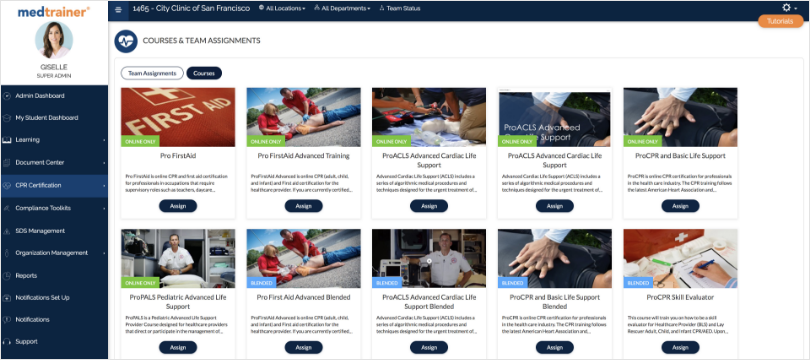
It makes it easier to stay aligned with constantly changing regulations by offering up-to-date training and covering standards across multiple bodies like HIPAA, OSHA, CMS, and more. I did not have to track these separately, which saved a lot of effort.
The learning module is another strong point. It gives access to a large set of healthcare-specific courses, so teams can stay current without building everything from scratch. The inclusion of CEU courses and training like CPR/BLS adds even more value.
Reporting is straightforward and useful. I could monitor training progress in real time and quickly see where compliance stands.
Overall, it felt like a solid option if your priority is keeping healthcare training compliant and up to date without adding complexity.
Pros:
- Extensive healthcare course library for HIPAA, OSHA, and TJC
- Automated credentialing and compliance tracking
- Real-time reporting for quick insights
- Simple, user-friendly interface
Cons:
- Costs can scale quickly with larger teams
- Less flexible for non-compliance training needs
User Rating:
Capterra: 4.3/5
Pricing:
Starts at $10/user/month
10. Northpass – Best Healthcare LMS for Mid-Sized Businesses
Northpass felt like a strong option if your focus is more on customer or external training in healthcare.
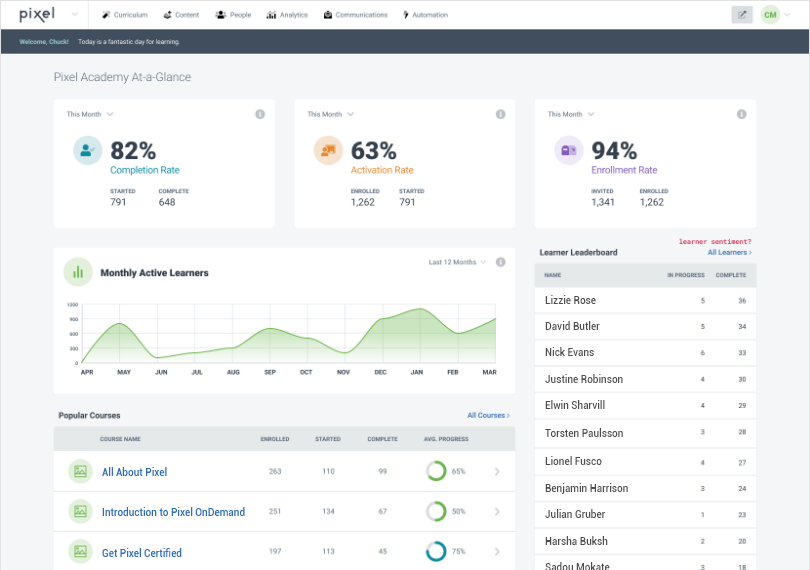
What I liked was how flexible it is. I could customize the platform based on specific training needs and connect it easily with existing systems like HR or payroll, which kept operations smooth.
It works well for delivering on-demand learning. Learners can go through content at their own pace, which helps with engagement and makes the experience feel less forced.
The platform also does a good job with personalization. I could create tailored learning experiences that improve understanding and encourage ongoing interaction with the content.
Analytics is another area where it helps. I was able to track learner progress, see engagement levels, and understand what was working and what needed improvement.
Overall, it felt like a practical choice for organizations that want to extend training beyond internal teams and focus on engagement and measurable outcomes.
Pros:
- Flexible customization for tailored training setups
- Integrates with HR and payroll systems
- Supports on-demand learning for staff and external users
- Strong analytics to track engagement and effectiveness
Cons:
- Better suited for external training than clinical compliance
- Pricing lacks transparency for scaling teams
User Rating:
Capterra: 4.8/5
Pricing:
Starts at $200/month
Evaluation Criteria
My approach to evaluating each healthcare LMS in this post is aimed at offering an honest, unbiased perspective. I’ve relied on these six factors:
- Compliance capabilities: Assessed whether the platform supports HIPAA, OSHA, and Joint Commission training, enforces mandatory retraining cycles, and generates audit-ready documentation that holds up during inspections.
- Certification and credential tracking: Evaluated the ability to track expiration dates by individual, role, or department, along with automated reminders to prevent compliance gaps.
- Integration with existing systems: Reviewed how well the learning management system for healthcare connects with HR, credentialing, and scheduling tools, including support for SSO, SCORM/xAPI, and API-based integrations.
- Reporting strength: Checked whether the healthcare compliance LMS can identify gaps in real time and generate filterable reports by role, department, or regulatory requirement without manual work.
- Usability for healthcare staff: Analyzed how easy the platform is for non-desk staff like nurses and technicians, including mobile access and minimal IT dependency.
- User reviews and ratings: Considered real user feedback from platforms like G2 and Capterra to understand satisfaction levels, common issues, and reliability in real-world use.
- Core features and functionality: Evaluated how effectively each healthcare learning management system delivers essential training, compliance, and administrative capabilities.
- Ease of use: Assessed interface design, navigation, and overall usability to ensure the lms for healthcare can be used without extensive training or technical support.
- Customer support: Reviewed the responsiveness and effectiveness of support teams during onboarding, troubleshooting, and ongoing use.
- Value for money: Compared pricing against features, scalability, and long-term usability to determine whether the platform delivers a strong return on investment.
- Personal insights and expert input: Included observations from hands-on experience and feedback from healthcare training professionals to validate practical usability.
All platforms were reviewed using product documentation, third-party reviews, and community feedback. Pricing reflects publicly available data at the time of research and may change.
How to Choose the Right LMS for Healthcare
Choosing the right LMS for healthcare isn’t about ticking boxes. It’s about finding a platform that fits the way your team actually works, whether you’re managing compliance training across hospitals or building onboarding for a small clinic. Let’s dive into how to choose the right one!
Short on time? Here’s a quick video that you can watch –
Check out the detailed version of the video below:
1. Built-In Compliance Support
Your LMS should make it easier to meet HIPAA, OSHA, and Joint Commission requirements, not harder. Look for automated reminders for certification renewals, audit-ready reports, and role-based training paths that align with clinical guidelines. If it doesn’t help you stay compliant on autopilot, it’s not the right fit.
2. Ready-to-Use Healthcare Content
Healthcare teams don’t always have time to build courses from scratch. Platforms that offer preloaded content on infection control, patient safety, HIPAA, or workplace hygiene save hours, especially if the content is regularly updated.
3. AI That Speeds Up Real Work
AI in a healthcare LMS isn’t a nice-to-have. It takes your existing materials, policy documents, clinical protocols, and onboarding guides and turns them into structured training. It builds course layouts, generates quizzes, and standardizes content across roles.
Watch how you can create a course in minutes with ProProfs AI for healthcare.
4. Flexible Course Creation Tools
If you need to train staff on internal policies, EMR workflows, or facility-specific protocols, your LMS should let you upload your own material in multiple formats, including PDFs, videos, SCORM packages, and even PowerPoint. Bonus points for drag-and-drop editors and built-in quizzes.
5. Mobile-First Experience
Training often happens between shifts or on the go. That’s why mobile compatibility isn’t optional; it’s essential. Look for platforms that work well on phones and tablets, load fast, and allow course completion without logging into a desktop.
6. Accurate Tracking and Progress Reports
To stay audit-ready, you need full visibility into training completion, quiz scores, overdue certifications, and learner activity. Strong reporting tools help you catch gaps early and prepare for compliance checks without stress.
7. Integration With Your Existing Systems
If you’re using an HR tool, credentialing system, or scheduling platform, make sure the LMS can plug into it. Support for APIs, Single Sign-On (SSO), and automatic data sync saves time and reduces double-work for admins.
8. Strong Data Security
Training platforms often handle sensitive information, including staff records, medical policies, and login data. HIPAA-compliant security, role-based access, encryption, and regular system updates are must-haves, not extras.
Watch how HIPAA training supports data security in healthcare.
9. Certification and Assessment Tools
Built-in quizzes, exams, and auto-issued certificates help you measure knowledge retention and prove compliance. Look for platforms that let you customize assessments by department or job role.
10. Scalability and User Management
Whether you’re training 50 staff members or 5,000, your LMS should grow with you. This means smart user grouping, role-based access, and centralized admin dashboards that simplify large-scale management.
How Do Hospitals Use an LMS to Manage Staff Training and Certifications?
Training in healthcare should reflect the actual work people do. A nurse doesn’t need the same learning path as someone in billing or housekeeping. That’s why a good LMS for healthcare must support role-based training and certification tracking. It should let you assign the right courses, track completions, and monitor certification status across departments without confusion.
Here’s what that means for different roles:
For Nurses
Nurses need training in infection control, patient safety, clinical procedures, emergency response, and communication. Many also need continuing education credits to maintain their licenses. Your LMS should support recurring training cycles, track certification expiry dates, and automatically issue certificates. If nurses move across units, the system should assign new training and update certification requirements based on their role.
For Doctors and Medical Staff
Doctors often need training on new equipment, clinical protocols, hospital policies, and documentation standards. They also need to maintain certifications, such as CME credits. An LMS should allow them to access all assigned training in one place, track completed certifications, and stay updated on what needs renewal, even if they work across multiple locations.
For Administrative and Billing Teams
These teams require training on HIPAA, data security, insurance workflows, and policy updates. Certifications in compliance and data handling are critical here. A good LMS should support short courses with automatic due dates, certification tracking, and reminders so nothing is missed.
For Dietary, Housekeeping, and Support Staff
Training for these teams often includes food safety, hygiene, infection prevention, and emergency protocols. Many of these areas also require basic compliance certifications. Since these workers are often shift-based, the LMS should be mobile-friendly, easy to use, and capable of tracking certifications without manual follow-ups. Visual content and multilingual support can also improve completion rates.
A strong LMS helps you manage both training and certifications in one place. It ensures every employee knows what to complete, what is expiring, and what needs renewal. If it cannot give you that visibility, it is not built for healthcare.
How a LMS for Healthcare Training Supports Compliance
In healthcare, compliance isn’t a checkbox. It’s a constant, high-stakes responsibility. One missed certification, one expired policy, or one untrained staff member can lead to fines, failed audits, or worse, compromised patient safety. That’s why the right LMS isn’t just helpful, it’s critical.
Here’s how a good healthcare LMS supports compliance in practical, everyday ways:
1. Keeps Training Up to Date
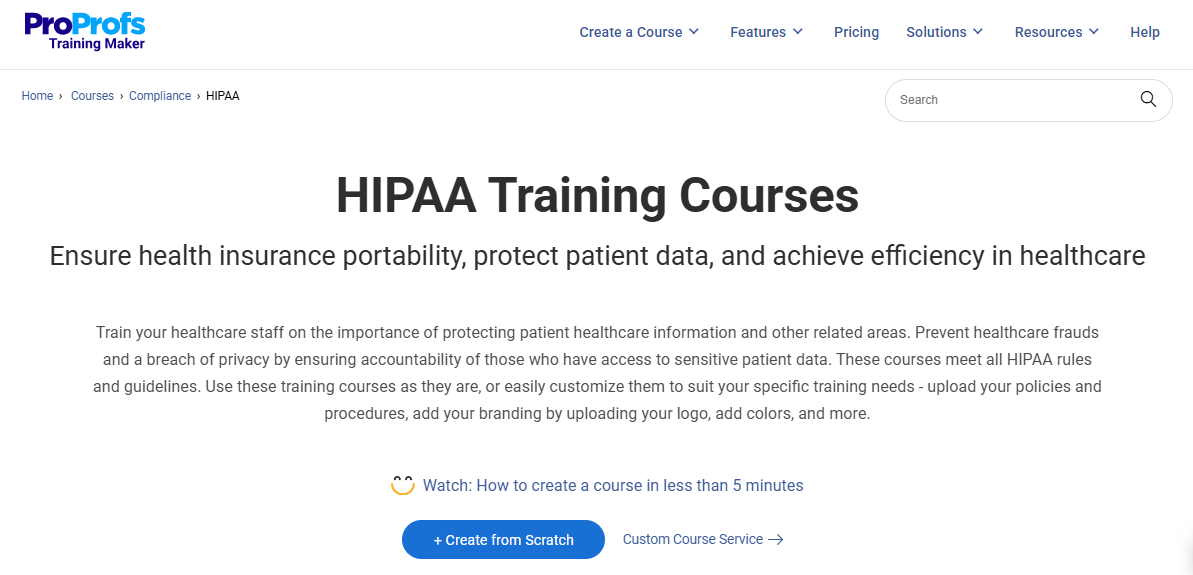
Rules don’t stay the same. HIPAA updates, OSHA changes, or new Joint Commission standards can roll out at any time. A healthcare LMS lets you update content quickly and push out new training without delay. This means no lag between policy changes and staff awareness.
2. Automates training schedules and renewals
Manually tracking who needs to renew certifications is risky and time-consuming. A smart LMS sends automated reminders to staff, alerts managers about expiring credentials, and locks overdue users out of critical systems if needed. This helps prevent non-compliance before it happens.
3. Documents Everything for Audits
If you’ve ever gone through an audit, you know documentation matters as much as the training itself. A healthcare LMS software keeps time-stamped records of course completions, quiz scores, and certificate issue dates. You can pull reports anytime to show compliance by department, individual, or topic, and no scrambling is needed.
4. Supports Different Compliance Paths for Different Roles
Not everyone needs the same compliance training. Nurses may need annual infection control and medication safety modules. Billing teams need HIPAA and fraud prevention. Housekeeping needs training on chemical safety and sanitation. A good LMS lets you assign the right compliance content to the right roles and track each group separately.
5. Protects Sensitive Data Throughout the Process
Compliance isn’t just about training content. It’s also about how your LMS handles staff data. Tools built for healthcare should support encryption, secure logins, audit trails, and full HIPAA alignment. This helps protect your organization from risk on both the learning and data fronts.
What Features Should a Healthcare Learning Management System Include?
Choosing the right LMS isn’t just about what it can do on its own. In healthcare, integration matters. Your training platform needs to work seamlessly with HR systems, credentialing workflows, and clinical operations. If it doesn’t connect well, it slows everything down.
Here are the most important integrations to look for when evaluating a healthcare LMS:
1. HRIS Integration (for Managing Users and Roles Automatically)
If your HR system already tracks employee roles, departments, and start dates, your LMS should be able to pull that data in automatically. This avoids manual data entry and ensures that new hires get the right training on day one. It also helps when people move departments, go on leave, or leave the organization; the LMS stays in sync without constant admin work.
2. Single Sign-On (SSO) for Easy and Secure Access
In large healthcare systems, logging into yet another tool with a separate password adds friction and risk. SSO lets users log in with the same credentials they already use for other systems. This improves adoption, cuts down password reset requests, and keeps data access controlled through your existing IT security.
3. Credentialing System Integration (to Manage Professional Requirements)
Many healthcare roles come with licensing or credentialing requirements, whether it’s a CPR certification, a state license, or infection control renewals. Integrating your LMS with a credentialing platform helps you track these items in one place. It also ensures that training and compliance data feed into your organization’s official credentialing records, without duplication.
4. Electronic Health Record (EHR) Integration (for Advanced Use Cases)
For enterprise-level hospitals and clinical networks, EHR integration is a high-value bonus. It lets you tie training completion to system access or job eligibility. For example, if a nurse hasn’t completed a module on a new medication system, they can be restricted from using it inside the EHR until the training is done. This kind of workflow helps prevent errors and enforce real-time accountability.
5. Reporting and BI Tool Compatibility (to Support Data-Driven Decisions)
Some healthcare teams use tools like Power BI or Tableau to monitor staffing, operations, or compliance. Your LMS should be able to export clean data or connect through APIs so you can build custom dashboards that show training gaps, department-level trends, or risk areas.
Streamline Employee Training With Healthcare LMS
A healthcare LMS can simplify and enhance the training process for medical professionals by providing accessible, organized, and compliance-driven learning solutions.
From onboarding to ongoing certifications, an LMS ensures that healthcare teams stay informed, qualified, and ready to deliver exceptional care. Investing in an LMS with customizable courses and reporting tools helps healthcare institutions achieve training objectives efficiently and consistently.
You can choose a quality LMS like ProProfs Training Maker, which supports features such as ready-made courses, assessment tools, and progress tracking to streamline healthcare training.
Frequently Asked Questions

What features should a healthcare learning management system include?
A healthcare learning management system should include role-based training, certification tracking, expiration alerts, audit-ready reports, and mobile access. Advanced features include HIPAA/OSHA content, SCORM support, SSO, and compliance gap reporting. A good LMS for healthcare should quickly show overdue training.
Which LMS is best for healthcare compliance training (HIPAA and OSHA)?
Top healthcare compliance LMS options include ProProfs Training Maker, Relias, and MedTrainer. ProProfs offers built-in HIPAA/OSHA courses and tracking. Relias supports multiple accrediting bodies. MedTrainer covers broader regulations like CMS and TJC. The best healthcare LMS depends on your compliance requirements.
What is the difference between a general LMS and a healthcare LMS?
A general LMS tracks course completion. A healthcare LMS goes further with compliance tracking, certification management, and audit-ready reporting. A learning management system for healthcare provides real-time visibility into compliance status across roles and departments, which is critical during inspections.
How do hospitals use an LMS to manage staff training and certifications?
Hospitals use a healthcare learning management system for onboarding, recurring compliance training, and certification tracking. The LMS for healthcare automates renewals, sends reminders, and generates audit reports. Larger hospitals integrate it with HR systems to keep staff records aligned.
Can small healthcare teams use an LMS without a large budget?
Yes. Many healthcare LMS software options, like ProProfs Training Maker, offer affordable plans. Small teams should prioritize easy setup, built-in compliance content, and tracking. A lightweight healthcare LMS helps avoid high per-seat costs, especially for part-time or contract staff.
What should I look for in a healthcare LMS for contractor and per diem staff?
A healthcare LMS should support external users, track contractor training separately, and offer mobile access. The healthcare compliance LMS must generate reports for non-employee staff. This ensures contractors stay compliant without complicating internal training workflows.
How does a healthcare LMS support audit readiness?
A healthcare compliance LMS maintains time-stamped records, tracks certification expirations, and automates reminders. It generates audit-ready reports instantly. Unlike general platforms, a learning management system for healthcare ensures compliance data is always up to date, reducing last-minute audit stress.
Let ProProfs AI create your training course

 We'd love your feedback!
What did you like & how can we make it even better?
 Thanks for your feedback!
 Ask Your Question
Have a question? Get expert help to make your decision easier.