

When SC Training, formerly EdApp, got rebranded, many L&D teams expected a better product experience. What many got instead was the same familiar mix of unclear pricing, support delays, mobile issues, and slow product improvements.
That is one reason so many buyers are now exploring EdApp alternatives that offer stronger value and fewer roadblocks.
I have spent years reviewing LMS platforms for businesses of all sizes, and I know how quickly small platform issues can turn into costly training problems.
This SC Training alternatives guide is built to help you avoid that. Drawing from my hands-on evaluation, trusted review sources, and real user feedback, I compare the best EdApp alternatives, including where each platform performs well and where it falls short.
What Is Happening With SC Training (Formerly EdApp)?
SafetyCulture acquired EdApp in 2020 and rebranded it to SC Training in 2024. In March 2026, SafetyCulture announced it would retire SC Training entirely. All courses, quizzes, user accounts, completion history, and integrations are affected. Users have until March 31, 2026 to migrate.
SafetyCulture offers a migration path to its own platform, but users, groups, and completion data do not transfer on the free plan. To preserve training records, organizations must upgrade to a paid annual SafetyCulture plan. If no action is taken by March 20, courses will not be migrated.
After March 31, all data is permanently deleted.
Best SC Training (EdApp) Alternatives & Competitors in 2026
Since SC Training is retiring and you’re looking for its alternatives, the tools below offer stronger options for course creation, learner engagement, reporting, and support. I have reviewed these EdApp alternatives based on features, usability, pricing value, and how well they serve different business and training needs.
| Tool Name | Best For | Pricing | Capterra Rating |
|---|---|---|---|
| ProProfs Training Maker | Mobile learning with AI course creation & reporting | Free for up to 10 learners. Paid plans start at $1.99/learner/month | 4.8/5 |
| iSpring Learn | Microlearning | Starts at $770/author/year | 4.5/5 |
| Docebo | Enterprise learning | Custom pricing | 4.5/5 |
| 360Learning | Collaborative learning | Paid plans start at $8/user/month | 4.6/5 |
| Seismic Learning | Learning and coaching | Custom pricing | 4.7/5 |
| Thinkific | Branded mobile app | Free plan available. Paid plans start at $36/month | 4.4/5 |
List of the Top SC Training (EdApp) Alternatives
I’ve compiled this list by drawing on my personal experiences, reliable software directories, suggestions from colleagues, and feedback from satisfied customers.
1. ProProfs Training Maker- Best for AI-Powered Learning
I find ProProfs Training Maker to be the strongest SC Training (formerly EdApp) alternative available right now, especially for teams that need training to work reliably across every device without forcing learners to download an app. This mobile LMS is fine-tuned to work flawlessly even with limited internet connectivity.
What stood out to me immediately was the AI course creator. You type a topic, and it generates a full, structured course you can edit and publish in minutes, or hand the editing back to AI for further rewrites. I have tested several AI course builders at this point, and most produce outlines that need heavy rework.
This one gives you something genuinely usable on the first pass. You can also upload existing PowerPoints, docs, PDFs, and videos, and Training Maker converts everything to HTML5 so it renders cleanly on phones, tablets, and desktops.
Where ProProfs really separates itself from SC Training is the assessment depth. The platform offers 20+ question types: video and audio responses, scored and personality quizzes, timed assessments, flashcards, matching, fill-in-the-blank, and Excel bulk upload for rapid quiz creation.
Content creators can even author quizzes offline. If your team relied on SC Training’s Rapid Refresh for knowledge checks, this is a significant upgrade. It is the difference between a quiz tool and a full assessment engine.
The reporting & analytics impressed me more than I expected. It is AI-powered, with real-time analytics, per-page time tracking, gradebooks, AI-generated summaries, and multi-format export.
I also appreciate the no-code workflow automation, which SC Training never offered at this level. You can set rules for auto-enrollment based on role or group, let AI match each learner to the right path automatically, trigger reminders at the right time, sync with HR tools, and schedule chapter releases within learning paths. Once you configure it, Training Maker handles the admin. No learners fall through the cracks, and you save hours every week on manual work.
A few other things worth noting that SC Training either lacked or limited: 500+ fully editable courses and templates, full white-label branding (custom domain, logo, colors, fonts, themes, and website embedding). ProProfs also offers AI-powered course translation plus an interface in 70+ languages (AI course translation coming soon), custom certificates with auto-expiration tracking, a built-in e-commerce platform for selling courses externally, and 100+ security settings with GDPR compliance on AWS and IBM infrastructure.
If you are migrating from SC Training specifically, the transition is straightforward. Your courses transfer via SCORM import with no rebuilding.
And unlike SC Training, which G2 reviewers called “very opinionated” for its rigid templates, where an HR Manager noted it “doesn’t track staff’s training records as accurate as we would like,” and where a Trustpilot user spent “3 hours going in circles” trying to get help, ProProfs provides 24/7 human support by phone, chat, and email at every plan tier. That matters when you are rebuilding a training program on a deadline.
Pros:
- AI course creator that generates genuinely usable courses from a topic prompt
- 20+ question types, including video/audio responses and offline quiz authoring
- AI-powered reporting with per-page tracking that shows you what is actually working
- No-code workflow automation for enrollment, reminders, and HR sync
- 500+ fully editable courses and templates with full white-label branding
- Bulk user upload via Excel, Google Contacts, and Outlook for seamless migration
- 24/7 phone, chat, and email support at every tier, not just premium plans
- SCORM import for direct SC Training course migration
- Learning paths, course bundles, gamification (brain games, leaderboards, badges)
- Built-in e-commerce for selling courses externally
Cons:
- The software does not have a downloadable or on-premise version
- No dark mode interface on the web
Pricing:
FREE for up to 10 learners. Plans start at $1.99 per active learner/month for 10+ users. Unlimited courses. Unlimited admins. No hidden fees. A 15-day money-back guarantee. Unlike SC Training, which faced consistent criticism for unclear pricing and features gated behind premium tiers, ProProfs Training Maker includes all features at every paid tier with no hidden upgrade walls.
See How ProProfs Compares with SC Training Before You Decide
2. iSpring Learn- Best for Microlearning
Another alternative to EdApp is iSpring Learn LMS, which offers a robust platform for microlearning, delivering training in bite-sized courses designed for quick, engaging learning. With a user-friendly authoring toolkit, it’s easy to create content from various sources, including videos and articles.
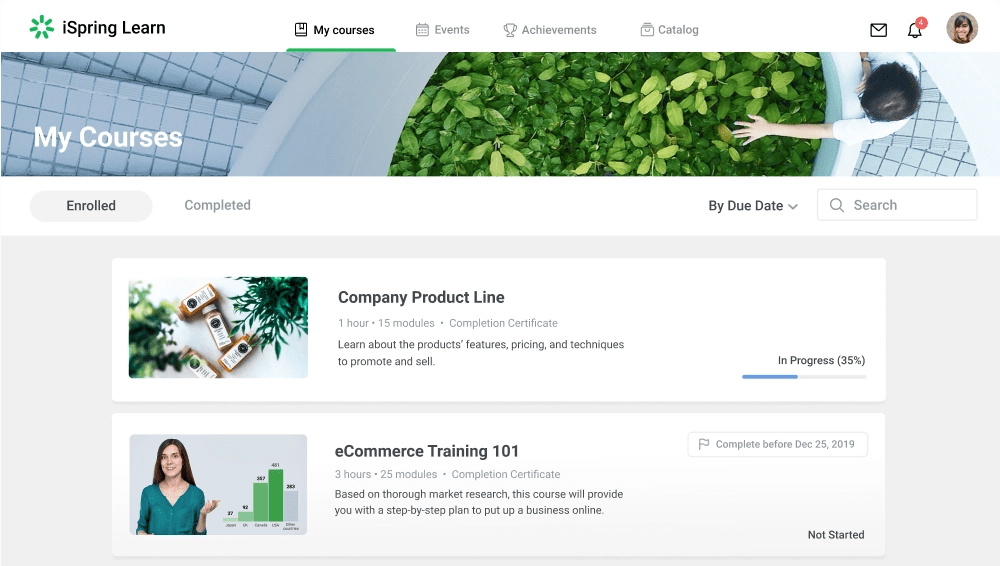
The platform supports video lectures, dialog simulations, quizzes, and surveys, making learning interactive and comprehensive. It ensures accessibility on all devices, including offline learning, targeted training for specific employee groups, and full automation for timely notifications.
The incorporation of gamification elements like leaderboards, badges, and certificates keeps learners motivated. With a seamless interface, dedicated support, and flexible pricing, iSpring Learn LMS simplifies the microlearning experience for both creators and learners.
Pros:
- Supports various types of content, such as SCORM, xAPI, HTML5, PDF, MP4, and more.
- Has a learner portal that gives your learners access to their courses, progress, certificates, and feedback.
- It has mobile apps for iOS and Android that allow your learners to access their courses offline and sync their progress when online.
Cons:
- Lacks a gamification feature that allows you to add badges, points, and leaderboards to motivate your learners.
- It does not have a social learning feature that allows your learners to interact with each other and share their knowledge.
Pricing:
Starts at $770/author/year.
3. Docebo- Best for Enterprise Learning
Docebo employs artificial intelligence to enhance the enterprise learning experience, from onboarding to talent management and compliance training. I particularly appreciate the virtual coach feature that assists learners by offering guidance, recommending content, monitoring progress, answering queries, and sending reminders.
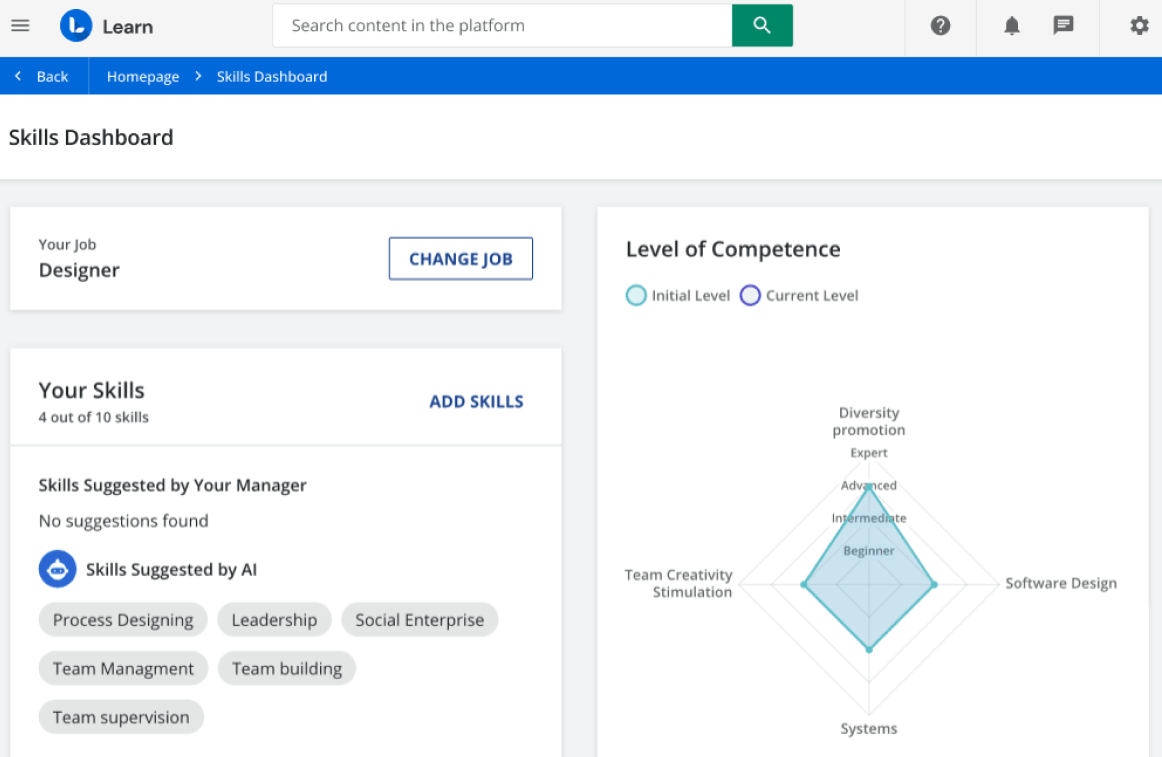
Docebo excels in managing multiple domains for diverse audiences with customized branding and authentication. The content organization and AI integration streamline enterprise learning, saving valuable time and improving the learner experience.
Docebo’s commitment to audience privacy and Single Sign-On enhances security and accessibility for enterprise users. Delegating admin rights and custom reporting empower efficient management and measurement of enterprise learning programs.
Plus, it effectively prepares organizations for a mobile-first learning future, providing a user-friendly and flexible experience. The platform offers access to learning content on smartphones, ensuring learners can access information when they need it, wherever they are. The ability for learners to create instructional videos with their mobile devices promotes interactive and experiential learning.
Pros:
- An easy-to-navigate user interface featuring drag-and-drop construction tools
- Multilingual support for training a diverse, worldwide audience
- A streamlined and user-friendly integration procedure
Cons:
- Geared towards enterprise-level clients seeking scalability and customization
- Limited availability of documentation, tutorials, and guides for platform utilization.
Pricing:
Custom.
4. 360Learning- Best for Collaborative Learning
I’d recommend 360Learning as another compelling alternative to EdApp for collaborative learning. This platform offers an interactive, engaging way to deliver training and educational materials. Users can effortlessly develop and distribute courses, monitor learner advancement, and encourage the exchange of knowledge among participants.
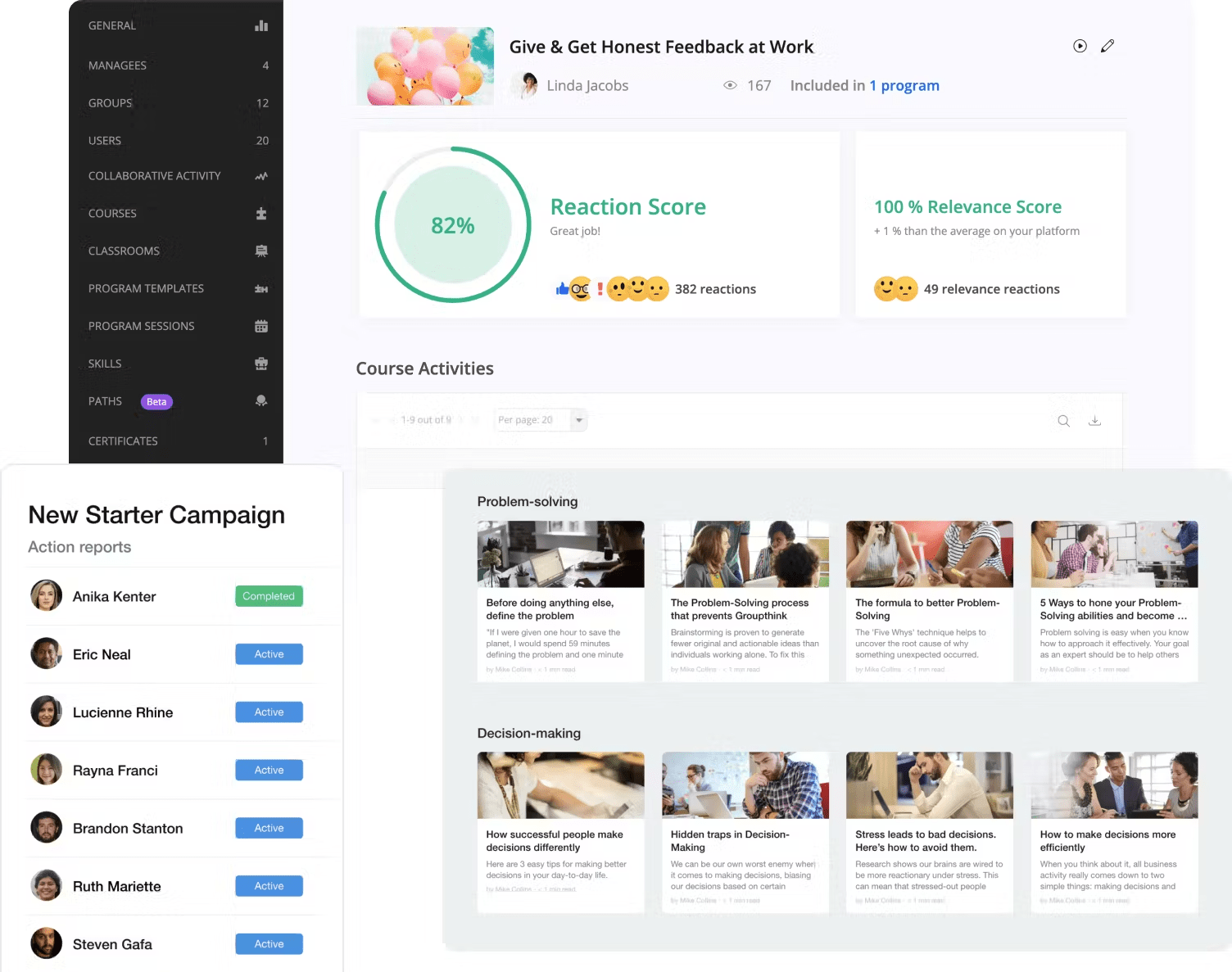
The user-friendly interface simplifies the process of generating practical and quantifiable learning resources. Furthermore, it offers readily available training content, which reduces the time and effort typically associated with traditional classroom-style training.
Distinguishing itself from conventional LMS, 360Learning fosters peer-to-peer learning and the sharing of knowledge, making it a great fit for organizations that emphasize teamwork and community-driven learning experiences.
Pros:
- Promotes active engagement and the sharing of knowledge
- Offers user-friendly tools for creating and managing courses, simplifying content creation and organization
- Provides comprehensive analytics and reporting capabilities that offer valuable insights into learner progress and course efficacy
Cons:
- Certain advanced features may need additional customization or integration with other tools
- Users who are not accustomed to modern LMS interfaces may encounter a slightly steeper learning curve when navigating the platform
Pricing:
Paid plans start from $8/user/month.
5. Seismic Learning – Best for Learning & Coaching
Seismic stands out as a compelling choice due to its emphasis on active participation and knowledge exchange, creating an engaging learning atmosphere. It encourages learners to be more involved and share their insights, fostering a dynamic educational experience.
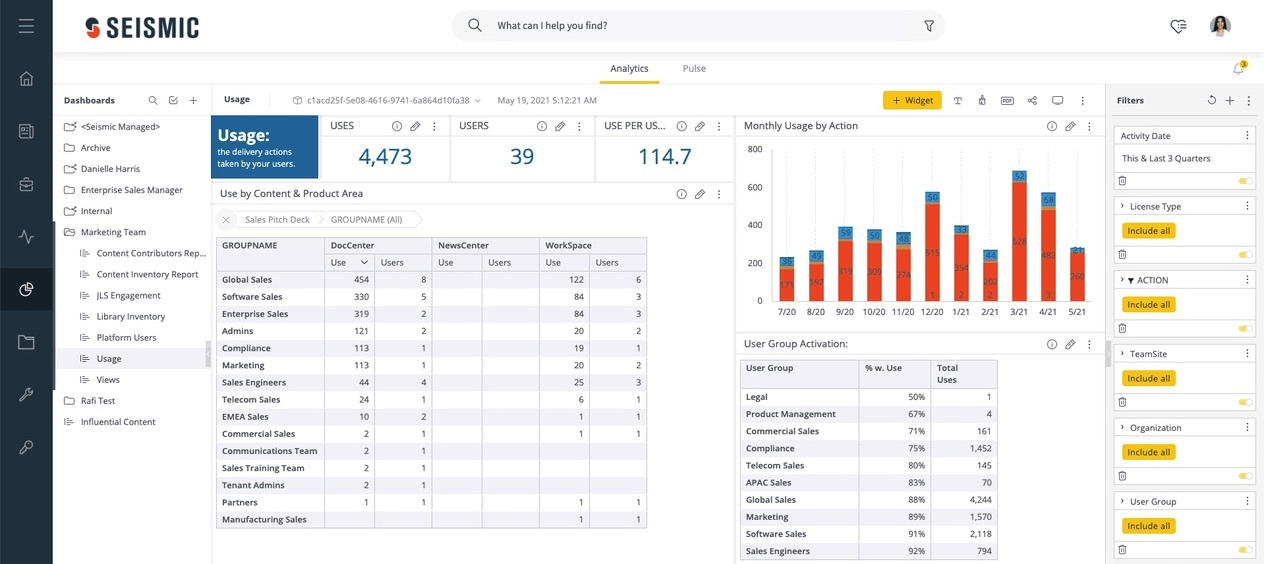
Moreover, Seismic’s intuitive course creation and management tools make it exceptionally user-friendly, allowing users to easily craft and organize content without encountering any major hurdles. This ease of use ensures a smooth learning process for both beginners and experienced users.
Seismic provides robust analytics and reporting features, delivering valuable insights into learner performance and course effectiveness. This data-driven approach empowers educators and administrators to continually improve their training content and adapt to the needs of their audience.
Pros:
- Has a drag-and-drop interface for creating engaging content.
- It supports blended learning and instructor-led training, as well as self-paced learning.
- Has features for measuring the impact of training on business outcomes, such as revenue, retention, and customer satisfaction.
Cons:
- Mainly focused on client-facing skills, such as sales and customer service, and may not be suitable for other types of training needs
- Lacks some of the advanced features like gamification, certification, or compliance that some other LMS offer
Pricing:
Custom pricing.
6. Thinkific- Best for Branded Mobile App
Thinkific offers a custom-branded mobile app that perfectly aligns with your business identity, a crucial asset in today’s digital landscape, where many learners prefer mobile devices.
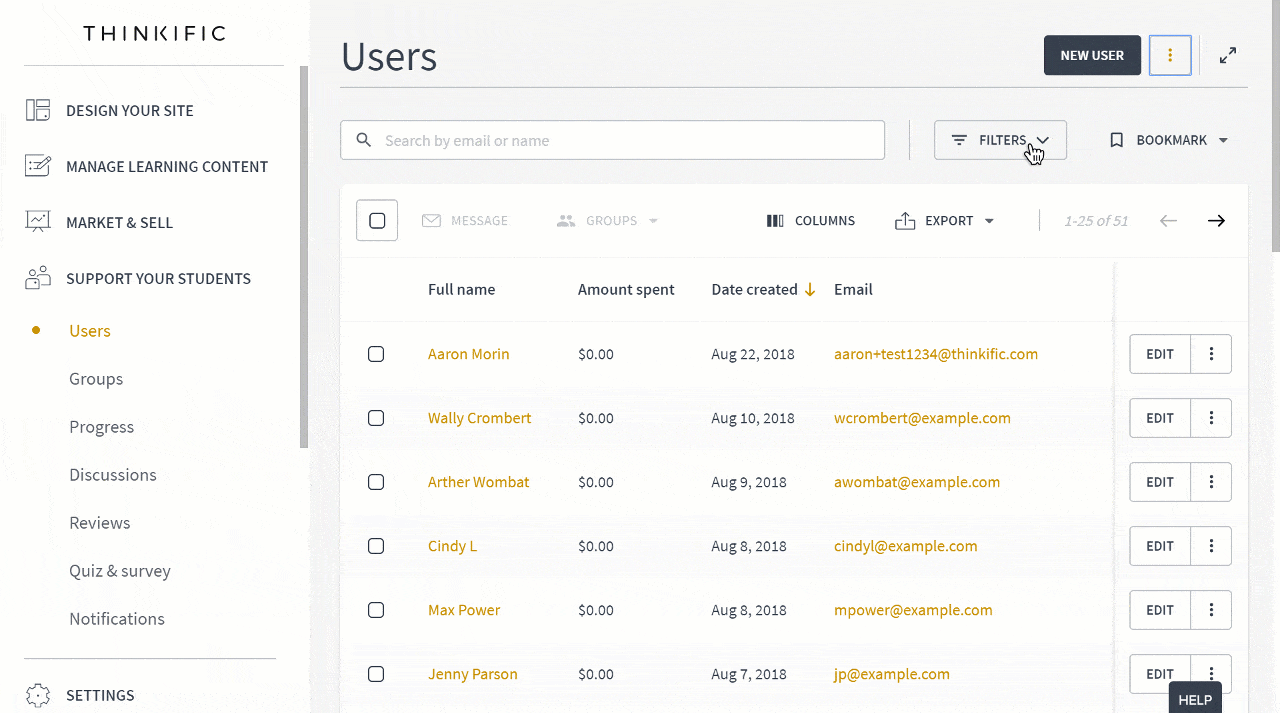
What I find most appealing is the ability to personalize the app store listing, ensuring that your brand takes center stage. This is complemented by features like push notifications, on-the-go access, and activity feeds that maintain engagement and connectivity, creating a seamless learning experience.
Furthermore, the in-app purchase feature is a game-changer, enabling your audience to conveniently acquire additional courses without leaving the app, ultimately driving more revenue.
If you’re looking to elevate your online courses and communities with a tailored mobile app, Thinkific’s Branded Mobile is the optimal choice.
Pros:
- Provides flexible pricing plans to accommodate diverse budgets and business needs
- Equips users with robust course creation tools, allowing for customizable learning experiences
- Offers a wide selection of integrations with third-party applications, including automation capabilities through tools like Zapier
Cons:
- Lacks an integrated sales funnel builder for creating landing pages, upsells, and downsells
- Thinkific lacks a centralized platform for potential students to explore and find your courses
Pricing:
Free plan available (limited to one course). Paid plans start at $36/month. Five spaces per community.
How I Evaluated These SC Training Alternatives
With SC Training shutting down, I knew a rushed pick would just trade one problem for another. So I kept my evaluation focused on the things SC Training consistently got wrong:
- Mobile performance – I checked how each platform actually performs on mobile, not just whether it claims to support it, but whether training loads reliably without an app install or patchy offline behavior.
- Pricing transparency – I only included tools where you can see what you are paying before you talk to a sales rep, or where the pricing logic is at least clear from the outside.
- SCORM and xAPI compatibility – Most teams migrating from SC Training will want to carry their existing course library over without rebuilding from scratch.
- Support quality – If something breaks mid-rollout, you need a real answer, not a ticket that sits for 48 hours.
User ratings from Capterra gave me a reliable outside check on each platform throughout.
My Top 3 SC Training (EdApp) Alternatives
With SC Training shutting down, not every platform on this list deserves equal consideration for a quick, low-friction migration. After testing them all, here are the three I would actually recommend:
1. ProProfs Training Maker
The most complete like-for-like replacement for SC Training. It matches the mobile-first experience SC Training users are accustomed to, but adds transparent pricing, reliable offline access, and genuinely responsive support. The free plan for up to 10 learners means you can validate it before committing. For most teams, this is where the search ends, since you can import all your EdApp content into ProProfs, which supports SCORM or xAPI.
2. iSpring Learn
A strong choice specifically for teams whose training is content-heavy and microlearning-focused. The broad format support (SCORM, xAPI, HTML5, PDF, MP4) makes it straightforward to import existing course libraries from SC Training. Best suited to organizations that do not need social or collaborative learning features.
3. 360Learning
The right pick for organizations where peer-to-peer knowledge sharing is already part of the culture. If your SC Training usage was driven by collaborative content creation rather than top-down course delivery, 360Learning is the natural successor. Its per-user pricing at $8/user/month is also one of the most accessible on this list.
Which SC Training (EdApp) Alternative Should You Choose?
Choosing the right EdApp alternative can be challenging, and I agree with that.
Several factors, including features, usability, scalability, support, and pricing, need careful consideration. As someone who has explored various alternatives, I can attest to the importance of finding the one that aligns with your goals and preferences.
Whether your priority is collaborative learning, enterprise-grade AI, microlearning, or sales coaching, there is a purpose-built solution on this list for your team.
That said, for most organizations making this specific migration, the choice is straightforward. ProProfs Training Maker is the best tool to migrate from SC Training. It replicates the mobile-first learning experience SC Training users know, while delivering the transparent pricing, offline reliability, and responsive support that SC Training consistently failed to provide. Start free, scale affordably, and never worry about another shutdown.
See How ProProfs Compares with SC Training Before You Decide
Frequently Asked Questions

What happens to my courses and learner data when SC Training shuts down?
SC Training typically allows a data export window before shutdown. You can export course content in SCORM or xAPI format and download learner progress reports in CSV. Most modern LMS platforms, including the alternatives listed in this guide, support SCORM import, which means your existing course library can be transferred without rebuilding from scratch. Learner completion records should be exported and archived separately, as those may not migrate automatically.
How quickly do I need to migrate away from SC Training?
As soon as possible. Once a platform announces a shutdown, the timeline for data access and export windows can be tight. Delaying migration risks losing access to course content, completion certificates, and learner history. Prioritize exporting all data first, then evaluate new platforms in parallel so you can resume training without a significant gap.
What should I look for in an SC Training alternative?
Focus on four things: mobile delivery reliability, pricing transparency, offline learning support, and the quality of customer support. These are the four areas where SC Training received the most consistent criticism. Any replacement platform should have a clear pricing structure with no hidden premium tiers, dependable mobile and offline performance, and a support team that responds within a reasonable timeframe. SCORM and xAPI compatibility is also essential for importing your existing course library.
Can I import my SC Training courses into a new LMS?
Yes, in most cases. If your SC Training courses were built using standard eLearning formats (SCORM 1.2, SCORM 2004, or xAPI/Tin Can), they can be exported and re-imported into any compatible LMS, including ProProfs Training Maker. Most of the platforms reviewed in this guide support SCORM and xAPI import. Custom content built with SC Training's proprietary authoring tools may require some rebuilding.
Is there a free alternative to SC Training?
Yes. ProProfs Training Maker offers a free plan for teams of up to 10 learners with no time limit and no credit card required. It is one of the few genuinely free LMS options that does not degrade the core training experience on the free tier. For larger teams, paid plans start at $1.99/learner/month, which is significantly more affordable than what SC Training charged for comparable features.
How long does an LMS migration typically take?
For small to mid-size teams with an existing SCORM course library, a basic migration can be completed in one to two weeks. This includes exporting content from SC Training, re-importing it into the new platform, reconfiguring learner groups, and running a test deployment. Larger organizations with complex integrations, custom content, or compliance requirements should budget four to six weeks and involve IT from the start. The ProProfs advantage is that they hand-hold customers in this quest. ProProfs has a dedicated instructional design team to help customers who need support with migration.
What is the difference between EdApp and SC Training?
They are the same product. SC Training is the rebranded name for EdApp, which was acquired in 2020 and renamed in 2024. The underlying platform and feature set remained largely the same after the rebrand. Users who experienced issues with EdApp's pricing, support, or offline reliability generally found that those same issues persisted under the SC Training name, which is one of the key reasons many teams are now actively looking for alternatives.

Let ProProfs AI create your training course

 We'd love your feedback!
What did you like & how can we make it even better?
 Thanks for your feedback!
 Ask Your Question
Have a question? Get expert help to make your decision easier.