
I’ve noticed something when I talk to teams looking for a custom LMS: they rarely complain about missing features. They complain about friction. Completions still live in spreadsheets, certificates expire without warning, and “integration” often means an export no one fully trusts. If that sounds familiar, it’s not on you. Many LMS platforms are built to be broadly acceptable, which usually means they don’t fit how training actually works.
That’s why a custom approach matters and why I’m careful with the word “custom.” For most teams, it doesn’t mean long builds or heavy engineering. It means choosing a system you can shape around real roles, workflows, and reporting needs, without turning training into a software project.
Who this is for:
- HR and L&D teams managing recurring employee training or compliance
- Businesses, training partners, contractors, or external audiences
- Growing organizations outgrowing rigid, off-the-shelf LMS platforms
- Teams exploring alternatives to heavy custom builds while still needing flexibility
What Is a Custom LMS?
When I say custom LMS, I’m not referring to a blank code editor or a long development cycle. A custom learning management system adapts to your organization rather than forcing it to adapt to the system.
In practice, that means you control the fundamentals:
- How learners are grouped
- How training is triggered
- How certifications renew
- What reports actually matter when someone asks, “Are we compliant?”
What makes this approach practical today is that most customization happens through configuration, not code.
You can:
- Shape learning paths by role
- Automate reminders that used to live in someone’s inbox
- Brand the experience so it feels native to your organization
The system stays in the background, which is exactly the point. When training works, nobody talks about the LMS anymore.
Top 10 Custom Learning Management Systems
I curated this list of the best custom LMS solutions based on my experiences, recommendations from friends and colleagues, reviews on software comparison sites, and customer testimonials. But first, here’s a comparison table for a quick scan:
| Platform | Best Suited For | Typical Company Size | Implementation Effort | Technical Skill Required |
|---|---|---|---|---|
| ProProfs Training Maker | Fast AI-powered employee training, compliance, onboarding | Growing Businesses & Enterprise | Low | Minimal |
| Absorb LMS | Scalable AI-driven learning environments | Mid-Sized to Enterprise | Medium | Moderate |
| iSpring Learn | Quick rollout, structured internal training | Small to Mid-Sized Businesses | Low to Medium | Low |
| Paradiso LMS | Feature-rich, integration-heavy setups | Mid-Sized to Enterprise | Medium | Moderate |
| Docebo | Complex enterprise training ecosystems | Large Enterprises | High | Moderate to Advanced |
| 360Learning | Collaborative and peer-driven learning | Mid-Sized to Enterprise | Medium | Moderate |
| LearnUpon | Performance-focused structured training | Small to Enterprise | Medium | Moderate |
| Litmos | External training (customers, partners) | Small to Enterprise | Medium | Moderate |
| Seismic Learning | Sales enablement and revenue teams | Mid-Sized to Enterprise | Medium | Moderate |
| TalentLMS | Flexible internal employee training | Small to Mid-Sized Businesses | Low to Medium | Low |
1. ProProfs Training Maker – Best Custom LMS for Employee Training
When I evaluated ProProfs Training Maker, I wasn’t looking for a platform to run a full-scale custom LMS development project. I needed something I could configure quickly and put into production without committing to months of custom LMS software development. That was the lens I used.
In my case, I set it up to handle onboarding and compliance training across different roles. I created separate learning paths for managers and frontline employees, with AI matching each new hire to the right one automatically. I configured certifications to renew automatically every year. I built reporting dashboards, with AI flagging who isn’t compliant before it becomes a problem, that answered one clear question: are we compliant, and who isn’t?
What stood out to me was how quickly I could move from idea to execution. I used the AI features to structure courses, generate assessments, and clean up content that would have otherwise taken hours to format manually. Instead of delaying rollout to “improve it later,” I launched, tested, and refined in real time.
I also adjusted roles, permissions, and notifications to reflect how our teams actually operate. Branding was aligned with our internal identity, so it felt like our system, not a third-party tool. From my experience, this is why some teams choose it over deeper development of a custom learning management system. It gives you meaningful control without inheriting a long-term technical maintenance responsibility.
Pros:
- AI creates course content for you with a single prompt, which saves a lot of time
- White-labeling that lets you apply your logo, colors, and fonts, with AI handling content edits, without effort
- Mobile access that works well for distributed or frontline teams
- Ready-made, SME-led courses that help you launch training quickly
- Support for English, Spanish, and more than 70 other languages, with AI-generated voiceovers in each
Cons:
- There’s no on-premise or downloadable option
- Dedicated account management is limited on the free plan
Pricing:
There’s a free plan for growing teams. Paid plans start at $1.99 per active learner/month.
Need a Fully Customizable LMS for Your Business?
Tailor training programs to your unique needs with ProProfs Training Maker.
2. Absorb LMS – Best LMS for AI-Powered Learning
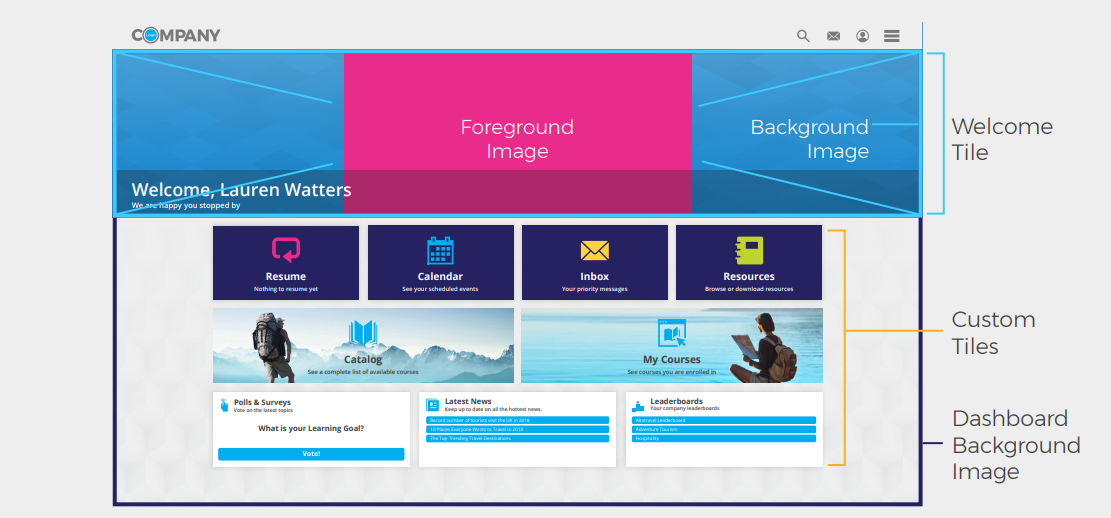
From my experience, Absorb LMS handles complex training environments with confidence. I’ve used it in scenarios where scalability, integrations, and reporting depth actually mattered, not just nice to have. The platform is highly configurable, and the analytics go beyond surface metrics. I was able to connect it with existing systems and deliver training in multiple formats without friction. The interface stays intuitive, even as the setup becomes more advanced.
Several colleagues shared how easily they customized dashboard tiles to surface what mattered most: courses, announcements, events, and performance snapshots. I tested this myself and found it straightforward to control what different audiences see. As the organization scaled, the system scaled with it. The AI-driven recommendations felt purposeful, surfacing relevant content instead of overwhelming users.
What stands out most is the depth of its ecosystem. Collaboration tools, content libraries, integrations, and performance insights are built in thoughtfully. In practice, that combination gives teams both flexibility and control without making the system feel complicated.
Pros:
- Choose from various themes, layouts, colors, fonts, and logos to create a personalized learning experience
- Empowers administrators to control who has access to specific features and information
- Competency badges serve as rewards for learners who achieve milestones
- The seamless mobile experience through the mobile app enables learning on the go
Cons:
- Does not have a way to track learner progress across different learning modalities
- There have been reports of bugs in the software, such as courses not marking complete as expected
- Need more assessment options (currently it supports only a few types, such as multiple choice, true/false, and fill-in-the-blank)
Pricing:
Custom quote
3. iSpring Learn – Best for Fast and Easy-to-Use Learning Platform
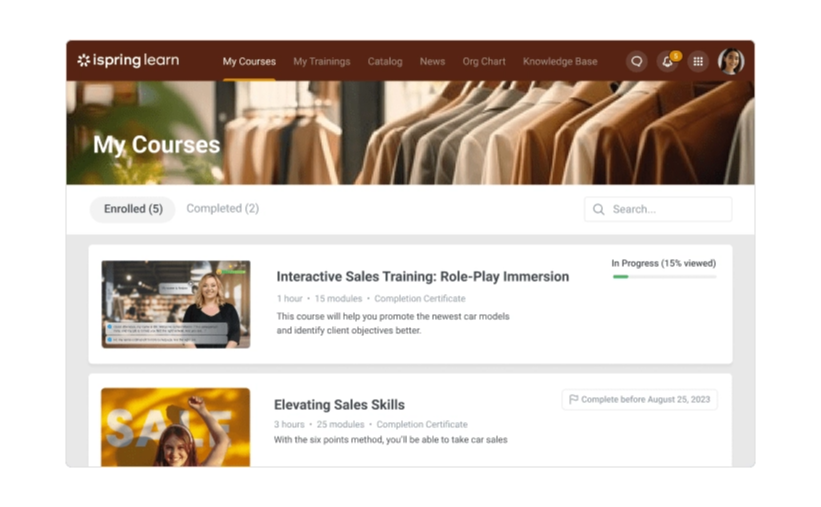
iSpring Learn stood out to me as one of the most straightforward and fast LMS platforms I’ve seen, and I noticed that immediately during a live demo. It’s clearly designed for organizations that want to streamline training without dealing with unnecessary complexity.
Customization is one of its real strengths. Administrators can tailor learning paths, assign courses based on roles or departments, and structure training in a way that fits their internal workflows.
Like other LMS platforms, it also supports branding options. You can incorporate your logo, color scheme, and visual identity so the experience feels consistent with your organization.
The ability to customize certificates and automate notifications adds another layer of personalization, making training journeys feel more structured and intentional.
Pros:
- Users can upload various content formats like presentations, courses, videos, etc., and enjoy unlimited storage
- The platform supports SCORM content and interactive longreads
- Gels well with Zoom for powerful video conferencing capabilities
- Employees can earn points and badges for completing courses and activities, and they can see their progress on leaderboards
Cons:
- Users new to eLearning platforms might find the tool’s extensive capabilities a bit overwhelming
- While the mobile app offers offline access, it lacks some advanced features present in the web version
- Users without technical skills might face challenges in fully tailoring the platform
Pricing:
Starts at $2.29/user/month. Billed annually.
4. Paradiso LMS – Best for Customized & Feature-Rich eLearning Solutions
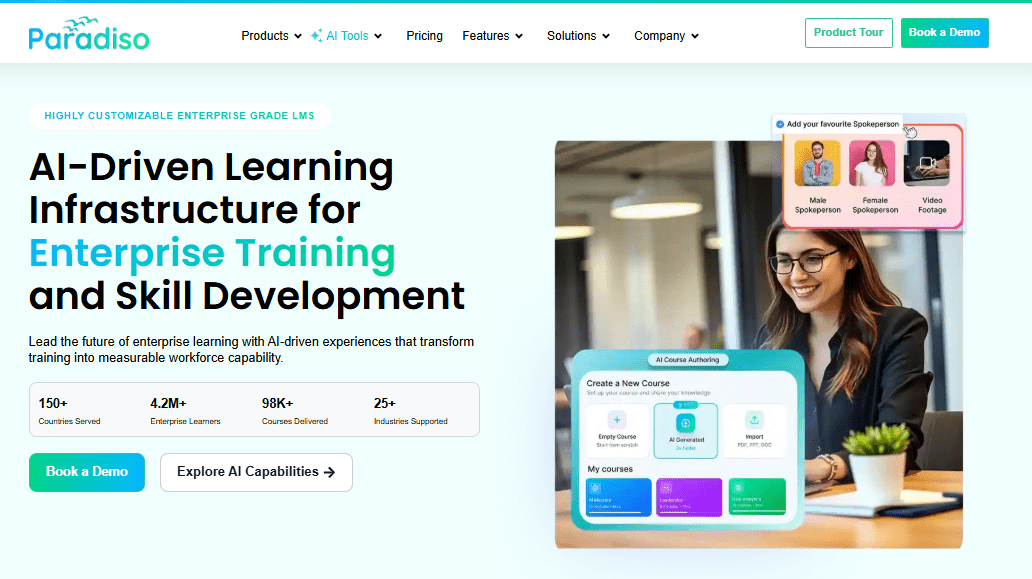
From my evaluation, Paradiso LMS is clearly designed for organizations that need flexibility without losing structure. What stood out to me was how well it fits into existing systems. Integrations feel intentional, not forced, which makes it easier to align training with operational workflows instead of running it in isolation.
I also explored its feature depth, particularly around content creation and analytics. The authoring tools allow you to build interactive modules without relying heavily on external software. Reporting is detailed enough to track performance trends, not just completion rates, which is critical when leadership wants measurable outcomes.
For compliance, onboarding, and skill development initiatives, the platform provides enough configurability to shape programs around real business objectives. In practice, it feels less like a static LMS and more like a structured framework you can adapt as training demands evolve.
Pros:
- A centralized hub for training content and resources to deliver training efficiently
- Custom reports and analytics to track specific metrics relevant to the organization
- Dynamic content creation using multimedia to cater to different learning styles
- The LMS is scalable and adaptable to diverse corporate training scenarios
Cons:
- Some users have reported that Paradiso LMS can be slow, especially when loading extensive courses or modules
- While the LMS offers customization options, users with limited technical experience might find it challenging at first
- Integrating Paradiso LMS with other systems or applications could be complex
Pricing:
$1-$5/user/month
5. Docebo – Best for Complex Enterprise Training
In complex enterprise environments, Docebo consistently stands out. From what I’ve observed, it’s built to handle scale without losing control. The platform supports AI-driven learning paths, social learning features, and detailed reporting, all of which are essential when you’re coordinating training across multiple departments, regions, and compliance requirements.
The interface remains intuitive despite its depth. Administrators can manage sophisticated programs without feeling overwhelmed, and learners can navigate the system easily. Its cloud-based architecture also makes updates and global accessibility straightforward, which is critical for distributed teams.
What I find particularly strong is the level of flexibility. With its integrations, APIs, add-ons, and modular structure, you can shape the platform around specific organizational needs. It doesn’t feel static. It feels built to evolve as enterprise training demands become more complex.
Pros:
- Versatile configuration engine for tailored learning experiences and easy customization
- 400+ integrations to seamlessly connect with various SaaS business systems for a unified learning environment
- AI-powered learning personalization for effective upskilling and reskilling of employees
- Gamification, leaderboards, and interactive elements that enhance learner engagement and motivation
Cons:
- Docebo’s extensive features may lead to a more complex implementation process and require technical expertise
- Some users may find the user interface less intuitive or overwhelming due to the abundance of features and options
- The eCommerce functionality is not robust enough to sell courses and training materials
Pricing:
Starts at $25,000/year
6. 360Learning – Best for Collaborative Learning
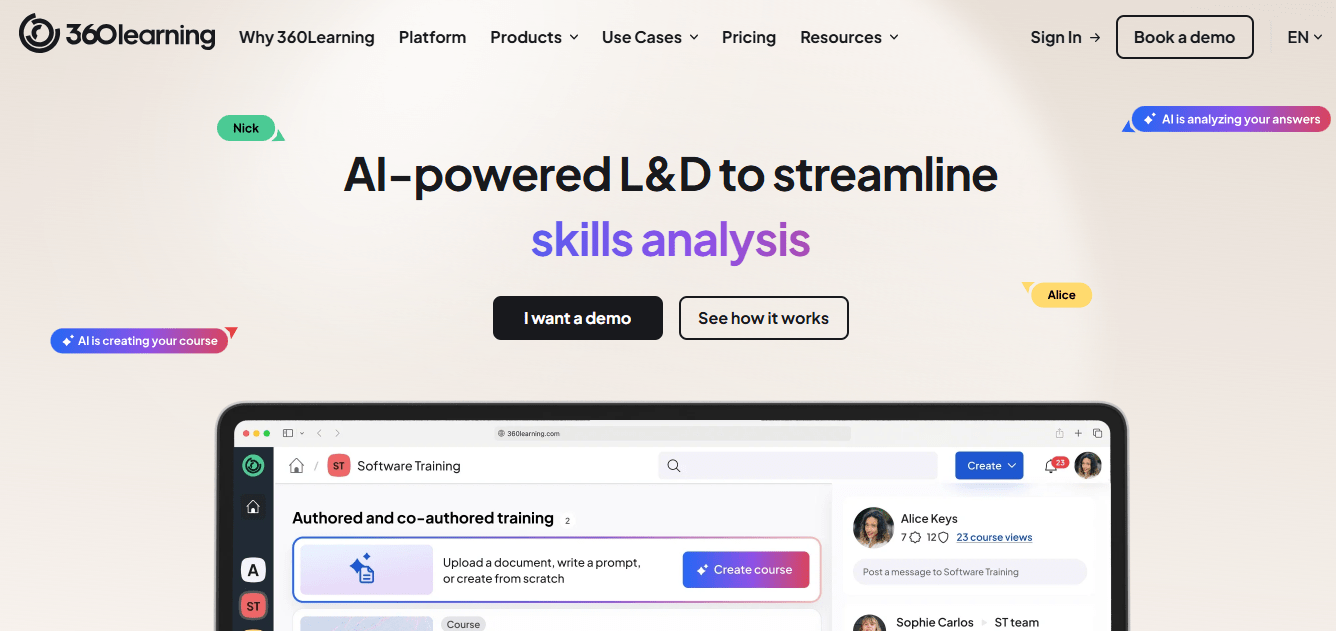
What stood out to me about 360Learning is how strongly it leans into collaborative learning. Instead of positioning training as something pushed from the top down, it enables employees to create, share, and refine knowledge together. In practice, that shifts the culture from passive consumption to active contribution.
Its LXP capabilities are also well executed. Personalized career paths and smart course recommendations are not just surface-level features. They can be aligned with real skill development goals and internal mobility plans, which makes training feel connected to long-term growth rather than one-off programs.
The platform supports this with customizable layouts, solid integrations, and a broad set of learning resources. Altogether, it creates a learning environment that feels connected, adaptive, and centered around shared expertise.
Pros:
- User-friendly authoring tool empowers anyone to create custom training content
- Seamless integration with HRIS systems and popular business tools streamlining data management
- Automated enrollment, reminder notifications, and audit-proof reporting for simplified compliance training
- Multilingual support to deliver consistent training experiences to a global workforce
Cons:
- It has semi-opaque pricing, and most features are reserved for the top plan.
- It has issues with LinkedIn learning integration
- Some users have reported occasional technical glitches and performance issues that affect the learning experience
Pricing:
Starts at $8/registered user/month
7. LearnUpon – Best for Delivering Impactful Training

I’ve worked with LearnUpon and see it as a strong platform for organizations that want training tied closely to business outcomes. It goes beyond storing content. The system actively supports engagement through interactive elements, gamification, and social learning features that keep learners involved rather than passive.
What I appreciated most was the ability to measure impact. Reporting tools make it easier to evaluate how learning initiatives influence performance, not just completion rates. That visibility supports a culture of ongoing improvement instead of one-time training events.
I also configured tailored learning journeys based on role and skill level. With granular access controls, it’s possible to shape personalized paths for different audiences. Features like AI-driven recommendations and adaptive learning enhance that flexibility. In practice, LearnUpon feels less like a static LMS and more like a structured environment designed to support long-term employee growth.
Pros:
- Supports various content formats, from videos to quizzes, documents, and interactive modules
- Gamification elements, discussions, and social learning tools for heightened engagement
- Whether for a small team or a large enterprise, LearnUpon’s scalability ensures the platform can grow with the organization
- Mobile-friendly interface ensures learners can access and engage with training content on various devices
Cons:
- Admins may struggle with course searches, especially for multiple versions, without the ability to filter or exclude archived courses
- Standard reports don’t provide insights specifically for bundled courses, limiting comprehensive data analysis
- Generating certificates is hindered by slow field selection and the discrepancy between portrait and landscape orientations for printing
Pricing:
Starts at $599/month (billed annually)
8. Litmos – Best for External Training
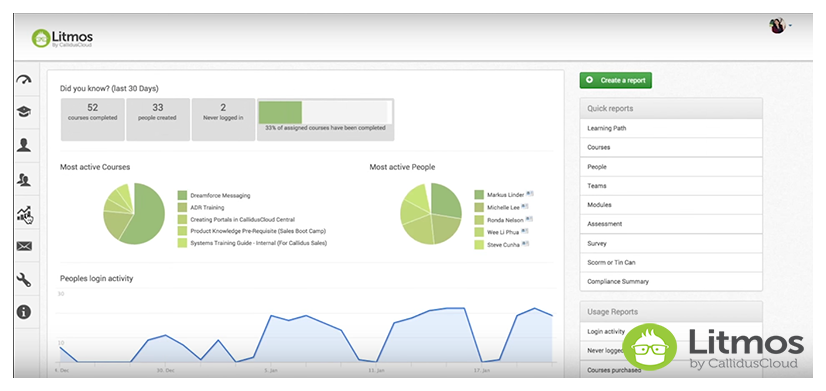
If I were evaluating platforms specifically for external training, Litmos would be high on my list. I’ve seen it used effectively for customer education and partner enablement, where engagement and brand consistency matter just as much as content delivery. The interface is straightforward, and managing external audiences feels structured rather than chaotic.
For onboarding partners or certifying customers, the platform scales comfortably. You can segment audiences, assign role-based learning paths, and manage certifications without overcomplicating the setup.
What makes it particularly strong for external programs is the level of customization. You can align the experience with your brand, adjust user journeys, and integrate it with existing systems so it doesn’t feel disconnected from the rest of your tech stack. White-labeling and tailored learning paths make it possible to create an experience that reflects the idea of an LMS, without committing to a lengthy development cycle.
Pros:
- The interface is intuitive, and there are plenty of resources available to help users get started
- Supports several content formats, including videos, quizzes, and simulations
- A secure platform that protects learner data. It complies with GDPR and SOC 2
- Can accommodate any organization size. It can also be used to deliver training to learners in multiple locations
Cons:
- The mobile app is not as user-friendly as the web app and does not have all the features in the latter
- Can be difficult to integrate with other systems. This can be a barrier if your organization already uses a variety of other systems
- Does not natively support single sign-on (SSO), which can make it difficult to manage user access
Pricing:
Starts at $3/user/month
9. Seismic Learning – Best for Training Sales Teams
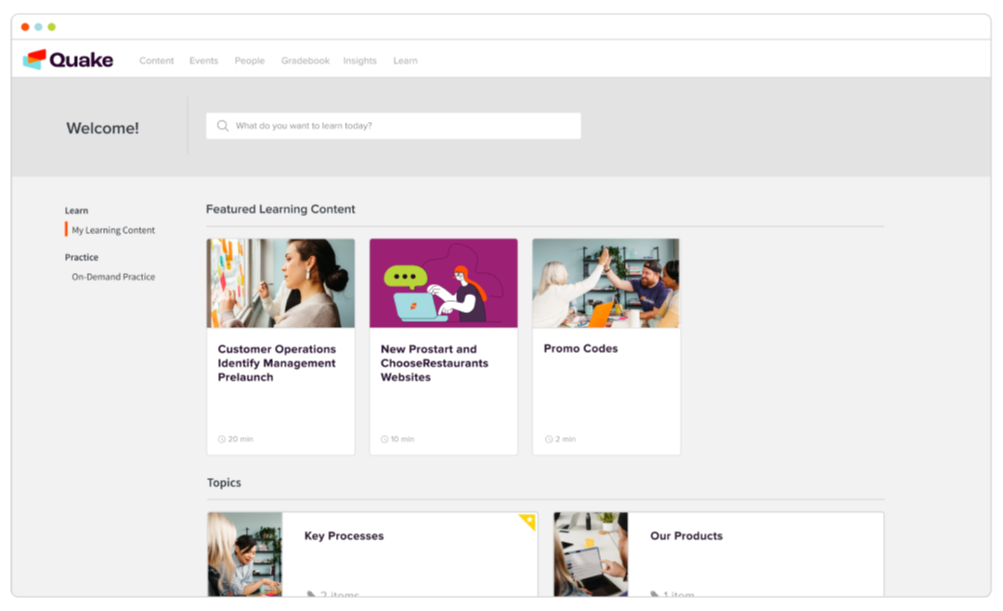
Seismic Learning, formerly Lessonly, is one of the strongest platforms I’ve seen for sales-focused enablement. It’s built specifically to help revenue teams improve execution, not just consume training content. The interactive modules, gamified practice, and coaching tools make it easier for sales reps to refine pitches, handle objections, and build negotiation confidence in a low-risk environment.
What also stands out is the level of flexibility. You can shape the platform around your sales culture, from branding and content structure to role-specific learning paths. It doesn’t feel like a generic LMS repurposed for sales.
With granular user permissions, customizable reporting, and solid integration options, Seismic Learning gives teams meaningful control over how training is delivered and measured. In practice, it functions more like an enablement system than a course library, designed to accelerate sales performance.
Pros:
- Boasts an intuitive platform for effortless custom course creation and assignment
- Seamlessly integrates with tools like Salesforce, Slack, and Zendesk, enhancing workflow efficiency
- Facilitates personalized, interactive learning experiences for employees, customers, and partners
- Mobile-friendly feature ensures lessons can be accessed and completed from any device, anywhere
Cons:
- The process of reviewing lessons is cumbersome, possibly impacting the overall user experience
- The search functionality, although functional, is perceived as not fully robust at present, which can hinder efficient content retrieval
- Some users express frustration with having to provide feedback in a separate file during the training loop
Pricing:
Starts at $32/month
10. TalentLMS – Best for Custom Employee Training
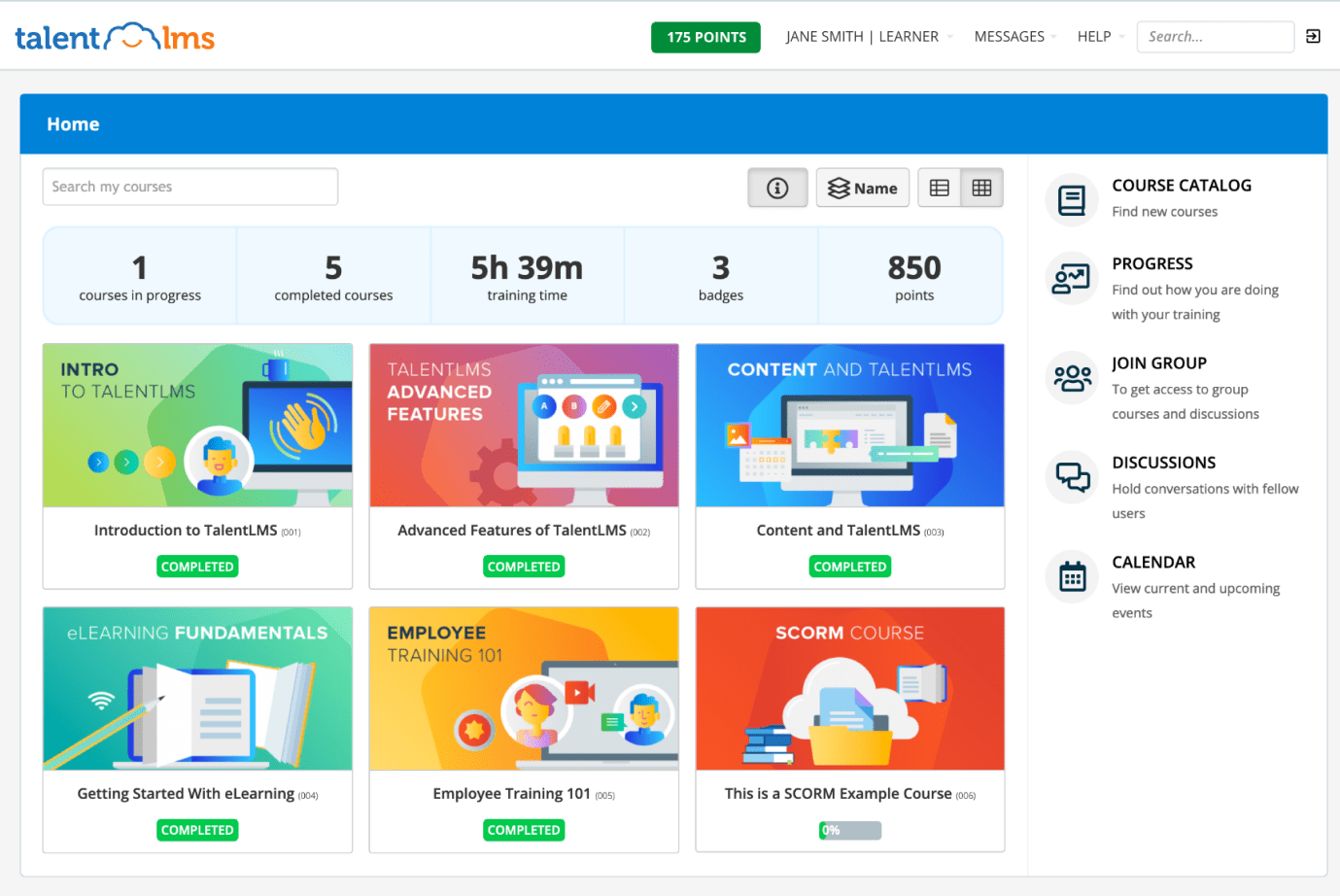
TalentLMS has been around for a long time, and in my experience, that shows in how stable and straightforward the platform feels. It’s not trying to reinvent training. It focuses on making the core LMS functions work reliably, with enough flexibility for different organizational needs.
When I used it, I built onboarding flows and role-based course tracks without much setup overhead. The authoring tools were simple to work with, and it was easy to structure training by department or learning objective rather than pushing the same content to everyone.
The customization options are practical. I adjusted branding, set role-based access controls, and used the reporting features to understand where learners were progressing or getting stuck. It’s a system that supports real training workflows without adding unnecessary complexity.
Pros:
- The mobile app allows users to access their training on the go
- Integrates with a variety of other business tools, making it easy to connect your training with your other systems
- It has a powerful AI engine that delivers personalized and relevant content, recommendations, and feedback
- Makes course creation a breeze as it supports drag-and-drop media and SCORM file compatibility
Cons:
- Limited availability of templates for certifications, which could restrict the diversity and uniqueness of the content and design
- Users might find the API documentation provided by TalentLMS to be lacking in sufficient detail
- Does not have a native chat feature, so users cannot communicate with each other directly on the platform
Pricing:
Free plan available (only up to 5 users). Paid plan starts at $69/month
How to Choose the Right Custom LMS (Quick Checklist)
Choosing a custom learning management system isn’t about finding the platform with the longest feature list. It’s about identifying the system that fits your learners, workflows, and long-term training responsibilities with the least friction.
Before you shortlist tools, these quick questions will help you match each platform to your organization’s real needs and constraints.
| Decision Area | What to Ask Yourself | Why It Matters |
|---|---|---|
| Audience Type | Are we training employees only, or also customers, partners, or contractors? | Not all LMS platforms handle external audiences well. Multi-audience support affects permissions, branding, and structure. |
| Training Complexity | Do different roles require different learning paths and renewal cycles? | Role-based automation reduces admin work and prevents irrelevant training assignments. |
| Compliance & Certification | Do we have recurring certifications, audits, or regulatory deadlines? | Automation, renewal tracking, and audit-ready reporting become critical in compliance-heavy environments. |
| Integration Needs | What systems must this LMS sync with (HRIS, payroll, CRM, SSO)? | Poor integrations increase manual admin work and data inconsistencies. |
| Implementation Capacity | Do we have internal technical resources, or do we need something configurable without developers? | This determines whether you need deep custom LMS development or a configurable SaaS platform. |
| Scalability | Will we grow in users, regions, or complexity over the next 2–3 years? | Some platforms scale smoothly. Others require restructuring later. |
| Administrative Load | Who will own the LMS long term? How much time can they realistically dedicate? | Ongoing admin effort often becomes the biggest hidden cost. |
| Budget & Total Cost | Are we evaluating only licensing cost, or total cost of ownership (admin time, integrations, maintenance)? | A lower upfront price does not always mean lower long-term effort. |
5 Must-Have Custom LMS Capabilities
Once you get past feature checklists and demos, the real test of a system is whether it reduces effort over time or quietly adds to it. The value of a custom learning management system shows up in how reliably it supports daily training, compliance, and reporting without constant supervision. These are the capabilities that consistently matter in practice.
1. Role-Based Learning Paths
Training should adjust automatically based on role, department, or responsibility. A well-designed system assigns the right courses without manual sorting, which reduces both learner fatigue and administrative overhead. When learning paths are role-aware, training feels relevant instead of repetitive.
2. Automation for Recurring Training
Compliance and certification programs only work if they repeat without fail. Automated re-enrollment, expiration tracking, and reminders remove the risk of missed deadlines and last-minute scrambling. This is where thoughtful custom LMS development replaces spreadsheets and calendar alerts.
3. Reliable and Audit-Ready Reporting
Reports should be easy to understand and easy to trust. Administrators need clear visibility into completions, certification status, and timelines without exporting data into other tools. When reporting is reliable, audits become routine rather than stressful.
4. Seamless System Integrations
A training platform should reflect your organization as it exists, not as a separate data silo. Integrations with HR or people systems ensure user data stays accurate and reduces duplicate work. This level of alignment is often overlooked in early custom LMS software development decisions.
5. Flexible Branding and User Experience
Learners engage more when the system feels familiar. Branding, layout control, and clear navigation help the platform feel like part of the organization rather than an external tool. A strong experience supports adoption without requiring extra training.
When a Custom LMS Is the Right Choice
| Situation | Why a Custom LMS Makes Sense |
|---|---|
| Your training must reflect your brand | When the LMS is customer-facing or central to employee experience, default branding feels out of place. A custom setup lets the platform look and feel like part of your organization, not a third-party add-on. |
| Different roles need different learning paths | Organizations with varied roles often struggle with irrelevant or repetitive training. Custom logic allows learning paths to adjust automatically based on role, department, or seniority. |
| Training must sync with internal systems | If learner data lives in HR, payroll, or CRM systems, manual imports quickly become unreliable. Custom integration keeps user data accurate without repeated admin work. |
| Reporting is tied to compliance or audits | In regulated environments, reports are not optional dashboards. They are evidence. A custom LMS supports clear tracking of certifications, renewals, and completion timelines. |
| You train external audiences | Partner, vendor, or customer training rarely fits standard employee-only models. Custom setups support separate audiences with different access rules and branding. |
| Your organization is scaling | As teams grow or expand across regions, manual processes break down. Custom workflows allow training operations to scale without increasing administrative load. |
| Access control needs to be precise | When instructors, managers, auditors, and learners all interact with the system, role-specific permissions prevent errors and reduce dependency on a single admin. |
| Training runs on repeat cycles | Annual certifications and recurring programs require automation. Custom logic ensures re-enrollment, reminders, and expirations run without manual oversight. |
Common Challenges When Adopting a Custom LMS
Even with the right intentions, a custom LMS can fall short if a few predictable challenges are overlooked. These issues are not signs of failure. They are friction points that tend to surface when training systems move from planning into daily use.
1. Underestimating Data Migration Effort
Legacy content is often outdated, duplicated, or inconsistently labeled. Moving everything as-is creates confusion and weakens reporting from day one. Successful teams treat migration as a cleanup exercise, not a copy-paste task.
2. Change Management Resistance
Learners and admins both resist tools that feel unfamiliar or complicated. Without clear communication and simple onboarding, even a well-designed system can struggle with adoption. This challenge often matters more than the platform’s feature set.
3. Integration Complexity
Connecting training systems with HR or payroll tools looks simple on paper, but small mismatches in data structure can cause ongoing issues. Teams exploring custom learning management system development often underestimate the time needed to test and stabilize these connections.
4. Hidden Total Cost of Ownership
Licensing fees are only part of the cost. Admin time, support dependency, and future changes all add up. A sustainable approach to custom LMS software development accounts for long-term effort, not just initial setup.
5. Over-Customization
Adding every available option can make the system harder to manage. Customization should solve specific problems, not introduce new ones. The most effective platforms stay intentionally simple.
Custom LMS Implementation Guide
Once a platform is shortlisted, implementation is where most LMS decisions quietly succeed or fail. The patterns below are based on how different types of organizations actually roll out a custom LMS, not on ideal scenarios.
Step 1: Define Training Scope and Learner Groups
Teams that implement successfully start by separating learners by function, not just by headcount. For example, HR teams in healthcare and manufacturing usually distinguish between compliance-driven roles and skill-based roles because renewal cycles and reporting expectations differ. Training companies and consultancies typically separate internal staff from external clients early to avoid retrofitting multi-tenant logic later.
At this stage, teams usually clarify:
- Who the learners are (employees, partners, customers)
- How often training repeats
- Which outcomes must be tracked for audits or reviews
Step 2: Choose the Right Customization Depth
When I say that many teams succeed with configurable platforms, I’m referring mainly to small and mid-sized businesses, HR teams, and professional services firms without dedicated engineering resources. These groups often find that configurable SaaS platforms meet most needs through workflows, automation, and branding.
By contrast, organizations like universities or large enterprises with in-house developers are more likely to invest in deeper custom LMS development using open-source foundations.
This decision usually depends on:
- Internal technical capacity
- Long-term ownership expectations
- Tolerance for maintenance and upgrades
Step 3: Prepare and Clean Existing Content
Teams that skip content cleanup usually regret it within the first audit cycle. Organizations migrating from legacy LMS tools often discover duplicate courses with inconsistent completion rules.
Successful teams:
- Retire outdated or unused courses
- Standardize course names and certification logic
- Align expiration rules before migration
This step has an outsized impact on reporting accuracy later.
Step 4: Configure Automation and Reporting
In compliance-heavy environments such as healthcare, construction, and finance, automation is configured before launch because it is operationally non-negotiable. Certificate expirations, re-enrollment rules, and reminders are defined early so manual processes don’t persist.
Reporting is also finalized upfront, typically covering:
- Completion status
- Certification history
- Renewal timelines
Weak custom LMS software development choices tend to surface here first.
Step 5: Run a Controlled Pilot
Teams that avoid rollout issues test with real learners and real deadlines. A common approach is piloting with:
- New hires going through onboarding
- A department facing an upcoming certification renewal
This exposes gaps in notifications, access controls, and reporting that sandbox testing rarely reveals.
Step 6: Roll Out With Clear Ownership
In organizations where LMS ownership is unclear, systems degrade quickly. Successful teams assign a primary owner, usually in HR or L&D, and document basic processes for updates and reviews.
This governance model is what keeps a custom learning management system effective well beyond launch.
Why a Custom LMS Works When Training Needs to Fit
If there’s one shift worth making, it’s this: stop thinking of a custom LMS as a piece of software and start thinking of it as an agreement between how your organization works and how learning shows up inside it. When that agreement is off, friction creeps in quietly. When it’s right, training becomes something people trust instead of tolerate.
What I’ve learned is that the most effective systems are rarely the most complex. They are the ones who respect context. They understand roles, deadlines, and human forgetfulness. A well-chosen custom learning management system doesn’t demand attention. It earns it by staying out of the way and doing its job consistently. That, in the end, is what real customization looks like.
Frequently Asked Questions

Do I need developers to manage a custom LMS?
In most cases, no. The HR and L&D teams I work with manage their own custom LMS platforms once the initial setup is complete. Where developers are necessary is when you choose open-source systems or when you attempt deep UI or logic changes. If your goal is control, not code ownership, you can avoid this entirely.
Can a custom LMS support both employee and customer training?
Yes, but only if the platform was designed with that use case in mind. Employee-only LMS platforms tend to struggle when external users are added later. This is one of the clearest signals that customization is not optional.
How do I know if I’m over-customizing?
If a feature exists because it “might be useful someday,” it’s probably unnecessary. The healthiest custom LMS setups I’ve seen are opinionated. They solve today’s problems cleanly and resist feature creep.
What’s the biggest hidden cost teams underestimate?
Ongoing administrative effort is often the biggest hidden cost that teams underestimate. A well-chosen custom LMS reduces that workload over time, while a poorly chosen one can increase the day-to-day burden elsewhere.

Let ProProfs AI create your training course

 We'd love your feedback!
What did you like & how can we make it even better?
 Thanks for your feedback!
 Ask Your Question
Have a question? Get expert help to make your decision easier.