
I’ve sat through enough eLearning platform demos to fill a small conference hall, and here’s the thing nobody tells you upfront: most corporate eLearning solutions look identical on a sales call. Same promises, same stock footage of a diverse team smiling at laptops. The differences only show up six months in, when your compliance deadline is two days away, and half your frontline crew still can’t log in from their phones.
I manage training rollouts for a living, which means I’ve watched good platforms get abandoned because nobody checked mobile access, and mediocre ones stick around for years because they nailed the one thing that actually mattered: people used them.
This list covers the corporate eLearning solutions I’d actually put in front of a decision committee in 2026, what each one gets right, where it falls short, and how to tell which one fits your team.
What Is Corporate eLearning?
Most eLearning solutions support continuous professional development, adapt to individual learning paces, and address specific organizational needs, enabling companies to stay competitive and employees to grow in their careers.
“eLearning is a structured course or learning experience delivered electronically. It can also include performance support content. Many different elements can make up a learning program, such as live or pre-recorded lecture content, video, quizzes, simulations, games, activities, and other interactive elements.” – Association for Talent Development.
The 10 Best Corporate eLearning Solutions for 2026
I’m excited to share a list of the best eLearning solutions. I put in a lot of hard work and did thorough research to create this list, ensuring these options are reliable and effective.
Here’s a quick side-by-side look before we get into each platform in detail:
| Platform | Best For | Capterra Rating | Starting Price | AI Capabilities |
| ProProfs Training Maker | Fast, AI-assisted compliance and skills training | 4.8/5 | Free up to 10 learners / $1.99 per learner/mo | Full AI course builder, AI LMS, AI content generation |
| Cornerstone OnDemand | Global enterprises running a full talent suite | 4.1/5 | Custom quote (commonly $65K+/yr) | Talent-intelligence AI add-ons, not core to the LMS |
| Learning Pool | Data-driven personalization at scale | 4.1/5 | Custom quote | AI-enhanced content recommendations |
| iSpring Learn | Teams already living in PowerPoint | 4.7/5 | From $3.58/user/mo | Minimal; manual, PowerPoint-based authoring |
| Docebo | AI-forward learning at enterprise scale | 4.4/5 | Custom quote ($25K-$40K/yr common) | Shape AI turns documents into courses |
| Infopro Learning (Unlock LEARN) | A managed learning partner, not just software | Not independently rated | Custom quote (managed-services model) | Not a core focus; human-led design |
| Tovuti LMS | Multi-audience training with built-in AI authoring | 4.8/5 | From ~$7,500/yr | AI Course Creator builds lessons from documents |
| Open LMS | Moodle-based flexibility, managed for you | ~4.0/5 | Custom quote (no public pricing) | Limited; inherits Moodle’s plugin options |
| Aims Digital | Fully custom, hand-built course content | Not applicable (custom agency) | Project-based quote | Human-led instructional design |
| SweetRush | High-production, immersive custom learning | Not applicable (custom agency) | Project-based quote | Used internally, not a buyer-facing feature |
1. ProProfs Training Maker – Best for Easy Course Creation for Employee Training, Compliance & Skill Assessment
ProProfs Training Maker is a comprehensive and user-friendly online platform designed to simplify and enhance how you create, manage, and deliver online training programs.
When I tested the AI course creation tool, I typed in a topic and had a structured course, complete with quizzes, ready in minutes, which matters a lot when there’s no dedicated instructional designer on staff.

Let ProProfs AI create your training course
It comes with customizable templates (AI can edit or restructure them on request), readymade corporate eLearning courses, reporting with AI-flagged learning gaps, certificates, and integrations with various APIs.
The platform supports training in multiple languages, with AI-generated voiceovers, and offers virtual classroom software for administering learners from anywhere, at any time. ProProfs Training Maker is ideal for a wide range of industries, including construction, manufacturing, healthcare, financial services, and more.
Check out what customers have to say about this tool:
With over 4 million users and 100,000+ courses and tests created, ProProfs Training Maker is a leading solution for employee training, compliance training, and more.
Pros:
- AI course builder turns a document or topic into a full course in minutes
- 500+ pre-built compliance and skills courses cut build time further
- Reporting at-risk learners before deadlines, not after
- 70+ language support with AI-generated voiceovers for global teams
- Scales cleanly from small teams to enterprise rollouts without a re-platform
Cons:
- No on-premise or downloadable setup
- An option for light and dark mode would be great for an enhanced UX
Pricing: Free plan for growing teams. Paid plan starts at $1.99 per active learner/month for large teams with a 15-day money-back guarantee. No hidden charges.
2. Cornerstone OnDemand – Best for Global Enterprises Running a Full Talent Suite
Cornerstone OnDemand offers a comprehensive talent management platform to align organizational goals with individual aspirations.
This platform enables organizations to deliver, manage, and track global training, providing personalized development opportunities and unlocking employees’ full potential.
With over 125 million users, this eLearning solution offers robust insights for optimizing talent, engaging the workforce with premium learning content, and supporting continuous growth. It stands out for its ability to empower organizations to work more effectively, offering solutions that cater to a wide range of needs, from learning and development to recruitment and onboarding.
Cornerstone’s commitment to driving significant outcomes for people and organizations is evidenced by its impressive ROI, vast course registrations, and continuous engagement in learning activities.
Pros:
- Handles learning, performance, and recruiting in one connected suite
- Proven at serious scale, tens of thousands of employees across dozens of countries
- Content Anytime marketplace gives access to licensed courses instead of building from scratch
- Strong compliance and regulatory training depth for regulated industries
- Robust multi-language support for genuinely global workforces
Cons:
- Enterprise pricing commonly runs $65,000 to $70,000+ per year, out of reach for most mid-sized teams
- Implementation and admin overhead are significant, often requiring a dedicated Cornerstone administrator
Pricing: Custom quote (enterprise contracts commonly start in the tens of thousands annually)
3. Confirm (formerly Learning Pool) – Best for Data-Driven Personalization at Scale
Confirm (formerly Learning Pool) optimizes employee performance by delivering personalized learning experiences. The platform customizes training based on individual needs and business objectives based on data. This facilitates more effective training and preparation for current and future challenges.
With features like engaging user experience design, social and cohort learning options, personalized recommendations, and mobile learning capabilities, this software aims to make workplace learning more intuitive and impactful.
The best part about this eLearning training solution is that it has tools for skills identification and gap analysis, which help businesses align learning strategies with their goals and measure the impact of training on team performance.
Pros:
- Personalization engine adapts content to role, performance, and skill gaps
- Built-in skills gap analysis helps align training with actual business needs
- Supports social and cohort learning, not just solo self-paced courses
- Enhanced by AI and automation across the learning experience
- Strong fit for large, multi-department enterprises with varied learning needs
Cons:
- No published pricing, so budgeting requires a sales conversation before you know your real cost
- Built primarily for large enterprises, less practical for smaller teams just getting started
Pricing: Custom quote (contact vendor)
4. iSpring Learn – Best for Teams Already Living in PowerPoint
The iSpring Learn LMS is best suited for onboarding, upskilling, and certification processes for teams across various industries. It supports various training programs, such as compliance, product, sales training, employee performance appraisal, and partner/customer training.
This LMS aims to enhance employee skills, improve workflows, reduce hiring costs, and build a better HR brand. This tool simplifies course creation without coding skills, facilitates training assignments, measures ROI with concrete data, and automates repetitive tasks for efficiency.
It scales business growth through improved training and includes ready-made expert courses. Recognized for its value and comprehensive features, iSpring Learn serves over 2,400 teams in 75+ countries, emphasizing its global acceptance and effectiveness in employee training.
Pros:
- Converts existing PowerPoint content into SCORM courses with minimal rework
- Fast to learn for non-technical admins and instructors
- Affordable pricing relative to feature depth, per most reviewer feedback
- Handles onboarding, compliance, and partner training in one system
- Mobile access with offline support for learners on the go
Cons:
- Quiz reports only show a learner’s last attempt, not their full quiz history
- Licenses are tied to individual users and are difficult to transfer or reassign
Pricing: Starts at $3.58 per user/month (Business plan)
5. Docebo – Best for AI-Forward Learning at Enterprise Scale
Docebo is an AI-powered LMS designed for enterprise-level training and development. We have mainly used this for its AI capabilities, and I must say that it’s a game-changer! It offers a blend of sharp design and advanced functionality, with the flexibility to accommodate any team or use case.
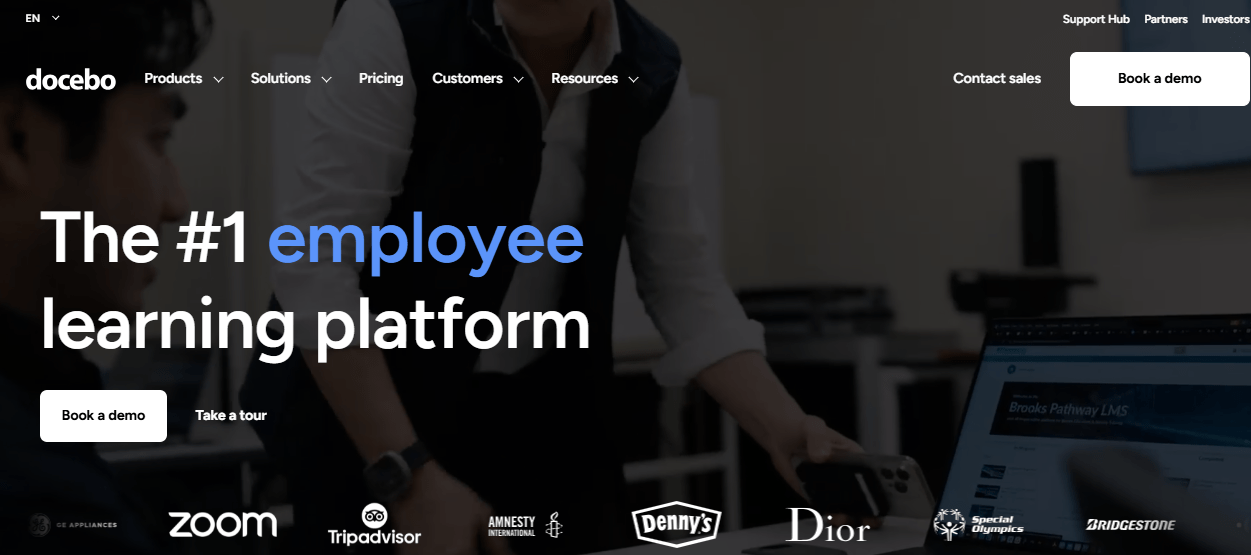
With its boundless configurability, users can create audience-specific pages quickly using drag-and-drop tools. The platform boasts over 400 integrations, enabling seamless connection with various SaaS business systems without coding.
Docebo excels in customer education, partner enablement, and retention, supporting the delivery and sale of online courses to multiple external audiences. It also emphasizes AI-based upskilling and reskilling, offering automated, personalized learning that aligns with business needs.
Pros:
- Shape AI converts existing documents into structured courses quickly
- Multi-domain architecture supports employees, partners, and customers from one console
- Social learning communities add informal knowledge-sharing beyond formal courses
- Proven at serious enterprise scale, up to 50,000+ users
- Extensive integration ecosystem for connecting to other business systems
Cons:
- Consumption-based AI credit pricing adds budget unpredictability on top of base licensing
- Support quality varies noticeably across review platforms, worth checking references before buying
Pricing: Custom quote (base licensing commonly $25,000 to $40,000/year)
6. Infopro Learning – Best for Teams That Want a Managed Learning Partner
Infopro Learning offers managed learning services, including learning strategy, talent acquisition, measurement, analytics, and custom, curated, and pre-built content for diverse learning needs.
Infopro Learning’s platforms, Unlock: LEARN and Unlock: OKR, are designed to enhance corporate learning and performance management through intuitive features like course management, integrations, self-service reporting, and gamification.
Serving various industries, including professional services, finance, healthcare, and technology, it aims to transform business through engaging learning experiences and leadership development.
The company’s insights focus on critical areas like employee engagement, diversity, and strategic leadership, underlining its commitment to fostering inclusive and effective workplaces.
Pros:
- Combines a learning platform with managed services and staff augmentation
- Role-based dashboards and custom data visualization support performance-focused reporting
- 25+ years of corporate training experience across 150+ countries
- Strong option for teams needing extra L&D capacity, not just software
- Custom content development available alongside the platform itself
Cons:
- Not independently rated on major software review platforms, so you’re relying mostly on Infopro’s own case studies
- Services-first model means pricing and value depend heavily on the consulting engagement, not just the software
Pricing: Custom quote (managed-services model)
7. Tovuti LMS – Best for Multi-Audience Training With Built-In AI Authoring
Tovuti LMS is one of the top corporate eLearning solutions for small to mid-sized businesses and large enterprises. Tovuti offers a range of features, including the ability to create engaging courses, quizzes, and lessons quickly using professionally designed themes and templates.
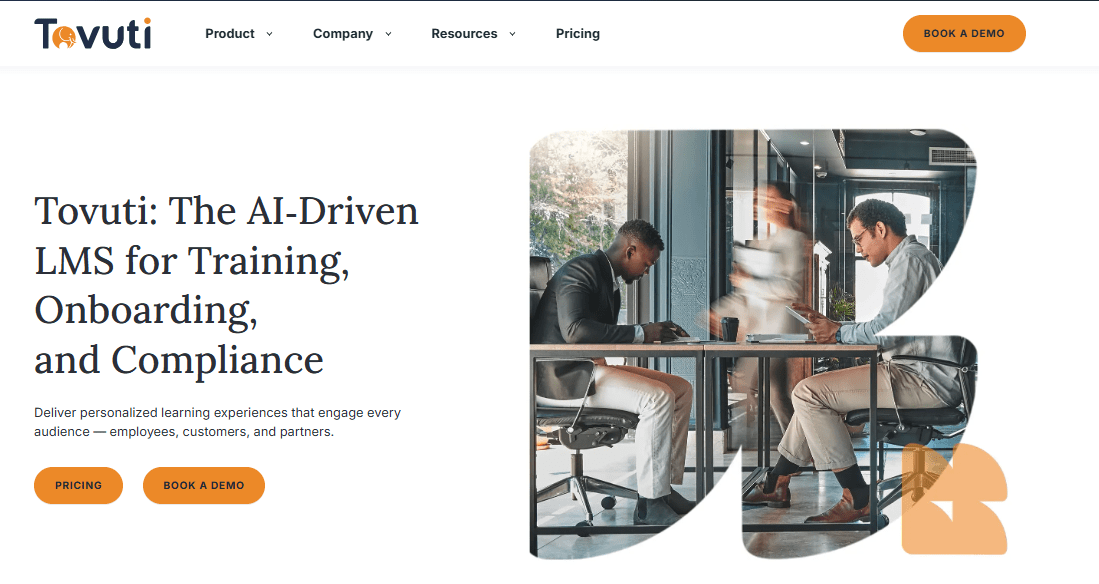
It emphasizes personalized learning experiences, ensuring content is accessible and engaging across all devices.
With a focus on security, Tovuti provides enterprise-scale data protection, including end-to-end encryption and disaster recovery. The platform is celebrated for its customer support, ease of use, and ability to enhance training outcomes and ROI significantly.
Pros:
- AI Course Creator builds full lessons, quizzes, and narration from a document or outline
- Handles employees, partners, and customers as genuinely separate audiences
- Built-in ecommerce for organizations that also sell training content
- Reviewers consistently praise responsive, helpful customer support
- SCORM/xAPI/cmi5 support alongside the AI-native course creation
Cons:
- Site and branding templates are more limited than some competitors offer
- Pricing climbs quickly past the base user tier, and monthly packages can get expensive
Pricing: Starts around $7,500/year (custom quote)
8. Open LMS – Best for Moodle-Based Flexibility, Fully Managed
Open LMS Work is a Moodle™-based LMS tailored for businesses, non-profits, and government organizations of all sizes. It offers a customizable platform to align learning initiatives with business goals, ensuring a seamless blend of educational content delivery and organizational outcomes.
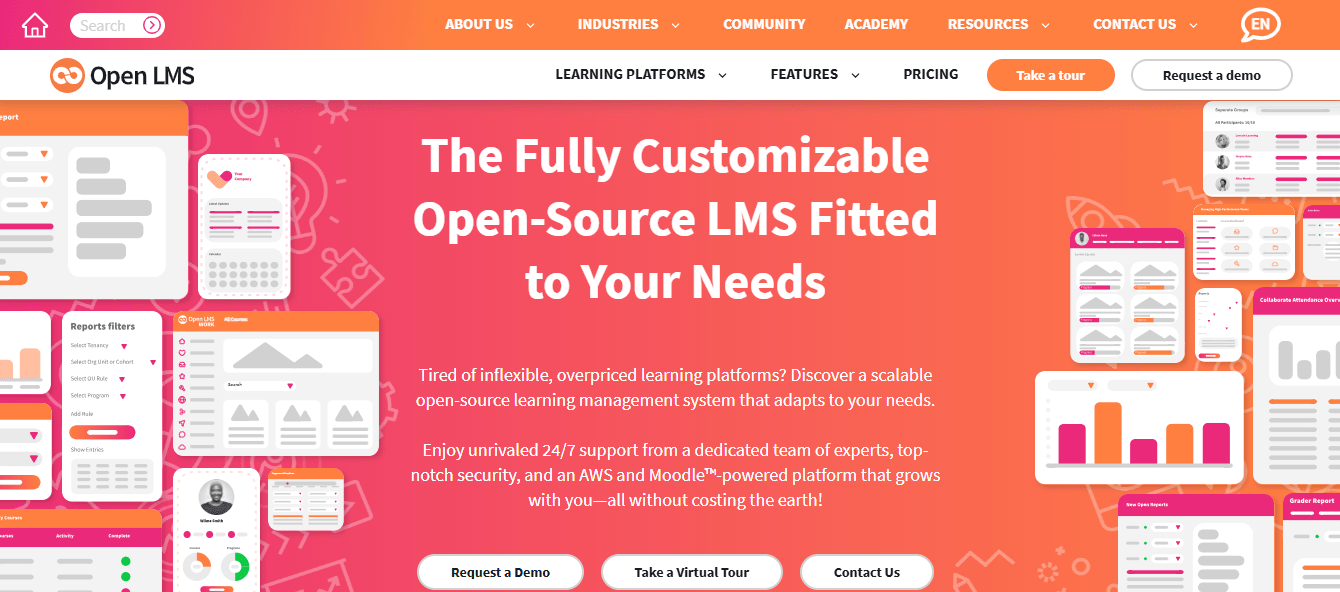
This corporate eLearning solution stands out for its focus on flexibility, scalability, and user engagement, boasting features like multi-tenancy, tailored branding, robust reporting, and comprehensive compliance tools.
With a commitment to accessibility and a robust support system, including 24/7 end-user assistance and a 98% client satisfaction rate, Open LMS Work ensures a smooth and efficient online training experience.
Its emphasis on no software license fees means investments go directly into services and support, optimizing training outcomes and development activities. Open LMS Work is your partner in delivering impactful learning experiences backed by an experienced global team dedicated to your success.
Pros:
- Managed Moodle experience without the self-hosting and maintenance burden
- Multi-tenancy and tailored branding support multiple business units or clients
- Solid compliance and reporting tools out of the box
- Reviewers rate technical support noticeably well
- No software license fees, since investment goes into services and support instead
Cons:
- Doesn’t match the full feature depth and plugin ecosystem of self-hosted Moodle
- No published pricing, so cost comparison requires a direct sales conversation
Pricing: Custom quote (no public pricing)
9. Aims Digital – Best for Fully Custom, Hand-Built Course Content
Aims Digital is a leading provider of custom eLearning solutions tailored to meet corporate clients’ specific needs.
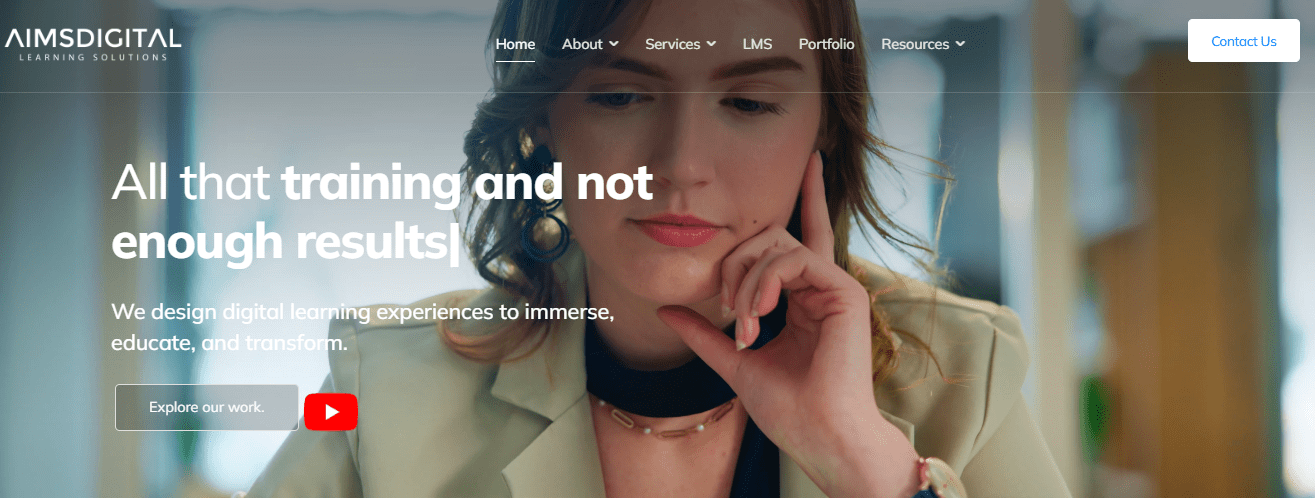
With a focus on creating engaging and interactive eLearning courses, Aims Digital leverages a range of interactivities, from games to multimedia content, to keep learners engaged and invested in their learning journey.
The corporate elearning company is known for its comprehensive approach to eLearning, offering services such as mobile learning, rapid authoring, localization, legacy content modernization, blended learning, explainer videos, instructional design, and custom eLearning development.
Pros:
- Fully custom course design, not limited to template libraries
- Strong use of interactivity, games, and multimedia over static slides
- Handles legacy content modernization for outdated training libraries
- Localization services for multi-region training content
- Good fit when visual polish matters as much as instructional accuracy
Cons:
- Not a licensed software platform, so there’s no self-serve trial or public pricing
- Project timelines run weeks to months, not the same-day setup that a licensed LMS offers
Pricing: Custom, project-based quote
10. SweetRush – Best for High-Production, Immersive Custom Learning
SweetRush is a transformative force in the custom learning solutions sector, blending innovative technology with effective instructional design to deliver impactful training programs.
They are driven by a passion to significantly impact both personal and organizational success, offering a wide array of services from mobile learning to eLearning and instructor-led training to interactive games and simulations.
Using the ADDIE model, SweetRush focuses on understanding and meeting business objectives, ensuring their solutions are educational and strategically aligned with their client’s needs. Their commitment to creativity, collaboration, innovation, and strategy has positioned them as a trusted partner in developing learning solutions that are both engaging and effective.
Pros:
- High-production, immersive design quality, closer to an agency than a typical vendor
- Transformational Design Standards keep every project tied to measurable outcomes
- Talent Solutions lets you bring in specialists without a full project commitment
- Decades of cross-industry experience across custom content development
- Strong fit for gamified simulations and complex, high-stakes training scenarios
Cons:
- No published pricing, and costs vary significantly by project scope and complexity
- Not a standalone platform, so you still need an LMS to actually deliver the content
Pricing: Custom, project-based quote
My Top 3 Picks for Corporate eLearning Solutions
If you read nothing else on this page, read this section. Out of everything above, these are the three I’d actually put in front of a decision-maker this year, and why.
ProProfs Training Maker
For most teams building a corporate eLearning program from scratch, this is still my first call. The AI course builder gets you from zero to a working compliance or skills program in a single afternoon, and the pricing doesn’t force you into enterprise complexity you don’t need yet.
Tovuti LMS
If AI-native course creation matters more than brand-name recognition, I’d look at Tovuti before some bigger names on this list. I’ve seen its AI Course Creator build a full lesson set, including quizzes, from a single uploaded document, and it treats employees, partners, and customers as genuinely separate audiences.
Docebo
If you’re past the point where a straightforward LMS covers what you need, and you’re managing employees, partners, and customer education from one system with real budget behind it, Docebo’s AI content tools and multi-domain architecture earn the enterprise price tag.
How I Evaluated These Corporate eLearning Solutions
Picking tools for a list like this isn’t something I take lightly. Here’s exactly what I weighed, applied the same way across every entry.
- User Reviews and Ratings: Every score in the comparison table came directly from each platform’s Capterra listing, not a vendor’s marketing page, and I weighted patterns across many reviews over a single outlier.
- Essential Features and Category Fit: I checked whether a platform is corporate eLearning software built to deliver and track training, or an authoring tool wearing an LMS label, since much buyer confusion starts there. I weighed real AI capabilities, like course generation from existing documents, against tools where “AI” is a marketing checkbox, and assessed genuine platform depth, including SSO, integrations, and mobile access.
- Ease of Use: A platform only your L&D team can operate defeats the purpose the moment a manager or new hire needs to touch it. I gave real weight to how quickly a non-technical admin could set up a course, assign it, and pull a completion report without a support ticket.
- Customer Support: New platforms hit setup snags by definition, new integrations, new admins, new edge cases. I looked at how reviewers actually described response times and setup help, not just whether a support page exists.
- Value for Money: I evaluated pricing at the tier a real business would land on, not the cheapest teaser plan, and flagged wherever a pricing model runs counter to how training programs actually grow, imposes per-learner costs that punish scaling up, or uses quote-only pricing that hides the real number until late in the sales process.
- Real-World Fit, Not Just Star Ratings: A 4.8 rating built on 99 reviews and a 4.4 built on 236 tell different stories, and wherever reviewers specifically mentioned multi-location, compliance-heavy, or global rollouts, I weighted that feedback more heavily than a generic single-team review.
8 Essential Components of Corporate eLearning
Components of corporate eLearning are the essential elements that make up an effective and engaging online training program for employees. Here are the key ones:
1. Learning Management System (LMS)
The backbone of any eLearning program, an LMS allows you to create, deliver, manage, track, and analyze online courses and assessments. It provides a centralized portal where employees can log in, access training materials, participate in quizzes, and monitor their progress actively.
This system streamlines the educational process and enables administrators to monitor engagement, performance, and overall learning outcomes closely.
2. Online Training Content
This includes various digital learning materials such as videos, PDFs, slide presentations, and interactive modules. The content should be engaging, relevant, and aligned with your organization’s learning objectives.
Doing so ensures that the content not only holds your learners’ interest but also significantly contributes to professional development.
3. Interactive Elements
To enhance learning and retention, incorporating interactive elements like quizzes, simulations, and gamification can be very effective. These elements make learning more engaging and allow learners to practice their skills in a risk-free environment.
In fact, a study by the Brandon Hall Group found that organizations that use interactive learning tools such as simulations, games, and scenarios report higher levels of employee engagement, satisfaction, and retention than those that rely on traditional e-learning methods.
4. Mobile Learning
With the increasing use of smartphones and tablets, employees take to mobile learning to access training materials on the go. In fact, by 2025, the global mobile learning market is expected to reach USD 37.6 billion.
It’s crucial for eLearning solutions and platforms to be mobile-friendly to accommodate the needs of modern learners.
5. Analytics and Reporting Tools
These tools help track the effectiveness of your eLearning program. They provide insights into how learners interact with the courses, their progress, areas of strength, and where they might need more support.
6. Personalization and Adaptive Learning
Tailor the learning experience to meet your learners’ needs. This helps improve engagement and outcomes. Adaptive learning technologies adjust the content based on the learner’s performance, providing a personalized learning path.
Here’s a real-life example of how IQC Security & Loss Prevention Consultancy used ProProfs Training Maker for personalized learning.
Here’s what Sakil Mahmud Khan, the Business Development Manager of IQC Security & Loss Prevention Consultancy, has to say:
“The best part of ProProfs is the flexibility in customization it offers.”
7. Social Learning and Collaboration
When learners work together, they learn better.
Despite the overwhelming support for collaborative learning, it doesn’t happen very often in the workplace. I feel this is where organizations go wrong! The lack of structured opportunities for collaborative learning can hinder not only the growth and development of individual employees but also the innovation and adaptability of the organization as a whole.
Features that enable peer-to-peer interaction, such as discussion forums and group projects, can enhance the learning experience.
For instance, ProProfs Collaborate enhances the eLearning experience by offering a Q&A platform for peer-to-peer interaction and knowledge exchange. This platform empowers learners to delve into course-related questions, engage in meaningful discussions, participate in group projects, and tap into the collective knowledge and insights of their peers and instructors from anywhere at any time.
8. Compliance and Certification Management
For industries requiring ongoing compliance training, eLearning programs must include features for managing certifications, deadlines, and regulatory compliance content.
These industries often operate under strict regulatory frameworks, where failing to meet compliance requirements can result in significant legal and financial penalties.
Managing certifications ensures all employees have up-to-date qualifications and know the latest industry standards and practices.
Benefits of Implementing Corporate eLearning
Implementing corporate eLearning solutions within an organization brings a multitude of benefits, enhancing both employee development and organizational efficiency.
Here are the top five benefits:
- Cost Efficiency
- Flexibility and Accessibility
- Customization and Scalability
- Improved Learning Retention
- Data and Analytics for Enhanced Learning Outcomes
1. Cost Efficiency
eLearning reduces many costs associated with traditional learning methods. This includes savings on travel, venue rentals, printed materials, and instructor fees.
Online training platforms allow employees to learn from their desks or anywhere with internet access, minimizing downtime and operational disruptions.
Watch this: How KDD Transformed Employee Training & Significantly Reduced Costs | ProProfs Case Study
2. Flexibility and Accessibility
One of the most significant advantages of eLearning is its flexibility. Employees can access training materials anytime, anywhere, making it easier to fit learning into their busy schedules.
This mainly benefits companies with remote or global teams, ensuring consistent training across all locations.
3. Customization and Scalability
eLearning platforms allow for the customization of learning paths and materials to suit the individual needs of each employee.
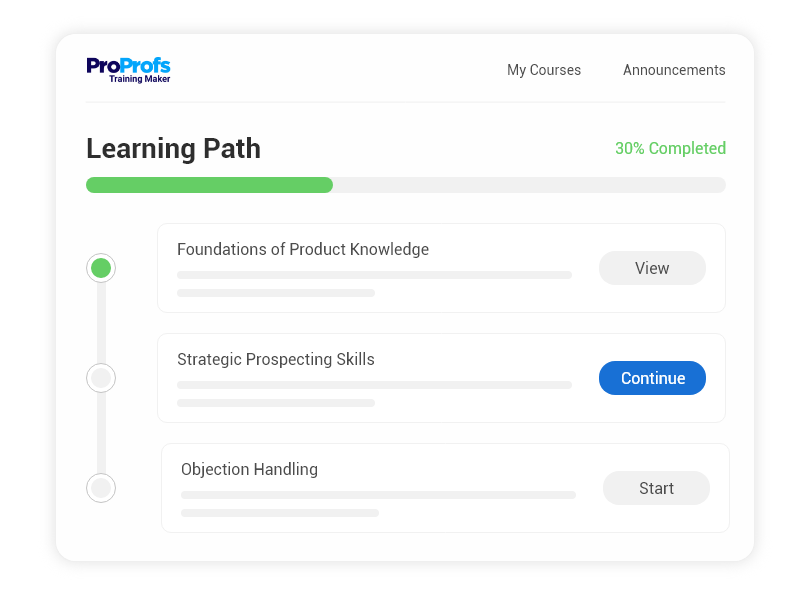
Training can be tailored to address the specific skills and knowledge gaps of a workforce. Moreover, eLearning can easily scale to accommodate growth in employee numbers, ensuring that training materials are always available to new hires.
4. Improved Learning Retention
The Research Institute of America found that eLearning increases retention rates by 25% to 60%, while retention rates of face-to-face training are very low in comparison: 8% to 10%.
eLearning incorporates interactive elements, multimedia, and gamification, which can enhance engagement and, consequently, retention of information.
Digital learning environments are designed to be engaging and interactive, helping employees retain information better than traditional lecture-based learning.
7. Data and Analytics for Enhanced Learning Outcomes
eLearning platforms provide detailed analytics and reporting tools that help organizations track and analyze employee progress and engagement.
This data can be used to identify areas where employees may need additional support, measure the effectiveness of training programs, and continuously improve the learning experience.
By leveraging these benefits, organizations can foster a culture of continuous learning and improvement, leading to increased productivity, employee satisfaction, and the ability to quickly adapt to market changes and new technologies.
How to Choose the Best Corporate eLearning Solutions
Choosing the best corporate eLearning solutions for your business can be daunting, as there are many factors to consider. However, I’ll share the top six tips that my organization follows to find the most suitable option.
First, assess your training needs and the types of employees you want to train. Different solutions may cater to different groups of learners, such as frontline workers or back office staff.
Next, define your goals, learning objectives, and the outcomes you want to achieve. This will help you align your training content with your business goals and measure its effectiveness.
Once done, consider customization options and the level of flexibility you need. Some solutions may offer more features and integrations than others, allowing you to tailor your courses to your specific requirements.
Fourth, evaluate the LMS features and the functionalities they provide. Look for features that enhance the learning experience, such as gamification, microlearning, analytics, and feedback.
Fifth, consider the cost implications of each solution. It’s vital to find a solution that not only meets your training needs but also fits within your budget. Check out this guide to know more.
Lastly, ensure you have access to reliable and responsive customer service and that the solution can work seamlessly with your existing systems and tools.
By following these steps, you can choose the best corporate eLearning solution for your business and maximize the benefits of online training.
Transform Your Workforce With Corporate eLearning
In my experience, corporate eLearning solutions are more than just a tool. I would say they are a catalyst for transformation.
As you explore these top eLearning platforms, remember one thing: You are envisioning a future where your teams are more skilled, adaptable, and aligned with your organizational goals.
I encourage you to see this not just as a choice of a platform but as a strategic step towards building a culture of continuous learning and growth.
Remember, in the corporate world, the investment we make in our people’s learning today is the foundation of our success tomorrow.
Frequently Asked Questions
What are the best corporate eLearning solutions for small businesses?
For small businesses, ProProfs Training Maker and iSpring Learn are the strongest starting points. Both have transparent per-user pricing, free plans or trials, and don't require a dedicated LMS administrator to get running, which matters most when you don't have a full L&D team yet.
How much does corporate eLearning software cost?
Pricing ranges widely. Platforms like ProProfs Training Maker and iSpring Learn start under $4 per user per month, while enterprise suites like Cornerstone OnDemand and Docebo typically run into five figures annually through custom quotes based on user count and modules.
What's the difference between an LMS and an authoring tool?
An LMS delivers, tracks, and reports on training. An authoring tool builds the actual course content, slides, quizzes, and interactions. Some corporate elearning platforms combine both; others expect you to build content elsewhere and import it, so check which one you need first.
Can AI actually build a full training course on its own?
AI can generate a strong first draft, an outline, quiz questions, even narration, from a document or topic in minutes. It shouldn't publish unverified, though. Off-the-shelf AI models still carry a meaningful error rate, so a human should check any AI-generated course before it goes live.
Which corporate eLearning platform works best for multinational teams?
Cornerstone OnDemand and ProProfs Training Maker both support extensive multi-language training, with Cornerstone handling deep regulatory compliance across dozens of countries and ProProfs supporting 70+ languages with AI-generated voiceovers, a strong fit among e-learning solutions for multinational companies without enterprise-level budgets.
Do employees actually finish online compliance training?
Completion depends more on format than content. Long, single-session courses see steep drop-off after the first few minutes. Breaking training into short modules, adding reminders inside tools like Slack or Teams, and issuing real certificates all measurably improve completion rates compared to one long session.
What should I check before switching corporate eLearning platforms?
Check data migration and export options first, since switching costs are usually higher than expected. Confirm HRIS and SSO integrations work natively, verify mobile and offline access for any frontline staff, and run a pilot with a real group before moving your entire organization over.
Is a free corporate eLearning platform good enough for a growing team?
Free plans work for very small teams; ProProfs Training Maker's free tier covers up to 10 learners, for instance. Past that, you'll need a paid tier for reporting depth, learner volume, and integrations. Treat free plans as a way to test fit, not a permanent solution.
Let ProProfs AI create your training course

 We'd love your feedback!
What did you like & how can we make it even better?
 Thanks for your feedback!
 Ask Your Question
Have a question? Get expert help to make your decision easier.