

I’ve yet to meet anyone who loves choosing an eLearning authoring tool. Most of us end up here because something is broken. Course creation is slow, PowerPoint files refuse to behave, or the eLearning software we picked years ago now feels heavier than the job it’s supposed to help with.
This list is my attempt to cut through that friction. It compares eLearning authoring tools based on how they actually feel to use, not how impressive they sound, so you can find the best eLearning software for the way you work today, not the way vendors assume you work.
This guide is for you if:
- You create or maintain courses using PPTs, docs, or videos, and want a faster way to turn them into eLearning
- You’re evaluating a new eLearning authoring tool and want clarity without sales noise
- You’re responsible for training, onboarding, or compliance, and need practical eLearning creation software that scales without adding complexity
But before we start, here’s a quick video to understand what eLearning Authoring Software is.
List of 10 Best eLearning Authoring Software
This list brings together eLearning authoring tools that teams actually rely on to create, maintain, and scale training. Each tool was reviewed based on how it handles real-world course creation, not just how it looks in a demo.
Some tools focus on speed, others on control, and a few try to do both. To help you quickly orient yourself, here’s a side-by-side table that highlights where each option fits best.
| Tool | Best For | Authoring Strength | AI Support | Collaboration | Notable Tradeoff |
|---|---|---|---|---|---|
| ProProfs Training Maker | Easy employee training with LMS | AI + PPT, docs, video, ready-made courses | Yes (single-prompt course creation) | Yes | No downloadable version available |
| dominKnow | Advanced layout control | Structured, adaptive design | Limited | Yes | Rigid container-based layouts |
| Gomo Learning | Enterprise-scale teams | Cloud-based, mobile-first authoring | No | Strong | Slower for rapid builds |
| Lectora | Power users who want control | Highly customizable desktop authoring | Yes (AI Course Wizard) | Yes | Steep learning curve |
| Easygenerator | Fast AI-driven content creation | Text-first, template-based | Yes | Limited | Basic reporting |
| Elucidat | Experienced authors at scale | Brand-focused, polished output | Limited | Strong | Higher enterprise pricing |
| iSpring Suite | PowerPoint-based course creation | Slide-driven authoring | No | Moderate | Windows-only |
| Thinkific | Coaches selling courses | Simple course builder | No | Limited | Basic assessments |
| Articulate 360 | Industry-standard authoring | Rich interactions and assets | No | Strong (via Review) | High cost |
| Adobe Experience Cloud | Complex interactive learning | Simulations and interactive video | Yes | Enterprise-grade | Very complex and expensive |
1. ProProfs Training Maker – Best for Easy Online Employee Training & LMS

I am starting with ProProfs Training Maker because it reflects how eLearning authoring actually functions inside growing companies and enterprises: course creation is iterative, not a one-time production task.
What I’ve seen in practice is that the platform supports multiple authoring entry points without forcing you into a single workflow. I’ve built complete courses using AI from a single prompt, where the system generates the lesson structure, creates assessments, and produces a solid draft that can be tightened and customized. I’ve also created courses directly from existing PowerPoints, documents, videos, and recorded webinars, which avoids the common inefficiency of rebuilding training assets from scratch.
Because ProProfs Training Maker is also a full eLearning authoring software with built-in LMS capabilities, authoring connects directly to delivery. The courses I create can be assigned immediately, tracked across teams, updated over time, and reused as part of structured learning programs. Learning paths make it easier to design progression-based training, gamification helps sustain learner engagement, and analytics provide clear insight into completion and knowledge gaps.
The ready-to-use course library is another operational advantage. The 500+ expert-built courses in compliance, onboarding, harassment prevention, DEI, and workplace skills provide a credible baseline that can be deployed quickly or adapted to internal requirements.
Pros:
- AI course creation that builds a structured course from a single prompt
- Easy course authoring from PPTs, documents, videos, and existing content
- Access to 500+ ready-made, expert-built courses that can be customized
- Built-in quizzes, assessments, certificates, and learning paths
- Gamification features that add engagement without adding complexity
- Reporting and analytics for tracking participation, progress, and completion
Cons:
- There is no downloadable or on-premise setup.
- A dark viewing mode would be a welcome addition
Pricing:
A free plan is available. Paid plan starts at $1.99 per active learner/month for large teams. No hidden charges. 15-day money-back guarantee.
User rating:
4.8/5 on Capterra
Ease of use:
Beginner-friendly with advanced features; users say it’s easy to set up without tech expertise
Integrations:
Connects with Salesforce, Mailchimp, WordPress, BambooHR, and Constant Contact
2. dominKnow – Best for Extensive Design Capabilities
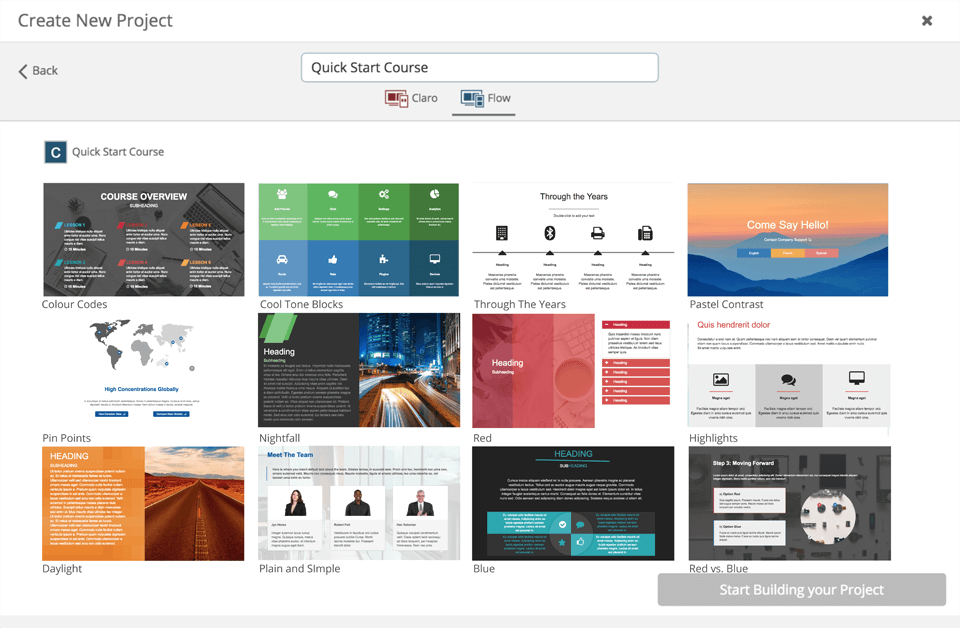
I’ve seen dominKnow come up most often when I’m talking with teams that want real control over how courses are structured and presented. If you care about layout precision and consistency, not just publishing speed, dominKnow is designed for that kind of work.
What stands out to me is how it approaches personalization. Using xAPI, you can connect learning objectives to specific skills or competencies, so courses can adjust based on what a learner already knows. In practice, that’s useful when you’re building training paths that need to feel targeted rather than one-size-fits-all.
On the design side, dominKnow leans heavily into structure. Smart layout guides, auto-alignment, and alignment offset tools help you keep pages clean and consistent as courses grow in complexity. Custom templates also make it easier to enforce standards across large course libraries, especially when multiple designers are contributing.
Pros:
- Dockable panels and drag-and-drop authoring for structured design workflows
- Layers that help organize and manage complex pages
- Flexibility to create courses in multiple page sizes
- Responsive output that adapts well across devices
Cons:
- Container-based design can feel restrictive if you want more freeform layouts
- Limited bundled templates make interactive content harder to start quickly
- Managing images and assessments can feel less intuitive
Pricing:
Starts at $1,997 per author per year
User Rating:
4.7/5 on Capterra
Ease of Use:
Built for scale but still approachable; users often highlight the smooth onboarding experience
Integrations:
Works with Okta, SharePoint, SCORM, xAPI, and supports enterprise SSO and LMS compatibility
3. Gomo Learning – Best for Enterprise Learning
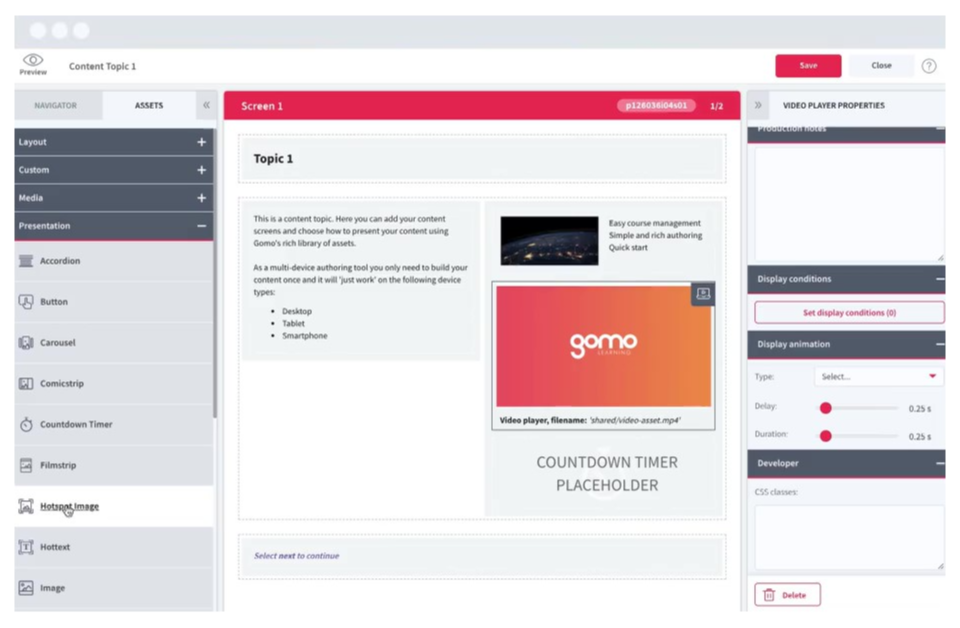
Gomo tends to come up in enterprise settings for a practical reason: it’s built for scale. In my experience, it works best when you’re coordinating training across distributed teams, multiple regions, and several layers of internal review, where consistency becomes just as important as speed.
What I’ve noticed with Gomo is that the fully cloud-based setup removes much of the usual friction. I’ve had learning designers and subject matter experts working in the same course environment simultaneously, without the constant back-and-forth of file versions or exports. For global L&D teams, that collaboration alone makes a difference.
I also found Gomo particularly strong on branding and governance. I’ve used its custom themes to keep the learner experience consistent across a large library, and the review workflows help when approvals involve compliance or brand teams. The drag-and-drop interface also makes it easier for SMEs to contribute directly, so course creation doesn’t stay bottlenecked with instructional designers.
Pros:
- Advanced multi-language support for global audiences
- Efficient delivery through SCORM LMS Wrapper options
- Strong collaborative authoring for distributed teams
Cons:
- No built-in screen recording or video editing features
- Workflow can feel slower than expected for rapid builds
- Lacks some advanced authoring capabilities found in desktop tools like Storyline or iSpring
Pricing:
Custom pricing
User Rating:
4.5/5 on Capterra
Ease of Use:
Users often describe it as intuitive and distraction-free, particularly for mobile-first course creation
Integrations:
Publishes to SCORM and xAPI, and connects with NetDimensions LMS, Watershed, and analytics platforms
4. Lectora – Best for Rapid Authoring With Complete Control
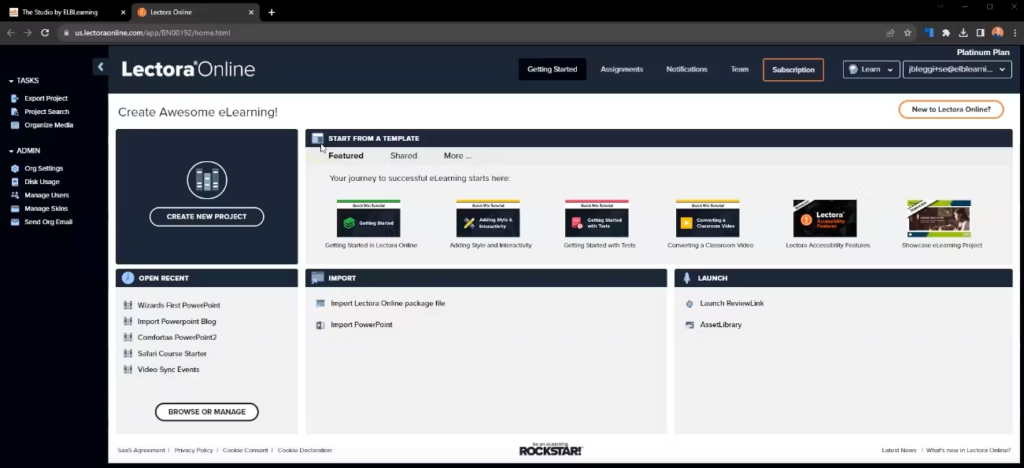
Lectora often comes up when teams want speed without losing control. From what I’ve seen working with it, it’s one of the more flexible desktop-based authoring tools for designers who need to shape structure, interactions, and accessibility in a very deliberate way.
One of the strengths is how it supports repeatable course production. The template and interaction library make it easier to build mobile-ready, accessibility-aligned training without starting from scratch each time. That’s especially important in compliance work, where consistency and clean assessment flow matter as much as fast turnaround. Knowledge checks, quizzes, and evaluations integrate smoothly into the course design.
Lectora’s AI Course Wizard is also a useful accelerator. I’ve used it to generate an initial course draft quickly, mainly to get a workable foundation on screen, then refine it with hands-on instructional design. That mix of automation and precision is a big reason the platform continues to appeal to experienced designers.
Pros:
- High level of flexibility for building sophisticated, customized courses
- Supports global team collaboration with automatic project backups
- Strong compatibility with LMS platforms and industry standards
Cons:
- Steeper learning curve that can feel intimidating for beginners
- Fewer built-in games or lightweight templates compared to some tools
- Updating older courses can cause issues after major software updates
Pricing:
Starts at $117 per month, with access to the Asset Library and ReviewLink®
User Rating:
4.4/5 on Capterra
Ease of Use:
Clean interface with productivity-focused tools; often praised for accessibility features and quick editing workflows
Integrations
Compatible with SCORM Cloud, Docebo, HealthStream, and supports exports to SCORM, AICC, and xAPI
5. Easygenerator – Best for AI Content Creation
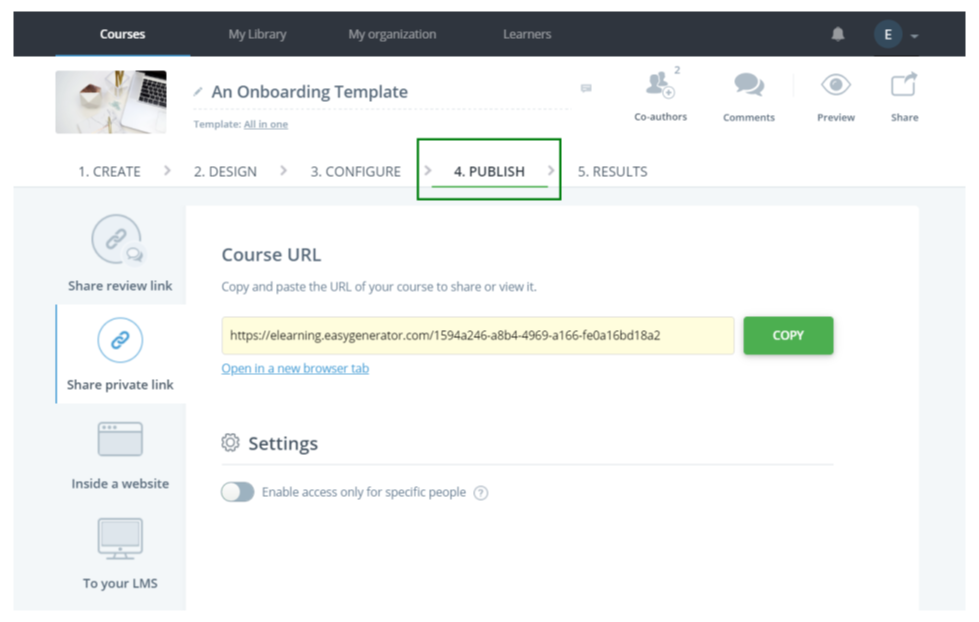
Easygenerator usually comes up when the priority is speed, especially for teams that want to create training without getting stuck in heavy design choices. I’ve seen it work particularly well in organizations trying to turn internal knowledge into usable learning content quickly.
What stands out is EasyAI, which is built around making raw material easier to shape into training. I’ve used it to simplify dense source documents, restructure ideas into clearer lesson flow, and tighten content that wasn’t originally written for learning. The value is practical: you spend less time manually breaking things apart and more time refining something already organized.
EasyAI also supports assessment creation in a useful way. It can generate knowledge checks directly from the course material, which helps reinforce learning without adding extra authoring steps. Overall, Easygenerator feels designed for accessibility, letting even non-designers contribute training that still comes across as structured and complete.
Pros:
- AI-assisted content creation that speeds up drafting and structuring
- Supports interactive eLearning without complex setup
- Wide range of customizable templates
- Webinars and resources aimed at improving training quality
Cons:
- Course completion tracking can feel limited
- Integrations with some LMS platforms can be challenging
- Audit trail reporting is fairly basic
Pricing:
Starts at $108 per month for one author, with limits on courses and learners
User Rating:
4.8/5 on Capterra
Ease of Use:
Drag-and-drop interface with a high ease-of-use rating; often favored by non-designers
Integrations:
Supports LearnUpon, Synthesia, Rise Up, and connects with platforms like EdCast and Degreed
6. Elucidat – Best for Experienced Authors
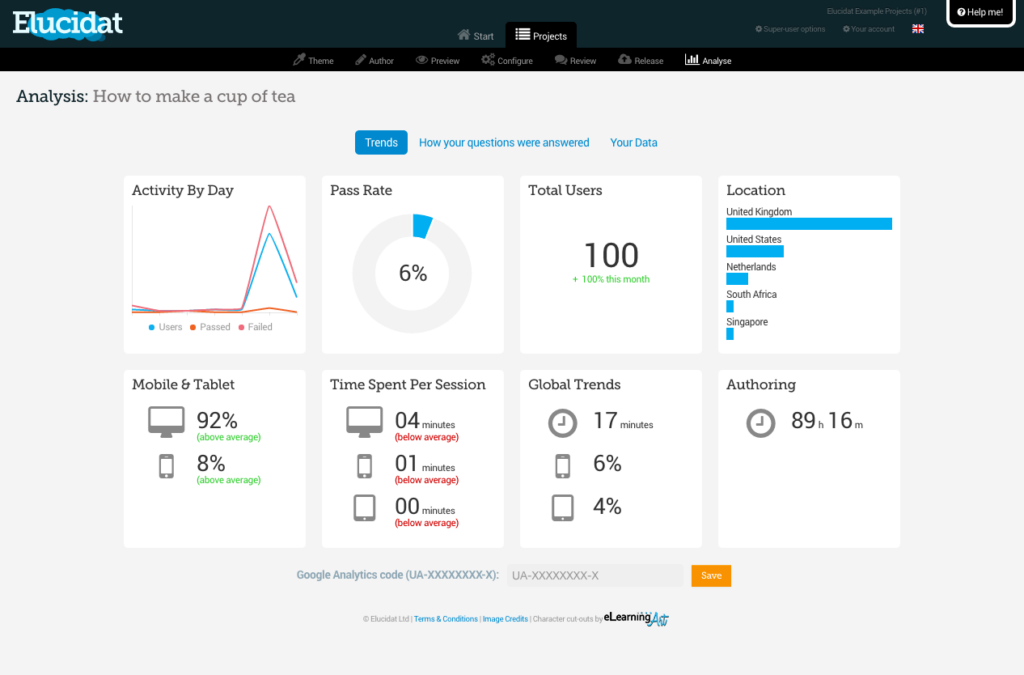
Elucidat tends to resonate most with teams that already have a clear vision of what they want to build. From what I’ve seen using it, it’s built for experienced authors who need creative flexibility, but still want speed and consistency when projects scale.
The authoring environment makes it easier to produce polished, mobile-friendly courses that stay aligned with brand standards. I’ve worked with its customizable templates, multimedia assets, and interactive components to build engaging modules without losing control over design quality or workflow efficiency.
What also makes Elucidat stand out is how well it supports enterprise-level training operations. Features like gamification, quizzes, and surveys help drive engagement, while localization tools, centralized asset management, and learning impact measurement become especially valuable when you’re managing large programs across regions and teams.
Pros:
- Streamlined workflows that support efficient authoring at scale
- Personalized content clips, branching scenarios, and social polls
- Role-based permissions and access controls for team governance
Cons:
- A smaller user community compared to long-established tools
- Pricing that is typically geared toward enterprise budgets
- Foundational course structure still requires hands-on effort
Pricing:
Custom pricing
User Rating:
4.6/5 on Capterra
Ease of Use:
Frequently praised for its intuitive interface and responsive design
Integrations:
Supports SCORM and xAPI, and integrates with a wide range of LMS platforms
7. iSpring Suite – eLearning Software for PowerPoint
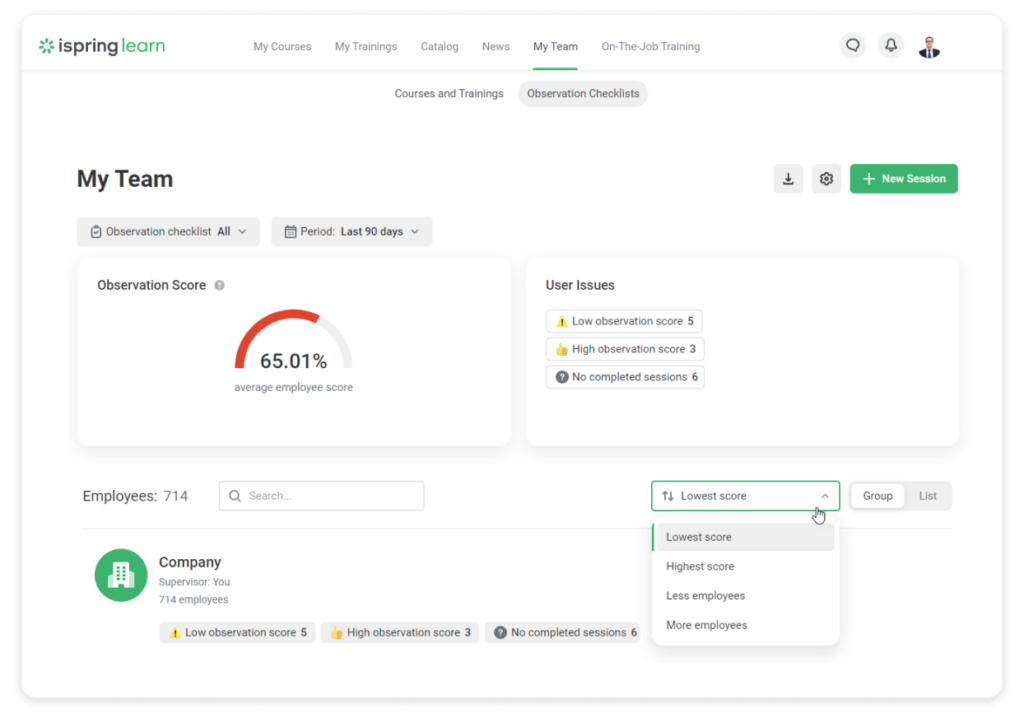
iSpring Suite is built around a practical idea: if you already know PowerPoint, you shouldn’t need a steep learning curve to build solid eLearning. That familiarity is its real advantage. Everything runs inside the PowerPoint environment, so course creation feels fast, structured, and predictable.
What I’ve done with iSpring is take existing slide decks and turn them into complete courses with narration, video lectures, quizzes, and interactive elements, without rebuilding the content in a separate tool. Once the course is ready, publishing to an LMS is straightforward, which keeps the workflow focused on authoring rather than technical setup.
Beyond slides, iSpring includes a video studio, a quiz builder, and an interaction editor that enable you to create more than just linear presentations. I’ve also found the shared online workspace useful when multiple people are reviewing or contributing. Features like the character builder and ready-made backgrounds add flexibility for scenario-based training, while still keeping the tool simple to operate.
Pros:
- Familiar PowerPoint-based workflow with minimal learning curve
- Large library of slide templates and interactive assets
- Strong set of built-in tools for quizzes, video, and interactions
Cons:
- Transitions between video and text slides can feel awkward
- Available only on Windows
- Audio editing can be cumbersome, especially for fine cuts
Pricing:
Starts at $770 per author per year for HTML5 and SCORM course creation, including role plays
User Rating:
4.6/5 on Capterra
Ease of Use:
Often praised for seamless PowerPoint integration and near-zero onboarding effort
Integrations:
Exports to SCORM, xAPI, and AICC-compliant LMSs, and integrates with platforms like Moodle and Zoom
8. Thinkific – Best for Coaches Selling Courses
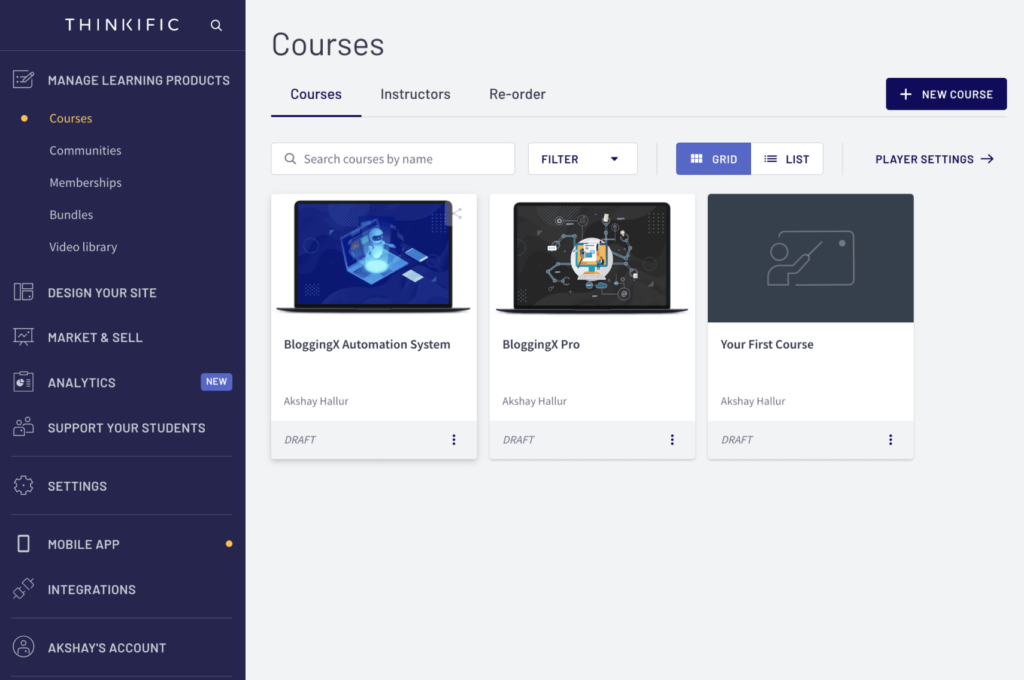
Thinkific is designed for creators who want to package expertise into a sellable course without getting dragged into technical complexity. What I’ve noticed using it is that the platform prioritizes execution: building, publishing, and monetizing courses from one place, rather than supporting deep instructional design workflows.
The drag-and-drop builder keeps the course structure straightforward. I’ve organized lessons quickly using templates, and bulk import makes it easy to bring in existing videos, PDFs, or resources without rebuilding everything manually. That simplicity is a big reason it works well for coaches, consultants, and independent trainers who want speed and clarity over heavy authoring features.
Thinkific also supports multiple delivery models, from self-paced programs to scheduled and cohort-based courses, with live lessons and webinars layered in. On the learner side, multimedia access and the mobile app help keep training easy to consume. On the creator side, built-in payments, subscriptions, and sales tools reduce the need to stitch together separate platforms, which is often the real friction point when you’re trying to launch quickly.
Pros:
- Unlimited video hosting is included with subscriptions
- Clean, easy-to-use admin interface for managing courses and learners
- Flexible subscription and pricing options for B2C course models
Cons:
- Built-in email marketing features may feel limited
- Assessment options are fairly basic
- Costs can add up if you need advanced marketing functionality
Pricing:
Free plan available, limited to one course. Paid plans start at $36 per month, with limits on communities and spaces.
User Rating:
4.4/5 on Capterra
Ease of Use:
Designed to be intuitive, users often highlight how easy it is to create and manage courses
Integrations:
Connects with payment gateways like PayPal and Stripe, CRM tools such as Salesforce and Mailchimp, and other third-party services
9. Articulate 360 – Best for Authoring eLearning Content
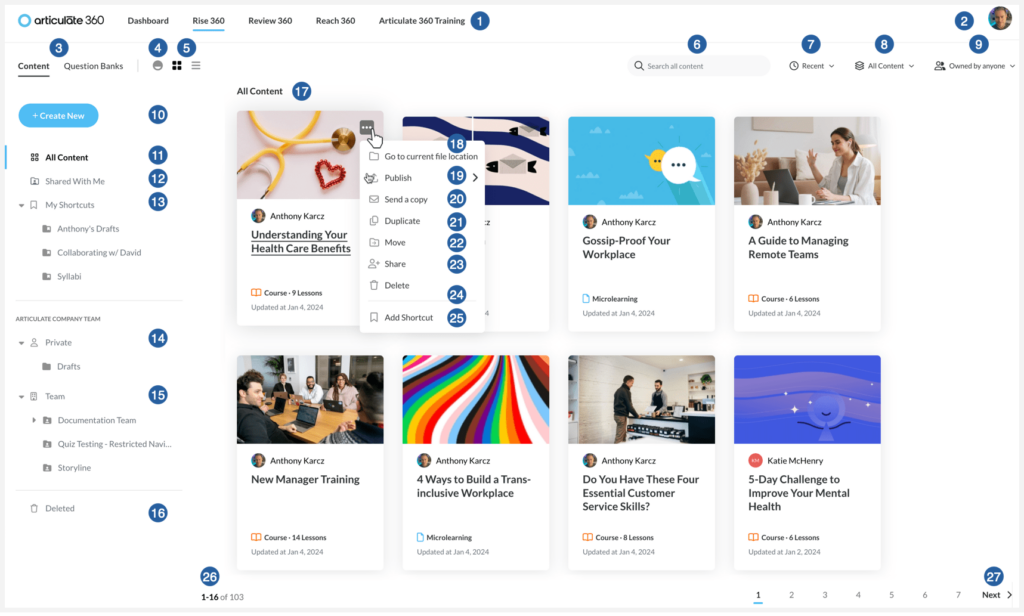
Articulate 360 is often treated as the default choice in eLearning authoring, and after working with it, I understand why. It’s less a single tool and more an ecosystem: multiple authoring apps, a deep asset library, and built-in review workflows packaged into one subscription. Once you’re operating inside that system, day-to-day course production becomes fairly streamlined.
What I’ve found especially valuable is the collaboration layer. The review app makes feedback much easier to manage because stakeholders can comment directly on the course, in context, instead of sending fragmented notes over email. That speeds up iteration and reduces the usual back-and-forth during approvals.
On the build side, Articulate is strong for interactive, media-rich learning that needs to work across devices. Responsive design is handled automatically, which removes a lot of manual layout adjustment. And with access to a large stock library and ongoing training resources, teams tend to move faster once the workflow becomes familiar.
Pros:
- Prebuilt and customizable course themes
- Centralized review and feedback workflows
- Responsive, mobile-friendly course output
Cons:
- Branching scenario views can feel hard to navigate
- Built-in assessment features are relatively basic
- Limited testing options without additional setup
Pricing:
Starts at $1,399 per user per year, including course authoring apps and access to a large asset library
User Rating:
4.7/5 on Capterra
Ease of Use:
Often noted for a short learning curve, especially for users familiar with PowerPoint
Integrations:
Publishes to SCORM, xAPI, and AICC, and integrates with tools like Slack and Microsoft Teams
10. Adobe Experience Cloud – Best for Interactive eLearning
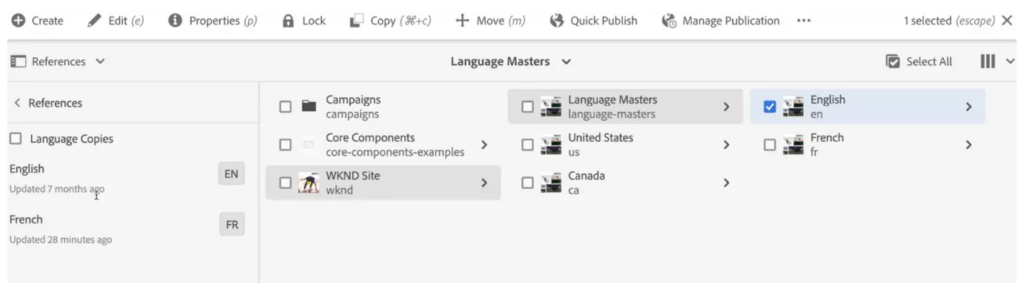
Adobe Experience Cloud often comes up when learning is treated as part of a broader digital experience, not just a standalone course. From what I’ve seen working with it, it’s not a traditional authoring tool in the Articulate sense. It’s a much larger ecosystem built for organizations designing complex, content-rich learning journeys across channels.
One area where it stands out is interactive simulation and video-based learning. I’ve used its capabilities to layer quizzes, overlays, and guided interactions directly into video content, which is especially effective when learners need to practice workflows or software actions in a controlled, low-risk environment.
It also supports document-driven authoring, which is useful in larger teams. Content can be drafted in familiar tools like Word or Google Docs, then moved into web-based learning experiences without rewriting everything from scratch. And at enterprise scale, features like content reuse, metadata governance, and translation workflows become critical, because training is rarely built once, in one language, for one audience.
Pros:
- High level of customization for complex, interactive learning experiences
- Handles large-scale, enterprise-level scenarios effectively
- Uses AI-driven insights and automation across content workflows
Cons:
- Steep learning curve, especially for teams new to Adobe’s ecosystem
- Pricing is often out of reach for smaller organizations
- Deep customization can feel complex and time-consuming
Pricing:
Custom pricing
User Rating:
4.5/5 on Capterra
Ease of Use:
Designed for enterprise use; some users find core tasks manageable, while deeper customization can feel complex
Integrations:
Natively integrates with Adobe Creative Cloud and Analytics, with additional integrations supported through APIs and Experience Platform connectors
Evaluation Criteria (My Take)
I didn’t evaluate these tools based on how impressive their feature lists look on a pricing page. I evaluated them based on the problems people keep running into after the demo ends. The criteria below are shaped directly by real frustrations I’ve seen come up again and again in community discussions.
1. Speed of Course Creation
How fast can you turn raw material into a real course? This looks at how well the tool handles PowerPoint files, documents, videos, and repeatable structures without trapping you in endless copy-paste loops.
2. Ease of Use for Non-Designers
Most courses are built by people who are not instructional designers. I paid close attention to whether trainers, HR teams, and SMEs can actually use the tool without a steep learning curve or constant rework.
3. AI-Assisted Course Creation
This is no longer optional. I looked at whether the tool uses AI in a way that genuinely reduces effort, such as drafting course outlines, generating quizzes, structuring lessons, or speeding up content conversion, without taking control away from the human building the course.
4. Scalability for Teams and Audiences
Some eLearning authoring tools feel fine when you’re working alone and become painful once collaboration starts. This covers team workflows, version control, reviews, and how well the tool scales as learners and content grow.
5. Content Maintenance Effort
Creating a course once is easy compared to maintaining it. This criterion looks at how simple it is to update content months later, reuse modules, and avoid breaking layouts every time something changes.
6. Export Options and Standards Support
Vendor lock-in is a real concern. Tools that support clean exports like SCORM or HTML5 give you control over your content and flexibility if your stack changes later.
9. Long-Term Cost and Vendor Reliability
The real cost shows up over time. I considered how pricing scales, whether teams feel they’re paying a “monopoly tax,” and how much confidence you can have in the vendor’s long-term direction.
Quick Tips: A Faster Way to Choose eLearning Authoring Software
If you’re feeling overwhelmed by choices, this is the section to slow down with. I’ve learned that most people don’t need more tools to look at. They need fewer, better-aligned options based on how they actually work.
- If you rely heavily on PowerPoint and want fast conversion
Look for eLearning authoring tools that are built around PPT imports and slide-based workflows, so you’re not rebuilding layouts or reformatting content every time you update a deck.
- If you need rapid onboarding or compliance training
Focus on eLearning software that offers ready-made templates, quick assessments, and simple publishing, so courses can go live quickly without sacrificing consistency.
- If you want AI-assisted content creation with minimal setup
Prioritize eLearning creation software that uses AI to draft outlines, generate quizzes, or structure lessons, while still letting you edit and control the final output.
- If you need enterprise governance and multi-team workflows
You’ll want an eLearning authoring tool that supports collaboration, version control, role-based access, and reliable export options to fit into larger training ecosystems.
This isn’t about finding the “perfect” tool. It’s about removing options that don’t match your reality so you can test the ones that do.
Common Scenarios and Recommended Tool Approaches
Different teams hit different problems, even when they’re all looking at the same eLearning authoring tools. These scenarios come up often, and the “right” tool usually depends on which one sounds closest to your reality.
Scenario 1: Small L&D or HR Team With Limited Time
If you’re a small team, speed matters more than depth.
What to prioritize
- Fast course creation from existing PPTs, docs, or videos
- Simple workflows that don’t require design or technical skills
- Templates and AI-assisted features that reduce manual setup
What to avoid
- Tools with steep learning curves
- Heavy desktop software that slows you down
- Platforms that require too much configuration just to publish a course
Scenario 2: Growing Company Scaling Onboarding and Compliance
At this stage, consistency and upkeep become bigger challenges than initial creation.
What to prioritize
- Reusable content blocks for onboarding and compliance
- Easy updates without breaking existing courses
- Clear reporting to track completion and compliance status
Watch for
- How painful it is to update content months later
- Whether reports answer real questions or just look impressive
Scenario 3: Enterprise Training With Multiple Stakeholders
Once multiple teams are involved, structure matters.
What to prioritize
- Collaboration features for reviews and approvals
- Version control so changes don’t overwrite work
- Governance tools like roles, permissions, and export controls
Avoid
- Tools that work well for individuals but fall apart in team settings
- Platforms that lock content into proprietary systems
Scenario 4: Educators or Trainers Selling Courses
Here, learner experience and presentation carry more weight.
What to prioritize
- Branding flexibility so courses don’t all look the same
- Engaging layouts, interactive video, and assessments
- Support for selling, sharing, or embedding courses where learners already are
Consider
- How professional the course feels from a learner’s perspective
- Whether the tool supports growth as your audience expands
This way of thinking tends to narrow the field quickly and makes trial decisions much easier.
Get Free eLearning Authoring Software — All Features, Forever.
We've helped 567 companies train 200,000+ employees. Create courses in under a minute with our AI LMS or use 200+ ready-made courses on compliance, harassment, DEI, onboarding, and more!
Common Problems and How Modern eLearning Authoring Tools Solve Them
Most teams already have the content they need; the real problem is how hard their tools make it to turn that content into something usable.
- Slow PPT-to-course workflows: Tools with native PowerPoint imports and AI-assisted structuring reduce manual copy-paste and speed up course creation.
- Boring, checkbox-style courses: Branching scenarios, interactive video, and real decision-based activities help move learning beyond slides and basic quizzes.
- High tool costs that don’t scale well: Lighter eLearning authoring tools or modular stacks offer flexibility without forcing teams into expensive, all-in-one licenses.
- Vendor lock-in concerns: Export-first eLearning software that supports SCORM and HTML5 keeps content portable and reduces long-term risk.
Authoring Tool vs LMS: Which One Is Better
When teams talk about building online training, the conversation usually circles around two tools: an eLearning authoring tool and a learning management system (LMS). They sound similar, but they solve very different problems.
An eLearning authoring tool is what you use to create courses. This is where you turn PowerPoint decks, documents, videos, and ideas into structured lessons, quizzes, and learning paths.
A learning management system (LMS) is what you use to deliver and track those courses. It handles enrollment, progress tracking, completion reports, certifications, and compliance records.
In many setups, teams use both. They build courses in an eLearning authoring tool and then upload them to an LMS for distribution and tracking. That approach works, but it also adds handoffs, exports, and extra maintenance.
An all-in-one approach makes sense when you want to reduce that complexity. Tools like ProProfs Training Maker combine eLearning authoring tools with full LMS functionality, so you can create courses using AI, PowerPoint, and existing content, and then immediately assign, track, and update them in the same system. For teams that value speed, fewer moving parts, and easier maintenance, this setup often feels more practical than stitching multiple tools together.
The right choice depends on how much control you need versus how much friction you’re willing to tolerate.
Authoring Tool vs LMS: Feature Comparison
| Feature | eLearning Authoring Tool | Learning Management System (LMS) |
|---|---|---|
| Primary purpose | Create courses and learning content | Deliver, manage, and track learning |
| Course creation | Yes. Core functionality | Limited or not available |
| Content types supported | Slides, videos, quizzes, interactions | Depends on content uploaded |
| Learner management | No | Yes |
| Course assignment | No | Yes |
| Progress tracking | No | Yes |
| Reports and analytics | No | Yes |
| Certifications and compliance | No | Yes |
| Typical workflow | Build course, export, upload to LMS | Assign, track, report |
| Maintenance effort | Higher when paired with an LMS | Centralized |
| All-in-one option | Not available | Available in tools like ProProfs Training Maker |
What the Best eLearning Software Gets Right
The right eLearning authoring tool doesn’t make your work feel bigger. It makes it feel lighter. The best eLearning software is the one that fits your pace, your content, and the way your team actually works day to day.
If you want fewer handoffs and less friction, an all-in-one option like ProProfs Training Maker can make sense. It brings together eLearning creation software and LMS features, so you can build courses using AI or PowerPoint and manage everything in one place.
Choose the tool you won’t have to fight six months from now.
Frequently Asked Questions

Can I use these tools on a Mac?
Many eLearning software platforms are cloud-based and work well on Mac and Windows. Some desktop tools are still Windows-only, so if you’re on a Mac, it’s worth checking this early to avoid workarounds or virtual machines.
How important are SCORM and xAPI support?
Very. SCORM and xAPI determine whether your courses can be tracked properly and moved between systems. If there’s even a small chance you’ll switch platforms later, export support matters more than it might seem at first.
How should I evaluate tools during a free trial?
Use your real content. Import an actual PowerPoint deck, build a short course, update it once, and check the reports. A trial is less about features and more about how much friction you feel doing normal work.

Let ProProfs AI create your training course

 We'd love your feedback!
What did you like & how can we make it even better?
 Thanks for your feedback!
 Ask Your Question
Have a question? Get expert help to make your decision easier.