Ever opened a training module and wondered why a video has no captions? Or why can a screen reader not read the navigation properly? Or why a required form simply does not work without a mouse?
These situations are more common than most teams realize, especially when accessibility is treated as an afterthought.
That is exactly what ADA WCAG compliance is meant to address.
In this blog, we will break down what it actually means, how ADA and WCAG connect, where organizations usually get it wrong, and what you should do if you manage a website, an LMS, or both. Whether you are an HR team managing onboarding, an LMS administrator responsible for training accessibility, a website owner, or a compliance team handling accessibility requirements, this guide covers the ground you need.
What Is ADA Compliance?
The Americans with Disabilities Act (ADA) is a U.S. civil rights law passed in 1990. It was originally designed for physical spaces, ramps, accessible restrooms, and TTY phone lines. But as digital experiences became central to commerce, employment, education, and civic life, courts extended their reach online.
Two titles matter most for businesses and organizations operating digitally:
Title II applies to state and local governments, including public schools and universities. It requires that websites, apps, and digital training platforms be accessible to people with disabilities.
Title III applies to private businesses open to the public. Courts have consistently ruled that websites qualify as “places of public accommodation,” which means ADA requirements apply to purely digital operations as well.
A major case that clarified this issue involved Domino’s Pizza in 2019. A customer with a visual impairment sued because the company’s website and mobile app could not be used with screen readers to order food. The Ninth Circuit ruled that the ADA applied to Domino’s digital platforms because they were essential for accessing the company’s services.
Since then, ADA-related digital lawsuits have risen sharply, with more than 4,600 filings in 2023 alone.
One important thing to understand is this: the ADA does not provide a detailed technical checklist. The law defines the outcome, equal access for people with disabilities, but it does not prescribe exactly how to achieve it.
That is where WCAG (Web Content Accessibility Guidelines) comes in.
What Is WCAG Compliance?
WCAG stands for Web Content Accessibility Guidelines. It is published by the World Wide Web Consortium (W3C) through its Web Accessibility Initiative. Unlike the ADA, WCAG is not a law. It is a technical standard, a detailed, measurable set of criteria that defines what accessible web content actually looks like.
WCAG is built on four foundational principles, known by the acronym POUR:
Perceivable: Information must be presentable in ways all users can perceive. This means alt text for images, captions for videos, and sufficient color contrast.
Operable: Interface components must be usable by all users. This covers keyboard navigation, no seizure-inducing content, and enough time to complete tasks.
Understandable: Content and controls must be clear. This includes plain language, predictable behavior, error identification, and helpful suggestions.
Robust: Content must be reliable enough to be interpreted by assistive technologies like screen readers and braille displays.
The four principles are easier to understand through examples than definitions. Each one below shows the difference between a common failure and what compliance actually looks like in practice.
WCAG Versions and Conformance Levels
Three versions exist, and knowing which to target matters:
| Version | Published | What Changed |
| WCAG 2.0 | 2008 | Established the POUR framework and core success criteria |
| WCAG 2.1 | 2018 | Added 17 criteria covering mobile, low vision, and cognitive disabilities |
| WCAG 2.2 | 2023 | Added 9 criteria focused on cognitive and motor accessibility |
Within each version, there are three conformance levels:
Level A: The minimum. Failing these creates fundamental access barriers.
Level AA: The practical standard. This is what most legal frameworks, regulatory guidance, and courts reference as the target.
Level AAA: The gold standard. Not required for most use cases, but worth pursuing for high-traffic or high-impact platforms.
For most organizations, WCAG 2.1 AA is the benchmark. It is demanding enough to address real barriers but achievable without a complete rebuild.
What Did WCAG 2.2 Add That Matters Most?
WCAG 2.2, published in October 2023, introduced nine new success criteria. Three are particularly relevant for organizations managing training content and interactive platforms:
Focus Appearance (Level AA): When a user navigates by keyboard, the focus indicator must be clearly visible, not just present, but meeting specific size and contrast requirements. This matters for any platform with forms, quizzes, or multi-step workflows. Many default browser focus styles fail this criterion.
Dragging Movements (Level AA): Any action that requires dragging, reordering items, moving sliders, or drag-and-drop quiz interactions must also have a non-dragging alternative. For training platforms that use drag-and-drop question types, this means offering a click-based or keyboard-based alternative for the same interaction.
Accessible Authentication (Level AA): Login processes cannot require cognitive function tests (like remembering a password or solving a CAPTCHA) as the only authentication method. Users must have an alternative, such as a password manager, passkey, or copy-paste capability. For LMS platforms that gate training behind authentication, this criterion directly affects the login experience.
These additions reflect a broader shift in WCAG’s focus toward cognitive and motor accessibility, areas that were underrepresented in earlier versions. Organizations already meeting WCAG 2.1 AA can typically address most 2.2 criteria with targeted updates rather than a full remediation cycle.
ADA and WCAG Compliance: How They Work Together
The most common source of confusion is the relationship between these two frameworks. Here is the direct answer: the ADA is the law, and WCAG is the technical roadmap courts and regulators use to measure whether you have met that law’s requirements.
In 2024, the Department of Justice issued a final rule explicitly mandating WCAG 2.1 AA for Title II entities, with compliance deadlines in 2026 and 2027 depending on organization size. For Title III private businesses, WCAG 2.1 AA is the de facto standard for court references in litigation.
| Dimension | ADA | WCAG |
| Type | U.S. federal law | International technical standard |
| Enforced by | DOJ, private lawsuits | Referenced by courts and regulators |
| Scope | Equal access broadly | Specific, measurable criteria |
| Who it applies to | Government entities and businesses | Any digital content creator |
| Technical specificity | Low – defines outcomes | High – defines exact criteria |
| Current version | Amended over time | 2.2 (2.1 AA is the compliance baseline) |
The practical takeaway: you achieve ADA and WCAG compliance by meeting WCAG 2.1 AA. Understanding WCAG without understanding the ADA leaves you unaware of your legal exposure. Both deserve your attention, and they work together rather than separately.
Why ADA and WCAG Compliance Matter
There are three distinct reasons to take this seriously, and all three deserve equal weight.
The Legal Reality
More than 4,600 ADA-related digital accessibility lawsuits were filed in 2023. These are not only targeting large corporations. Small businesses, e-commerce sites, and online training platforms have all been named. Settlements typically range from $5,000 to $350,000, plus legal fees and remediation costs under a consent decree.
The enforcement trend has continued to intensify. In 2024, the Department of Justice reached settlements with multiple organizations over inaccessible digital training and onboarding systems, reinforcing that internal-facing platforms carry the same obligations as public-facing websites. The DOJ’s April 2024 final rule for Title II entities set explicit WCAG 2.1 AA compliance deadlines: April 2026 for entities serving populations of 50,000 or more, and April 2027 for smaller entities.
For private businesses under Title III, the legal landscape is driven by litigation rather than rulemaking. Plaintiff firms have increasingly targeted e-learning platforms, online course providers, and SaaS tools used for employee training, categories that many organizations assumed were low-risk because the content was internal.
One pattern worth knowing: plaintiff attorneys use automated scanning tools to identify violations at scale. If your site has missing alt text, non-keyboard-accessible menus, or poor color contrast, it can be flagged without anyone intentionally visiting your site. This is not hypothetical. Business owners in online communities regularly describe receiving demand letters within months of launching new sites or updating old ones.
There is also no official federal ADA certification. Companies selling compliance certificates have no legal standing to offer them, and purchasing one does not reduce your liability.
The Human Reality
About 61 million adults in the United States, roughly 1 in 4, live with some form of disability. But that number does not capture the full picture. Accessibility also directly affects older adults experiencing decreased vision, hearing, or motor control; people with temporary disabilities, such as a broken wrist or post-surgery recovery; and people in situational constraints, such as watching a video in a loud environment, using a phone in bright sunlight, or operating a touchscreen with wet hands.
When you build accessibility, you build for all of these people. WCAG’s POUR framework is not a checklist of edge cases; it is a framework for content that works across the full range of human conditions.
The Business Reality
Accessible design produces measurable commercial benefits that often go untracked because they get attributed to other factors.
Alt text improves search engine indexing because screen readers and search bots consume the same information. Semrush and multiple accessibility practitioners have documented that sites meeting WCAG standards tend to rank higher in search results. The overlap is structural, since proper heading hierarchy, descriptive alt text, clean HTML, and transcript availability all serve both screen readers and search engine crawlers.
Captions increase video engagement across all users, not just those who are hard of hearing. A study by PLYMedia found that videos with captions see completion rates 40% higher than videos without. For training content, where completion is often a compliance requirement, captions are not an accommodation, they are a performance feature.
Clear heading structures and readable fonts reduce bounce rates. Keyboard navigability improves speed for power users who prefer it over mouse navigation.
The American Institutes for Research estimates that the total after-tax disposable income of working-age adults with disabilities in the U.S. is approximately $490 billion. Globally, the disability community and their families control over $13 trillion in annual disposable income, according to the Return on Disability Group. Excluding this population through inaccessible digital experiences is not just a legal risk; it is a market access decision.
For HR teams managing compliance training, managers evaluating SaaS platforms, or executives assessing liability exposure, accessibility is also a proxy for operational maturity.
Get Free Harassment Prevention Training Software — All Features, Forever.
We've helped 567 companies train 200,000+ employees. Create courses in under a minute with our AI LMS or use 200+ ready-made courses on compliance, harassment, DEI, onboarding, and more!
Common Challenges and What They Actually Look Like
Most accessibility guides skip over the parts that are genuinely difficult or counterintuitive. Here are the ones worth knowing.
1. Automated Tools Catch Only Part of the Problem
Automated accessibility checkers such as WAVE, Axe, and Lighthouse are useful. They also catch only about 20 to 30 percent of actual accessibility issues. The rest require manual testing with real assistive technologies: screen readers like NVDA, VoiceOver, or JAWS, keyboard-only navigation, and input from users with lived experience of disability.
This is not a reason to skip automated tools. It is a reason not to treat a passing scan as the end of your process.
2. WCAG-Compliant Sites Can Still Fail Users
A site can technically pass all Level AA criteria and still be difficult or frustrating to use. Excessively long alt text descriptions, overly complex tab sequences, or forms that announce every minor state change to screen readers create friction even when they technically satisfy the criteria.
WCAG compliance is a floor, not a ceiling. The goal is genuine usability, not just conformance on paper.
3. The Overlay Trap
Accessibility overlay plugins, the one-click JavaScript widgets marketed as instant ADA compliance solutions, are widely used and widely criticized. Disability advocacy organizations and accessibility professionals have documented that these overlays can create additional barriers for screen reader users by interfering with assistive technology. They do not fix underlying code issues; they layer new behaviors on top of existing problems.
More importantly, using an overlay does not protect you from ADA lawsuits, and several companies have been sued specifically for relying on one.
4. Content Behind Logins Is Not Exempt
A persistent misconception: if your training platform, LMS, or employee portal is behind a login, you might assume its content falls outside ADA and WCAG requirements. It does not. If that content is required for participation in a program, employment onboarding, compliance training, or educational curriculum, it must be accessible. The login gate is irrelevant to the obligation.
This is particularly important for organizations managing digital training at scale. The platform wrapper is only part of the equation. The content itself, the PDFs, videos, slides, and interactive modules, carries equal responsibility. Organizations selecting an LMS for compliance training should evaluate accessibility conformance as a procurement requirement, not an afterthought.
How to Achieve Compliance: A Realistic Step-by-Step Approach
Compliance is not a one-time project. It is an ongoing practice. Here is a realistic framework for organizations without a dedicated accessibility engineer.
Step 1: Run an Accessibility Audit
Start with an automated scan using axe DevTools, WAVE, or Lighthouse to establish a baseline. Document the issues that surface. Then, if budget allows, commission a manual audit that includes screen reader testing and keyboard-only navigation.
Prioritize issues by impact:
High severity: Missing alt text on informational images, keyboard traps where users cannot navigate past a component, and form fields without labels
Medium severity: Insufficient color contrast on body text, missing captions on video content
Lower severity: Low contrast on decorative elements, minor heading order inconsistencies
If you manage a training platform, audit your content layer separately from the platform itself. These are often two distinct technical environments with distinct sets of problems.
How Long Does Accessibility Remediation Actually Take?
Timelines vary significantly based on the size and complexity of your digital presence, but rough benchmarks help with planning and resource allocation.
An initial automated audit takes 1–2 hours for a standard website or LMS instance. A manual screen reader and keyboard audit typically requires 2–5 days for a mid-size site (50–100 pages) or an LMS with 10–20 active courses.
Critical issue remediation (Level A and high-severity AA) usually takes 2–4 weeks, assuming a developer or technical team member is available. Full WCAG 2.1 AA conformance typically requires 2–6 months for an organization with moderate technical debt, including content-layer remediation. After that, plan for 2–4 hours per month of accessibility review when new content or features are published to prevent regression.
Step 2: Remediate Systematically
Fix issues in order of severity. Common remediation tasks include:
- Adding descriptive alt text to images (not “image1.jpg”, describe what the image actually communicates)
- Ensuring all interactive elements are keyboard-accessible and have visible focus states
- Meeting the minimum contrast ratio of 4.5:1 for normal text and 3:1 for large text
- Adding captions and transcripts to all audio and video content
- Structuring content with proper heading hierarchy, H1 to H2 to H3, used for structure, not visual styling
- Ensuring all form fields have visible, programmatic labels
Step 3: Address Training Content Specifically
For organizations using a learning management system or delivering digital training, accessibility requirements extend into the content layer, not just the platform wrapper.
- PDFs must be tagged for screen reader compatibility. Scanned PDFs are essentially images and are completely inaccessible to screen readers
- PowerPoint and Word files uploaded as course materials need proper heading structures and alt text before they are exported or uploaded
- Video-based courses need synchronized captions. Auto-generated captions alone often do not meet WCAG accuracy requirements
- Interactive course elements, quizzes, simulations, and branching scenarios must be fully keyboard-navigable
Platforms like ProProfs Training Maker are designed with accessibility in mind at the course-creation layer, where most compliance gaps actually originate. The platform supports WCAG-aligned course building through several specific capabilities: course content is structured with proper heading hierarchy by default, so screen readers can navigate modules without hitting dead ends. Video-based lessons support caption uploads for synchronized captions rather than relying solely on auto-generated text. Quiz and assessment components are keyboard-navigable, including interactive question types. The platform also supports multiple content formats with built-in fields for alt text and descriptive labeling, reducing the burden on non-technical instructors.
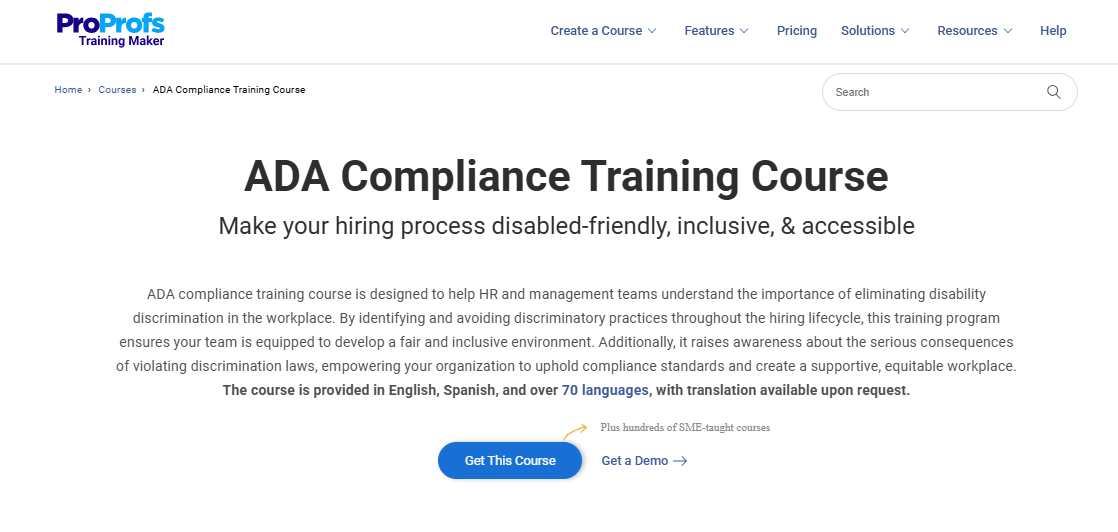
For organizations evaluating LMS platforms specifically for accessibility, the key question is not just whether the platform wrapper is accessible, but whether it makes accessible content creation the path of least resistance for every instructor who uses it. If you are building courses from scratch, our guide on how to create an online course covers the setup process, and accessibility should be part of that workflow from the start. For a broader comparison of platforms that support accessible training delivery, see our guide to the best employee training software.
Step 4: Publish an Accessibility Statement
An accessibility statement signals good faith. It tells users which standard you are conforming to, any known limitations, and how to request accommodations or report barriers. It will not protect you from litigation on its own, but it demonstrates intent and gives users a path to resolution before a problem escalates.
Step 5: Build Accessibility Into Your Ongoing Process
The most durable approach to ADA WCAG compliance is to integrate accessibility into how you build and update content, rather than treating it as a remediation project you revisit every few years.
- Include accessibility requirements in design briefs and content creation guidelines
- Test accessibility whenever new features or content are added
- Train content creators, not just developers, on accessible formatting practices
- Run periodic audits, especially after significant platform updates
For broader guidance on building effective digital learning programs, our e-learning best practices guide covers design, delivery, and measurement; accessibility should be woven into each of those stages.
Tools for Ongoing Accessibility Monitoring
An initial audit establishes your baseline. Ongoing monitoring prevents regression. Axe Monitor runs automated accessibility scans on a schedule and flags new issues as they appear, integrating with CI/CD pipelines for development teams. Siteimprove combines accessibility scanning with content quality and SEO monitoring, useful for organizations managing both a website and an LMS. Pope Tech is built on the WAVE engine and designed for organizations managing large numbers of pages, with group-level reporting useful for teams managing accessibility across departments.
For most organizations, the minimum viable monitoring setup is a scheduled automated scan (monthly or after each content update) plus a quarterly manual review of the most-used pages or courses. The goal is catching regressions before users or plaintiff attorneys do.
ADA WCAG Compliance Checklist
Use this checklist as a practical reference when auditing, remediating, or building new digital content. It consolidates the key action items from the steps above into a single pass/fail format.
Perceivable
- All informational images have descriptive alt text (not filenames or placeholder text)
- All video content has synchronized captions that meet accuracy standards (not auto-generated only)
- All audio content has a text transcript available
- Body text meets the minimum contrast ratio of 4.5:1 against its background
- Large text (18pt or 14pt bold) meets the minimum contrast ratio of 3:1
- Content does not rely on color alone to convey meaning
- Text can be resized up to 200% without loss of content or functionality
Operable
- All interactive elements are accessible via keyboard alone
- All interactive elements have a visible focus indicator when navigated by keyboard
- No keyboard traps exist, users can navigate into and out of every component
- No content flashes more than three times per second
- Users have sufficient time to complete timed tasks, or time limits can be extended
- Page navigation is consistent and predictable across all pages
Understandable
- Page language is declared in the HTML
- Form fields have visible, programmatically associated labels
- Error messages identify what went wrong and suggest how to fix it
- Content uses plain language appropriate to the audience
- Heading hierarchy follows a logical order (H1 → H2 → H3) used for structure, not styling
Robust
- HTML validates without critical errors that break assistive technology parsing
- ARIA attributes are used correctly (incorrect ARIA is worse than no ARIA)
- Content works across current versions of major screen readers (NVDA, VoiceOver, JAWS)
- Interactive components announce their name, role, and state to assistive technologies
Training Content (LMS-Specific)
- PDFs are tagged for screen reader compatibility (scanned PDFs are replaced with tagged versions)
- PowerPoint and Word files have proper heading structures and alt text before upload
- Video-based courses have synchronized captions (reviewed for accuracy)
- Quiz and assessment components are fully keyboard-navigable
- Interactive course elements (branching scenarios, simulations) work without a mouse
- Course completion and certification workflows are accessible end-to-end
Organizational Process
- An accessibility statement is published and includes contact information for accommodation requests
- Accessibility requirements are included in design briefs and content creation guidelines
- Content creators are trained on accessible formatting practices
- New content and features are tested for accessibility before publication
- Periodic audits are scheduled, especially after significant platform updates
What Should You Do Next?
If you are starting from scratch, run an automated audit this week. Tools like Axe DevTools and WAVE are free and take less than an hour to surface your highest-severity issues.
If you manage training content, audit your three most-used courses first. Check that videos have accurate captions, PDFs are tagged for screen readers, quizzes are keyboard-navigable, and the completion workflow is accessible end-to-end. These are the courses where inaccessibility affects the most people and creates the most liability.
If you are evaluating platforms, ask vendors three specific questions: Do you publish a VPAT or accessibility conformance report? Does your platform meet WCAG 2.1 AA? And does your content creation interface make accessible formatting the default behavior, or does it require instructors to know WCAG criteria independently?
Accessibility is not a project with a finish line. It is an ongoing standard, like security or data privacy, that improves with each cycle. The organizations that build it into their process rather than treating it as a remediation event produce better content, reach more people, and carry less risk.
The starting point is simply deciding to take it seriously. The checklist above gives you a concrete first pass.
Get Free Harassment Prevention Training Software — All Features, Forever.
We've helped 567 companies train 200,000+ employees. Create courses in under a minute with our AI LMS or use 200+ ready-made courses on compliance, harassment, DEI, onboarding, and more!
Frequently Asked Questions
Does WCAG compliance guarantee ADA compliance?
Not automatically, but meeting WCAG 2.1 AA is the closest thing to a safe harbor that currently exists for digital accessibility. Courts consistently reference WCAG 2.1 AA as the technical standard for what “accessible” means under the ADA. Conformance does not guarantee immunity from lawsuits, but it substantially reduces your legal exposure and demonstrates due diligence.
Which WCAG version should we target?
WCAG 2.1 AA is the current practical standard for most organizations. The DOJ’s 2024 rule for Title II entities explicitly requires it. WCAG 2.2 was published in 2023 and contains important improvements, particularly for users with cognitive and motor disabilities, but WCAG 2.1 AA remains the most widely referenced standard in litigation and regulation. Targeting 2.2 AA is forward-thinking; targeting 2.1 AA is the baseline you need to meet now.
My website is small. Do ADA and WCAG requirements still apply?
Size does not determine liability. ADA Title III applies to private businesses that operate as public accommodations, which courts have consistently interpreted to include websites regardless of business size. The pattern of litigation includes small e-commerce sites, local service businesses, and niche content platforms. The risk scales somewhat with visibility, but it does not disappear below a certain size threshold.
What is the difference between Section 508 and WCAG?
Section 508 is a U.S. federal law requiring federal agencies and organizations receiving federal funding to make their electronic and information technology accessible. In 2017, the U.S. Access Board updated Section 508 to incorporate WCAG 2.0 Level AA by reference. For practical purposes, meeting WCAG 2.0 AA satisfies Section 508 for most content types. If you work with federal agencies or receive federal grants, Section 508 is your compliance framework, and WCAG is how you meet it.
Does content behind a login need to be accessible?
Yes. If the content is required for participation in a program, employment onboarding, compliance training, or an educational curriculum, it must meet accessibility standards, regardless of whether it is behind a login. The authentication layer does not change the obligation.
Can I issue certificates from a quiz or assessment tool without a full LMS and still meet accessibility requirements?
Yes, provided the quiz tool itself meets WCAG 2.1 AA standards. The certificate workflow, from taking the assessment to receiving the credential, must be keyboard-navigable, screen-reader compatible, and free of barriers at every step. Tools like ProProfs Quiz Maker support accessible quiz delivery with keyboard navigation and structured output, but you should verify the specific accessibility conformance of any tool before relying on it for programs that carry compliance obligations.

Let ProProfs AI create your training course

 We'd love your feedback!
What did you like & how can we make it even better?
 Thanks for your feedback!
 Ask Your Question
Have a question? Get expert help to make your decision easier.