Here’s something I keep running into. A manager builds a thorough, well-meaning slide deck for a new process, sends it around, everyone marks it “complete,” and three weeks later, nobody remembers a single step. That is not a discipline problem. That is a format problem.
The gap between training that gets clicked through and training that actually changes what people do on the job comes down to one thing: whether the experience is built to be sat through or built to be used. That distinction is the whole reason interactive training platform searches exist. People are not looking for another slide deck with a quiz bolted on. They are looking for something that makes the learner do something, not just watch something.
That is what this list is built around. This guide is for:
- HR managers standardizing onboarding across multiple locations or shifts
- L&D professionals replacing static PowerPoint and Zoom training with something trackable
- Team leads training distributed, hybrid, or deskless employees who are not sitting at a desk all day
- Operations and compliance managers who need proof that training actually happened, not just that it was assigned
What Is an Interactive Training Platform?
Most training software will tell you it is “interactive” because it includes a knowledge check. That is a low bar. What actually separates these platforms is whether the interaction changes the learning path, branching scenarios that respond to a wrong answer, adaptive quizzes that resurface a concept the learner missed, or just decorates it, a quiz tacked onto the end of a static video, checked once, never revisited.
The 10 Best Interactive Training Platforms for Employees in 2026
Knowing what counts as interactive is one thing. Finding a platform that actually builds it well is another problem entirely. I looked at ten that take genuinely different approaches to it, AI-generated courses, peer-built ones, daily microlearning bursts, and some do the job a lot better than others.
Below is a side-by-side look at all ten, Capterra ratings included, before I get into the specifics of each one.
| Tool | Best For | What Makes It Interactive | Capterra Rating |
| ProProfs Training Maker | World’s Easiest LMS & Course Builder for Employee Training, Compliance & Skill Assessment | AI-built branching quizzes with anti-cheating controls, plus gamified badges and leaderboards | 4.8/5 |
| TalentLMS | Quick Setup and Gamified Onboarding | Native badges, points, and leaderboards; phishing-simulation compliance content | 4.7/5 |
| 360Learning | Peer-Collaborative Course Creation | In-context discussion threads under every lesson; quizzes embedded per lesson, not just at the end | 4.7/5 |
| iSpring Learn | Interactive Quizzes and Scenario-Based Training | Branching scenarios, dialogue simulations, drag-and-drop and hotspot quiz types | 4.7/5 |
| Trainual | SMBs Combining SOPs with Interactive Training | Quizzes embedded directly inside process docs to confirm the step was actually absorbed | 4.8/5 |
| Axonify | Mobile Microlearning for Deskless Teams | Daily gamified microlearning bursts reinforced with spaced repetition | 4.7/5 |
| Absorb LMS | Enterprise-Scale Interactive Learning Programs | AI-generated quiz questions plus personalized course recommendations per learner | 4.5/5 |
| Docebo | AI-Driven Personalized Learning Paths | AI adapts the content path itself to each learner’s skill gaps, not a fixed sequence | 4.4/5 |
| WorkRamp | CRM-Connected Interactive Learning Paths | Drag-and-drop branching modules with completion data tied to CRM/deal records | 4.5/5 |
| Continu | Blended Interactive and Instructor-Led Training | Live instructor-led sessions and on-demand interactive courses in one workflow | 4.6/5 |
1. ProProfs Training Maker – World’s Easiest LMS & Course Builder for Employee Training, Compliance & Skill Assessment
ProProfs Training Maker is the interactive training platform I reach for first when a team needs to go from “we need training on this” to a live course the same afternoon.
Describe what you want to teach in a sentence, and AI course creation builds out lessons, quizzes, and structure that you edit instead of writing from scratch. Try typing something below, like “Create a workplace safety refresher for warehouse employees with a scenario-based quiz at the end,” and see what it builds.

Let ProProfs AI create your training course
If a blank page still feels risky, there are 500+ expert-built, ready-to-use courses on the topics that come up constantly in employee training: compliance basics, workplace safety, harassment prevention, and customer service fundamentals. AI can customize it further for your team, so you are building on something proven, not guessing.
What keeps this from being just another AI course generator is the tracking that goes on beneath it. Branching quizzes with anti-cheating controls, real-time completion and score reports, and learning paths that assign the right course to the right role automatically. The 70+ language support, including AI-generated voiceovers, and full white-labeling matter more than people expect once training scales past one office.
Pros:
- AI course creation turns a one-line prompt into a structured course, cutting build time for teams without instructional designers
- 200+ expert-built courses give you a vetted starting point instead of a blank page
- Branching quizzes and anti-cheating controls (randomization, IP tracking) for when certification accuracy matters
- Real-time completion, score, and drop-off reporting tied to individual learners
- 70+ language support for distributed or global teams
- Full white-labeling and custom branding for a consistent employee experience
- Integrates with CRM, HR, and SSO tools; imports existing SCORM and Tin Can content
Cons:
- Cloud-only; no on-premise or downloadable deployment option
- No dark mode for low-light environments
Pricing: Free for up to 10 learners. Paid plans start at $1.99 per active learner per month on the Essentials plan.
2. TalentLMS – Best for Quick Setup and Gamified Onboarding
TalentLMS built its reputation on one thing: getting a program live fast, without a drawn-out implementation. New admins are generally functional within a day, and the course builder does not require any technical background to use.
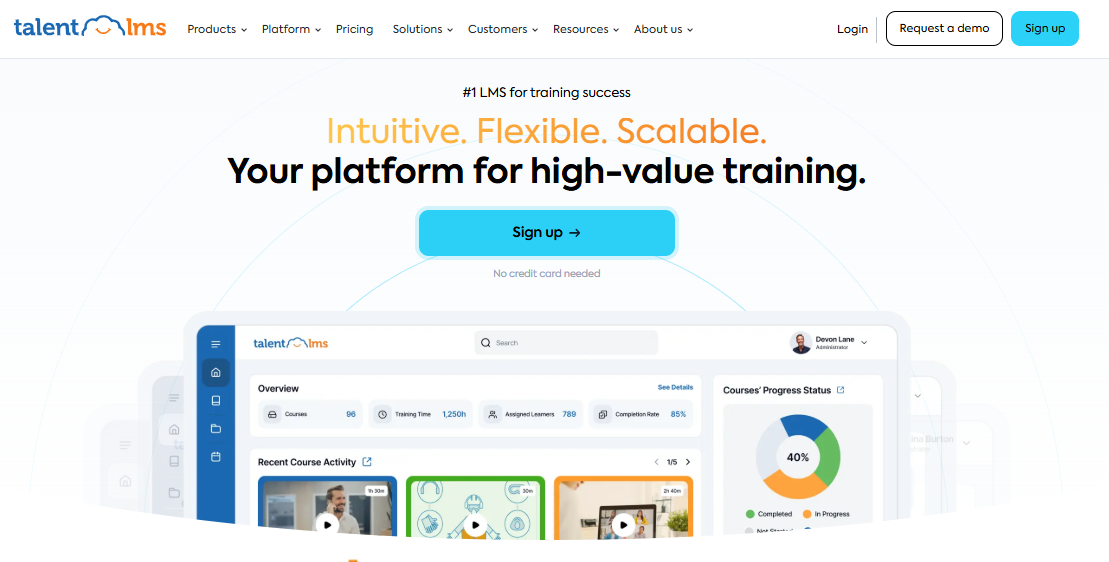
The gamification is where TalentLMS earns its reputation twice over. Badges, points, and leaderboards are built in rather than bolted on, and reviewers specifically call out its phishing-simulation and security-awareness content as some of the more engaging compliance material on the market. The 30+ integrations, BambooHR, Zoom, Zapier, HubSpot CRM, mean it slots into an existing HR stack without much custom work.
Where it gets more complicated is at scale. The flat-rate pricing tiers are generous for small teams but climb quickly past a few hundred users, and some reviewers note the pre-built content can feel a little generic compared to custom-built material.
Pros:
- Fast onboarding; most admins and instructors are functional within a day
- Native gamification (badges, points, leaderboards) rather than a bolt-on module
- 30+ integrations including BambooHR, Zoom, Zapier, and HubSpot CRM
- Strong library of pre-built compliance and security-awareness content, including phishing simulations
- Free plan and free trial available before committing
Cons:
- Some pre-built content reads as generic or overly gamified for serious compliance topics
- Pricing jumps meaningfully once you scale past the entry-level user tiers
Pricing: Core plan starts at $149/month flat rate for up to 100 users; Grow is $299/month, Pro is $579/month, Enterprise is custom. A free plan and free trial are both available.
3. 360Learning – Best for Peer-Collaborative Course Creation
360Learning takes a different bet than most tools on this list: instead of one admin building courses for everyone else, it is built for your own subject-matter experts, the people who actually know the process, to build and refine courses together.
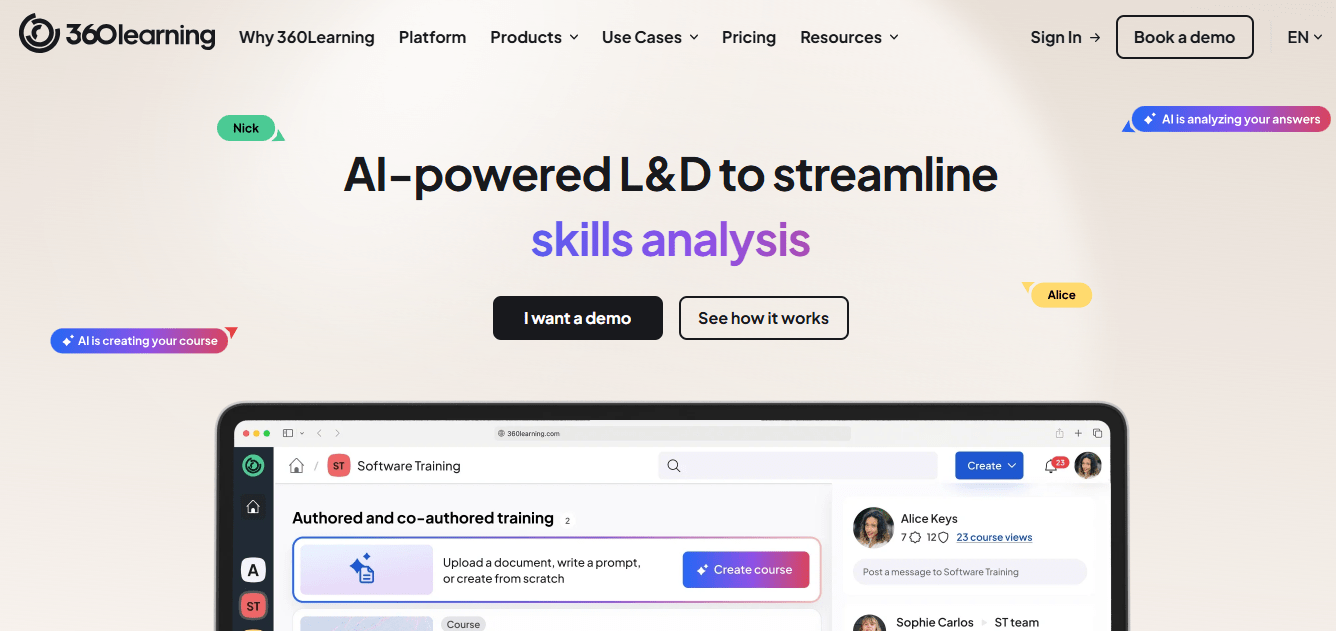
Courses live inside a comment thread as much as a lesson. Learners can flag a confusing step or challenge a quiz answer directly inside the course, and whoever built it can respond or revise on the spot. That loop is genuinely different from a course that sits static until someone remembers to update it.
Built-in quizzes reinforce each lesson rather than showing up once at the end, and AI tools can generate a first-draft course from existing material. The tradeoff: some reviewers find quiz depth thin for anything beyond a basic knowledge check, and enterprise features push you into custom pricing fast.
Pros:
- Collaborative authoring lets subject-matter experts build and refine courses without a dedicated instructional designer
- In-context discussion threads under each lesson catch confusion and outdated content in real time
- Quizzes are embedded per lesson rather than tacked on at the end
- AI-assisted course generation speeds up first drafts
- Trusted by large distributed organizations including Michelin and Cisco
Cons:
- Quiz depth can feel too simple for skills that need real practical assessment, not just recall
- Some reviewers report occasional technical glitches and slower support response
- Pricing moves to a custom quote once you need enterprise security controls or multi-region support
Pricing: Starts at $8 per user per month on the published Team plan; a free trial is available. Enterprise pricing is custom.
4. iSpring Learn – Best for Interactive Quizzes and Scenario-Based Training
If your team already lives in PowerPoint, iSpring is the fastest on-ramp to genuinely interactive course content on this list. Its companion authoring tool turns existing slides into courses with branching scenarios, dialogue simulations, and quiz types most authoring tools do not bother building: drag-and-drop, hotspot, matching, timed assessments.
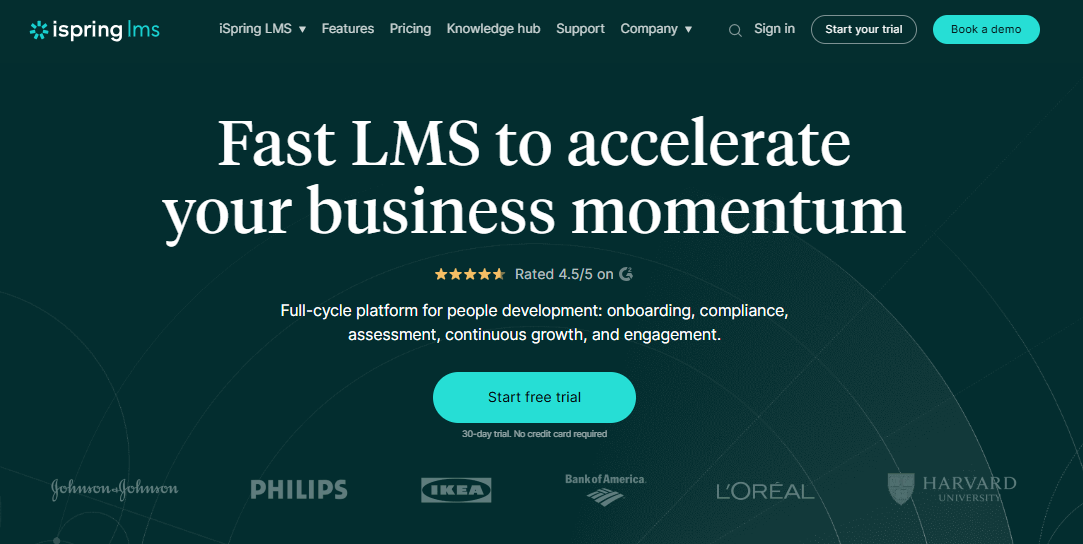
The learning curve is close to zero if you already know PowerPoint, which matters more than it sounds for teams without a dedicated instructional design function. Courses publish straight to SCORM or the iSpring Learn portal, with a mobile app that supports offline access for field or travel-heavy roles.
Where it shows its limits: reporting only surfaces a learner’s most recent quiz attempt, not their full attempt history, which makes it harder to spot who struggled before passing. Costs also step up as your active-user count crosses each pricing tier.
Pros:
- PowerPoint-based authoring means almost no learning curve for non-technical course builders
- Genuinely deep interaction types: branching scenarios, dialogue simulations, drag-and-drop, hotspot, timed assessments
- Mobile app with offline access for field, travel, or shift-based roles
- Leaderboards, badges, and in-app chat for engagement
- Responsive, well-reviewed customer support
Cons:
- Reporting shows only the most recent quiz attempt, not full attempt history
- Costs increase at each active-user pricing tier (300, 500, or 1,000 users)
Pricing: Business plan starts at $3.58 per active user per month, billed across active-user tiers of 300, 500, or 1,000. A free trial is available.
5. Trainual – Best for SMBs Combining SOPs with Interactive Training
Trainual solves a problem most LMS tools do not touch: the fact that most of a company’s actual knowledge lives in someone’s head, not in a course. It is built to turn scattered know-how, the stuff a manager currently explains one new hire at a time, into a documented, trackable training path.
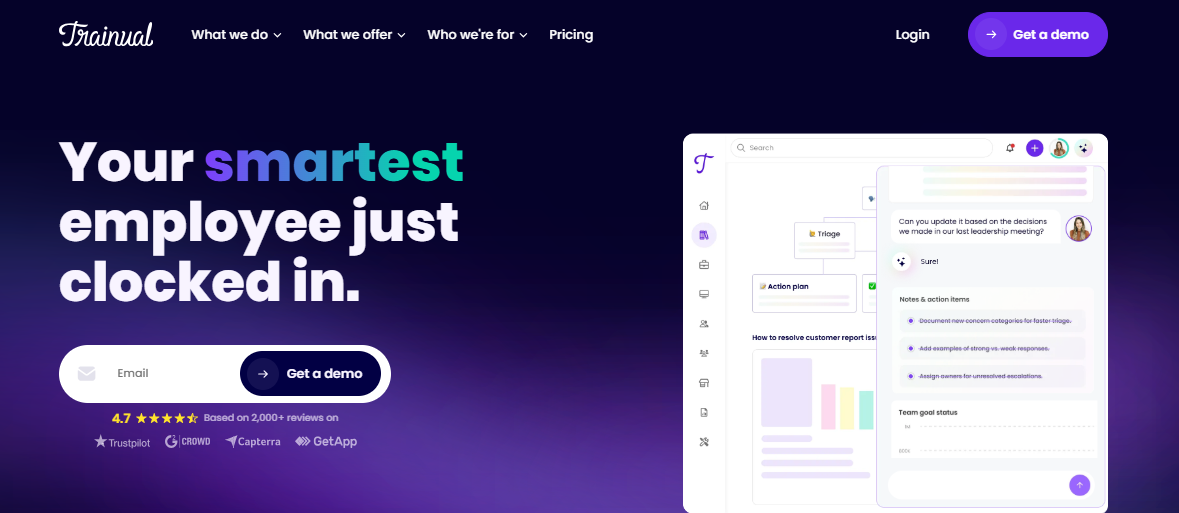
Every process document doubles as a training module, with built-in quizzes to confirm the new hire actually absorbed the step rather than skimmed it. An AI writing assistant helps draft SOPs from a rough outline or an uploaded file, and role-based assignment means a new sales rep and a new warehouse associate automatically see entirely different onboarding paths.
The tradeoff shows up in cost. Pricing is not published, and by most third-party estimates it climbs quickly as headcount grows, which makes it a harder sell for very small teams. There is also no free trial, so you are committing somewhat blind.
Pros:
- Turns process documentation directly into trackable, quizzed training content
- AI writing assistant speeds up SOP creation from outlines or existing documents
- Role-based assignment so different job functions get different onboarding paths automatically
- Deep permissions and org-chart structure built for growing SMBs
- Responsive support and an active user community
Cons:
- Pricing is not published and tends to scale up quickly with headcount
- No free trial available before purchase
- Mobile experience is less polished than the desktop version
Pricing: Custom quote only; third-party estimates put costs at roughly $250 to $300 per user annually for small teams, with volume pricing for larger headcounts.
6. Axonify – Best for Mobile Microlearning for Deskless Teams
Axonify exists for a specific, underserved audience: the retail associate, warehouse worker, or field technician who is not sitting at a desk and is not going to finish a 40-minute course between customers. Training shows up as a daily three-to-five-minute microlearning burst, gamified with points and leaderboards, and reinforced through spaced repetition so concepts actually stick.
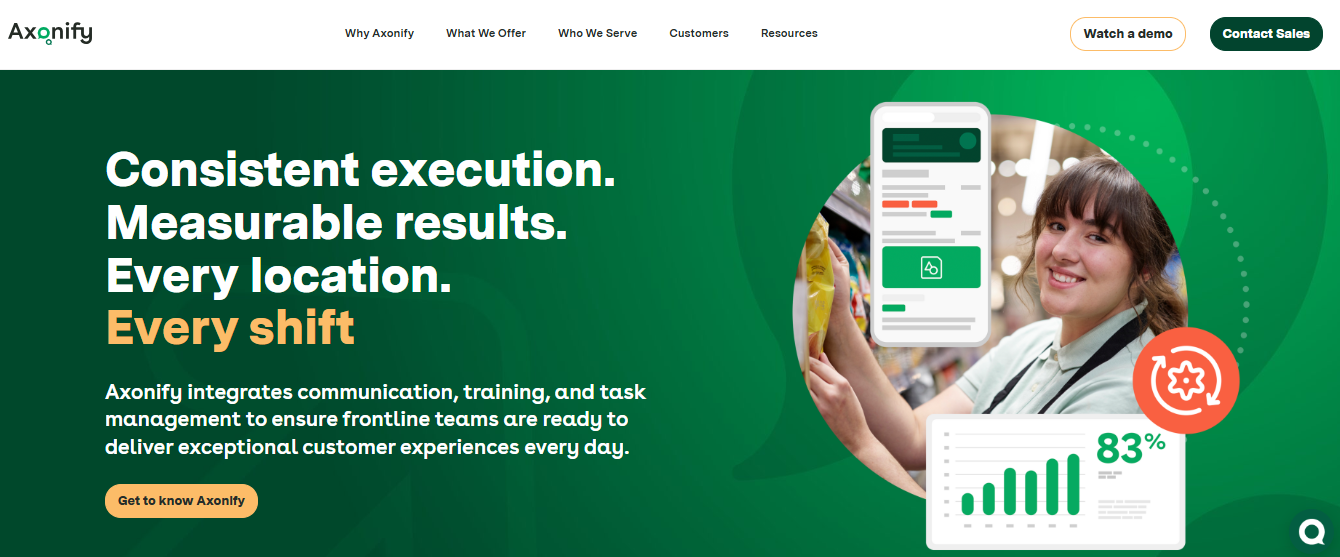
Its AI can generate key learning points and quiz questions directly from an uploaded policy document, which cuts down the authoring lift considerably. Reporting goes well beyond completion rate; dashboards track knowledge retention over time and, in some deployments, connect it to operational metrics like safety incidents.
The catch is that Axonify is built for scale and priced like it. Pricing is not published, administrative configuration takes real time to learn, and it is a thinner fit if you also need traditional formal courses or certification tracking outside the microlearning format.
Pros:
- Daily microlearning bursts with spaced repetition, purpose-built for retention over completion
- Mobile-first design genuinely built for deskless, frontline, and field-based employees
- AI generates key learning points and quiz questions from existing documents
- Reporting connects knowledge retention to real operational outcomes, not just completion percentages
- Strong gamification (points, leaderboards) tuned for frontline engagement
Cons:
- Pricing is not published and is generally positioned for large, enterprise-scale deployments
- Administrative back end takes real time and effort to configure and master
- Thinner support for formal, certificate-style courses outside the microlearning format
Pricing: Custom quote only; contact Axonify directly. No published starting price.
7. Absorb LMS – Best for Enterprise-Scale Interactive Learning Programs
Absorb LMS is what a lot of larger organizations land on after outgrowing a simpler system, and the appeal is mostly about how little friction there is once you are in. Admins describe it as difficult to actually break, and the learner-facing interface stays clean even as course libraries and user counts grow into the tens of thousands.
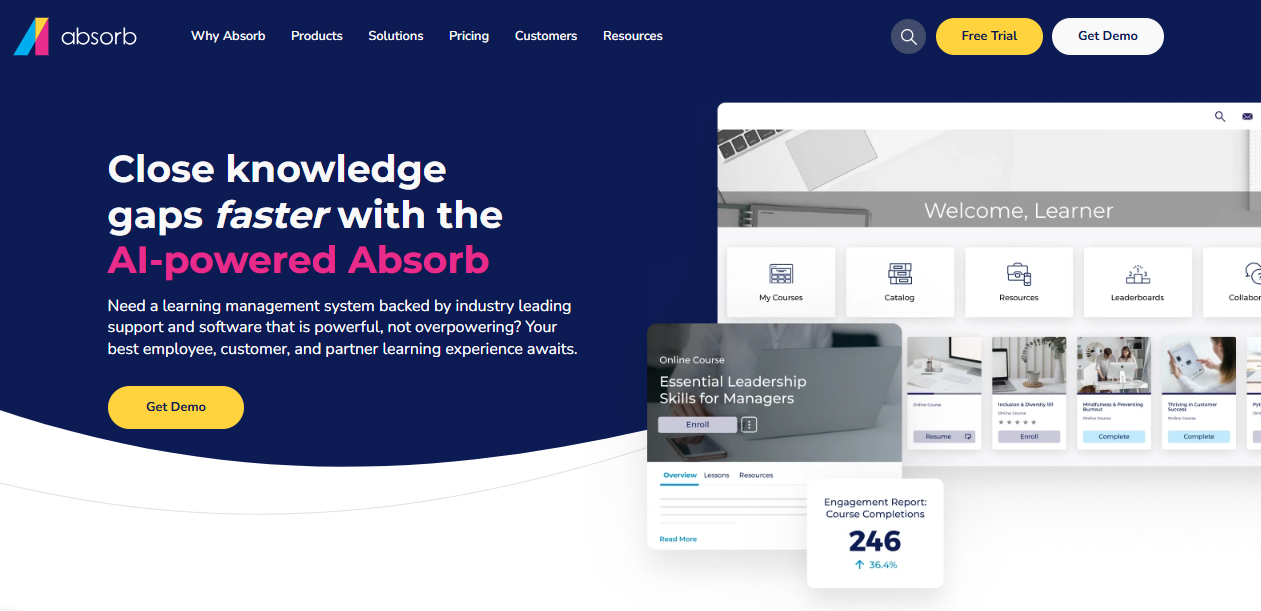
Its AI layer, sold as an add-on, generates quiz questions from existing content and can convert text to narrated audio, while a separate recommendation engine surfaces courses to individual learners based on role and prior activity. One organization reported completion rates jumping from 54% to 89% in the first quarter after migrating.
The friction shows up before you ever log in: every plan requires a demo and a custom quote, so there is no way to compare pricing at a glance the way you can with some competitors on this list.
Pros:
- Intuitive for both admins and learners, even at large scale
- AI add-on generates quiz questions and narrated audio from existing content
- Personalized course recommendations based on learner role and activity
- Strong reporting and analytics out of the box
- Well-regarded onboarding and migration support for teams switching from a legacy system
Cons:
- No published pricing; every plan requires a demo and custom quote
- No way to archive old enrollment records for long-term compliance history
- Enrollment flow has more steps than some learners expect
Pricing: Custom quote only; contact Absorb directly for pricing based on user count and modules.
8. Docebo – Best for AI-Driven Personalized Learning Paths
Docebo’s AI goes further than course recommendations. Content creation, curation, and delivery can all be automated and adapted to an individual learner’s existing skill profile, which matters most at the scale where manually assigning the right course to the right person stops being realistic.
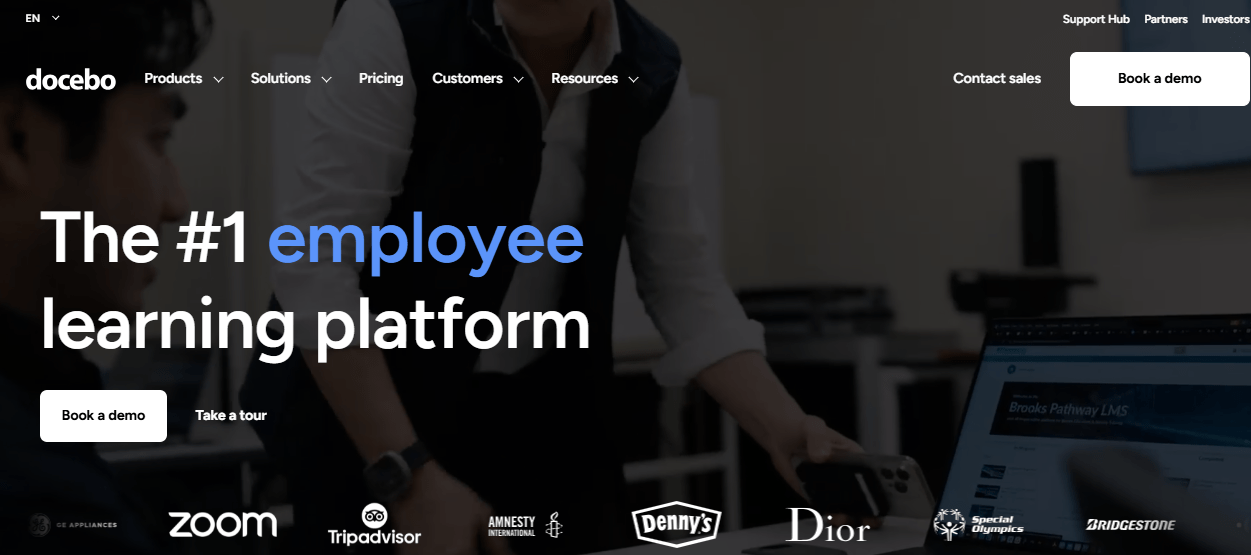
SCORM and AICC compatibility means existing course libraries migrate over cleanly, and integrations with authoring tools like Elucidat and Lectora give instructional design teams real flexibility to build outside Docebo’s own editor. Custom-branded mobile apps are a genuine differentiator for organizations that want employees learning from their phones without it looking bolted on.
The downsides are real and worth knowing before you get a quote. Pricing starts in enterprise territory, commonly cited in the $25,000 to $40,000 a year range, and a newer AI credit system adds consumption-based costs on top of the base license. Some reviewers also flag a weak manager dashboard and inconsistent support quality.
Pros:
- AI personalization adapts content and curation to individual learner skill gaps
- SCORM and AICC compliant; integrates with Elucidat and Lectora for outside authoring
- Custom-branded mobile apps for a polished employee learning experience
- Highly configurable admin permissions for complex organizational structures
- Publicly traded, well-established vendor with broad enterprise adoption
Cons:
- Pricing starts around $25,000 to $40,000 per year, firmly enterprise territory
- Newer AI credit system adds consumption-based costs that are harder to budget for
- Manager-level dashboards for tracking overdue training are seen as thin
- Support quality varies noticeably by account, per multiple review platforms
Pricing: Custom quote only; real-world deployments commonly range from $25,000 to $40,000 per year, plus AI credits for AI-powered features.
9. WorkRamp – Best for CRM-Connected Interactive Learning Paths
WorkRamp’s whole pitch is data connectivity, and for organizations where training completion needs to show up next to deal and account data, that pitch holds up. Native integrations with Salesforce, Slack, BambooHR, Workday, and Zendesk mean a rep’s certification status can sit right alongside their pipeline in the same dashboard a sales manager already checks daily.
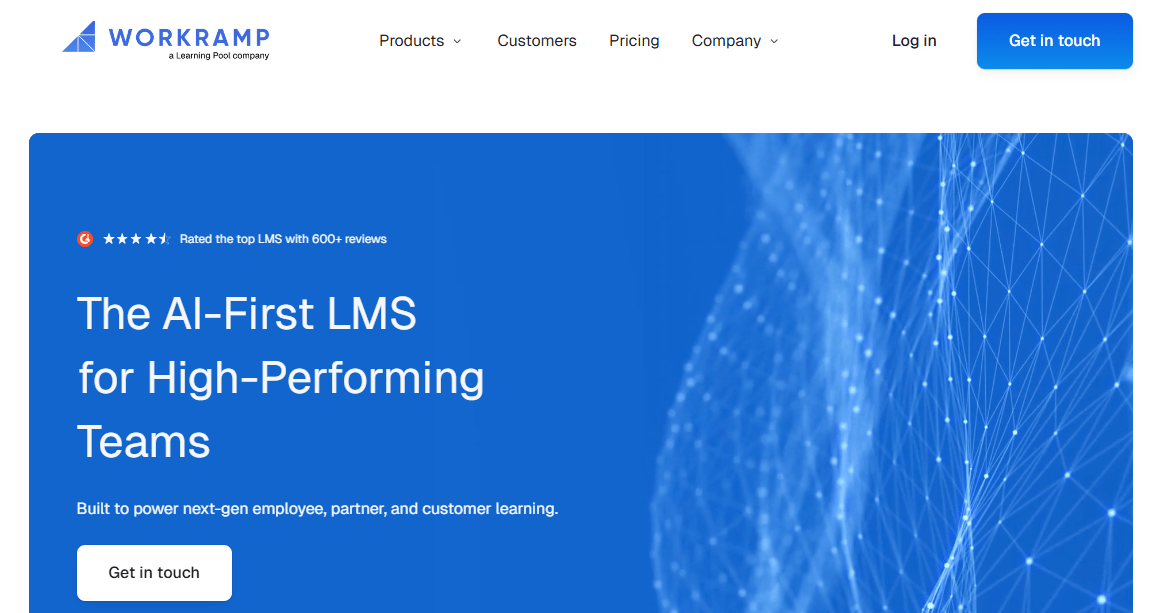
Its drag-and-drop course builder supports SCORM imports, so teams without deep technical skill can still assemble interactive modules with quizzes and branching content. WorkRamp runs employee and customer-facing training on the same underlying platform, which some organizations use to standardize both instead of stitching two tools together.
Reporting is the recurring complaint across review sites, described as inconsistent across different learner portals rather than broken outright. Pricing is also opaque; employee-training plans are reported to start around $10 per user per month, but total cost climbs with add-ons.
Pros:
- Native, deep integrations with Salesforce, Slack, BambooHR, Workday, and Zendesk
- Drag-and-drop course builder with SCORM support for teams without dedicated developers
- Can run employee and external (customer or partner) training from one platform
- Highly rated, responsive customer support team
- AI-assisted content recommendations based on learner behavior and goals
Cons:
- Reporting is inconsistent across different learner portals, per multiple reviewers
- Pricing is not published and can escalate quickly with add-ons or blended use cases
- Customization options feel more limited than some full-scale LMS competitors on this list
Pricing: Custom quote; employee-training plans are commonly reported to start around $10 per user per month, with total cost varying by add-ons and scale.
10. Continu – Best for Blended Interactive and Instructor-Led Training
Continu earns its spot for organizations that do not want to run two separate systems for on-demand courses and live instructor-led sessions. Both live inside one platform, with native integrations to Slack, Zoom, and Google Workspace that make scheduling, reminders, and follow-up feel like part of the same workflow rather than a manual handoff.
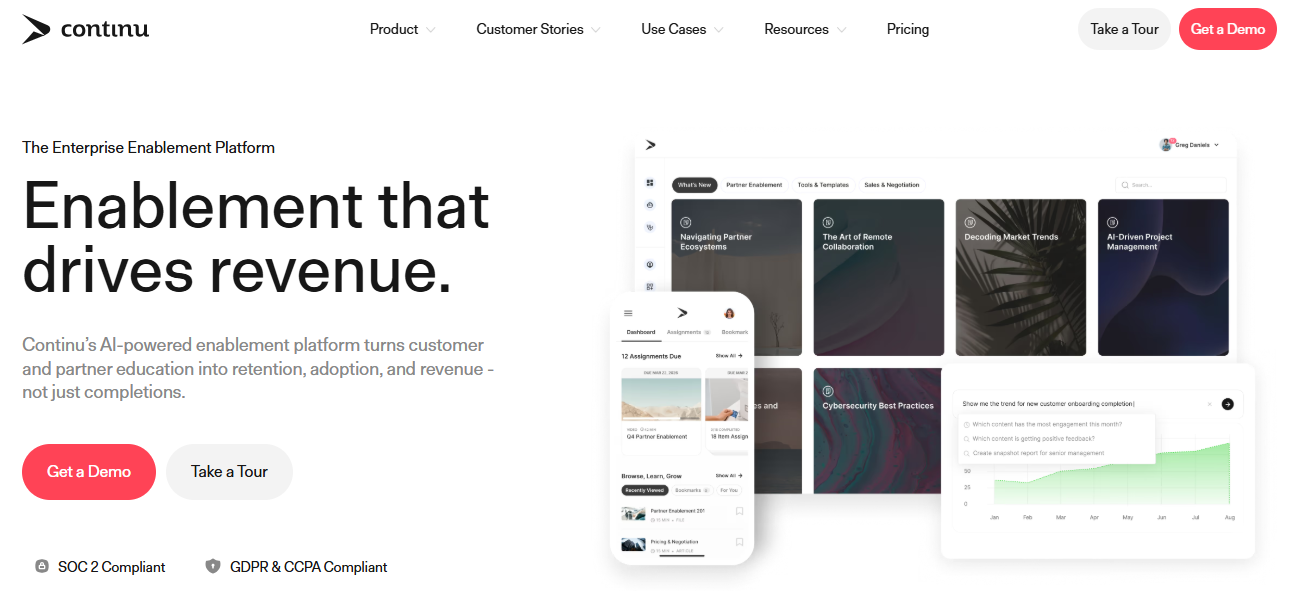
Its AI layer is aimed as much at admins as learners; it is built to cut down time spent building and maintaining content, on top of features meant to keep engagement from tapering off after the first module. Continu has ranked as a top enterprise LMS for usability across G2, Capterra, and Gartner Peer Insights in recent reporting periods.
The rougher edges: some reviewers report bugs and occasionally confusing navigation, in-platform reporting is described as less mature than exporting to a spreadsheet, and plans carry a minimum seat commitment that rules out very small teams.
Pros:
- Runs on-demand courses and live instructor-led sessions from a single platform
- Native integrations with Slack, Zoom, and Google Workspace for a genuinely blended workflow
- Ranked a top enterprise LMS for usability across G2, Capterra, and Gartner Peer Insights
- AI features aimed at reducing admin content-maintenance time
- High reported customer satisfaction and strong implementation support
Cons:
- Some reviewers report bugs and occasionally confusing navigation
- In-platform reporting dashboards are less mature than exporting data to a spreadsheet
- Minimum seat commitments (around 250 users on the Growth plan) rule out very small teams
Pricing: Custom quote; the Growth plan requires a minimum of roughly 250 user seats per year.
Which Are My Top 3 Picks for Employee Training?
If I had to hand someone a short list of interactive training platforms instead of all ten, here is where I would point them, and why.
ProProfs Training Maker is my first call for most teams, especially ones without a dedicated instructional design function. AI course creation gets you from idea to a live, trackable course the same day, and the pricing scales down to genuinely free for small teams instead of forcing everyone into an enterprise quote.
iSpring Learn is where I would send a team that already lives in PowerPoint and needs quiz and scenario depth beyond a basic knowledge check. The learning curve is close to zero, and the branching scenarios do real instructional work instead of just decorating a slide deck.
Axonify is the right call if your workforce is gen uinely deskless, retail floors, warehouses, field service, where a 40-minute course is never going to get finished. The daily microlearning format and spaced repetition are built around how that audience actually has time to learn, not how L&D wishes they did.
How Did I Evaluate These Interactive Training Platforms?
I did not take vendor feature pages at face value for any of this. Ratings and review sentiment for every platform on this list are pulled from Capterra and G2, and I paid particular attention to comments from HR and L&D professionals who actually run employee training day-to-day, not just IT buyers evaluating specs on paper.
A few criteria mattered more than others:
Interaction depth, not just presence: does the platform build genuinely different interaction types, branching scenarios, adaptive quizzes, simulations, or is it a static course with one quiz at the end?
AI feature quality: where a platform offers AI course creation or content generation, I looked at whether it produces a usable starting draft or something that still needs heavy rework, since AI-generated content is only as good as the review process behind it.
Ease of use for non-technical admins: most people building training are not instructional designers by trade. I weighed platforms that do not require one.
Pricing transparency: some vendors publish real numbers. Others require a demo before you learn anything about cost. I noted both.
Scalability and mobile access: whether the platform holds up for a distributed, hybrid, or deskless workforce, not just an office of desk-based employees.
What Should You Know Before Choosing an Interactive Training Platform?
A few patterns kept showing up across reviews and community discussions that are worth knowing before you shortlist anything.
1. AI-Generated Content Still Needs a Human Editor
Several of the platforms on this list can generate a full course from a prompt or an uploaded document, and it is genuinely useful. What it is not is finished. AI content is wrong often enough, with some research citing factual error rates as high as 30% in generated material, that treating an AI draft as publishable without review is a real risk, especially for safety or compliance training where an error has actual consequences.
2. Deskless Workers Need a Genuinely Different Platform, Not Just a Mobile App
A lot of “mobile-friendly” claims mean the desktop course loads on a phone screen, not that it was designed for someone without a regular workstation. If your workforce is largely retail, logistics, healthcare, or field service, look specifically at offline access, session length, and whether the platform was built mobile-first rather than mobile-adapted.
3. Watch for the Forgetting Curve, Not Just Completion Rate
Completion rate tells you someone clicked through a course. It does not tell you they remember any of it two weeks later. Platforms with spaced repetition, microlearning reinforcement, or scheduled knowledge refreshers are solving for retention specifically; a lot of standard LMS platforms are not built to solve for it at all.
4. Personalization Should Map to Skill Gaps, Not Just Job Title
“Everyone in this role gets this course” is easier to build than it is useful. The platforms doing this well analyze what an individual learner actually knows and assign content based on the gap, not the org chart. That is a meaningfully different product than one that just segments courses by department.
5. Some Searches Are Really About Integration, Not Content
If what you actually need is an interactive systems training platform, meaning training data that flows cleanly into your HRIS, CRM, or compliance system, prioritize integration depth over course library size. A smaller content library with clean data flow to Workday or Salesforce solves more problems than a huge course catalog sitting in an island system.
Is There a Checklist for Evaluating an Interactive Training Platform?
Use this before you get on a call with any vendor on this list. When you are comparing online interactive training platforms side by side, ease of admin setup matters as much as learner-facing features.
- Does the platform build genuinely interactive content (branching, simulations, adaptive quizzes), or just a quiz bolted onto a static course?
- Is there a real AI course creation feature, and have you seen what it produces before committing to reviewing every draft by hand?
- Does it work for deskless or field-based employees specifically, not just “mobile-responsive” in theory?
- Can you get real completion, score, and drop-off data down to the individual learner?
- Is pricing published, or does every plan require a demo before you learn what it costs?
- Does it integrate with the HRIS, CRM, or SSO tools you already use?
- Is there a free plan or trial you can actually test before signing anything?
- If you are specifically hunting for an interactive systems training platform, is HRIS and CRM integration depth at the top of this list, not the bottom?
Stop Comparing Feature Lists. Start Watching People Use It.
Every platform on this list will demo well. The features will all sound roughly the same on a call. What actually separates them shows up three weeks after launch: whether people are still opening the course, whether they remember what was in it, and whether your reporting can actually tell you that or just tells you who clicked “complete.”
Start with the smallest real test you can run. Pick one course, one team, one interactive training platform from this list, and watch what happens for two weeks before you roll anything out company-wide. Completion rate on day one tells you almost nothing. Retention on day fourteen tells you almost everything.
If you want to run that test without committing to anything, ProProfs Training Maker’s free plan covers up to 10 learners at no cost, which is enough room to see whether AI course creation and the tracking underneath it hold up for your team before you decide on anything bigger.
Frequently Asked Questions
What is an interactive training platform?
An interactive training platform is employee training software built around active participation, quizzes, branching scenarios, simulations, gamified challenges, rather than passive slides or video. The interaction should change what the learner sees next, not just decorate a static course with a quiz at the end.
What is the best interactive training platform for employees in 2026?
ProProfs Training Maker, iSpring Learn, and Axonify consistently stand out depending on your use case. ProProfs suits most teams needing fast AI course creation with real tracking. iSpring fits teams wanting deep quiz and scenario authoring. Axonify is strongest for deskless, frontline workforces needing daily microlearning.
How is an interactive training platform different from a regular LMS?
A standard LMS can deliver a static course and log completion. An interactive training platform is built around active participation, branching scenarios, adaptive quizzes, simulations, so the learning path responds to what the learner does, not just whether they clicked through to the end.
Do interactive training platforms use AI to create courses?
Many do. ProProfs Training Maker, Trainual, and Axonify can all generate a course draft, SOP, or quiz questions from a prompt or uploaded document. Treat AI output as a strong first draft, not a finished course; error rates in AI-generated content are high enough to need human review before publishing.
What is the best training platform for deskless or frontline employees?
Axonify is purpose-built for this: daily three-to-five-minute microlearning bursts with spaced repetition, designed for retail, logistics, and field service workers who are not at a desk. ProProfs Training Maker and iSpring Learn also offer mobile apps with offline access alongside a broader feature set.
How much does an interactive training platform cost?
Pricing varies widely. ProProfs Training Maker starts free for up to 10 learners, then $1.99 per active learner monthly. TalentLMS starts at $149/month. iSpring Learn starts at $3.58 per active user monthly. Docebo and WorkRamp both require custom enterprise quotes, commonly starting in the thousands per year.
Can an interactive training platform integrate with my HR or CRM system?
Most platforms on this list do. ProProfs Training Maker, TalentLMS, and WorkRamp all support CRM and HRIS integrations, including Salesforce, BambooHR, and SSO tools. Confirm exactly which data syncs, completion status, certifications, deadlines, before assuming two systems will talk to each other automatically.
What should I look for in an online interactive training platform?
Prioritize genuine interaction depth (branching, simulations, adaptive quizzes), AI course creation you have actually tested, mobile and offline support if you have deskless staff, transparent pricing, and reporting that tracks individual learner retention, not just completion rate. Everything else is secondary to those five.
Let ProProfs AI create your training course

 We'd love your feedback!
What did you like & how can we make it even better?
 Thanks for your feedback!
 Ask Your Question
Have a question? Get expert help to make your decision easier.